

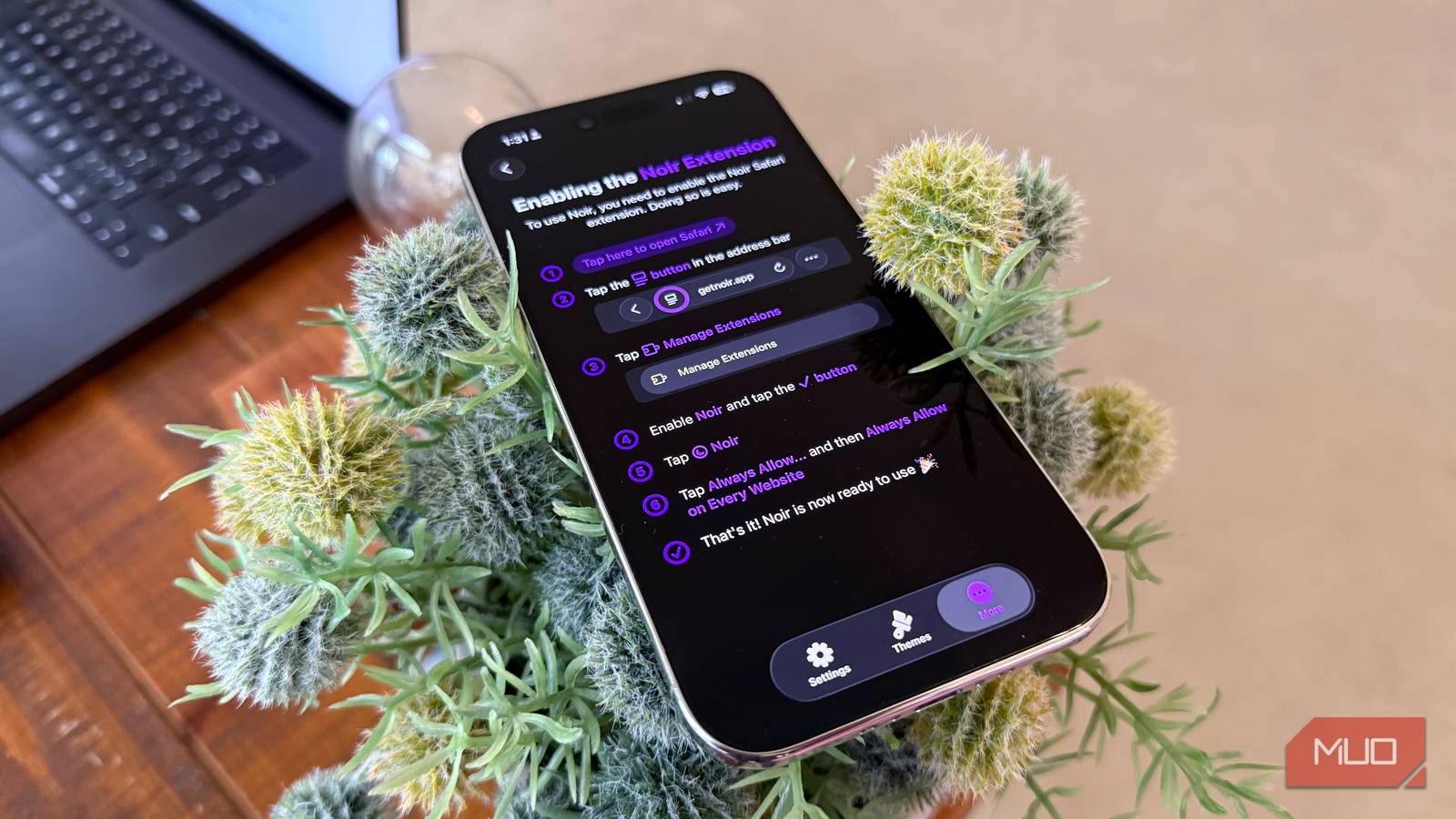

Apple introduced dark mode in iOS in version 13 back in 2019 (even though I think there are good reasons you should keep dark mode off). This change allowed both manual and automatic (based on time of day) toggling in dark mode. And even Safari got the dark mode treatment (though check out Firefox Focus for the utmost in ad and tracker blocking), but only if the website itself supported dark mode (most websites today have both light and dark mode, but some, like eBay, Wikipedia, Amazon, and most of Google Workspace, do not yet have native dark modes). There’s a simple little app in the App Store called Noir that acts as a Safari extension on your iPhone and applies a dark mode to every website you visit.
Setting up Noir
It’s a $2.99 purchase and is easy to set up
Once you download Noir, which is a Safari extension, you’re instructed to activate the plugin by going to Safari -> Manage Extensions -> Enable Noir -> Always Allow. Then, as long as your system mode is set to dark (which you can enable either with the command center shortcut, or by going to Settings -> Display & Brightness -> Dark Mode). Then, if you visit any website in Safari, even if there is no default dark mode, Noir will seamlessly make any website dark. Not only that, but if you go into the Noir settings, you can set up light, dark, or auto mode (auto will only turn on dark mode on a schedule, like at night). Not only that, but Noir has a Themes button that lets you set up custom themes (there are four by default: dark, black, gray, and sepia) and give it rules to apply one of the themes to particular websites.
No more blinding websites
Dark mode for all
Here’s a look at some before-and-afters from a couple of the worst non-dark mode offenders on the internet — eBay and Wikipedia. Once I enabled dark mode on my iPhone, I simply went back into Safari, refreshed the page, and dark mode was applied. Again, you can really fine-tune the look of each website by applying a custom theme in the Noir settings so that text and images remain legible.
It works great on iPad too
Where dark mode is even more appreciated
The iPad is a fantastic media consumption device. In fact, my iPad Pro is my favorite web browsing device thanks to its big and fast display (with the latest iPads have the super-bright Tandem OLED). But when using Safari, you often come across blindingly-bright websites that have no dark mode.
Since App Store purchases work across devices on the same Apple ID, if you purchase Noir for your iPhone, it will also work on your iPad for no extra fee — just head to the app store on your iPad, search for Noir, and tap the download button. Take a look at some before-and-afters above: Noir is able to convert any website to dark mode with no loss of fidelity. Even Wikipedia (which will remain human-powered) is so much more readable.

I tested every iPhone browser’s battery usage: the winner will surprise you
Safari didn’t win. I’m still not over it.
What about Chrome?
iOS doesn’t let third party browsers use extensions

One of the many limitations of iOS (and a huge reason why Android is so popular thanks to its openness) is that you cannot use extensions in any other browser besides Safari. That’s a shame, because Chrome works great on iOS and brings access to its password manager and bookmarks across all of your devices. The reason Apple doesn’t allow extensions in non-Safari browsers comes down to security: Safari uses WebKit, which is baked deeply into the operating system and offers Apple the utmost control over its security, while Chrome uses Google’s Blink engine, which Apple cannot control. Thus, they limit it by preventing Chrome from offering extensions.
Some apps are worth paying for
Filling in the gaps of what Apple missed

To be honest, I really don’t like paying for apps, and I like to find ways to achieve a certain feature with free tools. But I have yet to find a way to allow my iPhone to apply a dark mode to the entire internet, regardless of whether the webmaster took the time to make a proper dark mode, and Noir does that for just a few dollars. I love how it allows you to set themes for different websites, so if the default dark mode in Noir is too dark and difficult to read, you can choose a sepia or gray mode instead. Overall, it’s money well spent to fix something that Apple has yet to do.
