

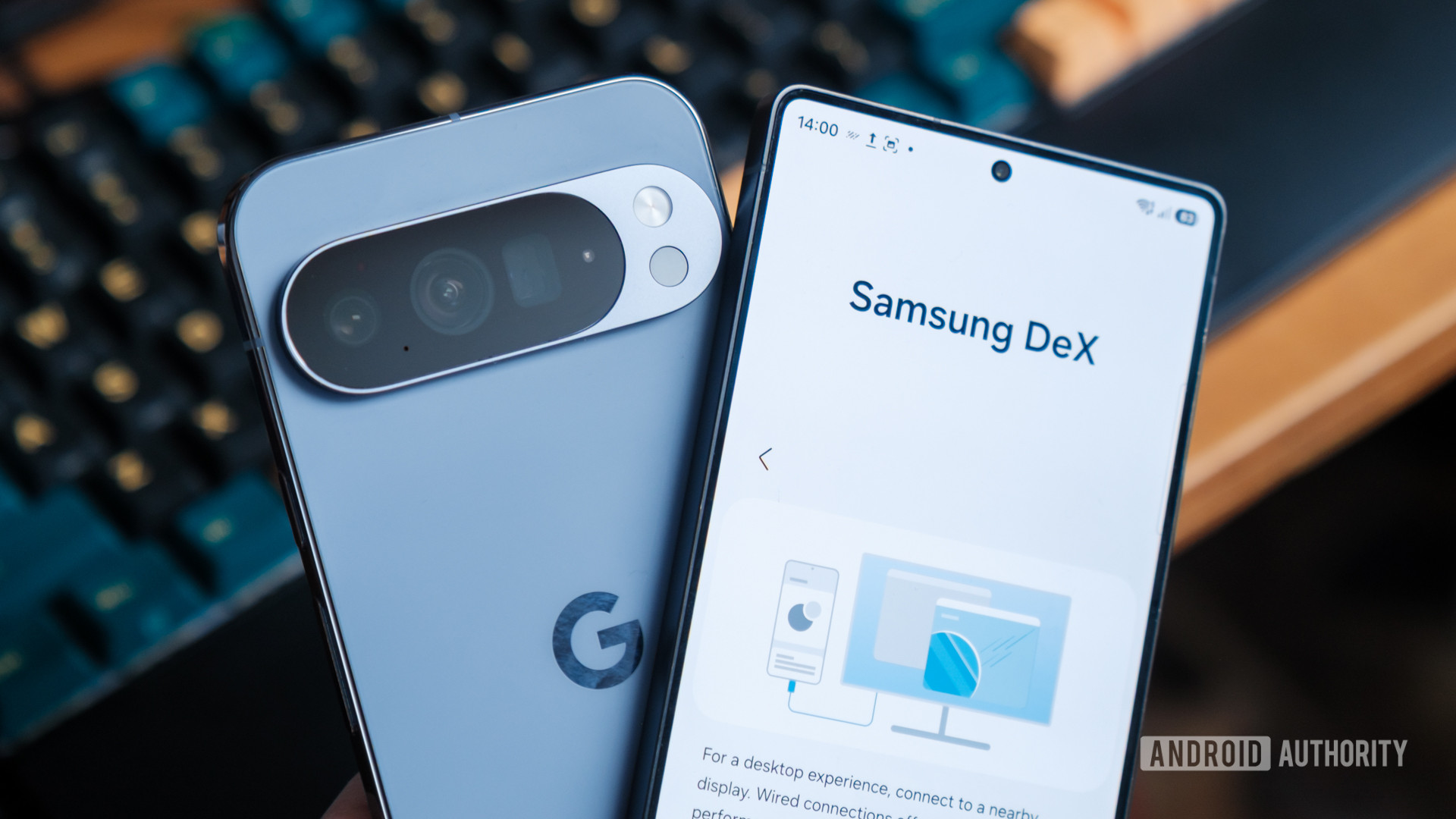

I’ve been enjoying Google’s new Pixel Desktop Mode on my Pixel 10 Pro XL lately, so much so that it almost makes the world of smartphones feel new again. However, Google is far from the first to combine smartphone and desktop experiences under one roof. US consumers have had access to Samsung’s DeX environment since 2017, and it has gradually improved the platform with various new features that have set a high bar for Google’s new system to meet.
If anything, it’s surprising that it’s taken Google just this long to come up with its own take on the formula. But how do they compare? I’ve spent some time trying out everyday desktop tasks on both platforms to help answer the question: What are the differences between Pixel Desktop and Samsung DeX, and which one is best?
Which Android desktop experience is best?
23 votes
Pixel Desktop vs Samsung DeX at a glance

Robert Triggs / Android Authority
Before getting into the features, there is one core difference between these two desktop platforms. Pixel Desktop Mode runs the exact same Android system that powers the phone interface, simply rendering a second windowing environment on the external display. Apps run in the same OS instance, but Android’s native window manager allows them to appear in resizable windows on the larger screen.
Samsung DeX takes a different approach. Rather than relying on Android’s new default desktop-style windowing, Samsung layers its own desktop interface on top of Android through One UI. Apps still run in the same Android OS instance, but Samsung replaces much of the system’s window management and UI behavior with its own desktop shell. This slightly different architecture leads to a few subtle differences in the experience, which we’ll get into in a minute, but the end result is still a native Android desktop experience.
DeX and Pixel desktop modes run your phone’s Android apps, but there are subtle differences.
Thankfully, getting started with either desktop option is equally straightforward. Both platforms support DisplayPort output via USB-C, and you can easily connect up via HDMI through a dongle adapter. However, older Samsung models had a few other ways to connect, such as a DeX cable or Wireless DeX, which the Pixel doesn’t have.
The phones I used support power pass-through and hassle-free plug-and-play support for Bluetooth and USB keyboard and mice. Needless to say, I had no problem getting started with either, and both serve exactly the same purpose at a quick glance.
| Pixel Desktop Mode | Samsung DeX | |
|---|---|---|
| First release | 2025 (Pixel 10) | 2017 |
| Platform | Native Android desktop windowing | Samsung One UI desktop shell |
| Connection | USB-C DisplayPort | USB-C, HDMI docks, Wireless |
| Desktop customization | Limited | Full desktop layout |
The same core Android desktop experience
Sticking with peripherals for a second, both desktop environments support the same Bluetooth peripherals as in mobile mode, so you can keep your earbuds paired when switching between modes. I also plugged in a microSD card, a USB stick, and a USB SSD external storage device, all of which were detected instantly without issue, allowing you to port work around very easily.
Likewise, when booting into Samsung DeX or Pixel Desktop Mode, you’re greeted with a very familiar desktop look on both platforms. The two interfaces position a customizable dock of apps along the bottom, complete with an app drawer, and Android’s classic three navigation buttons. The only difference is that DeX positions these on the left and Pixel on the right. The two platforms also support up to four separate desktop environments as well, so you can keep even the busiest multi-tasking setups in order.
Perhaps the most important factor is how the two desktop modes handle running your standard array of Android apps, and again, the experience is very similar. Google has pushed developers to support a wider range of aspect ratios in recent years, from your standard phone portrait to wider foldable and tablet UIs. Pixel Desktop Mode leverages these options, automatically refreshing the UI to fit the most applicable mode when you resize your window. DeX works in a very similar way, allowing you to resize windows to whatever size and adapting the UI where possible.
However, not every app has been updated to support the broader range of UI options available in today’s Android ecosystem. In the old days, DeX used to put older apps into fixed windows, but I couldn’t find any apps that defaulted to this mode; all the apps I tried could be stretched and expanded. In fact, DeX handled some older apps better than the Pixel, which defaulted to full screen and became unresponsive with a couple of older apps I tried that definitely weren’t built for widescreen support. That’s a minor difference in the grand scheme, though.
On the whole, both DeX and Pixel desktop modes provide very similar core functionality and run today’s modern Android apps just as well in desktop mode as in phone mode.
Subtle differences make a difference
Eagle-eyed readers will have already spotted a few key differences when we first looked at the interfaces. DeX defaults to showing a few desktop icons, along with the dock, and you can add apps to the desktop grid simply by clicking and dragging them out of the app drawer. In fact, DeX’s desktop is a fully customizable landscape all of its own, complete with the very same widgets you can plaster all over your phone’s homescreen. Importantly, changes made here don’t affect your phone’s homescreen. Meanwhile, Pixel’s desktop is essentially just a glorified wallpaper. Unlike DeX, you can’t place app icons or widgets directly on it.
Another significant change is the way the two handle quick settings and notifications. DeX adds these options as more familiar “system tray” or “notification area” items, along with a calendar and clock. Clicking any of these icons opens the relevant settings, allowing quick access to check your schedule, toggle Bluetooth connections, or respond to an incoming message. It’s very PC-like. Google currently has nothing like this.
DeX has had a few more years to refine the experience.
Instead, Pixel opts for a top-down, phone-inspired approach to notifications and quick settings. While this is familiar in one sense, it’s at odds with muscle memory for how we expect desktop interfaces to work. For a start, the tiny little clock or connectivity icons you have to click at the top of the screen are far too small. Even after you finally pull down the menu, it still takes up the entire screen, blocking your apps and limiting your multitasking. Compared to a nice little pop-up at the side of your screen, it’s not great.
It’s not a clean sweep for DeX, though. On my Samsung Galaxy S25 Ultra, DeX scaled Chrome so aggressively that navigating some pages became awkward. It’s essentially trapped in the mobile world, causing all sorts of formatting issues when viewing pages on a large screen. Requesting desktop versions of sites helped, but not sufficiently to make this a native experience — you’re best off sticking to Samsung Internet, which works flawlessly. By comparison, Google has gone to some effort to ensure a more desktop-like Chrome experience, though it still lacks extensions.
DeX remains the best Android desktop setup, for now
By now, you can probably tell I’m leaning more in favor of DeX than Pixel Desktop Mode, but only for a few small quality-of-life improvements rather than a core functionality difference.
For instance, DeX does a better job of surfacing additional but very important External Display settings. There’s a dedicated option for screen timeout for PC mode, which is frustratingly the same for phone and desktop modes on the Pixel. Furthermore, you can set PC-only wallpapers on DeX while all customization settings are shared on Google’s implementation. My Galaxy S25 Ultra even features a nice little touchpad button at the bottom left of the phone screen, letting me easily navigate the external display without a mouse connected. Points for DeX here; the platform’s maturity and extra years under refinement do make it that little bit nicer to use.
Pixel feels like a big phone while DeX is a more classic desktop.
I can best sum up the difference as the Pixel’s setup is more limited in one key way: its UI is still very much bound to its phone interface. The phone-like notification panel and the lack of per-interface persistent settings are minor gripes, but they are certainly enough to take the shine off the experience for power users. Once you peel back the wrapper, it’s clear that you’re still very much working on a Pixel phone, while DeX has a clearer separation between its phone host and the desktop interface you want to spend time doing serious work in. It’s only small differences, but they add up.
Pixel Desktop Mode shows where Android is heading — a single OS that scales seamlessly from phone to desktop. Google plans to take on desktops with Aluminium OS before the end of the year, after all. But today, Samsung DeX still feels like the more complete desktop environment thanks to its extra refinement. The gap isn’t huge, though, and if Google continues iterating at its current pace, Pixel Desktop Mode may not stay behind for long.
Don’t want to miss the best from Android Authority?


Thank you for being part of our community. Read our Comment Policy before posting.
