

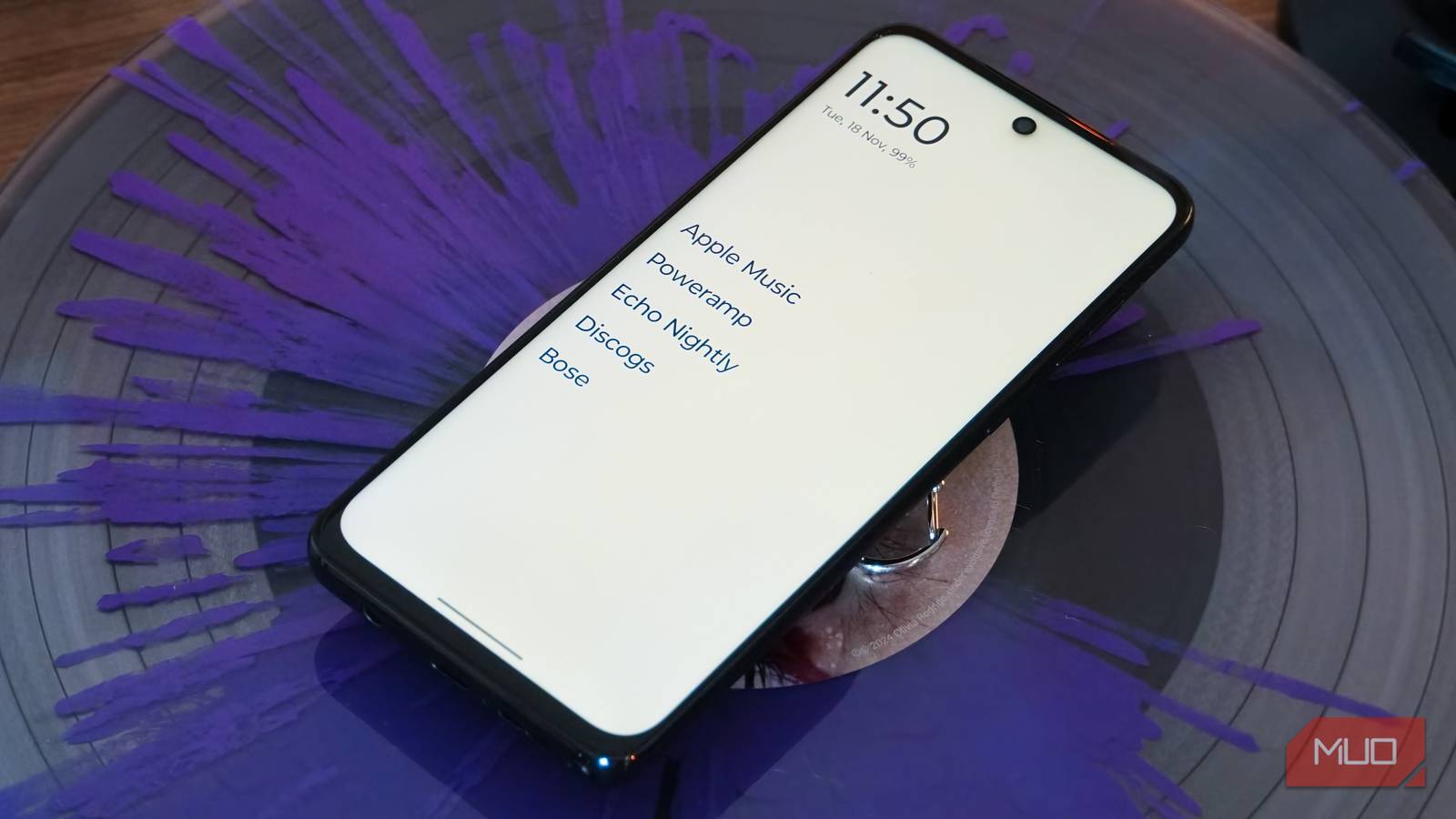

Third-party Android launchers and custom ROMs simply aren’t as common as they used to be for a handful of reasons. The default launchers on flagship Android phones have drastically improved, and indie custom launchers have a tough time usurping Google’s Pixel Launcher or Samsung’s One UI. Plus, the third-party launcher scene is simply dying out. New development is limited, and longtime favorite Nova Launcher recently shut down, thinning the market.
Yes, there are alternatives to Nova Launcher, and I’ve tried over 10 of the best ones. While options like Niagara Launcher, Lawnchair, and Microsoft Launcher are solid, they seem too similar to the default Samsung, Google, or OnePlus launchers. Over the years, only one third-party launcher managed to actually remain as my Android launcher for the long haul, and it’s called Olauncher.
What makes Olauncher special
Minimalist appearance meets functional design
Olauncher ditches the status quo for a completely different user interface, which may make some users apprehensive about trying it out. There’s no home screen—at least, not in the conventional Android sense. With this launcher, the home screen is simply a list of up to eight app names. There are no app icons, widgets, or notification badges to speak of.
By default, Olauncher includes a digital clock near the top of the home screen, complete with the date and your phone’s battery percentage. This can be disabled if you want a cleaner look, showing only your list of home screen apps. In fact, you can disable every home screen element. With the date and time module disabled and the number of home screen apps set to zero, Olauncher’s home screen effectively becomes a wallpaper.

Fear not: there are still plenty of ways to access your apps, notifications, and settings, even with Olauncher in its most minimal form. Swiping down reveals the custom Olauncher app search screen, while swiping up opens the notification shade and control panel. Olauncher has a bunch of functionality hidden behind its low-key looks. For example, tapping the time or date on the home screen (if enabled) serves as a shortcut to your default clock or calendar app.
Despite the minimalist design, Olauncher is easy to customize. Long-pressing the home screen reveals the launcher’s settings, where you can control everything from appearance to home screen apps and gestures. I prefer to keep Olauncher aligned on the left, but center and right are options, too. My gestures are set to open the Camera and Messages apps with a left or right swipe, although these can be mapped to any app.
Save for the missing app icons, widgets, and notification bubbles, Olauncher brings as much (or more) functionality as your current launcher in a simplistic package.
Why I don’t miss the default launcher
Believe it or not, I’m not changing how I use my phone

I thought I would miss the default launchers on my phones after switching to Olauncher, but that didn’t happen. In this case, I’m replacing the One UI 8 launcher on my Samsung Galaxy S25 Edge with Olauncher, and it has been a breeze. The minimalist design of Olauncher actually made using my phone quicker, while also reducing unnecessary screen time and making actions more intentional.
The text-based home screen is daunting at first. After a while, it’s clear that Olauncher came close to realizing the perfect home screen design. Think about how many apps really deserve a spot on your home screen—it’s probably eight or fewer. Then, consider how you actually launch apps most frequently. I realized that I use the Google app widget or app drawer to search for my apps by name almost every time, even for ones that live on my home screen.
If you’re like me, Olauncher could be the perfect solution. This launcher won’t slow down your Android workflows; it will enhance them. That’s because Olauncher’s app search is smarter and automatically opens apps when you’ve typed enough letters. Here’s what I mean: Chrome is the only app on my phone starting with “Chr,” so typing those three letters in Olauncher’s search instantly opens the app. I ended up using my phone the exact same way as before I switched to Olauncher while actually saving time.
Is this the only third-party launcher worth using?
Traditional launchers haven’t bested One UI or Pixel Launcher

There is an Android launcher for just about everyone, from niche offerings like Windows Launcher to mainstream stalwarts like Nova Launcher. After trying many of them, Olauncher is the one I’d recommend to most Android users. To me, third-party launchers can’t just be good—they need to be great to justify replacing your device’s default launcher. Instead of being great, most end up adding a dated and limited design under the guise of customization.
Olauncher is the exception because it’s attractive, functional, and fast. I use it to make minimalist digital music players and to curb screen time on my main Android phone, and I’m not switching to another launcher anytime soon.

- OS
-
Android
- Price model
-
Free
Olauncher is a minimalist, text-first Android launcher that is designed to limit distractions and improve productivity. It’s available for free and only takes a few minutes to set up.
