



Rita El Khoury / Android Authority
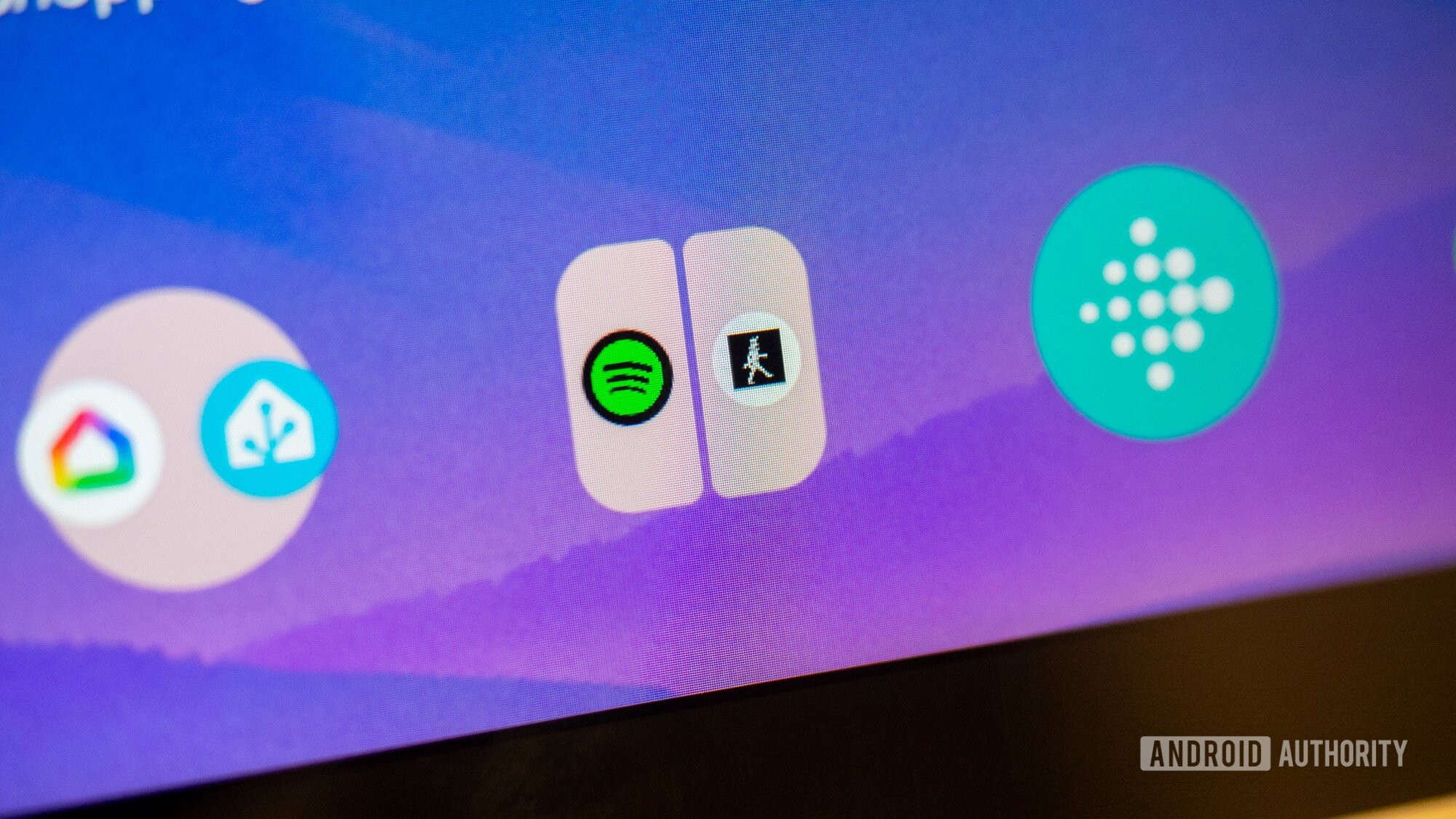
With Android 15, Google introduced app pairs, or the ability to save two apps together as one icon, and launch them at the same time in split-screen mode. The feature was limited to tablets at first, but it soon expanded to the Pixel 9 Pro Fold and other phones.
Initially, I thought I would use this all the time, but I soon realized that the issue was with the multi-window mode itself, and how it displayed a tiny part of both apps and made using either of them clunkier. So I forgot about app pairs for a while, until Android 16 came along, and with it, a significant improvement to multi-window and split-screen multitasking on Android.
Do you use App Pairs on Android?
0 votes
90:10 split-screen makes app pairs useful on Android

Mishaal Rahman / Android Authority
As nice as it’s been to have split-screen and multi-window on Android phones for nearly a decade now, the feature never felt useful to me because of how it works and how small phone displays are. It essentially splits the screen in half or in two-thirds to one-third, and keeps it like that, which means that at least one of the apps is completely hidden each time I open the keyboard. Plus, no matter the setup — 50/50 or 70/30 — it felt like I was using a compressed version of my apps and not the real deal. It was almost always easier to switch between full-screen apps than to use them at the same time in the awkward and clunky split-screen mode.
With Android 16, Google brought a modified split-screen 90:10 mode that practically maximizes one app and minimizes another. The main perk here is that the two apps automatically switch when you tap on them, so if I have Spotify and Slack open, with Spotify minimized and Slack maximized, I can just tap the Spotify window to maximize it and minimize Slack in one go. This works really seamlessly.
On a relatively small 6-inch or 7-inch phone display, the option to see more from each app and the ability to switch between both apps very quickly make split-screen a lot more usable. I can finally use two apps together and not sacrifice screen estate or practicality.
What makes this more interesting, though, is saving the app pair as a single icon in order to launch them immediately as I intend. This takes away a lot of the guesswork and meaningless tapping to get my two apps launched side-by-side and in the exact ratios I need. And because of the combination of app pairs and 90:10, I’m finally using — and loving — multi-window on Android a lot more.
App pairs are perfect if you have the right use for them

Rita El Khoury / Android Authority
App pairs aren’t for everyone, but if you have the proper use case for them, they’re a massive productivity hack. On my Pixel Tablet, I’ve been using them for several months now to launch Spotify and KS Fit, the companion app for my desk walking treadmill. That way, each time I want to walk while working, I tap one button to get both apps on my screen, connect my treadmill to see my stats, and play my music. This has essentially become my walking dashboard.
On my phone, my favorite use case now involves launching Chrome with Spotify. By putting Spotify as the top minimized app, and Chrome as the bottom expanded app, I can still see Spotify’s now playing bar at all times, all while browsing or working. I’ve also started getting used to opening Slack and Asana together and switching seamlessly between both while doing some on-the-go work for Android Authority. I’m sure I’ll figure out more use cases as I go, but the mere fact that I can finally launch and use two apps together on the small screen of my phone has been a big productivity boost.
Don’t want to miss the best from Android Authority?


Thank you for being part of our community. Read our Comment Policy before posting.
