


“New powers for you” rings the official Grammarly blog, revealing that it’s about to become something known as Superhuman.
After purchasing an AI email client known as Superhuman back in July 2025, Grammarly is now changing the name of its whole operation to match, bringing much more AI to your writing than ever before.
While I find its new name rather amusing, Grammarly’s pole-vault headfirst into the depths of AI could actually be the perfect middle-ground solution many people have been waiting for. Instead of using a full AI browser or copying and pasting your work into ChatGPT for spelling, grammar, and AI direction, the new Superhuman app does it all.
Grammarly becomes Superhuman
It’ll fix all of your writing woes

First up, Grammarly isn’t dead. Grammarly is merging into a new, AI-powered Superhuman suite of tools designed to help boost your overall productivity. The focus is no longer solely on editing and grammar suggestions; the Superhuman suite integrates with Coda, can fire off messages and reminders, will add Jira tickets, manage your email account, and much more.
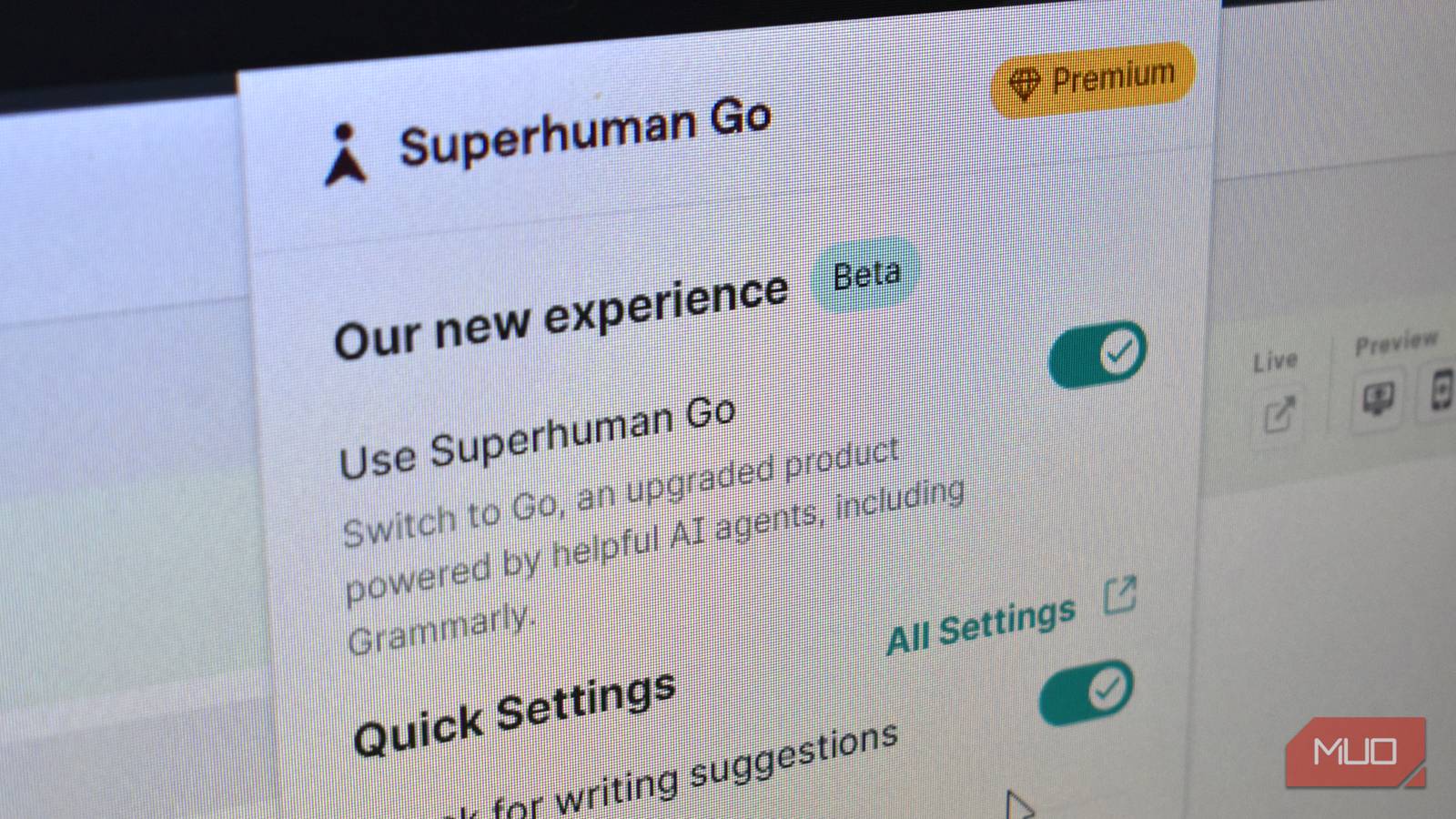
Superhuman Go, as the new all-in-one app will be known, is available as a bundle, integrated into your browser. Grammarly Pro subscribers can already start using it, by the way. Just head to the Grammarly extensions in your browser, toggle the Use Superhuman Go option, and it’ll launch you into a brief introduction to the new app.
Existing Premium subscribers can use Superhuman Go for no extra cost until February 1st, 2026. However, there is no detail on the cost after that point, or if Premium subscribers can keep using Grammarly Pro as a solo product; my bet is on probably not. It could become another reason to leave Grammarly behind.
This is the bridge between AI-browser and copy-pasting into a chatbot
Despite the name, I think this could be a winner
AI browsers are the biggest buzz in tech. ChatGPT launched its Atlas browser to very mixed reviews, Perplexity’s Comet browser goes from strength to strength, and Opera’s Neon browser wants to do absolutely everything for you.
But not everyone wants an agentic AI browser. More than that, not everyone needs one. However, there are more than a few folks now using AI tools in browser, especially for things like idea creation, writing emails, checking grammar, and more. However, most of that involves copying and pasting into a specific AI tool, then copying the results back, and so on.
That’s what it looks like Superhuman Go solves. Instead of faffing around and copying your work or emails into another program, Superhuman Go just does it all from a single sidebar.
It’s simple to use, even in its beta test
Some bits of the app are maybe not working yet
So, how different is the Superhuman Go Beta from the regular Grammarly Pro subscription?
First, it’s a beta, so certain aspects of the app aren’t working yet. However, it seems like a good proportion of Superhuman is up and running. Initially, it looked like I could only call the Superhuman app through the old Grammarly overlay icon, but after a refresh or two, the new icon appeared. It also means that, unlike the old Grammarly app, you can call the Superhuman Go app from any webpage, not just those with text fields.
Once the sidebar opens, you’re presented with a handful of new options. Superhuman is calling these options “agents” in a nod to their AI capabilities. It’s a departure from the old Grammarly Premium option, which, depending on your usage, may have just been the floating suggestions box (the full sidebar was moved to the Grammarly web app).
The default sidebar agent options are:
- Go: This is like an AI companion in your sidebar that you can ask basically anything. It has some quirks and cannot currently access certain sites due to the aforementioned reason. But otherwise, functionally, it’s similar. I was prompting Go to find issues with an article on TF cards I’m updating, and it gave me heaps of information. But it also responded rapidly when I asked for a pulled-pork taco recipe. However, it couldn’t grab live data, like the weather in Penzance, England. Go also needed me to copy text into the window to make a comparison with my article, but I also expect this to change in time.
- Proofreader: I found the Proofreader tab functionally similar to Grammarly Pro, which it basically is. At least, it appears that’s where Grammarly Pro will live once Superhuman Go goes fully live.
- AI Detector: I took the AI detector for a spin on my own article that I’m updating (no detection), and with some other bits of work copied from around the web. The tool currently can’t access pages without a text input box, so it couldn’t see if articles on other websites had been plagiarized. However, it could be useful if you spend time editing the work of other people. Word to the wise, though, all AI detector apps are trash and shouldn’t be trusted.
- Humanizer: I couldn’t actually get this to work during my testing. However, the Humanizer tool is designed to make AI text sound more human.
- Reader Reactions: I like this as a concept. It’s a built-in tool that checks the key points of your writing for what the reader will remember. So, in my test article, it suggests the reader will mostly remember that TF cards and SD cards are essentially the same, with some extra facts. However, it also suggests follow-up questions they may ask, such as buying advice and performance, among others.
However, lurking at the bottom is the option to Add agents, which, as you can guess, opens a list of additional AI tools you can add to your sidebar. A quick scroll through the Superhuman agent list shows integrations for LaTeX, Unsplash, Asana, Spotify, Jira, Google Drive, Gmail, and plenty more.
Superhuman Go will do what an AI browser does without the hassle
The only question is how much it’ll cost
As said, some aspects of Superhuman Go didn’t appear to be working, or I didn’t understand how to use them. The plagiarism detector in Superhuman Go’s Go mode (that naming sequence needs work) indicated eight parts of my text matching five sources—but didn’t highlight them, give me a report, or allow me to make changes.
Similarly, some integrations I tried, such as Gmail, succeeded in sending a message, but wouldn’t automatically include information from the open text to send. So, nearly useful, but without that final bit, I’ll just do it myself. Additionally, the option to use the original grammar checking overlay rather than a whole sidebar will also be important; not everyone will want all these extra features and the screen space they take up.
In that, Superhuman Go has the potential to bridge the gap for folks between downloading a new AI browser and bringing useful AI features into an existing browser. For now, Superhuman needs to really hammer home that this is convenience baked into a neat package that you’re probably already using; Grammarly has 40 million subscribers, which is a very healthy starting point.
The difficulty is convincing people who aren’t using Grammarly that it’s more convenient than copy-pasting their emails, messages, or otherwise into ChatGPT for the same outcome, and that all comes down to cost. And without that vital information, it’s hard to say how successful Superhuman Go will be.
