

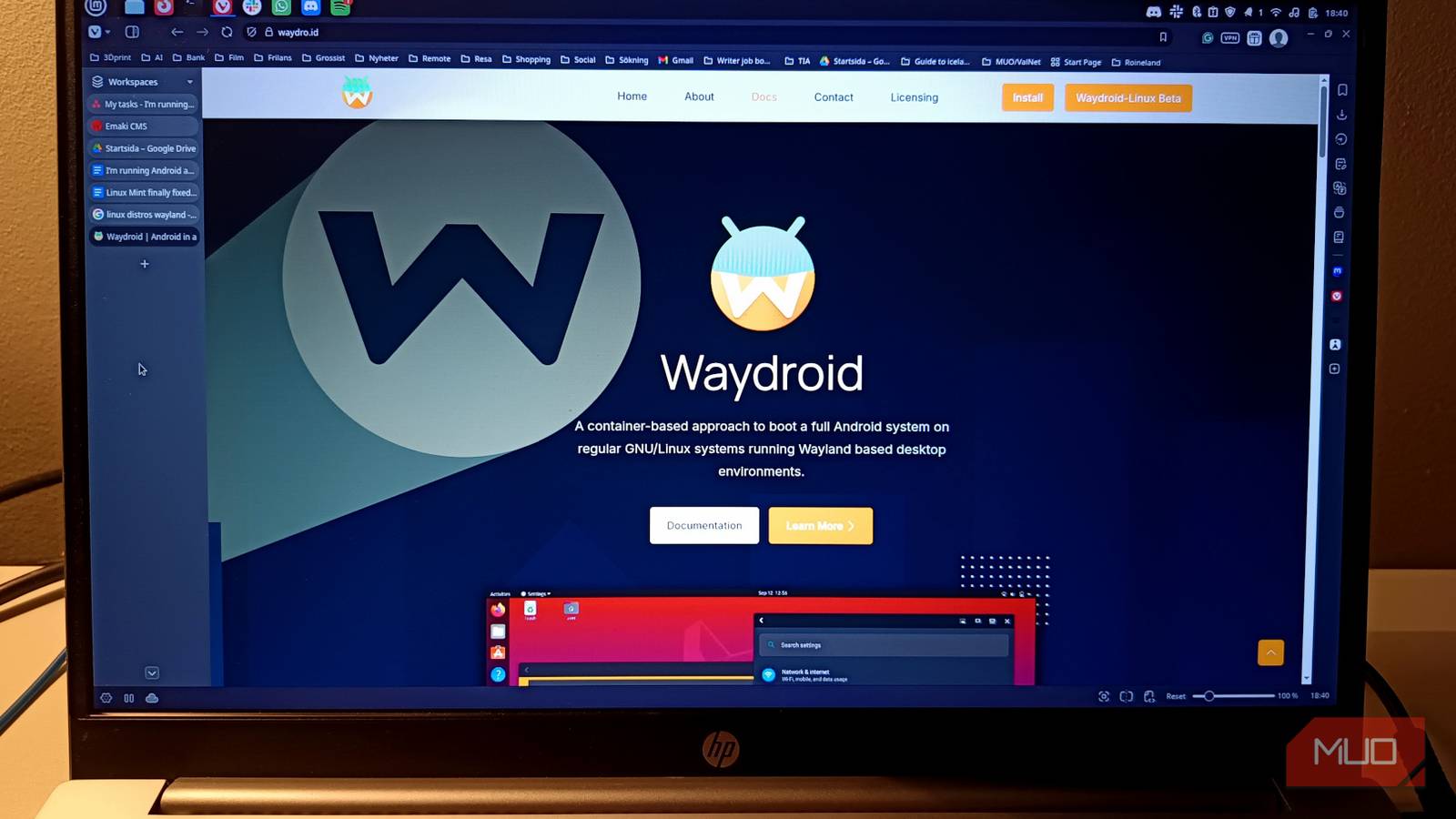

There was a time when the idea of running Android apps on a Linux desktop sounded like a science experiment that would end in disappointment and tears. Historically, it meant firing up a heavy emulator, watching your CPU fan spin up like a jet engine, and interacting with a tiny virtual phone screen awkwardly floating in the middle of your monitor.
So when I first heard about Waydroid, I assumed it would be another one of those projects that sounds great in theory but feels clunky in practice. Instead, I ended up with something stranger. My Linux desktop now runs Vivaldi, LibreOffice, and Android apps in the same workspace. They open in normal windows. They share the clipboard. They behave as if they belong there. It feels slightly wrong, slightly futuristic, and surprisingly smooth.
Why I wanted Android apps on Linux in the first place
Some tools are still mobile-first
For all the flexibility Linux offers, there’s still a category of software that lives almost entirely on phones. Certain services simply assume you are using Android or iOS, and the desktop experience is either limited or nonexistent. Sometimes that means companion apps. Sometimes it means social or messaging tools. Occasionally, it’s a niche utility that never bothered getting a desktop version. Linux users usually deal with this by reaching for workarounds. Maybe you can open the web version. Maybe you keep your phone nearby. Maybe you spin up an Android emulator and tolerate the performance hit.
None of those solutions feels particularly elegant. They solve the problem, but they never quite feel integrated with the desktop environment you spend most of your day in. That’s what made Waydroid interesting to me. Instead of emulating a phone, it runs a full Android system inside a container that shares the Linux kernel. The result is something closer to Android running alongside your desktop rather than inside a virtual box.
Before we get going: Waydroid craves the Wayland protocol and will not run on X11. I initially tried installing it on Mint with its experimental Wayland and could probably have gotten it running with some tinkering, but as I’m … well, impatient, I soon moved over to my Ubuntu machine for the install, which made it way more straightforward.

I’m new to Ubuntu, but these 6 things are already better than Windows 11
I still have a lot to learn, but my time with Ubuntu has been nothing short of pleasant
Installing Waydroid felt less complicated than expected
The container approach makes a big difference

Setting up Waydroid is not completely point-and-click, but it is far less intimidating than older Android-on-Linux experiments. Most of the heavy lifting comes from the fact that Waydroid uses Linux container technology rather than traditional virtualization. Android runs in a container and shares the same kernel as the host system. That means fewer layers between the app and the hardware. The installation process on my system mainly involved adding the repository, installing the package, and initializing the Android image.
After that, Waydroid launches a full Android environment that behaves almost like a secondary operating system living quietly inside your desktop. What surprised me most was how quickly everything came online. Instead of the sluggish startup I associate with Android emulators, the system felt responsive almost immediately. It did not feel like a simulated phone struggling to keep up. It felt like another software environment that just happened to run Android apps.
Android apps run in normal Linux windows
This is where the whole idea suddenly clicks

The moment Waydroid really made sense was when I launched my first Android app and watched it appear in its own window on the Linux desktop.
Not a tiny phone frame, or a simulated device screen. Just a regular window, sitting comfortably alongside everything else I had opened.
I could move it between workspaces, resize it, and interact with it using my keyboard and mouse like any other application. Copy and paste worked between Android apps and Linux apps. Notifications appeared in ways that felt familiar rather than foreign.
Google services are where things get messy
The “device not certified” message is real

If there’s one part of the Waydroid experience that feels less polished, it’s the relationship with Google services. When I logged into the Play Store, I was greeted with the familiar message that the device was not Play Protect certified. This happens because Waydroid runs a containerized Android environment rather than a certified hardware device. In practice, that means some apps work perfectly while others refuse to cooperate.
Apps that rely heavily on Google’s security checks, device verification, or certain DRM systems may not run at all. For everyday apps and simpler tools, things generally work fine. But if you rely heavily on banking apps or services that enforce strict device verification, you may run into limitations. There are workarounds, including alternative app stores and manual installs, but it’s fair to say that Google integration remains the least seamless part of the experience. Fortunately, many Android apps do not rely heavily on those checks, which means Waydroid still opens the door to a surprisingly large ecosystem.
Waydroid turns Linux into a strange but useful hybrid
It feels a bit like ChromeOS in disguise
After spending some time with Waydroid, the most interesting part is not the technical achievement. It’s the shift in how the desktop feels.
Linux suddenly becomes something slightly different. It’s no longer just a traditional desktop environment. It starts to resemble a hybrid system that blends desktop software with mobile apps. In some ways, it reminds me of ChromeOS, where Android apps live comfortably alongside traditional applications. The difference is that here it’s happening on a fully customizable Linux system.
That combination opens up some interesting possibilities. A Linux desktop can now run the open-source tools many users already rely on while quietly borrowing pieces of the mobile ecosystem when necessary. It will not replace native desktop applications, and it probably shouldn’t. But for those moments when an Android app fills a gap, Waydroid provides a surprisingly smooth bridge between two worlds that rarely overlap. And once you see an Android app sitting casually on your Linux desktop, it’s hard not to appreciate how strange and clever that little trick really is.
