


Smart TVs now ship with a long list of preinstalled apps, and LG’s webOS is no exception. It comes loaded with staples like YouTube, Netflix, Prime Video, and Disney+. However, the latest addition to LG’s preinstalled app lineup has some users shaking their heads in frustration.
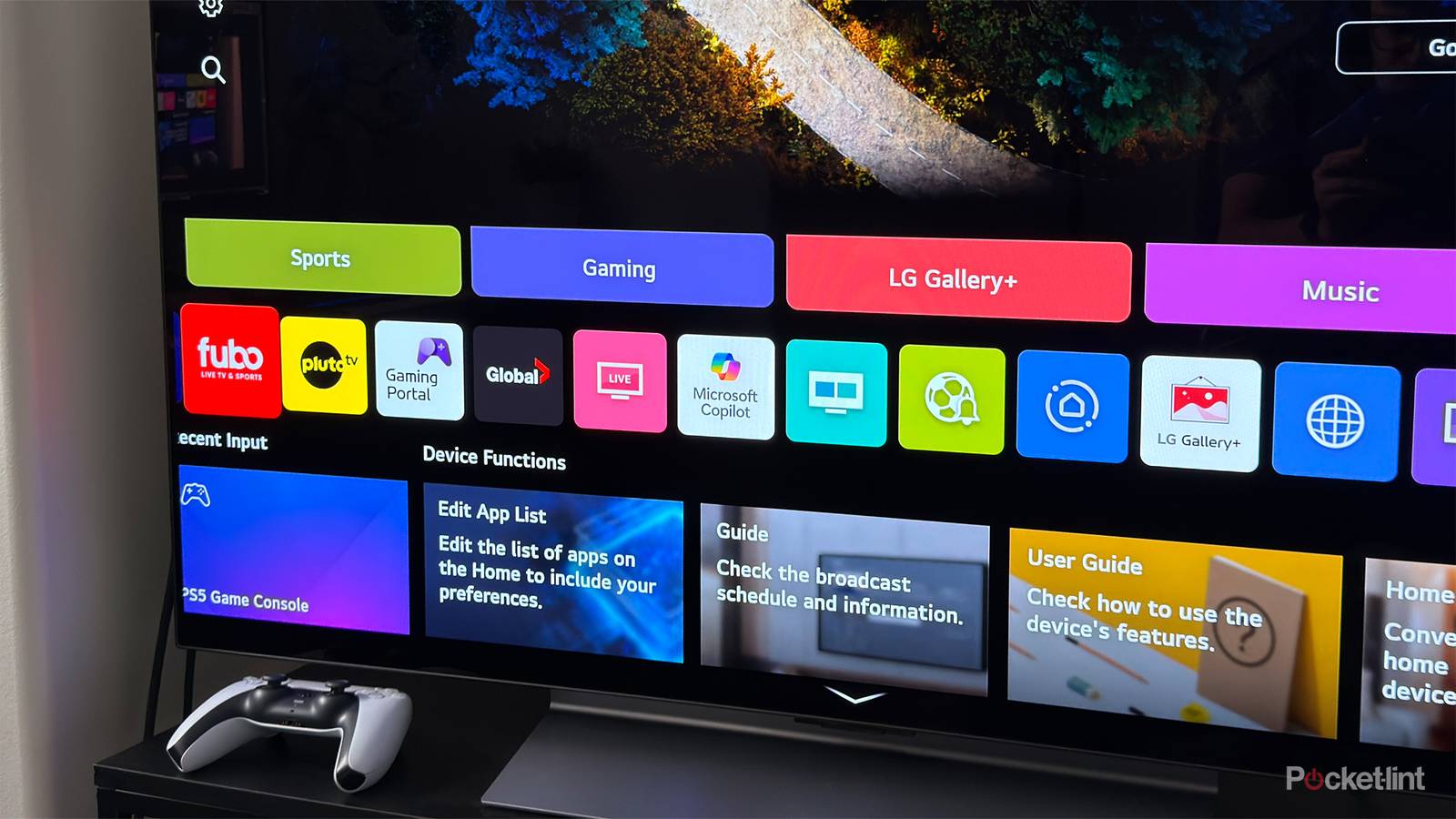
With its latest webOS update, LG has begun automatically installing the Microsoft Copilot AI app on its smart TVs. The change was first spotted by a Reddit user, who noticed the app suddenly appear in their TV’s app drawer after a software update. Making matters worse, the app can’t be uninstalled.
“I always hated bloatware, but installing an AI assistant (without explicit permission) that cannot be deleted, with unknown access to microphone and other services might just take the cake,” the Redditor said.
After updating my LG C5 TV to webOS version 33.22.65, I can confirm Copilot appeared in my app drawer for the first time. When I tried to remove it via Manage Apps, there was no option to uninstall it — just as Reddit users had reported. The only workaround was to hide the app, which removes it from the TV’s home screen app list but doesn’t get rid of it entirely.
LG announced it was adding Copilot to its smart TVs at CES 2025
I miss when TVs were just a screen

LG adding Copilot to its TVs isn’t entirely surprising. At CES 2025 in January, LG announced it would introduce Copilot to its newest OLED smart TVs, claiming it would help users “efficiently find and organize complex information.” Because that’s apparently something people want to do on their TVs?
“Finding content on LG’s newest OLED evo TVs has never been easier, with AI Search leveraging a Large Language Model (LLM) to understand conversational context and uncover subtle user intentions,” LG explained in a press release from CES 2025. “Access to Microsoft Copilot further streamlines the process, allowing users to efficiently find and organize complex information using contextual cues.”
So while this was announced back in January, it seems to be just rolling out to LG’s Smart TVs now. The original Reddit post about this issue received over 35,000 upvotes and thousands of comments, so it’s pretty clear this has ticked off more than a few people.
What frustrates me most is, first, that you can’t uninstall it — which is frankly ridiculous — and second, that an app like Copilot feels completely pointless on a TV. I already have Copilot disabled on my Windows 11 PC, so I can’t imagine why I’d ever need it on my TV. I use my TV to watch movies and play games, and I struggle to think of any scenario where an AI app like Copilot would be helpful there. I miss when a TV was just a screen, not a mini PC stuffed with bloatware.
Many Reddit users point to not updating their smart TVs or keeping them disconnected from the internet as solutions to problems like this, with many opting instead for streaming devices such as Google TV, Roku, Apple TV, or a Fire TV Stick. I agree with that sentiment. My Fire TV Stick 4K Max has far less bloatware and adware than webOS on my LG TV.
If you have an LG Smart TV and want to prevent updates like this from happening, you can stop automatic software updates by opening the Settings menu, navigating to Support > Software Update, and turning off Auto Update. If you’d prefer to disconnect your LG TV from the internet entirely and rely on a streaming device like an Apple TV or Fire TV Stick, you can do so by opening Settings again, going to General > Network, and toggling off your Wi-Fi connection.
