



For me, a reliable Wi-Fi setup is essential. I work from home, and with multiple devices constantly connected, including smart TVs, phones, laptops, and even smart lights, everything depends on a stable connection. The moment Wi-Fi starts acting up, the entire house feels it. Plus, living in a city with sudden thunderstorms and power fluctuations doesn’t make things any easier either. It only adds to the instability. To avoid interruptions, I’ve tried to do everything right — I invested in a UPS for my router, another for my PC setup, and even backup power for my TVs. I put in the time, the effort, and the money to make sure things run smoothly.
And yet, the frustration didn’t go away. Despite all the things I’ve tried, my Wi-Fi kept acting up, which was incredibly frustrating. The problem became more obvious whenever I moved to the farthest room from my Wi-Fi 5 router. The connection would become unstable, speeds would drop, and sometimes it would disconnect altogether. That’s not something you want to deal with in the middle of a workday. At that point, upgrading my Wi-Fi felt like the only option left. It had already tested my patience long enough. I assumed things would finally improve, but no one really tells you about the new set of challenges that can come with an upgrade.

My Wi-Fi Drops Every Hour: Here’s What Finally Fixed It
Random Wi-Fi outages absolutely suck—so take some steps to resolve the problem.
I thought my Wi-Fi 6 setup would fix all my problems
Oh great, here it is again!
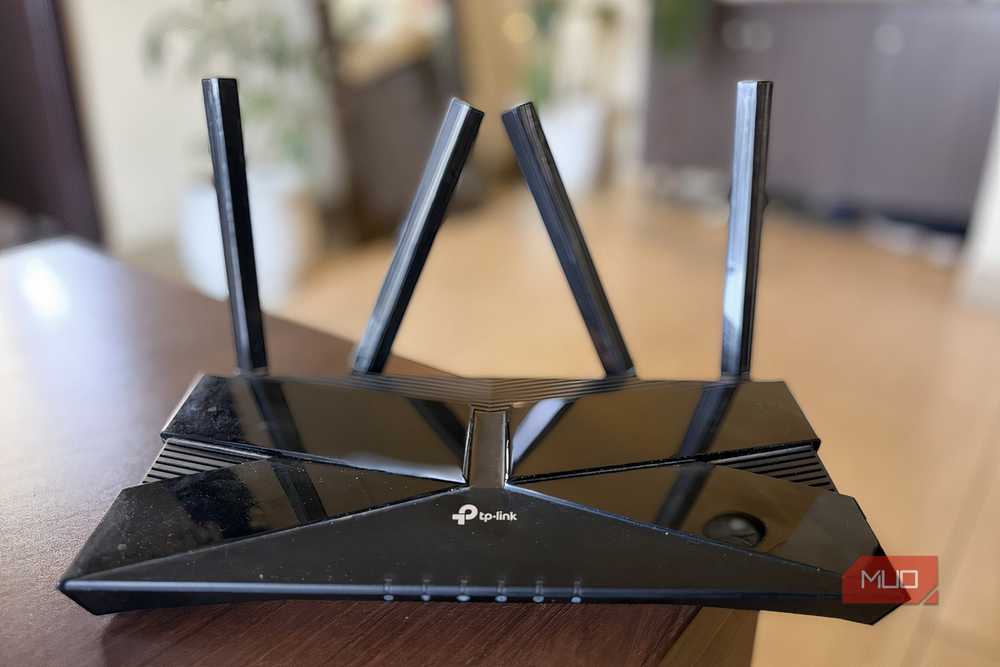
I went with the TP-Link Archer AX10. It was reasonably priced and promised better speeds with a more stable connection, which felt like the right fit. And to be fair, it delivered. Tasks felt much quicker, downloads improved, and the connection was more reliable. For a while, it seemed like the problem was solved.
But the relief didn’t last. Everything worked well near the router, but as soon as I moved to the farthest room, things started to fall apart. To put that into perspective, I was downloading Forza Horizon 5 via Steam. On my laptop, placed right below the router, it took roughly an hour. The same download in my room stretched to over two hours, which says a lot about how much the signal weakens over distance.
Hence, Wi-Fi doesn’t travel well through thick concrete walls, and in a typical 4-bedroom apartment, that limitation becomes hard to ignore. This was quite frustrating on my Fire TV in the bedroom as well. I still remember watching Bridgerton, only for the connection to buffer right before an exciting scene. Once or twice, it is manageable, but when it keeps happening, it completely ruins the experience.

Another issue I noticed was with the 5GHz band. At longer distances, it just couldn’t hold up. Devices would either stay connected with a weak signal or automatically switch to the 2.4GHz band. And that’s exactly the situation I was trying to avoid in the first place.
To fix the dead zones in my house, I even started using my old Android phone as a makeshift Wi-Fi extender, and while that workaround actually helped, it’s not a real solution. When you’ve already invested in a better router, you expect it to handle your space properly, not force you into hacks just to make things work.

I Use These Tricks to Get the Fastest Internet From My Router
This is how I get faster speeds without upgrading my internet plan.
What I’d tell anyone before they upgrade
The upgrade you want, the limits you don’t

Wi-Fi 6 is definitely an upgrade, no doubt about that. But it’s also important to go in with the right expectations. It won’t magically fix everything, especially if you’re coming from a decent Wi-Fi 5 setup. Here are a few things I wish I had known before upgrading:
- Your home layout matters just as much as your router: Thick concrete walls, multiple rooms, and closed doors can seriously limit how far your Wi-Fi signal travels, especially on the 5GHz band. So, if your home has many barriers, expecting strong coverage everywhere from a single router might leave you disappointed.
- A mesh system might make more sense in this case: If you’re aiming for consistent Wi-Fi across your entire home, a single router can only do so much. A mesh setup, with multiple nodes placed around your house, is designed to solve exactly this problem. It spreads the signal more evenly and handles dead zones far better, especially in multi-room apartments.
- Try switching channels on your current setup: Sometimes, simply changing the Wi-Fi channel can make a noticeable difference. I recently tweaked a 2.4GHz setting, and the connection instantly felt more stable and consistent.
- Wi-Fi 6 is an upgrade, not the endgame: Moving to Wi-Fi 6 (like with the AX10) is a solid step forward, especially for speed and efficiency. But it’s no longer the latest. Wi-Fi 7 is the current standard, which brings improvements in speed, latency, and overall performance. That doesn’t mean you need to jump to Wi-Fi 7 right now, but it helps to know where Wi-Fi 6 stands in the bigger picture before making a decision.
In short, the router matters, but your environment and setup matter just as much, if not more.

- Brand
-
TP-Link
- Wi-Fi Bands
-
2.4GHz, 5GHz
- Ethernet Ports
-
1x Gigabit WAN, 4x Gigabit LAN
- MU-MIMO
-
2×2
- Chipset/memory
-
Broadcom’s BCM6750 1.5Ghz Triple-Core CPU
- Network
-
Wi-Fi 6 – 802.11ac
The TP-Link Archer AX10 is a Wi-Fi 6 router that can deliver dual-band speeds up to 1.5Gbps, with improved capacity and reduced congestion for multiple devices. It features a triple-core CPU, beamforming with four antennas, and four gigabit ports. Easy app setup and Alexa compatibility make it ideal for reliable, modern home networking
This worked like a charm, but in certain spots
Upgrading to Wi-Fi 6 did improve my speeds, but it didn’t solve the problem I actually had. The real issue wasn’t just the router; it was the layout of my home and how Wi-Fi behaves in the real world. If your usage is similar to mine, spread across multiple rooms with plenty of walls in between, a single router upgrade might not give you the experience you’re hoping for. A more thoughtful setup, like a mesh system or better router placement, will make a far bigger difference than chasing newer standards alone. In hindsight, the upgrade helped, but it wasn’t the complete fix I’d hoped for.
