


TVs have come a long way in the past 20 years. We’ve gone from those bulky, square LCD sets to insanely thin OLED TVs, and the picture quality has jumped from the DVD quality many of us remember to crisp, stunning 4K Ultra HD. But there’s one major downside to modern smart TVs: the relentless flood of ads.
Smart TVs are great for streaming your favorite shows and movies without needing an extra device like a Roku or Apple TV. But lately, their home screens have become cluttered with ads. I just picked up my first OLED TV during Black Friday — the LG C5 — and while the picture quality blew me away for movies and gaming on my Switch 2 and PS5, the sheer number of ads LG crams on the home screen before I even select an HDMI input is ridiculous and distracting.
I only use my TV’s home screen for two things: switching HDMI inputs and opening a streaming app. I don’t need to be bombarded with ads and endless content recommendations just to do that.
Determined to fix it, I dug through LG’s settings menu and, to my surprise, found not one but two options that completely remove the ads from the home screen. If you have an LG Smart TV and are tired of being bombarded with ads every time you turn it on, here’s how to get rid of them for good.
How to disable home screen ads on your LG TV
Your TV will look far better

First and foremost, disabling ads on your LG Smart TV doesn’t require disconnecting it from the internet. You can still use all your streaming apps without any issues — your home screen will simply be free from the constant flood of ads and content recommendations. Here’s a step-by-step guide on how to do it:
1. Open the Settings menu on your LG TV by pressing the gear icon on your remote.
2. Navigate to General > System > Additional Settings > Home Settings.
3. Turn off Home Promotion.
4. Turn off Content Recommendations.
This is how I found the setting on my LG C5 TV, running webOS version 33.22.65. If you have an older LG Smart TV, you should still be able to find a similar setting under Home Settings.
LG describes Home Promotion as a setting that lets you “show or hide Sponsored Advertisements” in the home menu. At the same time, Content Recommendations allows your TV “to display content recommendation categories in the Home menu.”
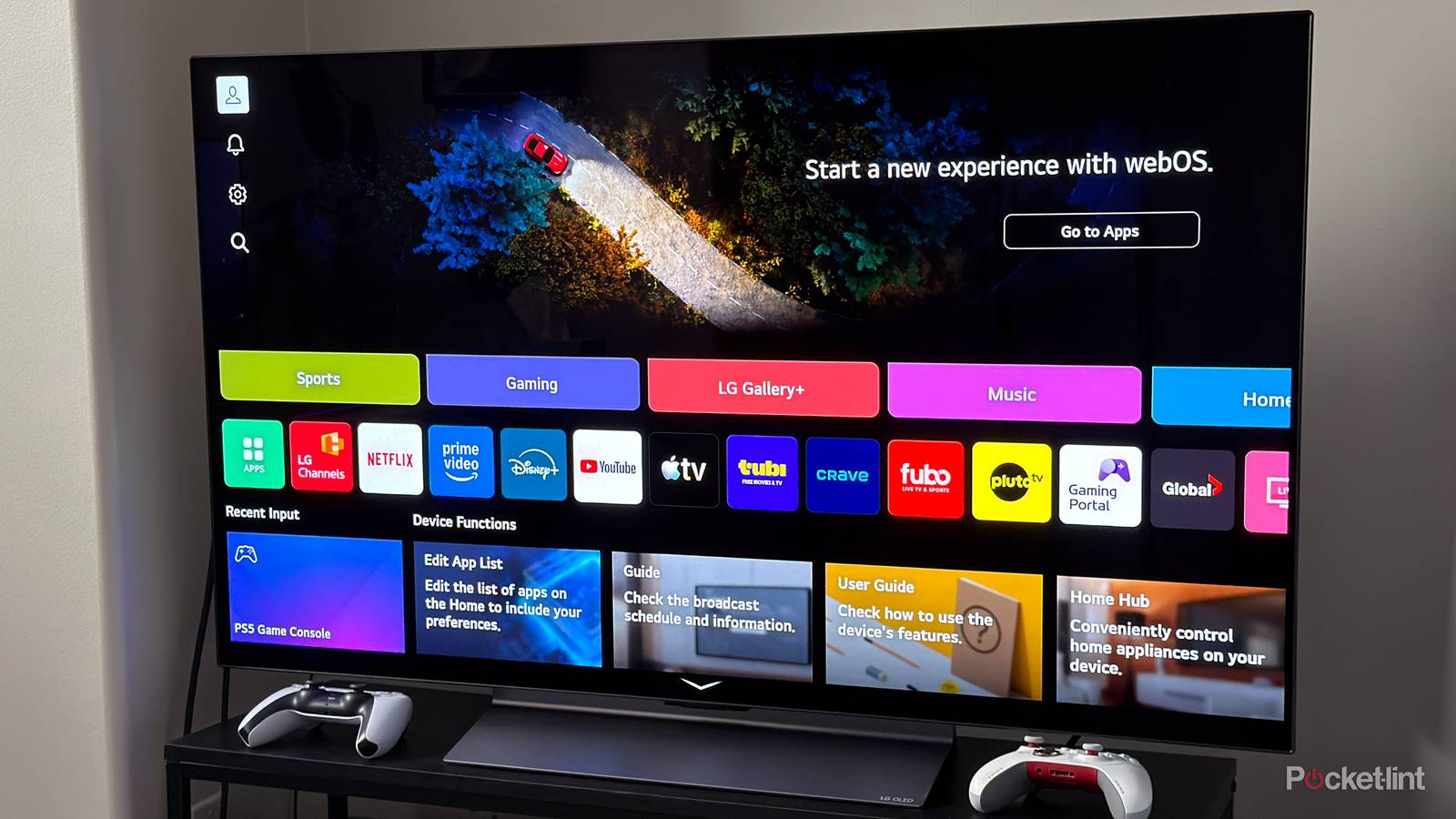
With both Home Promotion and Content Recommendations turned off, your LG TV’s home screen will be free of ads and instantly look much cleaner. Instead of a carousel of sponsored ads at the top, you’ll just see an option to “Go to Apps,” with far fewer moving images overall and no LG Channel recommendations. You’ll only see your recent input, apps, and device function guides.
Personally, I only use my TV’s home screen for two things: switching HDMI inputs and opening a streaming app. I don’t need to be bombarded with ads and endless content recommendations just to do that. While it’s frustrating how ad-heavy smart TVs have become, I was genuinely impressed by how easy LG makes it to dial them back — especially compared to Samsung and other brands, which don’t make the process nearly as simple or even possible. On an LG TV, it takes less than 20 seconds for the changes to apply, and there’s no need to restart the TV.
It’s important to reiterate that turning off these two settings only affects your LG TV’s home screen. You’ll still see ads in any streaming apps you use, like YouTube or Roku, and on services with ad-supported subscription plans like Netflix, Disney+, HBO Max, and more.
