

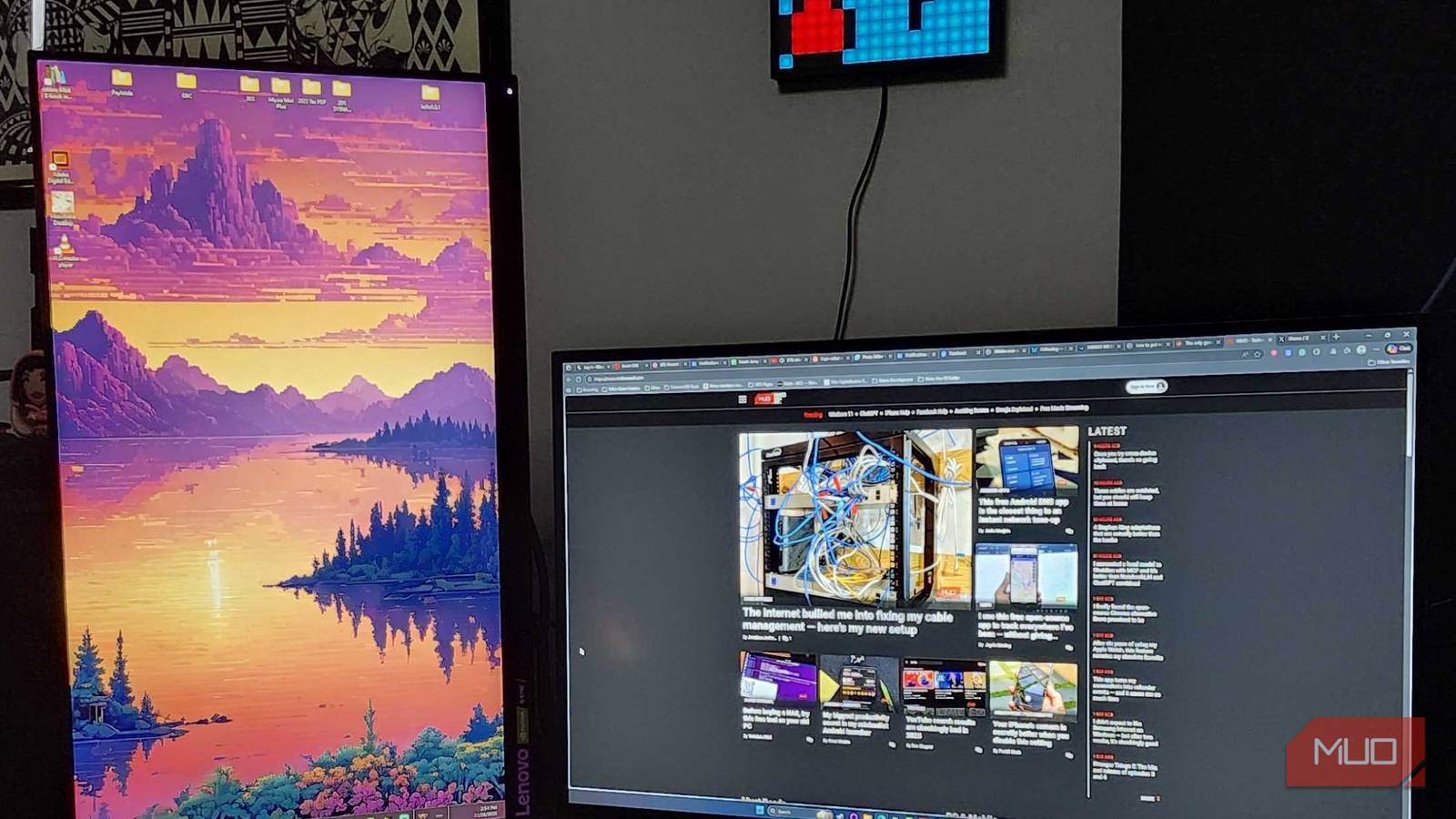

I’ve believed in dual-monitor supremacy ever since the first time I worked in an office. Having one big screen may be enough for some people, but between my fluctuating attention span and the sheer number of projects I’m always working on, a second monitor is my saving grace. One thing that I’ve struggled with over time, however, is desk space. Between upgrading my PC and finding new kitschy stuff to place on my desk, a second monitor is sometimes difficult to properly place.
That’s when I discovered something that not only helped my general productivity but also freed up a tremendous amount of space in my home office — using my spare monitor as a vertical plane. It’s been a productivity game-changer, and I suggest you try it for yourself.
Discord, Slack, and other apps work great
Swapping between different apps is a breeze with a vertical monitor

I spend an awful lot of time per day in different messaging apps. It doesn’t matter if I’m playing a game with friends on Discord or jumping into a conversation on Slack. Having apps available at any given time makes life much simpler for me. Regardless of what I’m doing, I can always keep a conversation active in the corner of my eye and see when I need to respond quickly.

Multitasking? How to Set Up Dual Monitors With HDMI
Dual monitors can increase your productivity and aid multitasking, and setting them up on any operating system is a cinch.
If you prefer digesting a lot of information at once, or have a job at hand that requires something like that? Setting a second monitor vertically may be exactly what you need. I’ve personally had Slack running, alongside Discord and YouTube in separate windows all at once, and it’s been one of the best decisions I’ve ever made.
Video Calls are so much better
Try it out next time you talk to someone online

Even though I don’t live far from my parents, I find myself jumping onto Facebook Messenger or Google Meet to catch up with them quite often. While sometimes the conversations are short and sweet, there are other times when I’d much rather sit behind my desk and chat with them using my headset and microphone. I get extremely bothered by black bars on the sides of my screen, so one of the best parts about taking a video call from someone on mobile is swapping it to the vertical monitor.
Is it a more “traditional” call or a business call? Put it back on the horizontal monitor, and I’ve got full access to every person in the call. It’s a win-win, in my eyes, when it comes to something like that. Customization is key in my life, and the more options that I have for things I do in my day-to-day life, the better.
Monitoring my Streaming Chat is great
Chat can pop off, so keeping your eyes on it is key

The easiest way to lose the attention of your audience when you’re streaming is to not engage with them. Sometimes, this happens because a Streamer is just so preoccupied with the game that they’re playing that they don’t see chat going wild in the corner. Other times, it’s because the Streamer doesn’t have their chat window open and they’re not paying attention. I learned the best way to eliminate this issue is by keeping my OBS, TikTok Live, or any other program open on my second screen while I play a game on my primary monitor.
Even if you’re a multi-streamer who goes between two different platforms, using the vertical monitor to keep an eye on both chats is incredibly easy. Just put OBS in the top half of the screen and have it focus on one chat, and open a second window on the bottom half of the monitor to keep an eye on the second chat. It’s as easy as that.
Viewing angles need to be considered
Unless you have two high-end monitors, viewing angles can be rough
One of the biggest struggles that I’ve come across when it came to using a vertical monitor for the first time was finding that exact sweet spot for viewing angles to be fair across the board. My primary monitor is an OLED one, so while I may need to worry about burn-in sometime in the future, I’ve got the best picture quality possible for the time being. My second monitor, on the other hand, is LED, and some of the viewing angles can be a little distracting at times.
To be fair, for these photo examples, I went to some extreme lengths to capture my vertical monitor at its worst. Is it flattering by any means? Absolutely not, but I also want to make sure that prospective users know that this can be a major issue. Be sure that you’re examining any spare monitor that you’re hoping to use and inspecting how it looks from all different angles.

- Brand
-
KTC
- Screen Size
-
27 inch
- Display Technology
-
OLED
A vertical monitor was life-changing for me
It’s never been easier to stay on task than it is now
When it comes down to it, it’s all up to personal preference. At one point in time, I absolutely believed that you should only run two horizontal monitors at any given time. But now that I’m using my PC for more than just playing games, and I’m working on keeping up with conversations, emails, and everything in between, a vertical monitor has been my saving grace. It’s never been easier to peek in and see what is going on in an ongoing conversation during a stream, and talking with Mom and Dad feels just right on the big screen.
If you don’t like it, you’re not locked in. Just turn it back on its side and go about your day. Just remember to switch your screen orientation if you’re going to do that, though. I can’t imagine how much reading something vertically on a horizontal monitor would bend your brain. At least it’s better than using an e-reader as a secondary display, regardless of whether you like the orientation or not.
