

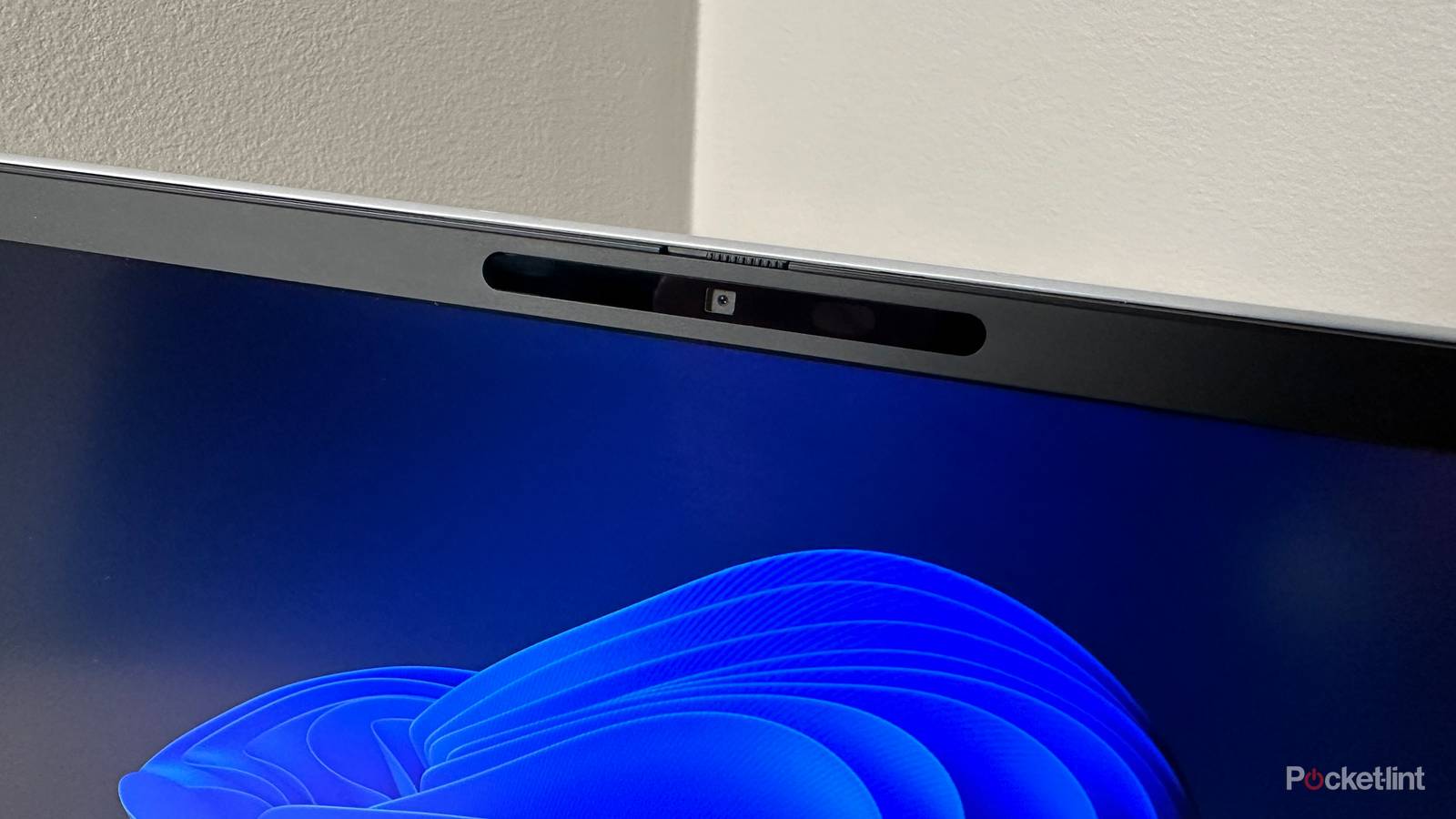

Something I’ve noticed is that some PC owners — and Mac owners, for that matter — are hesitant to adopt new tech on their computer. This makes a certain amount of sense, since many people use their PCs for work and other critical tasks, and the last anything anyone wants to do is interfere with their workflow for a change that might not be an improvement at all.
If it ain’t broke, don’t fix it, in other words. That explains why so many machines are still on Windows 10, despite a looming support shutdown and the availability of free upgrades to Windows 11.
I’m not in that camp. While I do need to be thoughtful about how I alter things (and perform regular backups in case things go south), I’m often full-tilt on anything that improves convenience or performance, including Windows Hello. It’s not even a new feature — its earliest version dates back to July 2015.
If you’re still using a password to sign in, let me convince you that it’s worth the switch.
What is Windows Hello?
Bringing smartphone-style logins to Windows

Hello enables biometric logins for Windows 10 or 11 users instead of passwords — specifically, facial recognition via a camera, or fingerprint recognition via a touch sensor. In Windows 11, you can set up one or even both by going to Settings > Accounts > Sign-in options. Don’t worry — complete faces and fingerprints are never uploaded anywhere, and are saved locally using encryption that’s extremely difficult to access. By that, I mean an attacker would need both technical savvy and the ability to open up your PC. More on that at the end, though.
As you’ve probably gathered, the main hurdle to using Hello is hardware. Many laptops and standalone keyboards don’t have fingerprint readers, and if you’re going to use a camera, it needs to support facial recognition. That means an infrared (IR) sensor for depth detection, which is used to construct a 3D map of your face, much like Face ID on an iPhone. Without that depth aspect, Hello would be too easy to fool — a hacker could hold a printed picture up to a camera and waltz on in.
It’s a level of convenience I take for granted now that many smartphones and tablets have it baked in.
If you’re interested in Hello, it’s best to buy a PC with compatibility listed in its official online specs. Some good news, though, is that most PCs can be upgraded by buying an IR-equipped webcam or an add-on fingerprint reader. Both can be found dirt-cheap, although I’d recommend spending a little extra for quality, especially if you’re going to pick up a webcam — audio and video quality fidelity matter when you’re in a job interview or attending a Zoom meeting. Stick to well-known brands if you can.
Hello detection can and does sometimes fail, so you’ll be asked to create a PIN code as fallback. The minimum is four digits, but six digits is preferable, since it’s tougher to guess or brute-force.
Why I’m sold on Hello
Security and convenience

The most basic advantage is speed. While it only takes a few seconds to type in a password, having to do so repeatedly can become annoying, at least if Windows is set to auto-lock after a short period of inactivity. And even if your PC normally stays unlocked until you turn it off or put it to sleep, it’s nice to have the Windows desktop appear almost instantly when you sit down. It’s a level of convenience I take for granted now that many smartphones and tablets have it baked in.
The ultimate reason to enable Hello is security. You might think a system that defaults to a PIN when it doesn’t work would be more vulnerable, but as long as that code is long and random enough, an attacker is unlikely to get in anytime soon. Windows is set to reject multiple failed PIN entries, and whenever that happens, your only options are to wait a while or reset your PIN. The second involves knowing the right Microsoft account login and having access to a device that can receive a random security code via email or text message.
One sign-on option worth using in tandem with Hello is Dynamic Lock, which will automatically lock Windows when your smartphone (or another Bluetooth device) falls out of range.
Usernames and passwords aren’t necessarily insecure, but they can be guessable if the attacker knows enough about you. If you have a tendency to reuse or share passwords, the situation is even worse — a password compromised elsewhere might be just the one needed to break into your PC. Windows Hello is entirely local and unique to a device.
More importantly perhaps, Hello encourages better practices. An auto-locking PC tends to be more secure overall, particularly in public settings like an office or café, and that’s less of a hassle with biometric security. Indeed, one sign-on option worth using in tandem with Hello is Dynamic lock, which will automatically lock Windows when your smartphone (or another Bluetooth device) falls out of range. That way, you can’t forget to lock your PC when you go to the bathroom, and a robber is going to have to break in the hard way if they snatch your laptop out of your hands.
Are there downsides to the tech?
A few points

The biggest complaint tends to be its reliability, and I’ll admit, I’ve encountered issues with this in the past. Facial recognition may not work if you radically change your appearance, or if something confuses your camera’s IR sensor. Fingerprint readers, meanwhile, can be finicky in their own way. You might luck out on the first try, or you might need multiple swipes.
As secure as Hello is in most circumstances, it’s not invulnerable.
For me, the issue has been camera range. My old Razer Blade 17 would demand that I be sitting no more than a couple of feet away — which, with it sitting on a laptop stand most of the time, meant that I’d have to awkwardly lean in over the keyboard. Some Hello-compatible cameras may have better IR scanning at a distance, but I wouldn’t count on it.
Lastly, as secure as Hello is in most circumstances, it’s not invulnerable. Just as some people choose ridiculously obvious passwords, a PIN like “0000” or your birthday could render the whole point moot, as could sharing your code with friends, family, or coworkers. Successful hardware hacks have also been demonstrated — Kaspersky mentions one that involved partially disassembling a PC, disconnecting sensors from an internal USB bus, and then connecting them to external USB ports through a Raspberry Pi set to execute a man-in-the-middle attack. That’s probably beyond most thieves, or even most hackers, but never assume your PC’s data will be bulletproof.
