


If you have been running Linux for a few years, you already know the obvious ways to break things. You are not pasting mystery commands from page four of a forum thread, and you are not casually torching your bootloader for weekend entertainment. At this point, you have scars, backups, and at least one opinion about package managers that borders on philosophical.
I still keep seeing the same quiet mistakes show up in otherwise very competent Linux setups. Not beginner stuff. Not “help I deleted /usr” energy, but just habit mistakes. The kind that feels completely reasonable in the moment and only shows its teeth months later when your system starts behaving… off. These three in particular still ambush experienced users. I know because I have personally done all of them. With confidence, and more than once.
Repo creep from third-party sources
Why experienced users fall into it

This almost never starts recklessly, but conveniently. You need a newer version of something, or a niche tool that your distro does not package. Maybe you spotted a shiny beta and your self-control clocked out early. So you add one external repo, and everything works with no drama. Six months later, your system is quietly pulling packages from a small international coalition of third-party sources, two PPAs you do not remember adding, and one repo that appears to have been last maintained during a different geological era.
Welcome to repo creep. It sneaks in wearing comfortable shoes.
Experienced Linux users tend to be builders and tinkerers. We optimize things that are already fine; we chase newer versions, and we like having the good stuff now, not when the distro maintainers finally roll it out after careful meditation. Adding a third-party repo is not the problem by itself. The real issue is what happens afterward. Or, more accurately, what does not happen.
Because over time, unattended repos start introducing weird little landmines:
- Dependency conflicts that seem to appear out of thin air.
- Packages that quietly stop getting updates.
- Key warnings that suddenly show up during upgrades.
- Breakage that surfaces months later when you have absolutely no memory of what past you were thinking.
Everything works … right until it very much does not. You do not have to swear off third-party repos and live like a digital minimalist monk. Just keep them on a short leash.
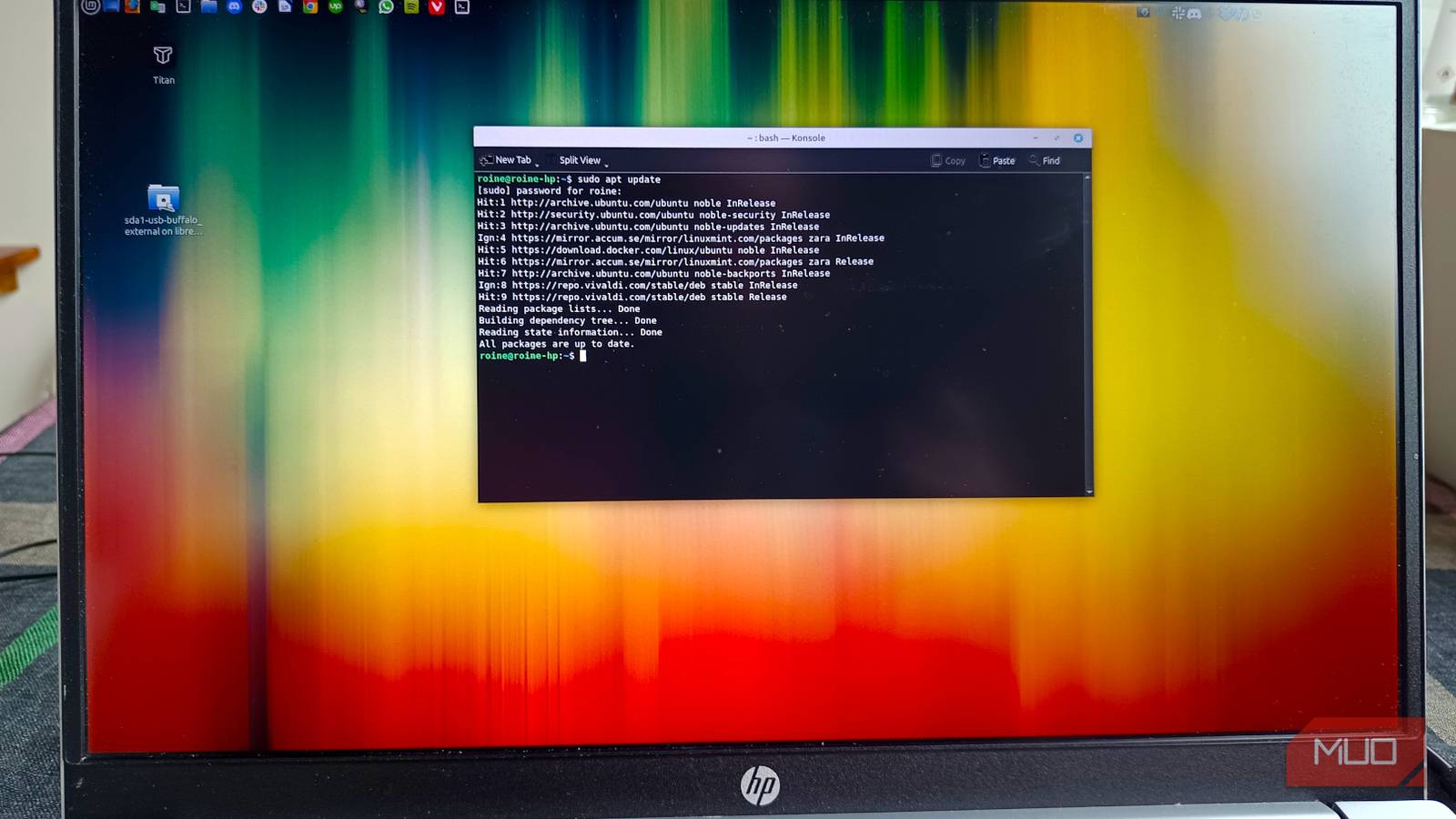
Start by auditing what is already there. On Debian-based systems, that usually means checking:
/etc/apt/sources.list If you open a repo file and your first reaction is “Who invited you?”, that is your cue to investigate. From there, be a bit more intentional going forward: Try the official repos first, use Flatpak, or Snap when isolation makes sense, and only add vendor repos when there is a clear, boring, grown-up reason. And every few months, do a quick repo cleanup. Think of it as flossing for your package manager. Slightly tedious, deeply worth it.
Updating on autopilot instead of intentionally
Why this habit develops

There is a moment in every Linux user’s life when updates stop feeling scary and start feeling routine, and that is growth. What is less great is when updates become pure muscle memory: no glance at the package list, no thought about timing, and just a confident yes while you are mid-work, mid-call, and emotionally unprepared for surprises. I have seen very experienced users (well … me) run full upgrades half-distracted on a busy workday simply because nothing bad has happened lately.
History suggests this is exactly when something spicy happens. To be fair, modern Linux is much calmer than it used to be. Package managers are smarter, maintainers are careful, and most updates really are uneventful. So we relax, which is healthy. Until it quietly turns into autopilot. The risk is not that updates are inherently dangerous. The risk is doing them at the worst possible moment with zero situational awareness.
That is when you run into those fun little surprises, like a kernel update that suddenly demands a reboot, a GPU or driver change that nudges your current session sideways, or services that insist on restarting right when you’re in the middle of something important, all while dodging the occasional regression that managed to slip through testing.
Handled intentionally, these are minor bumps. Trigger them at the wrong time, and suddenly your calm work session has… texture.
That is when you run into fun little surprises, like a kernel update that suddenly demands a reboot, a GPU or driver change that nudges your current session sideways, or services that insist on restarting right while you’re in the middle of something important — not to mention the occasional regression that managed to slip through testing.
On Debian-based systems, even a fast look at: apt list --upgradable gives you useful context before you go full send. If you want extra peace of mind, pair updates with Timeshift or another snapshot tool. That single habit has saved many evenings from turning into troubleshooting marathons.
Letting workspace and window sprawl quietly wreck your focus
Why experienced users are especially vulnerable
This one is sneaky because technically, nothing is broken. Your system is fine, the CPU looks happy, and the RAM is behaving. From a purely technical perspective, everything is healthy and well-fed. Meanwhile, your desktop looks like mission control during a mild crisis. Linux gives us ridiculous multitasking power. Infinite workspaces. Multiple terminals. Tiling window managers. Floating panels. Shortcuts for absolutely everything. And sometimes we respond to all that power by opening … everything.
Beginners usually run fewer apps simply because they are still finding their footing. Experienced users know exactly how much the system can handle, so we push it. Then push it again. Then keep twelve things open “just in case.” You know the pattern: a terminal you might need later, three file manager windows mid-task, a browser with enough tabs to qualify as emotional baggage, and messaging apps quietly blinking in the corner like needy houseplants.

6 habits that finally stopped me from breaking Linux
If you unintentionally break your Linux system like it’s a national sport, this might be for you.
Individually, none of this is catastrophic. Together, they create constant, low-grade cognitive noise that slowly chews through your focus.
The system is fine. Your brain is the one overheating. You do not need to go full minimalist hermit. But a little workspace discipline goes a surprisingly long way.
Start small:
- One main task per workspace.
- Close terminals you are actually done with.
- Archive tabs instead of hoarding them like digital dragons.
- Name workspaces if your desktop supports it.
If you are using GNOME, KDE Plasma, or a tiling window manager, lean into the tools that already exist. Virtual desktops and overview modes are there to reduce chaos, not just look cool in screenshots.
One habit that helped me more than expected: a quick end-of-day workspace reset. Close what does not need to live another day. Two minutes of effort gives you suspiciously calm mornings.
Small habits, big long-term stability
None of these mistakes will usually destroy your system overnight. That is exactly why they stick around. Repo creep builds slowly, update autopilot feels efficient, while workspace sprawl looks productive from a distance. Each habit is just reasonable enough to survive unchecked.
But give them enough time, and they quietly add friction, risk, and mental clutter to an otherwise solid Linux setup.
Audit your repos. Update with intention. Keep your workspace breathable.
Future you will notice the difference. And more importantly, the future you will be slightly less tired.
