

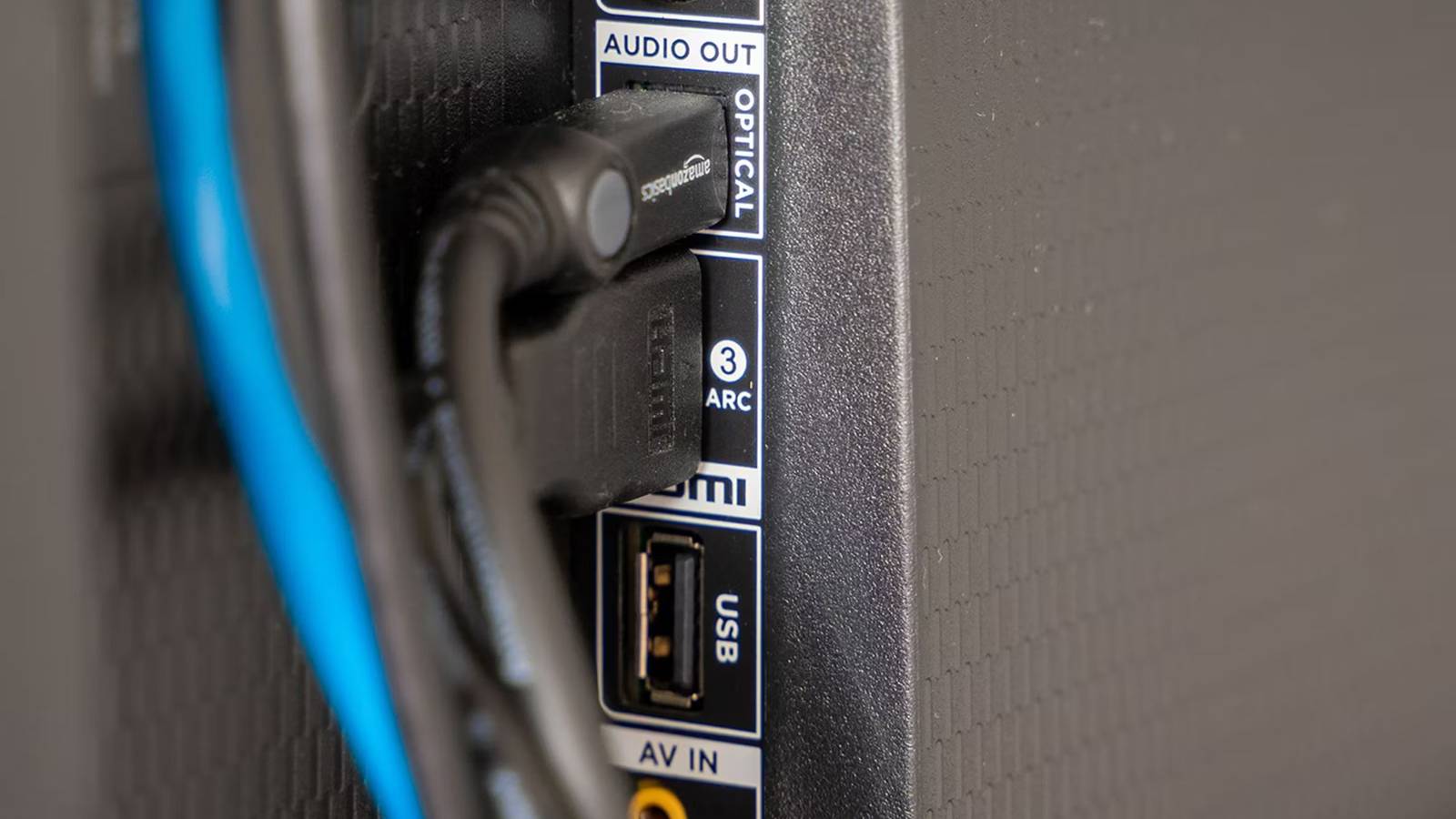

There’s no beating around the bush — TV makers can be pretty stingy when it comes to the ports they offer. Despite selling you a device you’re expected to own for many years, they have a tendency to include ports that not only lack futureproofing, but are already outdated the day you walk out the store. There’s no good excuse for including USB 2.0 when USB 4 has been around for years, and even USB 3.1 would be a massive performance jump.
The most obvious stinginess, though, involves the inclusion of HDMI 2.0 ports. The 2.0 spec dates back to 2013, and 2.1 emerged in 2017. In fact, 2.2 has been around since 2025. The only reason to stick users with 2.0 is raising profit margins as high as possible.
This wouldn’t be such an issue if there weren’t fundamental leaps forward in 2.1, designed to accommodate things like higher refresh rates and uncompressed Dolby Atmos. That makes it important to discern what you can afford to leave plugged into 2.0.

Quiz
HDMI 2.0 and its history
Trivia challenge
Think you know everything about the standard that supercharged your home cinema? Put your knowledge to the test.
HistoryStandardsVideoHardwareBandwidth
In what year was HDMI 2.0 officially released?
Correct! HDMI 2.0 was released in September 2013 by the HDMI Forum. It arrived just in time to support the growing demand for 4K content and displays entering the consumer market.
Not quite. HDMI 2.0 launched in September 2013. This timing was deliberate, as manufacturers needed a standard capable of handling 4K resolution at smoother frame rates than its predecessor could manage.
What is the maximum bandwidth offered by HDMI 2.0?
That’s right! HDMI 2.0 delivers a maximum bandwidth of 18 Gbps, a significant jump from HDMI 1.4’s 10.2 Gbps. This extra headroom was essential for supporting 4K at 60 frames per second.
Not quite. HDMI 2.0 supports up to 18 Gbps of bandwidth. For comparison, its predecessor HDMI 1.4 was capped at 10.2 Gbps, which wasn’t enough for smooth 4K playback at 60fps.
What is the maximum frame rate HDMI 2.0 supports at 4K resolution?
Correct! HDMI 2.0 can handle 4K resolution at up to 60fps. This was a major improvement over HDMI 1.4, which could only push 4K at 30fps — a limitation that made motion look choppy on large screens.
Not quite. The answer is 60fps. HDMI 1.4 had already introduced 4K support but was limited to 30fps, and HDMI 2.0 doubled that frame rate, making a huge difference for sports and gaming content.
Which organisation took over governance of the HDMI specification from HDMI Licensing LLC, leading up to the release of HDMI 2.0?
Spot on! The HDMI Forum was established in 2011 and took over development of the HDMI specification, releasing HDMI 2.0 as its first major standard in 2013. It brought a broader group of industry members into the process.
Not quite. The HDMI Forum was the body responsible. Founded in 2011, it replaced the original HDMI Licensing LLC structure for specification development, opening membership to a wider range of consumer electronics companies.
How many simultaneous audio streams does HDMI 2.0 support?
Correct! HDMI 2.0 supports up to 4 simultaneous audio streams, an upgrade over earlier versions. This made it better suited to multi-room audio setups and more complex home theatre configurations.
Not quite. HDMI 2.0 can carry up to 4 simultaneous audio streams. This was one of several audio improvements in the specification, alongside support for up to 32 audio channels in total across those streams.
What sub-revision of HDMI 2.0 introduced support for HDR (High Dynamic Range) video?
Well done! HDMI 2.0a, released in April 2015, was the revision that added static HDR metadata support. This allowed TVs and displays to receive HDR content from sources like Ultra HD Blu-ray players and streaming devices.
The correct answer is HDMI 2.0a. Released in 2015, this update added static HDR support to the standard. A later revision, HDMI 2.0b from 2016, then extended that with support for the HLG (Hybrid Log-Gamma) HDR format.
HDMI 2.0 uses the same physical connector type as which earlier version of HDMI?
Correct! One of the great conveniences of HDMI 2.0 is that it uses the same physical connectors introduced with the original HDMI 1.0 specification. That means existing cables and ports are physically compatible, though older cables may not support the full bandwidth.
Not quite — the answer is all previous HDMI versions. HDMI has always maintained physical connector compatibility going back to version 1.0. The key caveat is that older cables may not have the bandwidth capacity to carry HDMI 2.0 signals reliably.
Which colour space format did HDMI 2.0 add support for, enabling more vivid colours on compatible displays?
Excellent! HDMI 2.0 introduced support for the Rec. 2020 colour space, which covers a far wider gamut than the Rec. 709 standard used for HD content. This laid the groundwork for truly vibrant, lifelike images on 4K HDR televisions.
Not quite. The answer is Rec. 2020, also known as BT.2020. This wide colour gamut standard was a key feature of HDMI 2.0, enabling displays to reproduce colours much closer to what the human eye can perceive compared to older HD standards.
Your Score
/ 8
Thanks for playing!
Dolby Atmos and DTS:X soundbars
Living in the reality of streaming

You might be slightly confused, given that I just acknowledged you need HDMI 2.1 or later to handle uncompressed Dolby Atmos. Mostly this is because 2.1 provides 48Gbps of bandwidth — obviously, a huge jump over 2.0’s 18Gbps. Additionally, though, the 2.1 spec introduces support for eARC, which is required for any form of lossless audio based on either Dolby TrueHD or DTS-HD Master Audio.
The secret is that both Atmos and DTS:X spatial audio can function over vanilla ARC, which is included in HDMI 2.0. It’s only that you have to accept their compressed versions — meaning that sound is delivered at a lower bitrate, and technically lacks some of the nuances you might hear in an uncompressed mix.
Streaming video almost inevitably relies on compressed audio, even if you’re paying for a top-tier plan.
There are a couple of reasons why you might not be bothered. The first is that it’s often difficult or impossible to discern the difference between lossless and high-level compression. Being able to notice any subtleties typically requires high-end speakers, and even then, you might wonder what all the hoopla is about. It’s just nice to know that when you’re watching a movie, you’re hearing the smallest possible details your speakers are capable of reproducing.
More importantly, lossless Atmos and DTS:X aren’t even options in most circumstances. Streaming video almost inevitably relies on compressed audio, even if you’re paying for a top-tier plan, presumably because going lossless would dramatically increase bandwdith requirements for everyone involved, with little to show for it. That means the only reliable source of it is Blu-ray, and of course relatively few people have both a sizable Blu-ray collection and a high-end speaker system.
Retro game consoles
Pick the highest spec when you can, though

If you’re connecting a Mac, PC, or modern game console, you should always default to HDMI 2.1 or 2.2, no questions asked. The main issue is refresh rates. Some apps can push 4K framerates past 60fps (frames per second), which is an issue when HDMI 2.0’s 4K refresh rates are capped at 60Hz. On top of this, 2.0 is missing VRR support. It can’t adjust refresh rates to match shifting framerates, which increases the risk of visual glitches like screen tearing.
The good news is that with retro consoles — for the sake of this piece, anything prior to the PlayStation 4 — the issue is (largely) moot. They don’t support resolutions over 1080p, and while framerates over 60fps can happen, they’re unlikely. Game developers were still butting into fundamental graphics obstacles until relatively recently, so even 30fps can be tough to achieve with some titles. The biggest barrier when connecting a retro console is actually likely to be upscaling and conversion, which may require a dedicated accessory like a RetroTINK. The Nintendo 64 tops out at 480i resolution in a 4:3 aspect ratio — things won’t automatically look right on a 4K, 16:9 TV.
That said, you should always hook a console up to HDMI 2.1 or later if another device isn’t taking priority for you. It’s best to take advantage of VRR if possible, though in the case of retro consoles, you will need one of those scaling/conversion devices to enable that feature.
Blu-ray and DVD players
Temper your expectations for Blu-ray

With a DVD player, there’s no advantage whatsoever to HDMI 2.1. Most movies and TV shows are recorded at 24 or 30fps, so even a 60Hz refresh rate is liable to be more than sufficient. You might get better motion smoothing with 2.1 if you’ve got a TV capable of 120Hz, but you shouldn’t have smoothing on anyway — a little judder is preferable to the dreaded soap opera effect, so named because it can make a $200 million blockbuster look as cheaply shot as a ’90s episode of General Hospital. If you haven’t seen it before, it’s uncanny.
Often, of course, DVD players don’t even have native HDMI ports. The HDMI 1.0 spec dates back to 2002, whereas the first DVD players shipped in 1996. You may need an adapter just to get one to work, never mind exploiting HDMI 2.1 features.
You may also be fine connecting Blu-ray players up to 2.0 ports, owing to the same framerate limitations, but there are incentives to use 2.1 if you can. One is support for lossless audio, as I mentioned earlier. Additionally, dynamic HDR standards like Dolby Vision and HDR10+ technically function better over 2.1, even if you probably won’t notice anything in the final image. This is contingent on your Blu-ray player doing its own tone mapping, and “tunneling” that dynamic HDR data over to your TV.
More overlap than you might think

Sad to say, there’s often not much reason to pair a cable box with HDMI 2.1. Most US cable channels are still stuck at 720p or 1080i, if that much. There are exceptions to this — yet even when they exist, you may not encounter 4K HDR much past live sports content, and that should work just fine over HDMI 2.0. Chances are, if you can afford a TV that exploits 2.1, you can also afford a streaming service that provides 4K HDR (and Dolby Atmos) for every video, not just that Dallas Cowboys game.
Most US cable channels are still stuck at 720p or 1080i. There are exceptions to this, yet even when they exist, you may not encounter 4K HDR beyond specific content, such as live sports.
You might also be fine pairing 2.0 with a low-end media streamer such as an Amazon Fire TV Stick HD or a non-4K Roku Streaming Stick. Those top out at 1080p, and in the case of the cheapest Roku device, you don’t get any form of HDR either. I wouldn’t be surprised if both Amazon and Roku decide that 4K HDR is too cheap and widespread to omit from the next generation of budget devices. For now, however, they’ve produced a few products that are outdated enough that you’re better off reserving HDMI 2.1 for your laptop or PS5.
