

Close Menu

    Subscribe to Updates

    Get the latest Tech news from SynapseFlow

    What's Hot

    Solar Beat Coal in US Electricity Mix for the First Time in May

    June 20, 2026

    Klipsch The Nines II review: excellent do-it-all active stereo speakers

    June 20, 2026

    Your Fire TV is spying on you

    June 20, 2026
    Facebook X (Twitter) Instagram
    • Homepage
    • About Us
    • Contact Us
    • Privacy Policy
    Facebook X (Twitter) Instagram YouTube
    synapseflow.co.uksynapseflow.co.uk
    • AI News & Updates
    • Cybersecurity
    • Future Tech
    • Reviews
    • Software & Apps
    • Tech Gadgets
    synapseflow.co.uksynapseflow.co.uk
    Home»Tech Gadgets»Make sure you have your Amazon Fire TV Stick plugged into the right HDMI port
    Make sure you have your Amazon Fire TV Stick plugged into the right HDMI port
    Tech Gadgets

    Make sure you have your Amazon Fire TV Stick plugged into the right HDMI port

    The Tech GuyBy The Tech GuyJanuary 19, 2026No Comments4 Mins Read0 Views
    Share
    Facebook Twitter LinkedIn Pinterest Email
    Advertisement


    Your TV is packed with HDMI ports, and while all of them look the same, they actually have some key differences you have to be aware of. The big ones are HDMI 2.1 and 2.0, and it’s easy to get them confused. For starters, both ports support 4K resolution, so if you’re only looking for picture quality, it’s easy just to set it and forget it. However, many devices, including your Amazon Fire TV Stick, benefit depending on the port.

    Advertisement

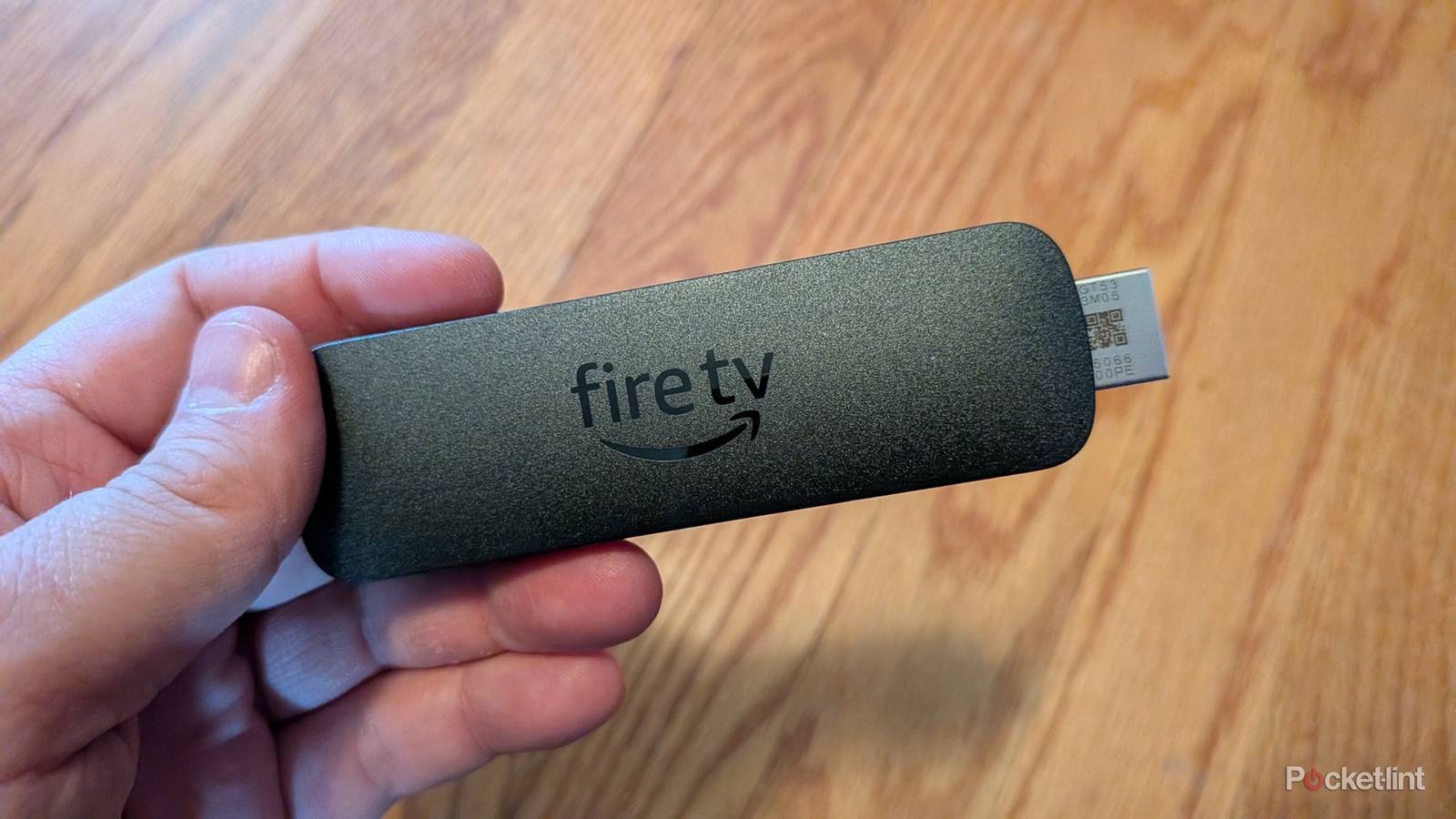
    As you might’ve guessed by the numbers, the 2.1 format is newer than 2.0, and that means it comes with some extra bells and whistles. If you have a 4K Stick Max, then you should really make sure it’s plugged into a 2.1 slot, since it’ll get some more value out of that. It’s easy to make this mistake, but thankfully, it’s an easy one to correct. As for what benefits you get from the 2.1 port over the 2.0, it’s pretty big if you have the proper Fire TV Stick.

    Get your Fire TV Stick plugged into the right port

    Get the most out of your purchase

    The ports on the Fire TV Omni QLED.

    If you paid for the highest-end Fire TV Stick, the 4K Max, then you should get that plugged into your 2.1’s port. Doing this will give you access to both 10 and 12-bit colors, and if you like to game on your 4K Max, then you’ll get Auto-Low Latency Mode. It might seem small, but if you spent the money on the stick, you might as well get the most out of it.

    Now, there are still some things you need to be aware of. You might be tempted to plug your Fire TV Stick into your TV’s eARC port, and that’s fine in most cases, but it’s not if you have a soundbar or receiver. Instead, you want to make sure your audio device is using that port, as it’ll take the audio from your TV and pass it through to your audio device. In this case, you still want to make sure you get your Fire TV Stick plugged into an HDMI 2.1 port, but one that’s not your eARC port.

    Dolby Atmos also works better over HDMI 2.1 than 2.0, since you get some extra bandwidth — 48 Gbps vs. 18 — between the two formats. Dolby Atmos is already lossy audio as it is, so it’s nice to have more bandwidth to squeeze out some better-sounding audio. These are the main reasons you’d want your stick to be plugged into that port, but it’s not the end of the world if you can’t swing it. HDMI 2.0 is still a fine format, and while you’d be losing some extra features, I’d be willing to bet that your experience will still be just fine.

    It doesn’t matter if your stick doesn’t support it

    Fire TV Stick and Fire TV remote on knit pillow.

    If you’re using a streaming stick that doesn’t have 4K capabilities or HDR support, you won’t see much of a difference if you plug it into a 2.1 port over a 2.0 port. There’s nothing wrong with using the 2.1 port, but you just don’t get any of the benefits it offers if the hardware you’re using doesn’t support it.

    The Amazon Fire TV Stick 4K Max is one stick that does benefit from the extra bandwidth, and it applies to just about every other 4K-capable device you have. The rule of thumb to follow is that the newer your tech is, the newer the port you should be using. There’s no reason to have your shiny new toys plugged into old HDMI ports, so don’t do it. Amazon sells so many Fire TV Sticks, including 4K options, that your odds are quite good that you’re using one that supports HDMI 2.1.

    Advertisement
    Share. Facebook Twitter Pinterest LinkedIn Tumblr Email
    The Tech Guy
    • Website

    Related Posts

    Your Fire TV is spying on you

    June 20, 2026

    How to watch Scotland vs Morocco: Free streams & TV channels for World Cup 2026

    June 19, 2026

    Samsung confirms the Galaxy M47 is coming soon, design teased

    June 19, 2026

    Samsung’s latest wild idea is a foldable, rollable, brick phone

    June 19, 2026

    I found an easy way to fix a buggy Fire TV Stick in less than 5 minutes

    June 19, 2026

    How to watch Canada vs Qatar: Free Streams & TV Channels for World Cup 2026

    June 18, 2026
    Leave A Reply Cancel Reply

    Advertisement
    Top Posts

    You don’t need a NAS to self-host — I proved it with hardware from my closet

    June 7, 202672 Views

    Spotify is giving one of its best playlists a big visual upgrade to give subscribers ‘a closer connection’ to its New Music Friday curators — and I think it could be the update it’s always needed

    June 12, 202618 Views

    The iPad Air brand makes no sense – it needs a rethink

    October 12, 202516 Views
    Stay In Touch
    • Facebook
    • YouTube
    • TikTok
    • WhatsApp
    • Twitter
    • Instagram
    Advertisement
    About Us
    About Us

    SynapseFlow brings you the latest updates in Technology, AI, and Gadgets from innovations and reviews to future trends. Stay smart, stay updated with the tech world every day!

    Our Picks

    Solar Beat Coal in US Electricity Mix for the First Time in May

    June 20, 2026

    Klipsch The Nines II review: excellent do-it-all active stereo speakers

    June 20, 2026

    Your Fire TV is spying on you

    June 20, 2026
    categories
    • AI News & Updates
    • Cybersecurity
    • Future Tech
    • Reviews
    • Software & Apps
    • Tech Gadgets
    Facebook X (Twitter) Instagram Pinterest YouTube Dribbble
    • Homepage
    • About Us
    • Contact Us
    • Privacy Policy
    © 2026 SynapseFlow All Rights Reserved.

    Type above and press Enter to search. Press Esc to cancel.

    Ad Blocker Enabled!
    Ad Blocker Enabled!
    Our website is made possible by displaying online advertisements to our visitors. Please support us by disabling your Ad Blocker.