

Close Menu

    Subscribe to Updates

    Get the latest Tech news from SynapseFlow

    What's Hot

    The cyberpunk classic that shaped modern sci-fi is finally coming to TV — everything we know

    March 15, 2026

    I tested the tiny Russell Hobbs coffee maker that uses grounds or Nespresso pods — but I discovered one infuriating drawback

    March 15, 2026

    Volunteers Find Oddly High Solar Flare Rates

    March 14, 2026
    Facebook X (Twitter) Instagram
    • Homepage
    • About Us
    • Contact Us
    • Privacy Policy
    Facebook X (Twitter) Instagram YouTube
    synapseflow.co.uksynapseflow.co.uk
    • AI News & Updates
    • Cybersecurity
    • Future Tech
    • Reviews
    • Software & Apps
    • Tech Gadgets
    synapseflow.co.uksynapseflow.co.uk
    Home»Tech Gadgets»Roku just added a home screen feature you’ll actually want to use
    Roku just added a home screen feature you’ll actually want to use
    Tech Gadgets

    Roku just added a home screen feature you’ll actually want to use

    The Tech GuyBy The Tech GuyJanuary 27, 2026No Comments3 Mins Read0 Views
    Share
    Facebook Twitter LinkedIn Pinterest Email
    Advertisement


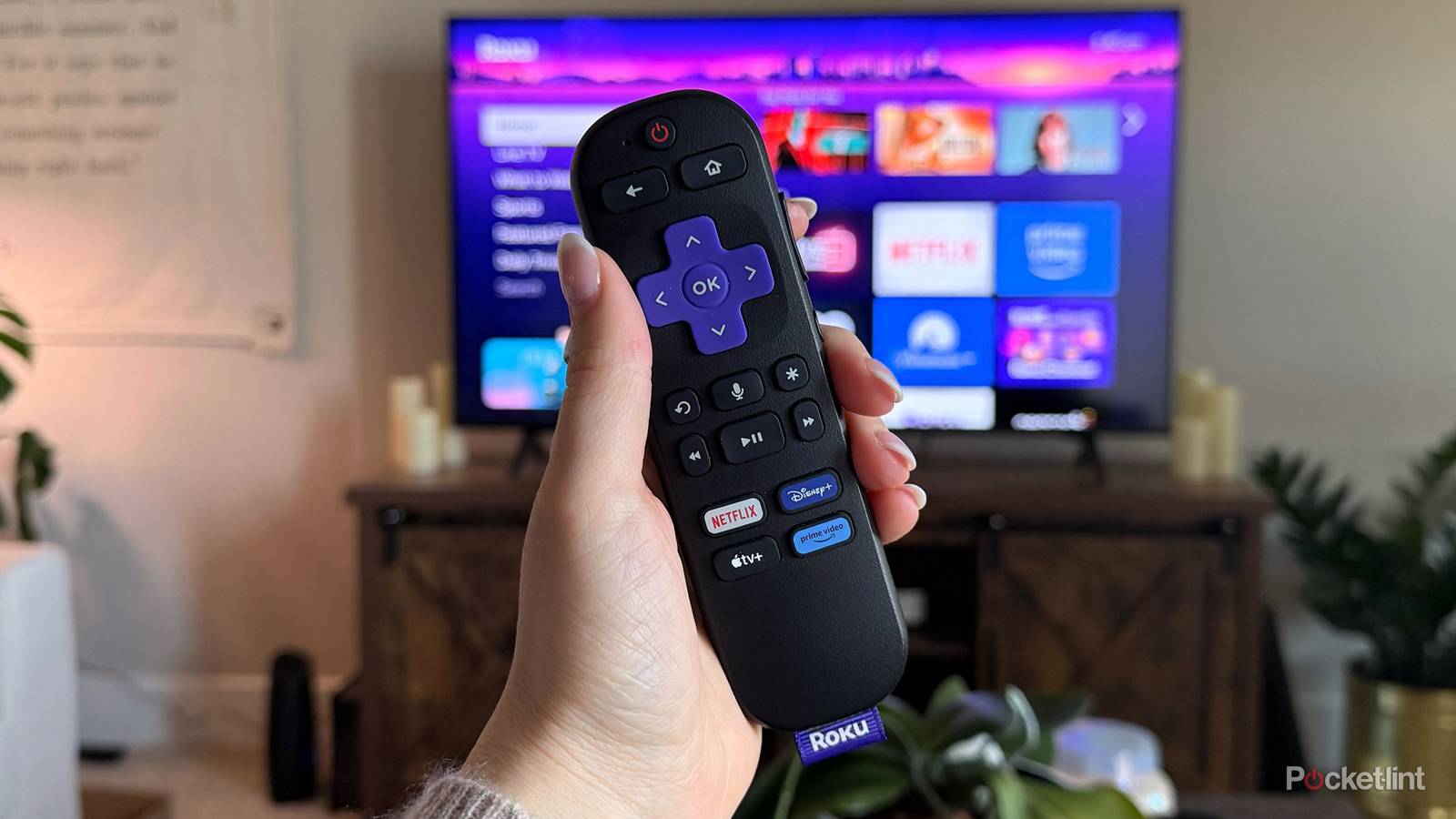
    If you own a Roku device, such as a Roku TV or streaming stick, you’re probably used to Roku occasionally tweaking the look of the home screen, sometimes for the better and sometimes for the worse. Keeping that tradition alive, Roku has once again added something new to the home screen with its latest update, and for anyone subscribed to services like Netflix or HBO Max, it could prove to be pretty useful.

    Advertisement

    The new addition in the spotlight here is a dedicated Subscriptions tab on the home screen. As the name suggests, it pulls together content from the streaming services you’re subscribed to and logged into on your Roku, making it easier to jump back into whatever you were watching (via Cord Cutter News).

    When you hover over the Subscriptions tab, you’ll see a few different sections pop up. There’s “Popular From Your Subscriptions,” which highlights trending content, “Continue Watching (Subscriptions),” which lets you pick up right where you left off, and “Newly Added to Your Subscriptions,” which surfaces recently added shows and movies.

    Overall, if you subscribe to multiple streaming services and watch them on your Roku, this new tab should make it a lot easier to keep track of them all in one place. That said, Roku’s home screen is already packed with options like Live TV, Sports, Featured Free, and What to Watch, so the Subscriptions tab does add yet another item to an already crowded menu, but that can be fixed.

    roku-streaming-stick-plus-tag

    Brand

    Roku

    Operating System

    Roku OS

    Downloadable Apps

    Thousands

    A slim plug and play streaming stick that includes 4K/HDR support and includes a voice remote. 


    How to edit your Roku home screen

    You can adjust it to match your viewing habits

    Roku OS menu settings

    If you want to tidy up your Roku home screen and reduce the number of tabs, the good news is that Roku makes it easy to do so. Whether you want to keep the new Subscriptions tab, get rid of it, or tweak any of the other menu items, you can change them all.

    To do this, press the Home button on your Roku remote to open the home screen, then go to Settings > Home screen. From there, you’ll see a list of all the menu items that can appear on your home screen, along with the option to show or hide each one.

    If there’s something you’d rather not see — like the new Subscriptions tab, Live TV, Weekly Trivia, Sports, or Featured Free — you can hide it here and instantly make your home screen feel a lot less cluttered.

    Personally, I’m a fan of the new Subscriptions tab on the Roku home screen because most of the content I watch comes from streaming services like Netflix, HBO Max, and Prime Video, not The Roku Channel itself. On the flip side, if most of the content you watch on your Roku is free from Roku itself, it likely won’t be as useful to you, though at least you can turn it off.

    Advertisement
    Share. Facebook Twitter Pinterest LinkedIn Tumblr Email
    The Tech Guy
    • Website

    Related Posts

    I tested the tiny Russell Hobbs coffee maker that uses grounds or Nespresso pods — but I discovered one infuriating drawback

    March 15, 2026

    Huawei Enjoy 90 Pro Max and Enjoy 90 Plus get formally teased

    March 14, 2026

    Which phone-powered PC experience is better?

    March 14, 2026

    How to upgrade your car’s old audio system to work with Android Auto and Apple CarPlay

    March 14, 2026

    How to Make a Killing review: a serial killer story should not be this boring

    March 14, 2026

    iQOO Z11’s design revealed, pre-orders go live

    March 13, 2026
    Leave A Reply Cancel Reply

    Advertisement
    Top Posts

    The iPad Air brand makes no sense – it needs a rethink

    October 12, 202516 Views

    ChatGPT Group Chats are here … but not for everyone (yet)

    November 14, 20258 Views

    Facebook updates its algorithm to give users more control over which videos they see

    October 8, 20258 Views
    Stay In Touch
    • Facebook
    • YouTube
    • TikTok
    • WhatsApp
    • Twitter
    • Instagram
    Advertisement
    About Us
    About Us

    SynapseFlow brings you the latest updates in Technology, AI, and Gadgets from innovations and reviews to future trends. Stay smart, stay updated with the tech world every day!

    Our Picks

    The cyberpunk classic that shaped modern sci-fi is finally coming to TV — everything we know

    March 15, 2026

    I tested the tiny Russell Hobbs coffee maker that uses grounds or Nespresso pods — but I discovered one infuriating drawback

    March 15, 2026

    Volunteers Find Oddly High Solar Flare Rates

    March 14, 2026
    categories
    • AI News & Updates
    • Cybersecurity
    • Future Tech
    • Reviews
    • Software & Apps
    • Tech Gadgets
    Facebook X (Twitter) Instagram Pinterest YouTube Dribbble
    • Homepage
    • About Us
    • Contact Us
    • Privacy Policy
    © 2026 SynapseFlow All Rights Reserved.

    Type above and press Enter to search. Press Esc to cancel.

    Ad Blocker Enabled!
    Ad Blocker Enabled!
    Our website is made possible by displaying online advertisements to our visitors. Please support us by disabling your Ad Blocker.