

Close Menu

    Subscribe to Updates

    Get the latest Tech news from SynapseFlow

    What's Hot

    SpaceX Starbase Will Double in Size

    March 11, 2026

    Netgear Nighthawk WiFi 7 router is back to its best price

    March 11, 2026

    Circle to Search has a clever trick most Android users won’t notice

    March 11, 2026
    Facebook X (Twitter) Instagram
    • Homepage
    • About Us
    • Contact Us
    • Privacy Policy
    Facebook X (Twitter) Instagram YouTube
    synapseflow.co.uksynapseflow.co.uk
    • AI News & Updates
    • Cybersecurity
    • Future Tech
    • Reviews
    • Software & Apps
    • Tech Gadgets
    synapseflow.co.uksynapseflow.co.uk
    Home»Tech Gadgets»Circle to Search has a clever trick most Android users won’t notice
    Circle to Search has a clever trick most Android users won’t notice
    Tech Gadgets

    Circle to Search has a clever trick most Android users won’t notice

    The Tech GuyBy The Tech GuyMarch 11, 2026No Comments3 Mins Read0 Views
    Share
    Facebook Twitter LinkedIn Pinterest Email
    Advertisement


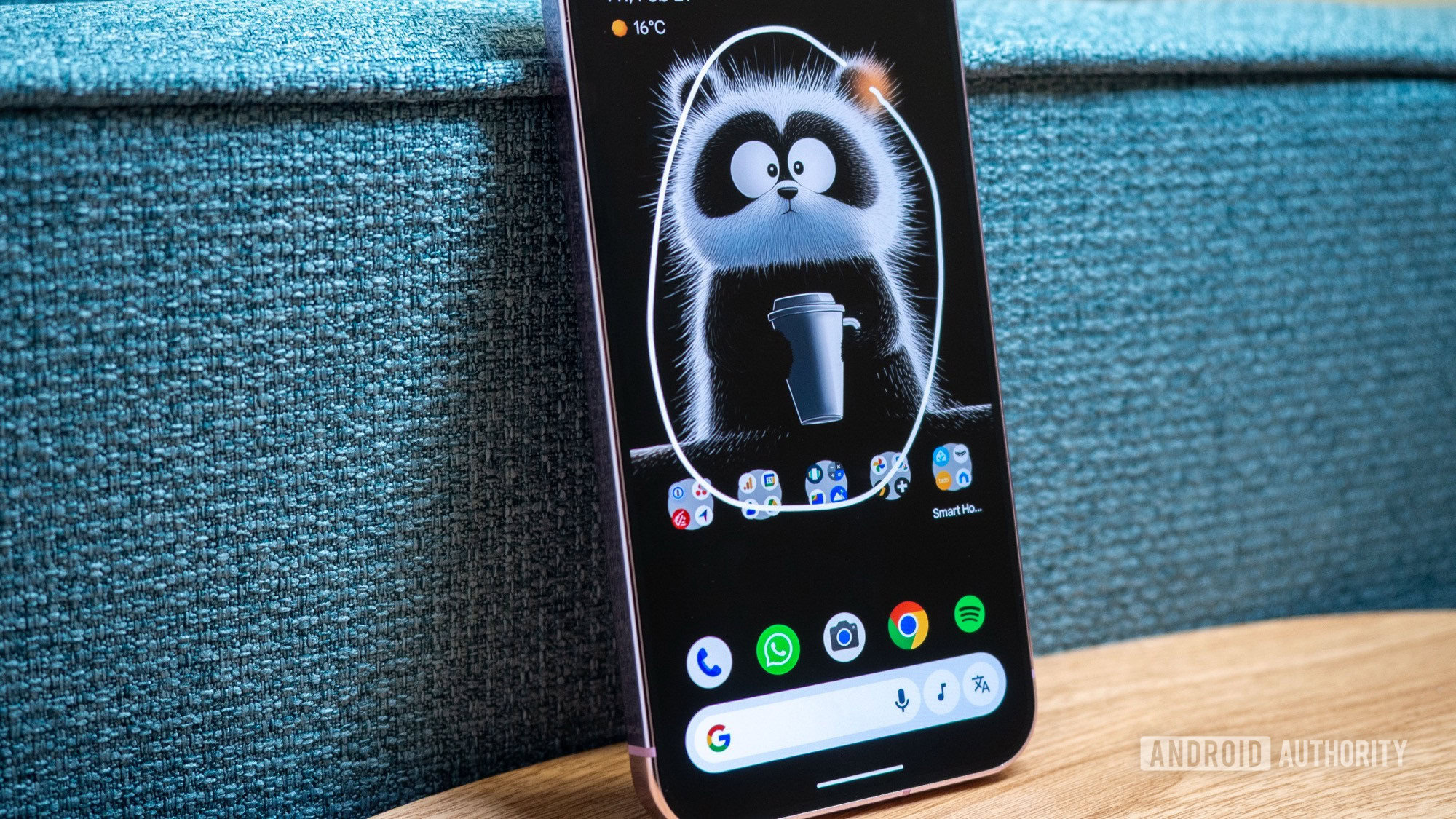
    google circle to search pixel 9 pro

    Rita El Khoury / Android Authority

    Advertisement

    TL;DR

    • A lesser-known Circle to Search trick lets you stack multiple searches on the same screen instead of stopping after one.
    • Just long-press the gesture bar or home button again after the first result and circle another object to add more context.
    • It’s basically an Easter egg that shows how fast and flexible the feature is, even if it won’t boost productivity.

    Google’s Circle to Search has already changed how people search on Android. Now, instead of copying text, switching apps, or typing keywords, you just circle anything on your screen, and Google handles the rest. But a lesser-known trick making the rounds online shows the feature can go even further: you can stack searches on top of each other.

    Tech observer Leah Lundqvist shared a short demo on X showing that you can stack these search circles as many times as you want. Instead of stopping after one search, you just keep long-pressing the gesture bar (or home button) after the first result. Each new circle adds more context, turning Circle to Search into a chain of connected visual searches. We’ve tried this trick, too, as you can see in the video below.

    When Google launched Circle to Search, the idea was simple: press and hold the home button or gesture bar, circle something on your screen, and Google identifies it right away. People quickly started using it to identify landmarks, translate text, or find where to buy products.

    Don’t want to miss the best from Android Authority?

    google preferred source badge light@2xgoogle preferred source badge dark@2x

    The system uses AI-powered visual recognition to analyze what you highlight and sends it to Google Search. That’s why you can circle a pair of shoes in a photo and instantly see shopping results or similar items.

    The hidden trick is a fun, if slightly pointless, Easter egg. It probably won’t make you more productive. But it does show what the software values. It’s designed for speed, so it doesn’t add obstacles. You can keep circling and searching, and it will keep responding.

    Keep in mind, though, you probably shouldn’t try this during an important moment, like when you need to quickly identify a landmark in a video. You might just end up with a cluttered screen instead of an answer. But as a party trick to show your friends at dinner, it’s a fun look at how we’re starting to interact with our devices in a more responsive, almost conversational way.

    Thank you for being part of our community. Read our Comment Policy before posting.

    Advertisement
    Share. Facebook Twitter Pinterest LinkedIn Tumblr Email
    The Tech Guy
    • Website

    Related Posts

    I wish everyone knew this about OLED, LED and mini-LED longevity

    March 11, 2026

    Nvidia drops $4 billion on photonics firms to turbocharge AI data centers and push next-generation high-speed computing infrastructure

    March 10, 2026

    Honor Magic V6’s hinge was put to another test as a company manager used it to do pull-ups

    March 10, 2026

    ANBERNIC reveals full spec sheet for PlayStation Vita clones: RG Vita and RG Vita Pro

    March 10, 2026

    This simple problem has plagued iPad owners for too long

    March 10, 2026

    A $30 malware tool written in ancient Visual Basic quietly steals credentials and opens corporate networks to widespread cybercrime

    March 9, 2026
    Leave A Reply Cancel Reply

    Advertisement
    Top Posts

    The iPad Air brand makes no sense – it needs a rethink

    October 12, 202516 Views

    ChatGPT Group Chats are here … but not for everyone (yet)

    November 14, 20258 Views

    Facebook updates its algorithm to give users more control over which videos they see

    October 8, 20258 Views
    Stay In Touch
    • Facebook
    • YouTube
    • TikTok
    • WhatsApp
    • Twitter
    • Instagram
    Advertisement
    About Us
    About Us

    SynapseFlow brings you the latest updates in Technology, AI, and Gadgets from innovations and reviews to future trends. Stay smart, stay updated with the tech world every day!

    Our Picks

    SpaceX Starbase Will Double in Size

    March 11, 2026

    Netgear Nighthawk WiFi 7 router is back to its best price

    March 11, 2026

    Circle to Search has a clever trick most Android users won’t notice

    March 11, 2026
    categories
    • AI News & Updates
    • Cybersecurity
    • Future Tech
    • Reviews
    • Software & Apps
    • Tech Gadgets
    Facebook X (Twitter) Instagram Pinterest YouTube Dribbble
    • Homepage
    • About Us
    • Contact Us
    • Privacy Policy
    © 2026 SynapseFlow All Rights Reserved.

    Type above and press Enter to search. Press Esc to cancel.

    Ad Blocker Enabled!
    Ad Blocker Enabled!
    Our website is made possible by displaying online advertisements to our visitors. Please support us by disabling your Ad Blocker.