

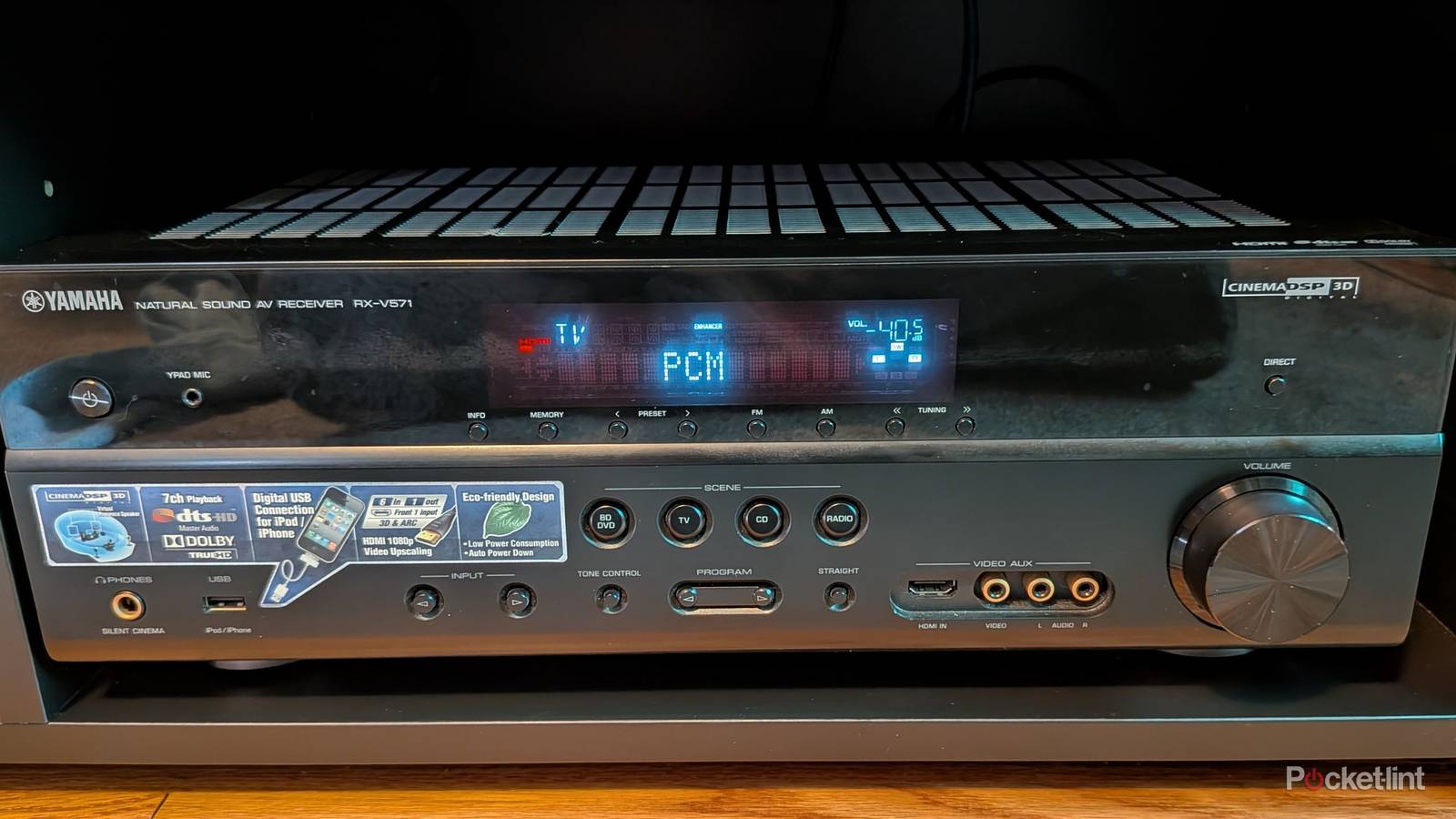

I grabbed an audio receiver to get Dolby Atmos in my living room, and I’ve been very happy with that decision. A receiver was the only way I could get all of these speakers set up, so there wasn’t really any other choice I could’ve made. What I didn’t know about receivers is that there is a lot more going on with them other than just hooking up speakers.
I also used my room correction software to adjust the volume on my speakers automatically, and I recommend doing that as soon as you hook everything up. While that’s good to do, it doesn’t actually solve all your audio issues. Sometimes when I’m watching something, I’ll notice the audio is a little out of sync. While I can sometimes ignore it, there are situations where that’s just not possible, and it becomes very distracting.
There’s a setting on my receiver that fixes this, and I usually have it set to automatic without issue. That doesn’t mean it’s perfect, however, and sometimes you need to do a manual tweak. Fortunately, it’s not difficult to do, and you should be able to reign in your audio sync issues within a few seconds if you know what you’re doing.
Don’t sleep on your audio sync settings
Have control over your audio

I use seven speakers in my living room, so I expect to have some audio issues from time to time. What I like most is that I’m able to easily fix the issues as they arise. If you notice the audio is off by a few milliseconds, you can manually adjust a slider until the words are synced back up with the character’s mouth. It might take a few tries, but I’ve been able to fix the problem each time it crops up.
If you don’t want to go through that trouble, it might be worth toggling the automatic mode on and off to see if it fixes it. You can also try the tried-and-true method of turning everything off and on again. That doesn’t always fix the problems, so that’s why it’s important to figure out how your audio settings work. I typically leave mine on the automatic setting when I can, but sometimes that doesn’t get the job done. If you aren’t using a receiver, you should have some TV settings you can look at to help solve the problem. Most smart TVs should have audio options like this, so don’t think it’s a problem that only arises if you have a surround sound system.
In my experience, it’s far less of an issue when you’re just using your TV speakers, but I don’t speak for everybody. Tech issues arise everywhere, so it’s important to know how to fix them when they arise. What I do know is that adding more devices, such as soundbars, receivers, speakers, etc., into the mix always creates opportunities for more things to go wrong.
Some other things might be the issue, too
Check your connections

You don’t always have to mess with your audio settings if you know they’re properly dialed in. Once you have tried restarting everything and it didn’t fix the problem, you can check a few other things. I’ve had my share of HDMI cables die on me, so there’s always the chance that one might be failing you. It’s always worth checking the connections, as loose or dying cables can always be a concern. With a receiver, you could run into a double whammy of a loose speaker wire along with a loose HDMI cable. Speaker wires being loose can become a major problem in a hurry, as that could possibly cause a short and break your receiver.
Your TV settings might also cause a problem with your audio sync. I’m not a fan of the motion processing that creates the soap opera effect with your shows and movies, but many people are. As it turns out, that mode could cause some processing issues that cause audio syncing problems. Your TV isn’t exactly the most powerful thing in the world, so lightening the load on it when you can is always a good thing.
Latency is always a problem if you have wireless speakers. I hardwire all my stuff, but I know Bluetooth setups are becoming more common. This means there’s more room for interference, and your fix there is to either restart your speakers, mess with your audio sync settings, or wire your speakers. Some of these problems don’t have an easy fix, and sometimes there are just problems randomly. It’s something I run into with HDMI-CEC, and it feels like it’s just par for the course when ti comes to technology these days. I wish that weren’t the case, but that’s not the world we live in. Perhaps that could change in due time, but in the meantime, I hope some of these fixes help you out like they helped me.
