


It’s hard to definitively say that the rise of AI and various AI-powered features has made anyone’s life easier — one study suggested it intensifies work, for example — but one thing it has done is put chat boxes everywhere. One of generative AI’s key innovations is the ability to use natural language to interact with software. If there’s any clear takeaway from the AI gold rush, it’s that talking to your apps and gadgets could make computers radically easier to use, and we might already have the tools to make it happen.
This idea hasn’t been totally borne out yet, but the photo-editing capabilities of major AI assistants and AI-enabled smartphones give an early glimpse. Not everyone knows how to use Photoshop or Canva, but anyone can ask Gemini or ChatGPT to remove a background from an image. And voice input could theoretically make it even easier. Outside of accessibility spaces, directing everything with your voice is more of a novelty than a true convenience. But at least a few companies have explored what it might be like to replace your keyboard with a microphone. Monologue, offered by the company Every, is a voice dictation app that works across iOS and macOS and effectively uses AI to try and replace traditional typing interfaces. It could be an early glimpse of what it feels like to drive your smartphone and computer with your voice, but the big question is how practical it is and in the week or so I’ve used it, the results are mixed.
Monologue is transcription software with a twist
The app turns your audio into text and cleans up filler words at the same time

While referring to “AI” in 2026 often implies the involvement of generative AI models, the term encompasses multiple technologies and techniques, some of which have existed for decades before Gemini, ChatGPT, and Claude caught on. For example, speech recognition is a core technology that sits under that nebulous umbrella. It’s essentially a model that’s trained on text transcripts and audio recordings of human voices, that’s able to detect speech patterns and convert audio of someone speaking into text.
For example, the first draft of this article was written with Monologue and edited by hand after-the-fact.
Speech recognition technology is already integrated into most software, particularly popular operating systems like macOS, Windows, iOS, and Android. If you’ve used the voice dictation feature in the Messages app on iOS, you have an idea of how this works. On-device models are able to translate your speaking voice into text and can even recognize things like punctuation and emojis. The feature isn’t perfect, though, and it doesn’t make sense as an input method for every app. Some places where we type require nuance or a distinct tone. You text in a different way than you email and you write a document in a different way than you search for something on Google. That’s where Monologue comes in.
The app uses speech recognition to translate spoken words into a quick transcript, but also applies an editing pass powered by AI to clean up your text and edit it for wherever you happen to be to be working. Monologue can erase things like “ums” and “ahs” in a professional email, but also keep things casual in a group chat. Using on-screen context and integration with your operating system, Monologue can understand where you’re working and switch between different pre-established “Modes” accordingly. Notably, the app also works across macOS and iOS.
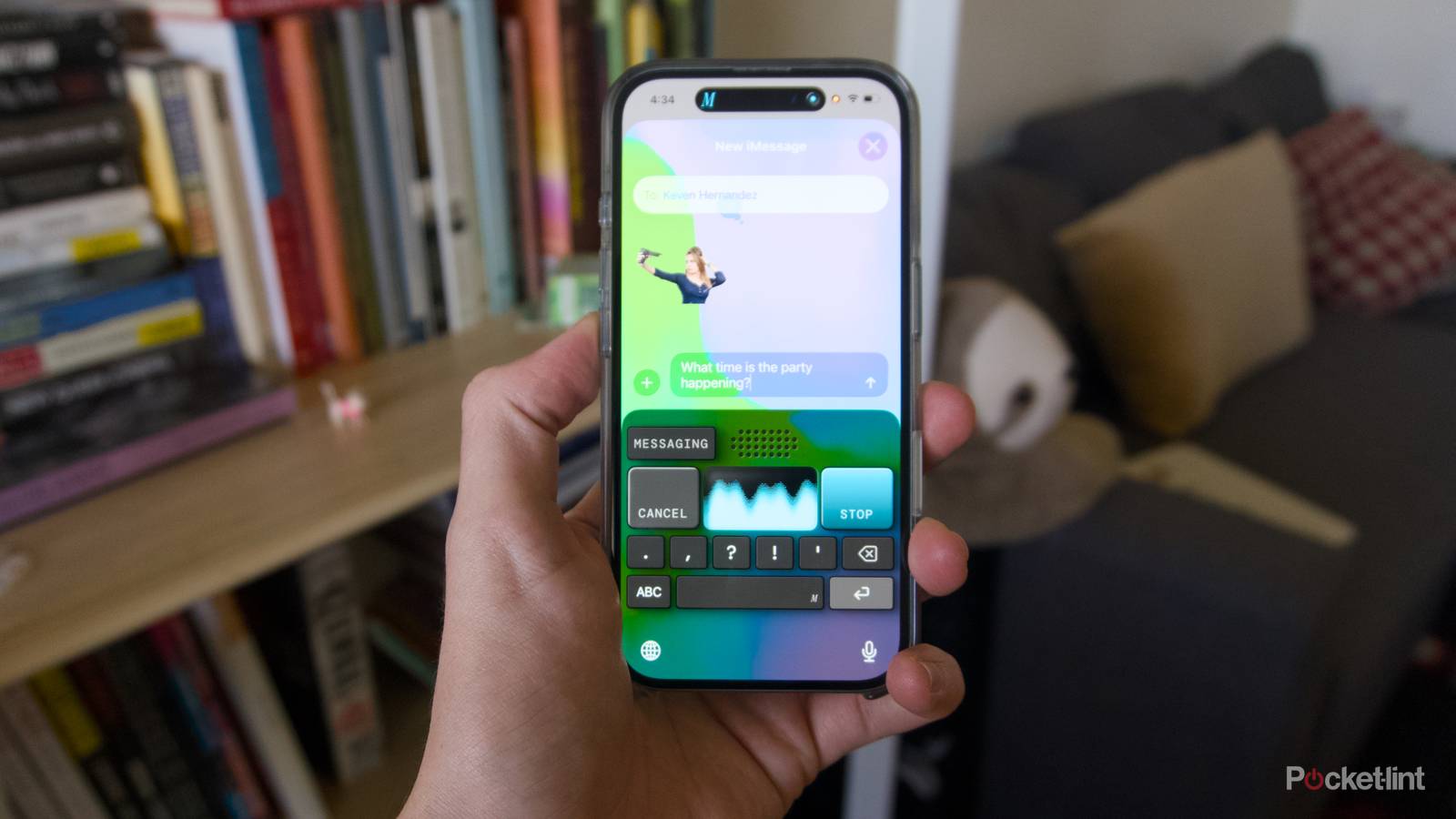
On macOS, you summon it with a keyboard press (it’s set to the Right Option key by default, but you can change it to whatever you like) and either hold down the key or press the space bar to lock into transcription mode. Monologue can seamlessly adjust if you switch language mid-recording, and if you’re at all worried about how the app transcribes and edits text, you can set custom instructions for each writing mode in the Monologue app itself. The iOS version of Monologue can be pulled up as a transcription-focused keyboard inside of apps, or as an app for voice notes with the same customizations as the macOS version. You can use either version of Monologue for free and receive a thousand words of transcription at no additional cost, or you can pay $10 a month or $100 a year for unlimited transcriptions.
In my experience on Mac, Monologue is a really natural way to capture notes, send messages, and write drafts. For example, the first draft of this article was written with Monologue and edited by hand after-the-fact. Responding to messages in Slack or the Messages app on macOS is equally easy with Monologue enabled. All-in-all, it’s a bit like using voice dictation, but with a more natural feel to the text at the end. Of course, to use the app, you have to get over the hurdle of talking to yourself while you write, which can feel awkward at first. But if you’ve ever struggled to get text down or remember an idea, Monologue can be a life-saver. Particularly on iOS, where you can assign a Monologue as a shortcut on your lockscreen and jump straight into a new voice note as soon as you wake your phone.
Typing with your voice has its own problems
The locked-down nature of some platforms creates hurdles

After using Monologue for a while, however, I think voice input makes the most sense in select use-cases rather than the default way computing happens. I had the most fun and felt the most productive using Monologue on macOS, but I thought the app made a lot less sense on my iPhone.
Part of that is due to the limitations of iOS itself. Because the app wants to offer always-on audio and essentially keep your microphone active (something Apple doesn’t appear to be keen on), you occasionally have to reopen the app to use the Monologue keyboard in various applications. This constant switching between apps quickly became annoying over time. If you consistently use Monologue to type, it might not be a problem for you. But if, like me, you don’t find yourself constantly dictating text, the few times you do want to use it means you’ll have to reopen the app, wait for the microphone to become active again, and then switch back to whatever app you were using the to continue dictating.
You don’t have to speak loudly for Monologue to pick you up, you can whisper or mutter under your breath and will still be able to create a transcript.
There’s also a larger shift that comes with writing with your voice: a transition from being a writer of a first draft to more of an editor of a draft that you created with your voice. If you have a hard time getting words on paper, spilling it all out with your voice could be easier than trying to type or write them out by hand. But it might also be just as time-consuming in another way. I found that I spent a significant part of editing that first draft that Monologue captured. Yes, it was clean, and it could have served as a draft of an article if I wanted it to, but I often felt like the synthesis of what Monologue captured and what I would have written from scratch was better than the first pass. And while Monologue’s ability to shift your tone and style works, if you’re editing yourself anyway, why not just use built-in voice dictation in macOS and iOS or Windows instead of a dedicated app that costs money?
An interface shift is coming
It just might not be evenly distributed

Using Monologue highlighted how fun and useful talking out a piece of writing can be to me. I don’t think that means that everything should be controlled with your voice or that it even makes sense on every device to type with speech, but there are places where it makes sense. A smartphone is intimate, like holding a tape recorder, but it’s also small and simple enough to navigate that I think I should be able to just push buttons to get what I want instead of waiting for an AI assistant to interpret a spoken request.
On macOS, and I imagine most other desktop operating systems, there’s a certain level of complication that dictating text is able to cut-through. I was able to keep one hand on my keyboard and another on my mouse and navigate most of my work day talking rather than typing. There’s a burgeoning number of gadgets that take this idea further, in that they’re designed to be voice-first, whether you’re talking into a ring, smart glasses, or a pendant. It remains to be seen whether any of them will actually prove this idea has legs, but you can get a taste of that life using voice dictation today. You might even like it better than typing.

- Developer
-
Every
- Subscription cost
-
$10/month, $100/year
- Free trial
-
Yes
Every’s Monologue is a voice dictation app for iOS and macOS that uses AI to clean up your writing so that your transcribed text always has the right tone for whatever app you’re writing in.
Regardless, it seems clear to me that some kind of transition is happening, and at the other end of whatever this AI gold rush is, there will be world where we speak more often, or at least speak more naturally, to the computers we use. If that’s at all interesting to you, you can try out Monologue now for a taste of what that could be like, at least when it comes to typing.
