

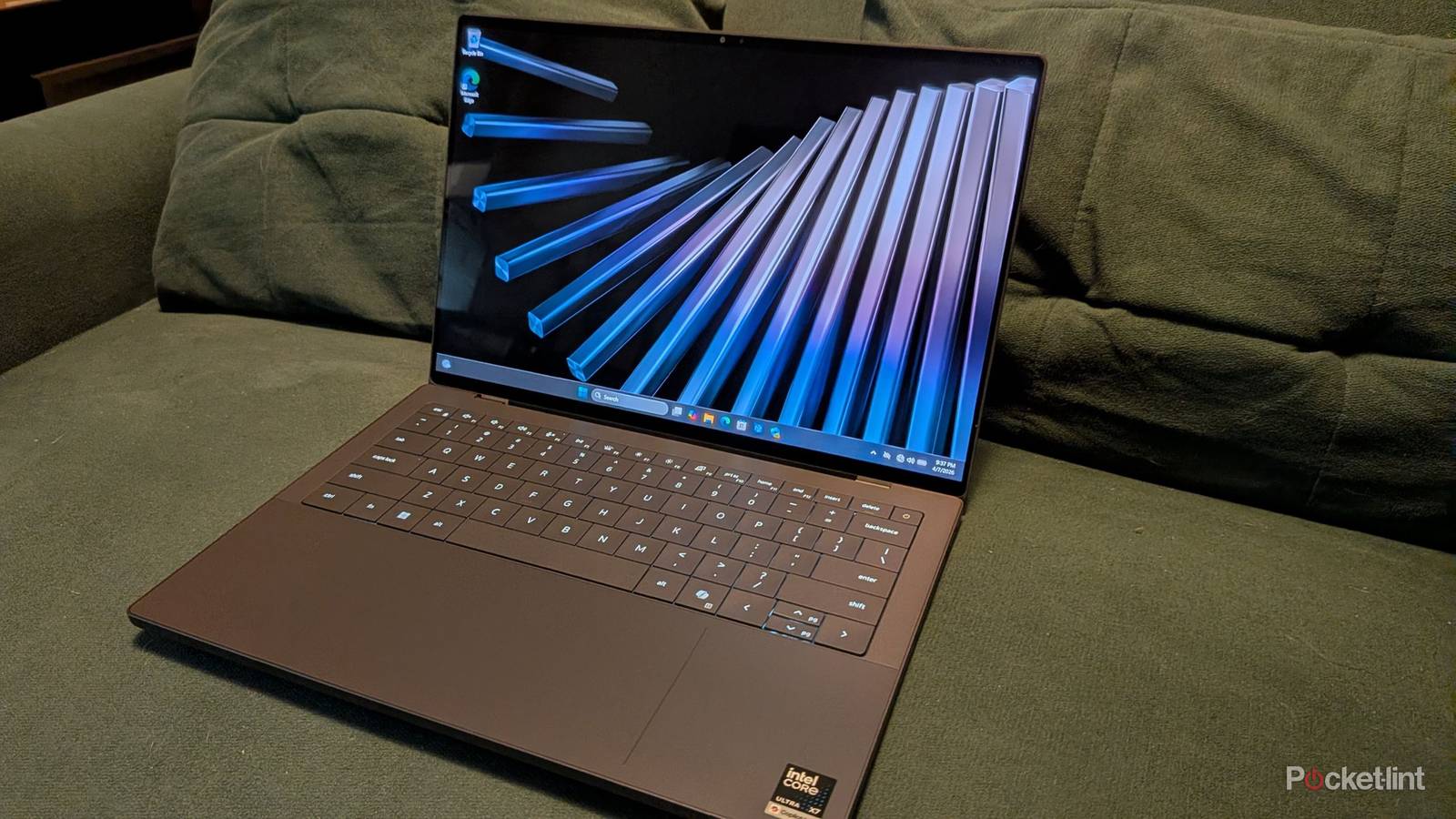

I don’t typically use a laptop to work, but I couldn’t pass up the chance to try out the Dell XPS 14. Dell’s new flagship pushes the envelope of what I thought a laptop could do. Admittedly, I’m not a huge fan of laptops since I use a desktop for both work and play, and no, Dell’s latest offering isn’t going to change that for me. However, it’s easy to see why the XPS 14 would appeal to a wide range of people. This is a very speedy laptop packed with high-end specs. Due to that, it’s also a very pricey laptop that’ll firmly be out of the range of many people.
If budget isn’t a concern whatsoever, there’s so much to love about what’s on display here. There’s no clear weak link, and the sheer power makes it perfect for an everyday word processor, while also allowing Adobe’s Creative Cloud programs, such as Photoshop, to run smoothly. Aside from a few minor nitpicks, I’d say this is a nearly perfect laptop.


4/5
- Operating System
-
Windows 11
- CPU
-
Intel Ultra X7 358H
- GPU
-
Intel Arc Graphics
- RAM
-
32 GB LPDDR5x Dual Channel at 9600 MT/s
- Excellent 120 Hz OLED touch screen
- Long battery life
- Great performance
- Feels durable
- Only three USB-C ports
- Prone to fingerprints
- Expensive
Price, specs, and availability
Packed with performance, but at a high price
If you can think of it, this laptop has it. Dell’s XPS 14 laptop boasts a whopping 32 GB of RAM, a 1 TB SSD storage, an Intel Core Ultra X7 358H that flaunts 16 cores, and a 2.8K 120Hz OLED touch screen to top it off. On top of that, there are a trio of USB-C ports to plug in your peripherals and charge the laptop. This is a fast laptop that looks very good. The only thing that’s missing, at least performance-wise, is a true graphics card. My review unit didn’t include a discrete GPU, and instead I was saddled with the integrated Intel ARC graphics. This limitation keeps the XPS 14 from playing recent, demanding AAA games, though you might be able to get away with some older titles at lower settings. This laptop can handle Slay the Spire, Stardew Valley, and many others on this list just fine. However, I wouldn’t say gaming should be your primary focus with this laptop at all.
The elephant in the room is the price, and the model I’m reviewing costs $2,200 on Dell’s website at the time of this writing. You can lower the price by going for fewer specs. Cutting the touch screen saves $150, and you can shave an additional $450 by opting for a 512 GB SSD instead. Doing this can make the budget much more manageable, so I’d recommend laying out what you’re looking for in a laptop and going from there. You’ll find that you can still get a very formidable laptop for much cheaper if you cut some corners, and I recommend doing that before jumping on something you don’t need.
- Operating System
-
Windows 11
- CPU
-
Intel Ultra X7 358H
- GPU
-
Intel Arc Graphics
- RAM
-
32 GB LPDDR5x Dual Channel at 9600 MT/s
- Storage
-
1 TB SSD
- Display (Size, Resolution)
-
2880×1800 OLED
- Colors
-
Graphite
- Ports
-
USB-C
- Weight
-
3 lb
- Brand
-
Dell
- Model
-
XPS 14
What I like about the Dell XPS 14
A solid machine

For anybody looking for a solid laptop as a daily driver, it’s hard to be displeased with what Dell has to offer here. It’s snappy thanks to its 16-core processor, and 32 GB of RAM goes a very long way, especially with how RAM prices look now. There’s a dedicated Copilot button, Microsoft’s AI platform, on the keyboard for people who are into that. I had some initial concerns about how the keyboard was flush with the base of the laptop, but after using it, those concerns quickly went away. Hitting the buttons feels satisfying, and it’s not as clicky as some other laptop keyboards I have used. I don’t think it’s the greatest keyboard by any means, but I fully expected to hate it. After using it for several hours, I have no problems to report.
Battery life is a major standout, and you can easily squeeze out an entire eight-hour workday and then some if you drop the brightness and just do basic tasks such as picture editing and word processing, as I do for my work. I had no difficulties working on the lowest brightness setting available, and I still found it plenty bright enough. Of course, the battery life won’t continue to be as good as time goes on, but I’m impressed so far.
I’d also like to point out that the touch-screen OLED screen is a welcome addition. Going from a non-OLED to one is always eye-popping, and it’s no different here. Colors look great on this device, and having a touch screen is a nice alternative to having to use the trackpad all the time.
The thin design of the laptop means it could easily feel cheap, but I don’t think that’s the case here. The Dell XPS 14 feels like it’s firmly latched shut when I close the lid, and while I certainly wouldn’t recommend dropping it on the ground, it feels like it can handle some bumps and bruises in moderation. If you have a fast Wi-Fi network, the laptop’s Wi-Fi 6 support is a nice touch as well.
What I don’t like about the Dell XPS 14
It can’t be perfect

Despite all the things I like about this laptop, there are still some nagging things that I have to point out. The big one for me is the lack of ports. I know many people have separate hubs for their additional ports, but I’d like it if my laptop didn’t pretty much require one. It wasn’t too long ago that laptops had several USB ports, headphone jacks, and Ethernet ports. This laptop has a trio of USB-C ports, which means I can’t use my existing mouse because it needs a USB-A connection port. It’s one of the big tradeoffs of getting slimmer laptops.
Aside from that, the price is the only other major hiccup. I couldn’t personally justify spending this much on a laptop based on what I use one for. I mostly do word processing, so there are many cheaper options available for that. If you need the extra processing power and additional RAM, then the Dell XPS 14 will deliver. If you get yourself a USB-C hub to go with this laptop, I think you can easily get a lot of mileage out of this device. Disappointingly, there’s not even an HDMI port included here that lets me hook up an additional display. That’s again something that could be solved by grabbing a hub, but I wish I didn’t have to rely on external devices to give my laptop some more versatility that’s readily available on older and cheaper devices.
I’ve also noticed that it’s very easy to leave fingerprints all over the laptop. My lid became covered with them almost instantly, and I constantly found myself cleaning it off. It’s not a huge deal, but it was prevalent enough to the point where I think it’s worth mentioning.
Should you buy the Dell XPS 14?
A cautious yes

I don’t see any reason to be against this laptop as it does a ton right. What you need to do is research what you want out of a laptop and make a decision from there. I would highly recommend combing the options on Dell’s website to drop the price if you don’t need everything the highest-end options have to offer. For example, I don’t need anywhere close to 32 GB on a laptop, and I barely need that on my desktop PC. On the other hand, somebody doing a lot of video editing benefits from that.
If you do end up getting this laptop, I have no doubt that you’ll be impressed with what it has to offer. I give it a cautious recommendation based only on the fact that it’s overkill for the casual person, even if you do cut some of the higher-end features. I wouldn’t recommend this laptop to somebody looking to just casually surf the web. There are far cheaper options for people like that. This is a very good, lightweight laptop, and if it fits your needs, it won’t let you down. I don’t think it’s something you need to grab for simple web surfing and watching YouTube, but if you like to do those things with an excellent screen and snappy performance, then this gets the job done.
When I send this laptop back to Dell, what I’ll miss most is the fast OLED screen. No other screen I use daily looks quite as good as that. Yes, the performance will be missed as well, but for what I need it for, a lot of that is wasted. If you need good performance and are okay spending a good chunk of cash, the Dell XPS 14 should certainly be on your radar.
This device was provided to Pocket-lint by Dell.
