

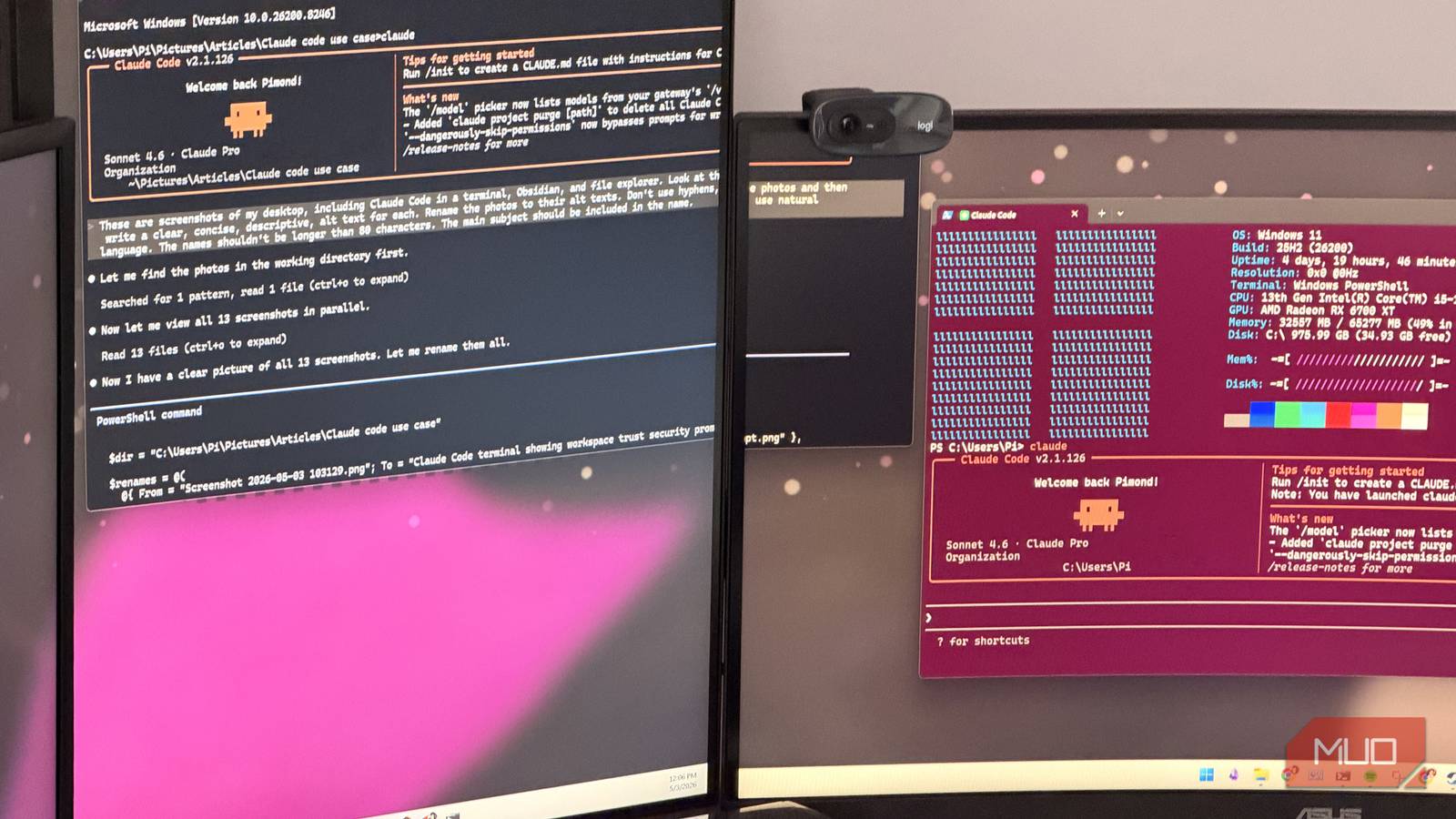

Claude has been wonderful, but not just because its Sonnet or Opus models are so good. In fact, a lot of Claude’s success comes from the tools Anthropic has built around those models.
Anthropic has made an arsenal of Claude tools, including the new Claude Design, but the main star among them all is still Claude Code. I use it a lot. One thing I do with it is have Claude Code write code, obviously, but I also use it for a lot of regular non-code work.
Claude Code is a tool that gives an agentic AI access to a directory on your computer. It can run commands, send the result back to the LLM, and then have the LLM generate more commands until it gets the job done. That command can be anything.
I asked Claude, ChatGPT, and Gemini to build a simulation, and one winner was obvious
The LLM race stopped being a close contest pretty quickly.
Batch rename files
LLM-boosted PowerRename

This is the simplest one. If there’s a clear pattern in the file names and that’s all you want to change, this is one of those tasks you could probably do faster in Excel than by asking an AI. But in the case of documents, photos, and other media files, where you want the name to be descriptive, LLMs work really well.
So, for instance, if I have a bunch of essay notes as PDF files, but they’re named “note (1).pdf,” I can quickly fix that with Claude Code. I open the folder, right-click, and launch a terminal in that directory (one of the perks of customizing the right-click menu in Windows). Next, I summon Claude. From there, I enter a prompt:
These are my lecture notes. Scan the first few lines in each of these PDF files, then find the main topic, and rename the PDF to the topic. The name should be no longer than two words. Use hyphens.
I press Enter. That’s it. Depending on your settings, Claude might ask you for permission and give you a preview of what it’s changing the names to. Accept, and you’re good.
Since I’m using Claude in the terminal, nothing I do here is unique to Claude. I just happen to be using Claude. You can install Gemini or Codex in the terminal too and use those. They’re just as capable.
Write descriptions of photos
Claude can see, so use that
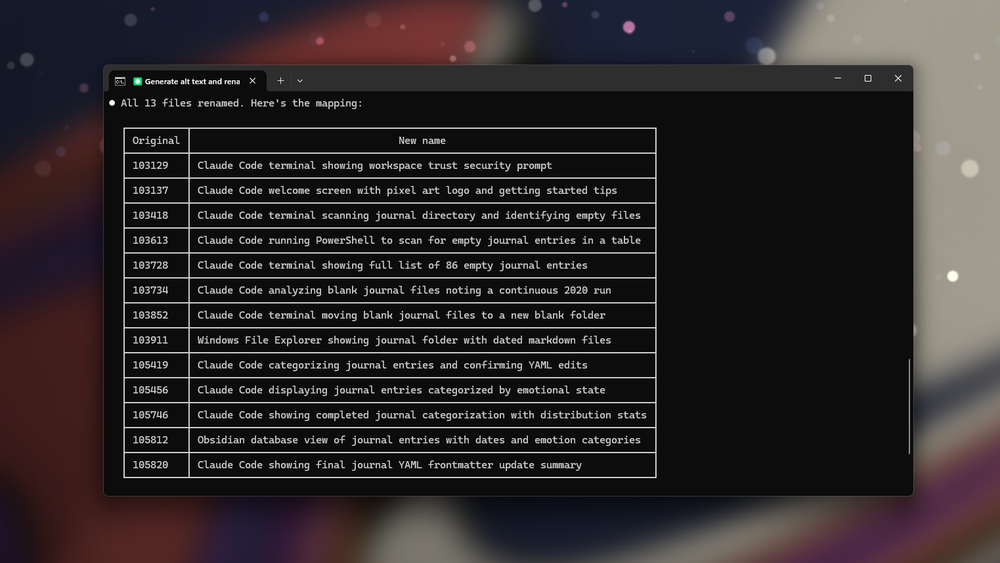
Claude, and other big models, are not just text models. They can see images too. Combine that with the workflow above, and now you can have it rename photos to a neat description. I use a prompt like this:
These are screenshots. Look at the photos and then write a clear, concise, descriptive alt text for each. Rename the photos to their alt text. Don’t use hyphens; use natural language. The names shouldn’t be longer than 80 characters.
Enter, preview, enter, and we’re good. That’s it. Your photos will have to travel to Anthropic’s servers for this. After all, the model lives there, and to see the photos, they have to at least temporarily be uploaded. If that bothers you, you can try a local model. I’ve used Gemma 4 for the same task, and it’s really capable.
Gemma 4 made local LLMs feel practical, private, and finally useful on everyday hardware.
Compress, resize, and crop photos
And videos!
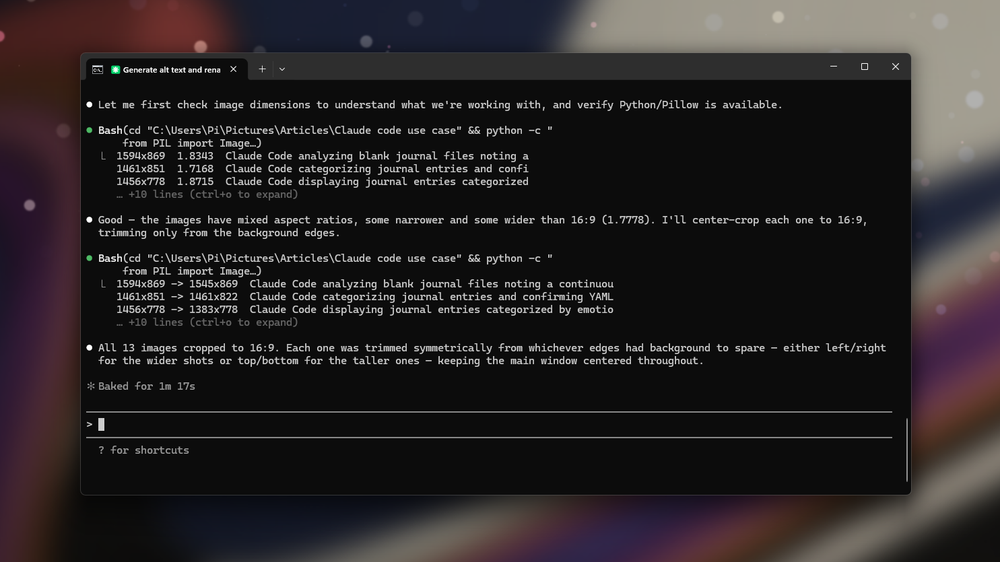
Claude can write code, and code can work with almost anything. Therefore, Claude Code can work with almost anything that has a CLI tool or Python library. That includes photos and videos. The prompt is as simple as before:
Crop these images to a 16:9 ratio. Make sure that the main window in the screenshot is centered. Leave the background as the padding; don’t crop it out.
What Claude will do is the same thing we would have done ourselves for a task like this: write a Python script. It’s nothing magical or new. The new part is that Claude writes and executes the script for you. If you’ve got FFmpeg installed, you can let Claude know and ask it to use FFmpeg instead. FFmpeg on its own can already do a lot.
You can use Claude Code in the Claude app, or summon it in the terminal. I prefer using it in the terminal because it’s so much easier.
Remove empty files and notes
I have too many of them
I write my journal in Obsidian. Although it’s my ideal to journal every day, I don’t always get to. However, I have set my Obsidian vault to automatically create a journal entry for every day and put the tags and such in it. The result is that if I don’t journal today, there’s still a journal entry that exists. It isn’t exactly empty because it has those tags pre-filled, but it’s still just taking up space and misleading me. There have been many times when I click a journal entry to read it, only to see it’s actually blank.
We can quickly fix this with Claude Code. However, this is a great example of a destructive task, where using AI could go wrong. What if Claude accidentally deletes non-empty journal entries? We don’t want that to happen, but we know that LLMs are still prone to hallucinations. So, we take a safer approach. we’re not going to straight up ask it to delete them. AI agents can go rogue, as we’ve all seen. In a case like this, it’s best to do it in multiple steps.
First, we’ll ask Claude to flag the empty notes:
This is my journal. There are some notes in it that are essentially empty. They have only the date and a journal tag. Some of them also have the to-do task list. But they don’t have actual journal content. Find these empty entries and list them for me.
We’ve got results. But we won’t ask it to delete them just yet. Instead, we’ll ask it to move them to a new folder called “blank.”
Make a folder called “blank” and move all of the notes you flagged there.
Now, we’ll go take a look at the notes. Using the preview pane in File Explorer — a neat trick, by the way — I can see that they’re actually empty. So, I can delete them. Done.
Run semantic analysis
On yourself?
On that same note, I can use Claude for much more and really put the LLM part to work. One interesting use case is semantic analysis. Obsidian’s relatively new Database feature is great, but it’s not of much use without some really good note properties. I can use Claude to make those properties with a prompt like this:
This is my journal. These are MD files written in Obsidian. Analyze them and, for each of these, set a value from one of these seven: agitation, descent, reflection, conflict, longing, observation, reconstruction. This value should be set based on the semantic content of the entry.
I got a table. I checked it, and it was accurate. Then I accepted the edits, and Claude went ahead and added the property to the notes. Now, when I check the journal database in Obsidian, it has some interesting info.
I didn’t feed Claude the full thing. This was for demonstration purposes — I’d rather not upload my personal journal to Anthropic’s servers. That’s what a local LLM is for, and remember, you can use Claude Code with a local LLM.
Claude Code is way more than a coding tool
Claude Code is sold as a coding tool because, well, it can write code. But what makes it useful is not the code part. It’s the fact that it can look at a folder, understand what’s inside it, run commands, make changes, and then check its own work. That makes it useful for all sorts of boring file work that would otherwise take too much clicking, too much scripting, or too much patience.

- Developer
-
Anthropic PBC
- Price model
-
Free, subscription available
