

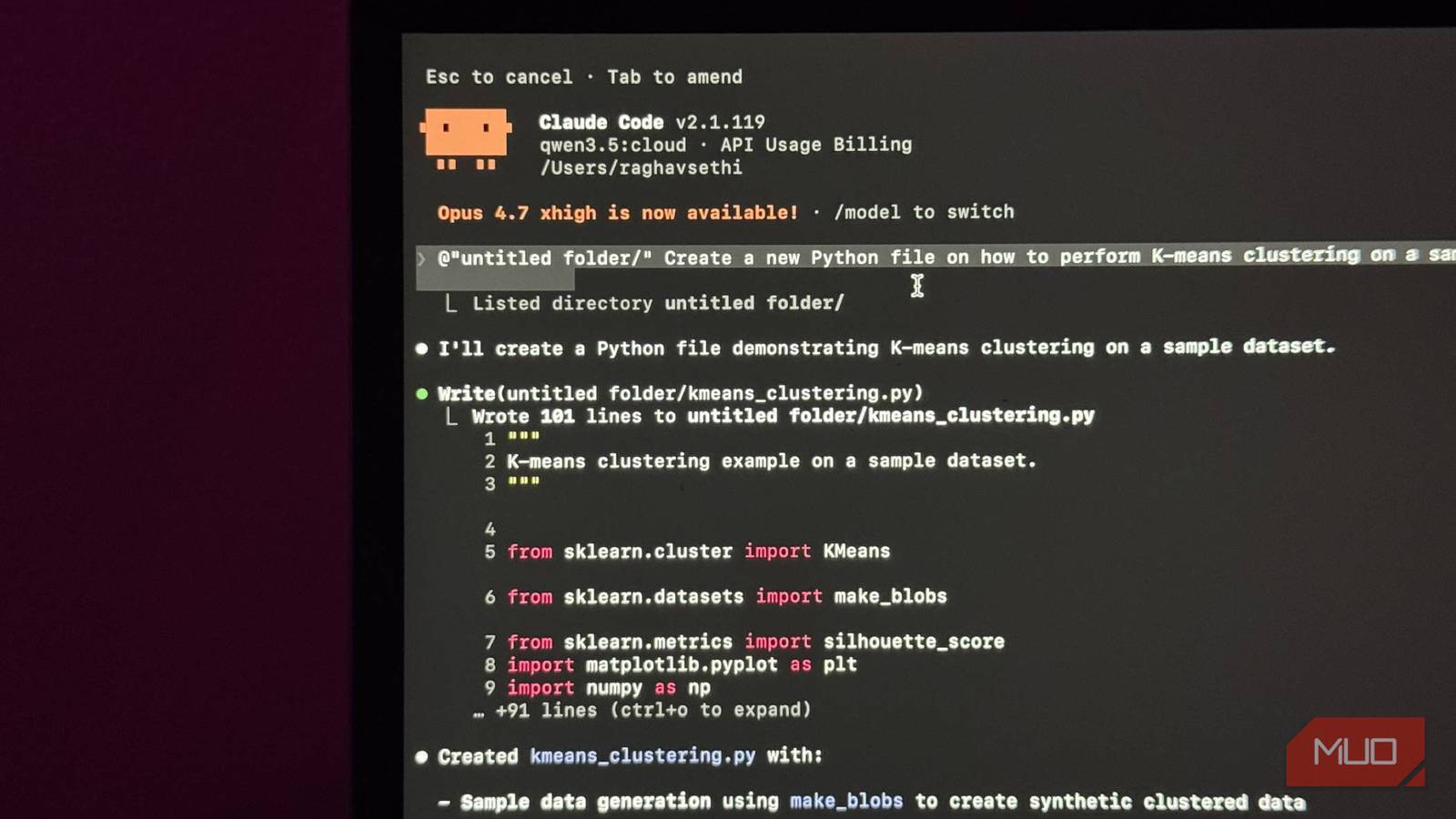

Claude Code is a really good tool. If you have been using it, you already know that, especially when you pair it with something like Obsidian for managing context and notes, it becomes a pretty serious part of any workflow.
But the number one complaint I keep seeing is the same every time. Claude Code is locked behind Claude’s Pro or Max plan, and at $20 a month, that is not exactly pocket change for a subscription you might only be dipping into occasionally. But there is a way to use Claude Code for free!

I finally caught up and tried OpenClaw — it’s everything you’d expect
The “agent” hype finally earned it.
You are paying for the model, not the harness
LLMs can be expensive
Claude Code is not a standalone AI. It is closer to a very smart intermediary. You give it a task; it figures out which files to read, what changes to make, and what to run, and then hands all that context off to an actual language model to do the thinking. By default, that model is Claude Sonnet or Opus, depending on what you have configured.
The model is what reads your code, understands what you are asking for, and generates the output. Claude Code is the layer that takes that output and actually does something useful with it: editing files, running terminal commands, and managing context across your project.
And here is the thing that changes the whole picture: Claude Code itself is free and open source. You can install it right now at no cost. What you are actually paying for every time you use it is the API call to the model that powers it.

I moved my entire ChatGPT context to Claude and it finally felt like home
Here is the best path to go from ChatGPT to Claude.
Every prompt you send, every file it reads, every response it generates, that is all going through Anthropic’s API, and that is what shows up on your bill or subscription usage.
So when people say Claude Code is expensive, they are not really talking about Claude Code. They are talking about the cost of running a frontier model. Which is a real concern, but it is also a solvable one, because nothing is forcing you to use a frontier model.
You can use it for free with local models through Ollama
Local LLMs to the rescue

Ollama is a tool that lets you run open-weight AI models locally on your own machine. No API, no subscription, no usage bill. You download it, pull a model, and it runs a local server on your machine that applications can talk to exactly the same way they would talk to a remote API.
Claude Code has a flag called --model that lets you swap the underlying model. On top of that, you can set an environment variable called ANTHROPIC_BASE_URL to point Claude Code to a different endpoint entirely. Point it to your local Ollama instance/URL instead of Anthropic’s servers, and suddenly you have a fully functional agentic coding setup running entirely on your own hardware, completely free.
To get started, you’ll first need to download a model via Ollama. For example, once you’ve installed Ollama, you can download the Gemma 4 model by entering this command in your terminal.
ollama pull gemma4
I’ll get more into which model you should choose later, but once you’ve downloaded it, you can integrate it with Claude Code by entering this command:
ollama launch claude
You’ll now be prompted to choose a model via Ollama. Just select the one you downloaded earlier, and that’s it. Now you’re inside Claude Code! The interface is identical. The file editing, the terminal commands, the context management — all of it works exactly as you would expect.
Is it as capable as Sonnet? No, but free and pretty good is a completely different value proposition, and for a lot of everyday coding tasks, it gets you further than you might think. But there are some caveats that you should be aware of.
There is a catch, like always
You’ll need beefy hardware

Running a large language model locally is probably one of the most demanding things you can ask a consumer machine to do. This is especially true for coding-focused models, which tend to be bigger and more complex than general-purpose ones. So, before you get too excited about the free part, it is worth being honest about what you’ll need.
If you have a modern Apple Silicon Mac, you are in a good position. The unified memory architecture means your CPU and GPU share the same pool of RAM, which is brilliant for local models. Something like a 32GB M-series Mac will comfortably handle the current best-in-class options.
On the GPU side, a higher VRAM GPU gets you to a similar place. For models, the two I would point you toward right now are Qwen3.6 and Gemma 4. Qwen3.6 is built specifically for agentic coding, with particular improvements in frontend workflows and repository-level reasoning.

It comes in 27B and 35B variants and pulls around 17–24GB depending on which you run. Gemma 4 is Google DeepMind’s latest family, with a 26B MoE model that uses only 4B active parameters, and a denser 31B variant aimed at higher-end setups. Both are on Ollama, and both have solid coding benchmarks.
If you are working with 16GB of unified memory, you are not locked out. The smaller Gemma 4 E4B is designed specifically for edge devices and runs on around 5GB in 4-bit mode.
On model quality: none of this matches Opus. That is just reality. But in my experience, the gap has gotten surprisingly small for everyday coding tasks. Smaller than you would expect.
Gemma 4 just replaced my whole local LLM stack
Gemma 4 made local LLMs feel practical, private, and finally useful on everyday hardware.
Try it, then judge it
I currently have a separate machine running purely as an inference server, with Ollama on it handling all the local model work. I just connect to it from my laptop when I am doing dev work. I am still subscribed to Claude, but for quick tasks where I do not want to burn through my tokens on something trivial, it has been a solid fallback.
The models are not as good. That is just the honest reality. But if you are on the fence about the Pro subscription, this is worth trying first, and if you are already subscribed, it is worth setting up anyway.
