



I have explained the benefits of using an e-ink device over physical books. They are easier to handle, can store your entire library for travel, let you buy books at lower prices, and make looking up words or taking notes effortless.
Another reason to get an e-ink tablet right now is that the e-reader market has never looked this good. There are now e-ink devices for practically every use case and budget, ranging from a pocket-friendly $69 to $600 and beyond.
So, if you have been on the fence about picking one up, this is the article that will finally push you over it.
Just want to read books?
The simplest e-ink devices are also the easiest to recommend. If all you want to do is read books without distractions, the Xteink X4 is a great starting point at just $69. It is tiny, weighs only 74 grams, and has a magnetic back that lets you stick it to your phone’s back. It only supports EPUB and TXT files, so it is not the most versatile device, but for a dedicated book reader, it gets the job done for the price of a couple of paperbacks.

If you want something more capable without breaking the bank, the Amazon Kindle starts at $109 and gives you access to Amazon’s massive library. You get a bigger screen with a built-in front light, long battery life, and a more comfortable form factor.

Step up to the Kindle Paperwhite at $159, and you get a bigger 7-inch display, a waterproof build, and weeks of battery life. These are the safest, most foolproof reading devices you can buy.

If you are looking for something more versatile, you should check out the BOOX Palma 2. It’s a smartphone running Android with an e-ink display. It lets you install any reading app you want, so you are not locked into any single ecosystem.

It also features dual-tone light, a relatively faster chipset, a Carta 1200 display with 300 PPI for crisper text, and all the other features that you expect from a midrange smartphone. The only thing it misses out on is cellular connectivity, which might be a good or bad thing, depending on what you expect of this device.
If you like smartphone-style e-ink reading devices, another option to consider is the DuRoBo Krono. It is a 6.13-inch e-ink device running Android with the Google Play Store built in. What sets it apart is a unique side dial that lets you adjust the front light, refresh the screen, and browse the web without touching the display.

It also has a voice-recording feature with AI summaries, making it more of a daily companion than a simple reader. I also like the minimalist Home Screen design that gives you access to necessary apps and widgets. It features a built-in custom reader app that supports a ton of file types and offers extensive customization.
There’s also a built-in text-to-speech model that lets you listen to the books, which can come in handy in certain situations. It’s a very good alternative to Boox Palma 2.
What if you want color?
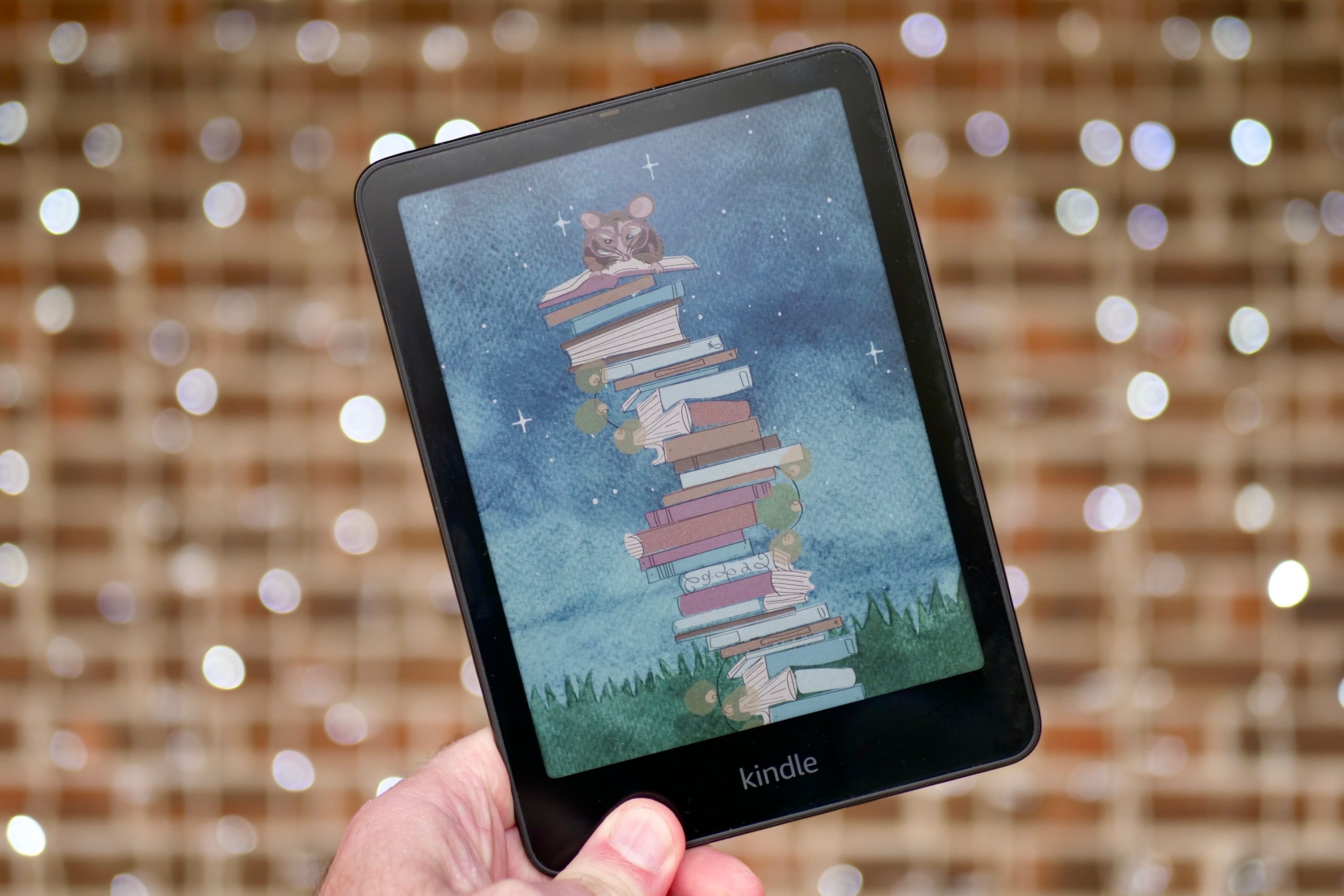
A few years ago, color e-ink was more of a gimmick than a feature. That has changed. The Kindle ColorSoft brings color to the Kindle lineup with a 7-inch display that makes book covers pop and lets you highlight in multiple colors. It is a genuinely good device for people who read illustrated books or comics, and the battery still lasts up to eight weeks.
Another affordable option is the BOOX Go Color 7 II (read our review of the original Boox Go Color 7), and at $289, it is a compelling option. It runs Android, so you can install apps from the Play Store, and its Kaleido 3 display handles color in a way that feels natural on an e-ink screen.

It also has a water-repellent design and physical page-turn buttons, which are small things that make a big difference in day-to-day use.
What if you want to read and take notes?
The Supernote Nomad at $329 is one of the best reading and note-taking devices you can buy. I use it myself and have written about it extensively. The writing experience is unlike anything else, and the device is designed to be repaired and upgraded over time, which is a refreshing change from the disposable tech we are used to.

If the Nomad is not for you, the reMarkable Paper Pro starts at $629 and goes all-in on the paper-like writing experience. It has an 11.8-inch color display, an adjustable reading light, and a writing feel that is genuinely close to the pen-on-paper.

If you prefer to remain in Kindle’s world, the Kindle Scribe Colorsoft is your best bet. It has a large 11-inch color display with a paper-like finish, a lag-free stylus, and AI-powered features like notebook search, handwriting-to-text conversion, and summarization.
You also get direct access to your Google Drive and OneDrive, so pulling in documents and PDFs is easy. At just 5.4mm thin and weighing 400 grams, it is also one of the best-looking devices Amazon has ever made.

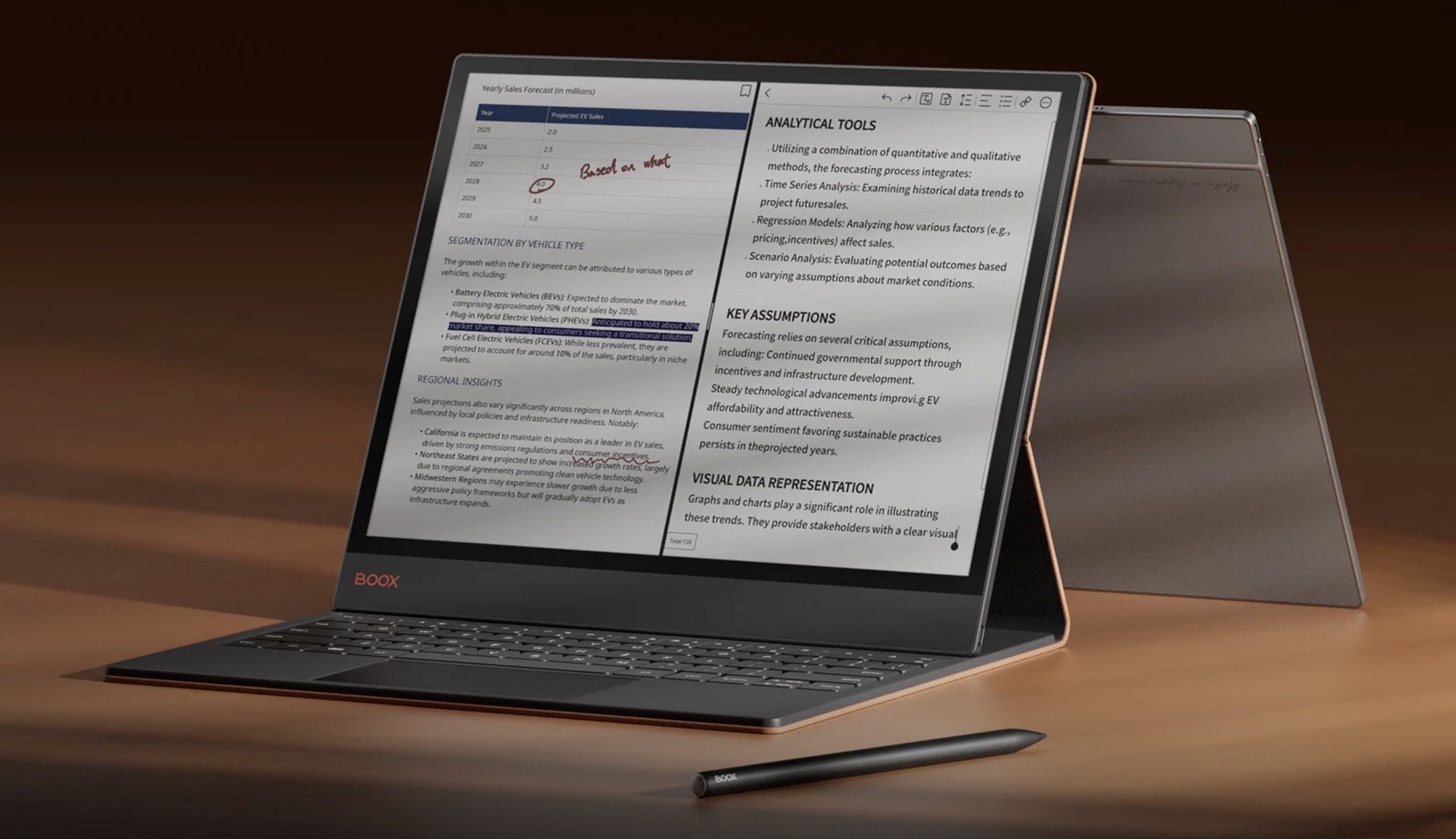
If you want an even bigger e-ink tablet, the Boox Tab X C is the way to go. It features a 13.3-inch color e-ink display that gives you all the real estate you need to become productive. You can pair it with a keyboard case and stylus to take typed or hand-written notes. It’s basically the best e-ink tablet the money can buy.
So what should you buy?
That depends entirely on what you need. If you want a no-fuss reading experience on a budget, the Kindle is hard to beat. If you want to read comics and illustrated books in color, go for the Kindle ColorSoft or the BOOX Go Color 7 II.
If you are a student or someone who takes a lot of notes, the Supernote Nomad is worth every penny. And if money is no object and you want the absolute best, the reMarkable Paper Pro and Boox Tab C is as good as it gets.
The e-ink market has grown, and it has something for everyone. There is no longer a good reason to put it off.
