

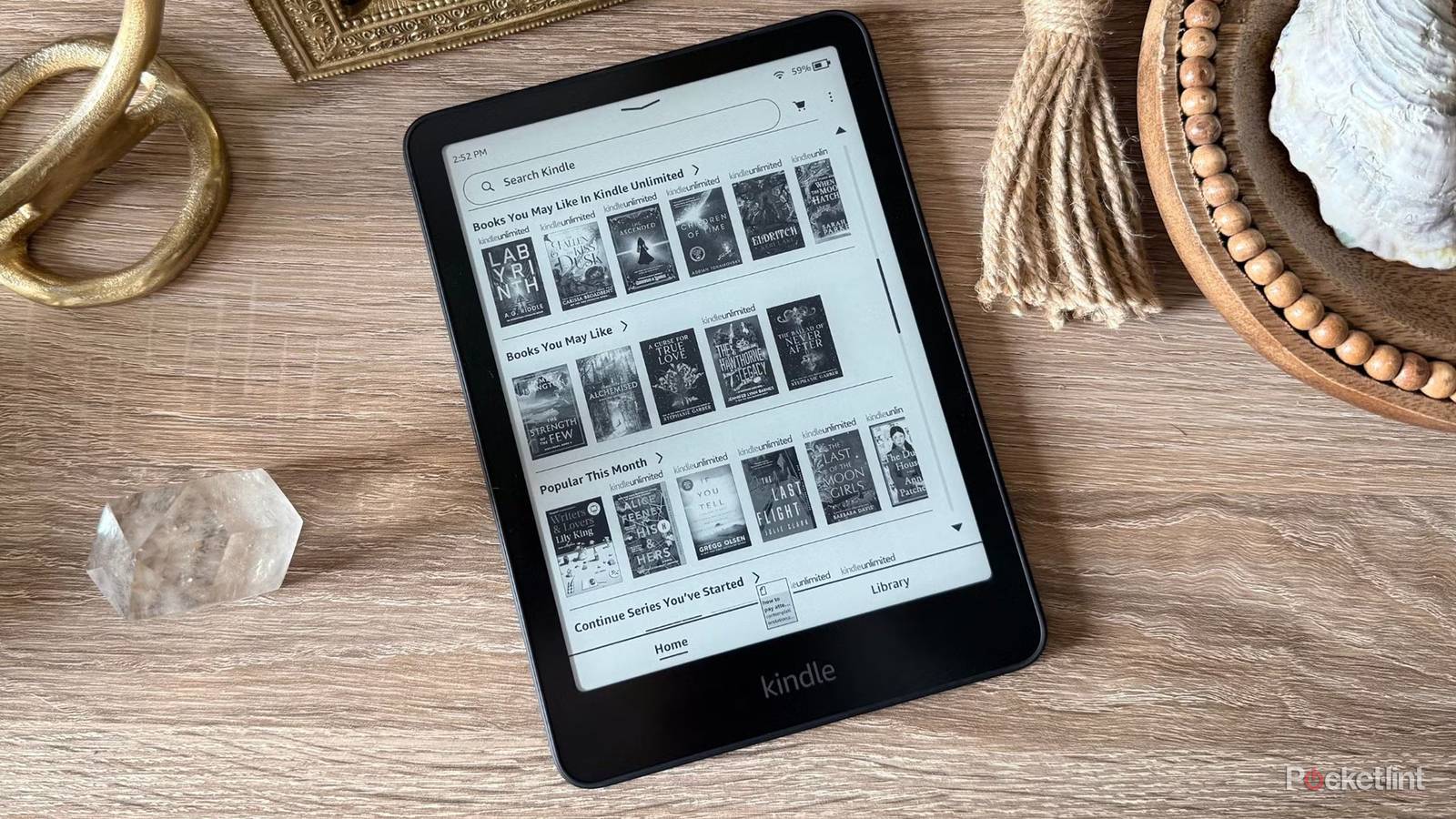

Before I got my first Kindle, I’ll admit I was hesitant to make the jump from physical books to an e-reader. I like collecting books, and there’s something about holding an actual book and turning its pages that just feels right. But when I finally picked up a basic entry-level Kindle, I was glad I did.
Don’t get me wrong, I still like buying and reading physical books, but there’s no denying the convenience Kindles bring. You can carry an entire library of books with you wherever you go, which has been especially handy when I’m traveling abroad, and the E Ink display still makes it feel like you’re reading a real page rather than staring at a screen.
That said, the main drawback with Kindles is that they’re still devices at the end of the day, and as Amazon has controversially reminded users, they don’t last forever. Effective May 20, 2026, Amazon ended support for all Kindle models released before 2012, meaning if you’ve got one of those older devices, it can no longer access the Kindle Store or download new books.
This move by Amazon no doubt sucks, and it’s unfortunate to see so many devices effectively become obsolete. But it did get me wondering: how much longer will my 11th-generation Kindle and Kindle Colorsoft last? They’re both still relatively new devices, but there’s always going to be a point when Amazon stops officially committing to updates.
As it turns out, that cutoff does exist. So if you’ve bought a Kindle within the last few years and are wondering how many more years you can realistically expect to get from it in terms of new features and security patches, Amazon actually has an answer.

- Storage
-
16GB
- Screen Size
-
6-inch E Ink (300ppi)
- Connections
-
USB-C
- Battery
-
Up to 6 weeks
Amazon’s base-level Kindle ships with 16GB of storage, a 6-inch E Ink display, and a ruggedized exterior shell that can withstand the elements.
How much longer will your Kindle last?
Your mileage will vary depending on your Kindle model

For the most part, Amazon guarantees at least four years of software security updates from a device’s release date. For example, if you bought a new Kindle Scribe Colorsoft this year, Amazon says it will provide security updates for the device until December 31, 2030.
This information comes directly from Amazon’s support page for “Kindle E-Reader Device Software Security Updates,” which states that most Kindles released in 2024 or later will receive updates through December 31, 2030. Kindles released before 2024 have different support timelines depending on the model and launch date.
Here is the full list of Kindles currently supported for software security updates, along with the official end dates for that support commitment (via Amazon):
|
Kindle Model |
Software Security Updates at Least Through |
|---|---|
|
Kindle Scribe Colorsoft Generation 1, 32GB/64GB |
December 31, 2030 |
|
Kindle Scribe Generation 3, 32GB/64GB |
December 31, 2030 |
|
Kindle Scribe without Front Light, 16GB |
December 31, 2030 |
|
Kindle Colorsoft Generation 1 |
December 31, 2030 |
|
Kindle Colorsoft Signature Generation 1 |
December 31, 2030 |
|
Kindle Colorsoft Kids Generation 1 |
December 31, 2030 |
|
Kindle Paperwhite Generation 12, 2024 Release |
December 31, 2030 |
|
Kindle Paperwhite Signature Generation 12, 2024 Release |
December 31, 2030 |
|
Kindle Paperwhite Kids Generation 12, 2024 Release |
December 31, 2030 |
|
Kindle Generation 11, 2024 Release |
December 31, 2030 |
|
Kindle Kids Generation 11, 2024 Release |
December 31, 2030 |
|
Kindle Scribe, 16GB/32GB/64GB, 2024 Release |
December 31, 2029 |
|
Kindle Scribe, 16GB, Basic Pen, 2022 Release |
December 31, 2029 |
|
Kindle Scribe, 32GB/64GB, Premium Pen, 2022 Release |
December 31, 2029 |
|
Kindle Generation 11, 2022 Release |
December 31, 2028 |
|
Kindle Kids Generation 11, 2022 Release |
December 31, 2028 |
|
Kindle Paperwhite Generation 11, 2021 Release |
December 31, 2028 |
|
Kindle Paperwhite Signature Edition Generation 11, 2021 Release |
December 31, 2028 |
|
Kindle Paperwhite Kids Generation 11, 2021 Release |
December 31, 2028 |
|
Kindle Oasis Generation 10, 2019 Release |
December 31, 2028 |
|
Kindle Generation 10, 2019 Release |
December 31, 2026 |
|
Kindle Kids Generation 10, 2019 Release |
December 31, 2026 |
|
Kindle Paperwhite Generation 10, 2018 Release |
December 31, 2026 |
It’s important to note that while these dates mark the end of Amazon’s official commitment to providing software security updates for each Kindle model, they don’t necessarily mean your Kindle will never receive another update after its listed cutoff date. Amazon says, “After that time, we may continue to provide software security updates for as long as we can (subject to technical and other limitations).”
In other words, there’s still a chance that older Kindles could receive updates beyond their listed support period.
…reaching this cutoff date doesn’t mean your Kindle will magically stop working.
It’s also worth pointing out that reaching this cutoff date doesn’t mean your Kindle will magically stop working. You’ll still be able to read the books already on your device and, in many cases, continue using it as normal, including downloading new books and accessing the Kindle Store.
The bigger concern is that after that date, Amazon could stop providing updates and new features and, over time, may remove access to the Kindle Store. That’s exactly what happened recently with Kindle models released in 2012 or earlier, which can no longer access the Kindle Store to download new books.
How to find out which Kindle model you have

If you’re not sure which Kindle model you have or when it was released, there are a couple of easy ways to find out.
The easiest option is to check directly on your Kindle:
1. From the Kindle home screen, tap the three dots in the top-right corner.
2. Select Settings.
3. Go to Device Options > Device Info.
4. On the Device Info screen, you’ll see your model listed next to Device Type. For example, mine shows Kindle (11th Generation, 2024 Release).
Alternatively, you can also check on Amazon’s website. Head to the Manage Your Devices page, select Kindle, and you’ll see all the Kindle models registered to your Amazon account. From there, you can identify which Kindle model you have and, in turn, determine when its software security update support ends.
