

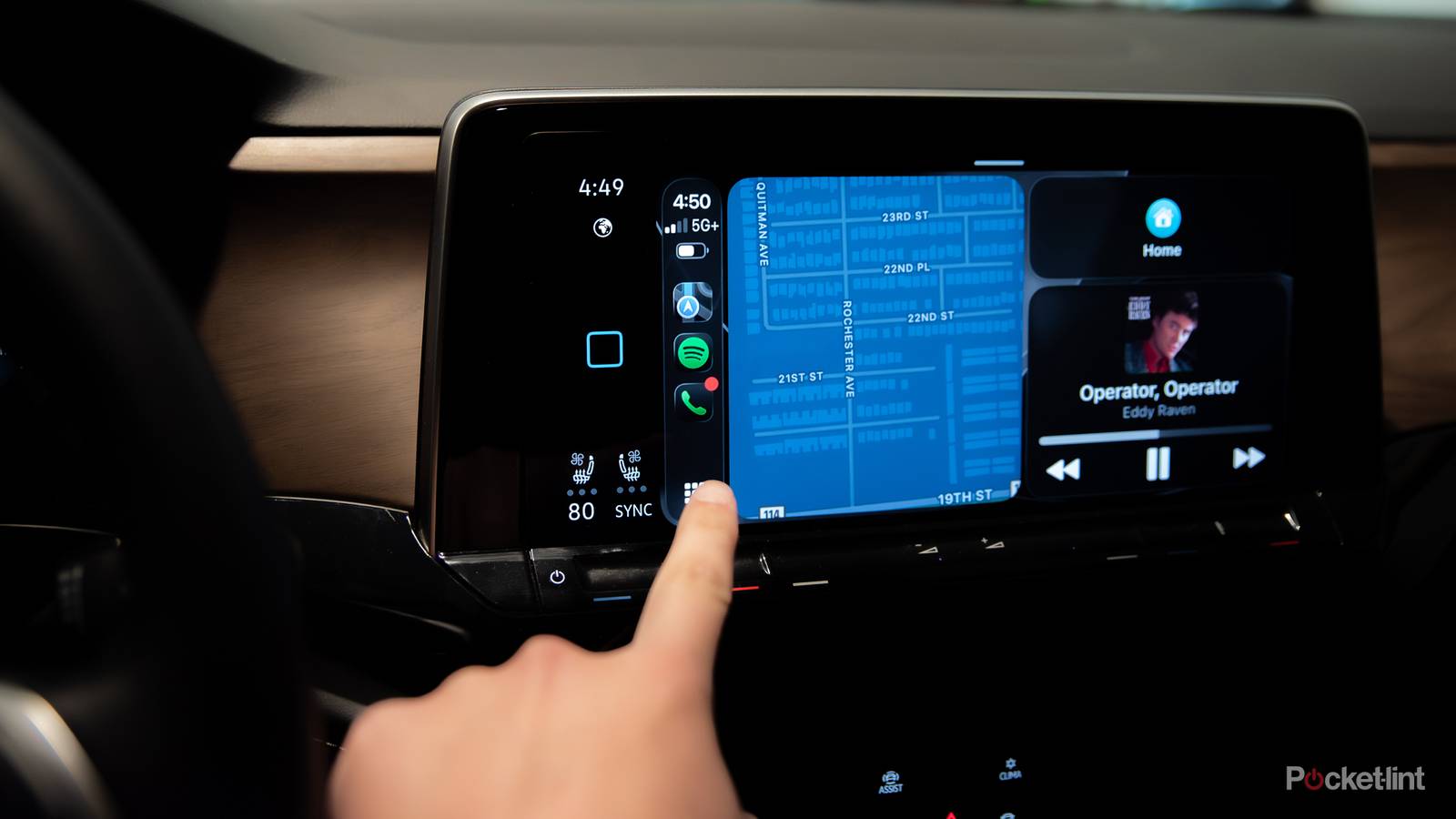

While it has its own drawbacks, Apple CarPlay is chock-full of features that can help most drivers, especially those who just want to use their time in the car as a break zone rather than an extension of the office. There are about a million hidden CarPlay features, but recently I’ve been using this one to keep my car’s cabin a zone of Zen and tranquility, especially after work hours or when I’m driving with my family.
Apple’s Focus Modes are my lifeline when I’m at the gym or sitting down to wrap up a literature review for a PhD paper. What I didn’t know until recently, though, is that their driving Focus Mode was as entirely customizable as it is, and that’s led me to create my own perfect driving experience with just a few taps.
What is Driving Focus Mode
And what makes it so useful for me

In your iPhone’s settings, you can set up and customize your own Driving Focus Mode. Just navigate to your Focus settings, tap the “+,” and then tap “Driving.” Then, choose to customize focus, and from there, a whole range of possibilities open up. Apple’s Intelligent Breakthrough & Silencing, where you simply let the machine handle it, might be enough for your commute, but I elected to fully customize my layout.
I have mine set to receive notifications from my wife, a select few family members, and my business partners, all of whom are allowed through my Focus Mode. If I had kids, they would certainly be on there, but unless our two cats grow thumbs in the next few days, I think snatching up a mobile phone is out of the picture for them for the foreseeable future. Doing this allows me to stay focused on the road ahead, have a few minutes to think without clients or robocalls spamming my voicemail or inbox, and generally just take a breath before getting back to the hustle and bustle of everyday life.

Quiz
CarPlay and in-car apps
Trivia challenge
From Siri shortcuts to third-party navigation — how well do you really know CarPlay?
CarPlayNavigationAppleAppsFeatures
In what year did Apple officially launch CarPlay?
Correct! Apple launched CarPlay in 2014, debuting it at the Geneva Motor Show in March of that year. Ferrari, Mercedes-Benz, and Volvo were among the first manufacturers to support it.
Not quite — CarPlay launched in 2014. Apple unveiled it at the Geneva Motor Show, with Ferrari, Mercedes-Benz, and Volvo being the first car brands to offer compatibility.
Which navigation app was one of the first third-party options approved for CarPlay?
Correct! Google Maps was one of the first major third-party navigation apps approved for CarPlay, arriving in 2018. Before that, Apple Maps was the only built-in turn-by-turn option available.
The answer is Google Maps. It became one of the first approved third-party navigation apps for CarPlay in 2018, breaking Apple Maps’ monopoly on in-car directions.
What is the name of Apple’s next-generation CarPlay platform, announced at WWDC 2022, which takes over a car’s entire instrument cluster?
Correct! Apple simply calls it ‘next-generation CarPlay.’ Announced at WWDC 2022, it extends the CarPlay experience across multiple screens including the instrument cluster, offering deeper integration with vehicle systems.
Apple actually refers to it simply as ‘next-generation CarPlay.’ Announced at WWDC 2022, it goes far beyond the dashboard screen and can take over the entire instrument cluster and multiple displays throughout the cabin.
What is the minimum iPhone model required to use CarPlay?
Correct! CarPlay requires an iPhone 5 or later. Since the iPhone 5 was the first Apple device to feature the Lightning connector, all CarPlay-capable iPhones use Lightning or USB-C for wired connections.
CarPlay actually requires an iPhone 5 or later. The iPhone 5 introduced the Lightning connector, which is why it marks the starting point for CarPlay compatibility in Apple’s device lineup.
Which music streaming app was among the very first third-party audio apps available on CarPlay at launch?
Correct! Pandora was one of the earliest third-party audio apps supported on CarPlay. It was available at or near launch in 2014, giving drivers a streaming alternative to iTunes before Spotify joined the platform.
Pandora was actually one of the first third-party audio apps on CarPlay. Spotify came later, but Pandora was already there near launch in 2014, giving early adopters a streaming music option beyond iTunes.
Which wireless standard does wireless CarPlay use to stream content from your iPhone to the car’s head unit?
Correct! Wireless CarPlay uses Wi-Fi to stream the screen and audio from your iPhone to the car’s head unit, while Bluetooth is used only for the initial pairing and connection handshake. This allows high-bandwidth, low-latency data transfer.
Wireless CarPlay actually streams over Wi-Fi, not Bluetooth or NFC. Bluetooth handles the initial connection setup, but Wi-Fi does the heavy lifting for transmitting video, audio, and touch input in real time.
Waze, a popular CarPlay navigation app, was acquired by which company?
Correct! Google acquired Waze in 2013 for approximately $1.1 billion. Despite both Waze and Google Maps being Google products, they have been maintained as separate apps with different community-driven approaches.
Waze was acquired by Google in 2013 for around $1.1 billion. Interestingly, Google kept Waze as a standalone app rather than merging it into Google Maps, and both apps remain available on CarPlay today.
Which of these app categories is NOT officially supported on standard CarPlay as defined by Apple’s guidelines?
Correct! Apple does not allow full web browsers on CarPlay, as they would be too distracting for drivers. CarPlay supports carefully vetted categories like audio, messaging, navigation, and parking apps, but open-ended browsing is off the table for safety reasons.
Web browsers are not permitted on standard CarPlay. Apple restricts app types to reduce driver distraction, allowing categories like audio, navigation, messaging, and parking — but unrestricted web browsing doesn’t make the cut.
Your Score
/ 8
Thanks for playing!
There’s more customization than what meets the eye
You can change the entire vibe of your setup

You might think that you wouldn’t get to do much customization in any sort of Focus Mode, but you’d be wrong. Not only can you customize what contacts actually see through your silencing features, but you can also change your phone’s lock screen to something a bit more low-key, less bright, or another pre-saved one that makes sure you know what mode you’re in.
If you have an Apple Watch, this capability spreads there, too. You can cycle through any of your currently saved faces or create a new watch face, similarly to what you might already do for your workout or work Focus Mode. Additionally, you can change the color of the Driving Focus Mode icon or even the actual icon itself. I’m not sure why you would want your Driving Focus Mode icon to be, say, a paw print, but who am I to yuck your yum, you know?
You can set it and forget it
Automatic connectivity capability takes the legwork out of it

The best part about Driving Focus Mode, though, is that it truly is a set-and-forget feature. At the very bottom of the screen, where you can edit your Driving Focus Mode, you can choose to have it turn on automatically while driving, manually, or whenever CarPlay is enabled. I opted for the latter because my 2205 Volkswagen Atlas automatically connects to wireless CarPlay. However, there’s nothing wrong with wanting to control the feature.
This is especially helpful when I’m leaving the office, house, or gym and I don’t want to think about switching to another setting on my phone before I head home. After either lecturing students all day, a long photo shoot, or just a good workout, a little Zen time before I get to my next destination is never a bad thing.
What’s next for Driving Focus Mode
There’s still some room to grow the feature

There are still some features users want in Driving Focus Mode that haven’t made their way into the service yet, and many of them are smart solutions. For one, Driving Focus Mode will sometimes think you’re driving when you actually aren’t. Some users have reported that Driving Focus Mode engages when they’re on a train, subway, or even a downtown bus. That can be frustrating, but with the “Connect with CarPlay” feature, most of that issue is addressed.
Perhaps, then, a passenger override option would be the safest bet. Until I fixed my wife’s settings, her own Driving Focus Mode turned on when she was in the passenger seat from time to time. This is where an “I’m a Passenger” button would come in handy. It could be a push notification on her Apple Watch or on her phone’s screen. Either way, it seems like a common-sense solution to a problem that sounds relatively easy to solve.
