

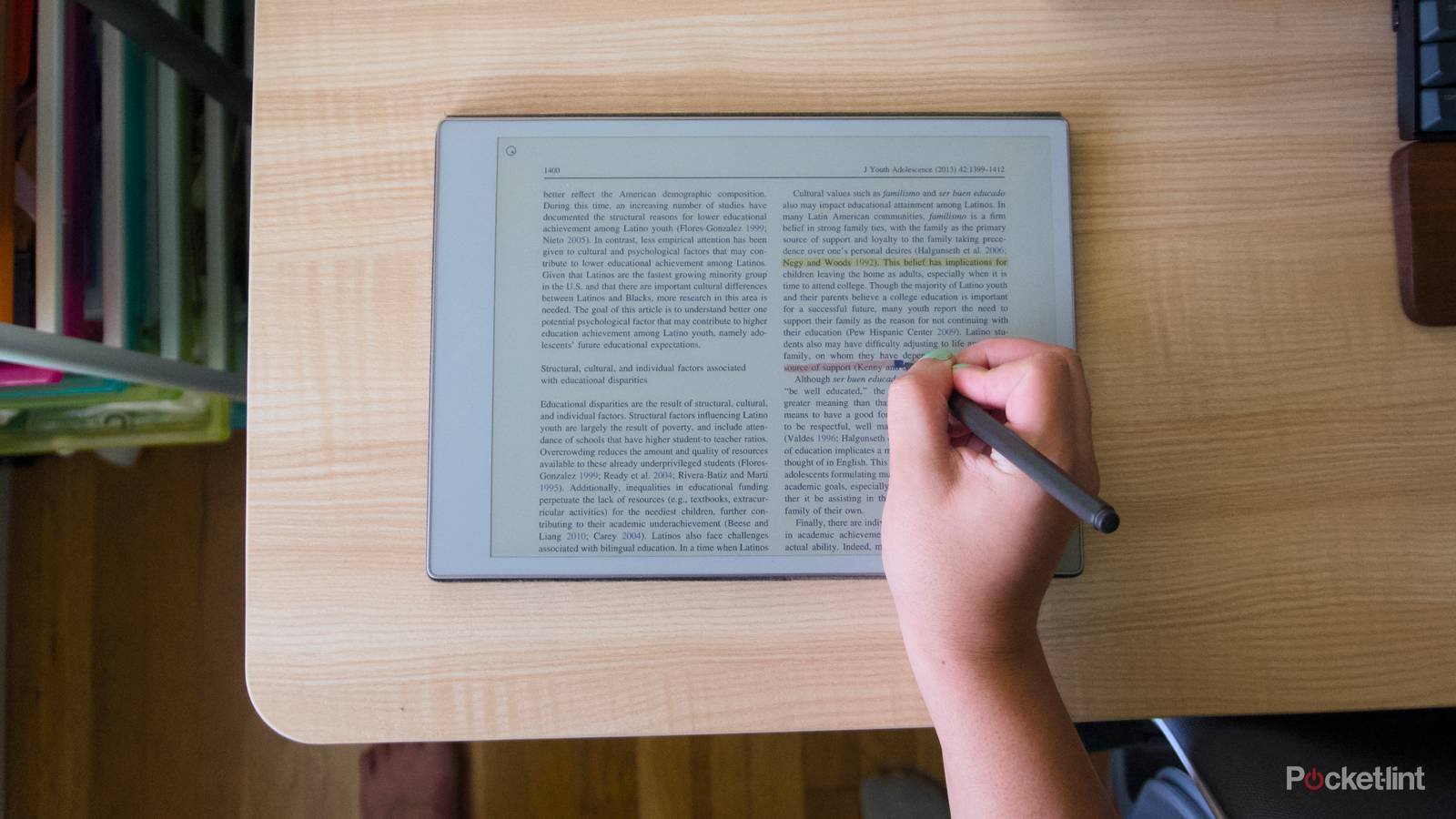

It seems like a lot of hopes were pinned on the recently released reMarkable Paper Pure. Not only has reMarkable itself gone through layoffs and leadership changes, but until the Pure, the company appeared to have given up on offering cheaper E Ink tablets to focus on premium options like the excellent reMarkable Paper Pro and Paper Pro Move. The Paper Pure changed things, not only by being cheaper than those other tablets at $399, but also by being lighter, faster, and shipping with better battery life than the company’s previous entry-level option, the reMarkable 2. With the launch of the $399 Paper Pure, reMarkable finally seems more willing to compete with Amazon’s Kindle Scribe, at least when it comes to note-taking.
While the company’s hardware has gone through big changes in the last five years, its software development has been much more conservative. reMarkable is deliberately focused on making tablets that are only good at a few things. The company has avoided selling eBooks like Amazon does with its Kindles or offering access to an app store like Boox’s tablets do, to focus on providing the best writing experience possible. Those limitations aren’t hard to appreciate given the quality of what reMarkable offers, but considering the Paper Pure is supposed to bring in a bigger audience than before, filling out missing features in the company’s operating system. Split-screen multitasking seems like the most obvious next addition. Not only is it familiar to anyone who’s used a tablet before, it would also expand the capabilities of reMarkable’s devices without detracting from their focus. Better yet, the Paper Pure’s 10.3-inch screen has plenty of room to pull it off.
 Quiz
QuizreMarkable tablets
Trivia challenge
Think you know everything about the paper tablet that wants to replace your notebook? Put your knowledge to the test.
HistoryHardwareSoftwareDesignFeatures
In which year was the original reMarkable 1 tablet released to the public?
Correct! The reMarkable 1 launched in 2017, following a successful crowdfunding campaign. It was one of the first devices to seriously position an E Ink tablet as a direct replacement for paper notebooks.
Not quite — the reMarkable 1 launched in 2017. The device had been in development and crowdfunding stages before that, but 2017 marked its official public availability.
In which country was reMarkable founded?
Correct! reMarkable was founded in Norway, with its headquarters based in Oslo. The company was established by Magnus Wanberg and has grown into one of the most recognisable names in the E Ink tablet space.
Not quite — reMarkable is a Norwegian company, headquartered in Oslo. It’s one of several successful tech companies to emerge from the Scandinavian region over the past decade.
What type of display technology does the reMarkable 2 use?
Correct! The reMarkable 2 uses an E Ink Carta display, which is designed to mimic the appearance of paper. This technology offers very low power consumption and exceptional readability in bright light conditions.
Not quite — the reMarkable 2 uses E Ink Carta display technology. Unlike LCD or OLED screens, E Ink displays only consume power when the image changes, and they look remarkably similar to printed paper.
What is the screen size of the reMarkable 2?
Correct! The reMarkable 2 features a 10.3-inch E Ink display. This size was chosen to closely match the dimensions of an A5 notebook, making it feel natural for handwriting and sketching.
Not quite — the reMarkable 2 has a 10.3-inch screen. This specific size was deliberately chosen to mirror the proportions of a standard A5 notebook page, enhancing the paper-like writing experience.
How thick is the reMarkable 2, making it one of the thinnest tablets ever made at the time of its launch?
Correct! The reMarkable 2 measures just 4.7mm thick, which made it one of the thinnest tablets in the world at the time of its 2020 launch. Its slim aluminium-and-polymer build is a major part of its premium design appeal.
Not quite — the reMarkable 2 is 4.7mm thin. That extraordinary slimness was a headline feature at launch in 2020, helping it stand out not just as a writing tool but as a premium, beautifully engineered product.
What is the name of reMarkable’s subscription service that unlocks cloud sync, mobile apps, and other connected features?
Correct! reMarkable’s subscription tier is called Connect. It enables cloud storage, syncing across devices, and integration with services like Google Drive and Dropbox, and has been a point of debate among users who feel core features should be free.
Not quite — the subscription is called Connect. Launched to some controversy, it gates cloud syncing and app access behind a monthly or annual fee, which many users felt should be included in the device’s already premium purchase price.
Which operating system does the reMarkable tablet run under the hood?
Correct! reMarkable tablets run a custom build of Linux. This has made them popular with the hacker and developer community, as enthusiasts have been able to access the underlying system and build unofficial tools and extensions.
Not quite — reMarkable devices run on Linux. Despite the locked-down user experience on the surface, the Linux foundation has allowed a thriving community of developers to create custom scripts, launchers, and utilities for the device.
What is the name of reMarkable’s premium stylus, designed with a more traditional pen feel and an eraser end?
Correct! The Marker Pro is reMarkable’s premium stylus, featuring a built-in eraser on the top end — just like a classic pencil. It uses no battery or Bluetooth, relying instead on the tablet’s electromagnetic resonance technology for input.
Not quite — the answer is the Marker Pro. It’s reMarkable’s top-tier stylus and includes a functional eraser at the top. Impressively, the entire Marker line requires no charging or wireless pairing, keeping the experience simple and paper-like.
Your Score
/ 8
Thanks for playing!

The pitch for the reMarkable Paper Pure has been very consistent across all of reMarkable’s marketing. The company says the E Ink tablet works great for taking notes and reviewing documents. While I don’t disagree, you could apply that same framing to nearly all the company’s products, and it wouldn’t be any less true. reMarkable’s most consistent belief about its tablets is that they should be used as notebooks and largely mimic the experience of writing on paper. They’re good for focusing on one thing at a time and then sending your work somewhere else, like an email or your laptop, to be finished.
Most notebooks can’t index and search your handwriting or convert handwritten notes to text, but a reMarkable Paper Pure can.
Of course, the company has increasingly broken from that idea over time, making its digital piece of paper more “magical” with integrations with other apps like Slack, and a new calendar feature that can automatically create a note based on a calendar event. None of these features detract from a reMarkable tablet’s capacity for producing calm and focus, but I’d argue they go well beyond what a traditional notebook would make possible. Most notebooks can’t index and search your handwriting or convert handwritten notes to text, but a reMarkable Paper Pure can. Compared to features like those, a simple form of split-screen multitasking doesn’t seem like all that big of a jump.
There’s multiple existing implementations reMarkable could pull from. Boox has proven it’s absolutely possible to offer multitasking on an E Ink tablet in a way that’s nearly as functional as what you find on a normal touchscreen tablet. If reMarkable opted for something straightforward, like the basic multitasking Apple offered on the original iPad, it could probably retain the focused quality of the Paper Pure and other tablets without making things too fiddly. When it comes down to it, being able to view two different note pages at the same time, or a document and a note side-by-side isn’t a huge leap, it’ll just take some work to make it possible.
At least one user in a reMarkable Reddit claims that the company is already testing multitasking in beta, but there’s been no other evidence other than some shared photos.
Multitasking is a great way to use all these big screens

The reMarkable Paper Pure’s 10.3-inch display means there’s more than enough room to show off multiple files at once. The same goes for the reMarkable Paper Pro’s 11.8-inch screen. The only one of the company’s current devices that might not make the cut is the reMarkable Paper Pro Move, which has a 7.3-inch screen. Setting hardware aside, the real obstacle to reMarkable adding a feature like this is their willingness to do it, and the capacity of their operating system to actually make it possible. Unlike Boox’s tablets, reMarkable devices run on a Linux-based “reMarkable OS” rather than a skinned version of Android. It might not be a simple feature to implement.
Then again, reMarkable has proven me wrong in the past. After desperately wishing for a universal search system that could find things in both handwritten notes and typed notes, reMarkable updated its tablets to do both in September 2025. Adding split-screen multitasking might take longer than I want, but when it is added, it will almost certainly be worth it.

- Storage
-
32GB
- Brand
-
reMarkable
- Screen Size
-
10.3-inch Canvas monochrome display
- RAM
-
2GB
