

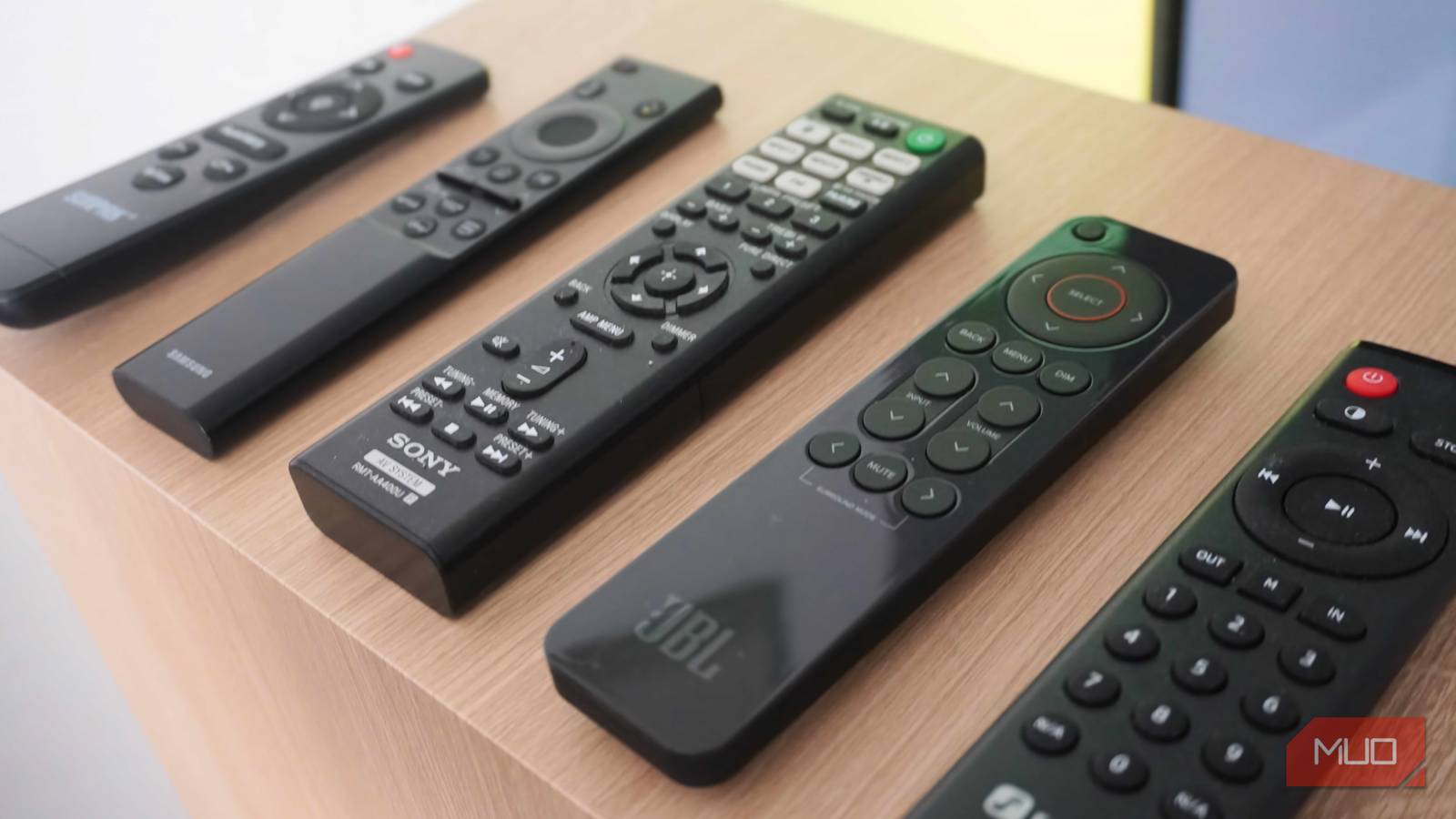

Pairing your TV with a streaming stick, soundbar, Blu-ray player, and gaming console sounds great until you realize that you now have four remotes and no one in the house knows which one does what anymore. I had this exact problem until I realized my devices had a solution the entire time. It’s called HDMI-CEC, and now that I’ve enabled it, I no longer need to juggle between all those different remotes.
Smart TV Remote Lost Again? Try These Brilliant Solutions
If you’ve lost your TV remote, it’s not the end of the world.
HDMI-CEC can simplify your entire TV setup
One remote to rule them all

If you’ve got a pile of remotes on your coffee table for your TV, soundbar, streaming stick, and Blu-ray player, you’re solving a problem that’s already been solved. HDMI-CEC is a feature that’s available on most smart TVs, and the short version is that it lets devices on the same HDMI chain talk to each other.
With HDMI-CEC, your TV can send commands through the HDMI cable to other connected devices, and those devices can send commands back. For instance, if you turn on the Fire TV Stick using its remote, HDMI-CEC will turn on your TV automatically and switch to the right input. The same thing happens when you press the PS button on your PS5 controller. So yes, you don’t need to touch the TV remote at all.
The biggest benefit of HDMI-CEC, though, is unified volume control. You don’t need to use two remotes to control your TV speakers and your soundbar separately after you’ve enabled HDMI-CEC. Your TV remote’s volume buttons just work on the soundbar directly. Similarly, for a Blu-ray player, the play, pause, and skip buttons on your TV remote can control playback.
The only catch is that HDMI-CEC has to be supported by all those connected devices. This shouldn’t be a problem with most modern devices, but if you’ve got an old soundbar or a Blu-ray player, HDMI-CEC might not work.
Setting up HDMI-CEC can be a bit confusing
It has so many different names
Enabling HDMI-CEC was pretty easy on my TCL Google TV. All I had to do was head to Settings > Channels & Inputs > External Inputs > HDMI (CEC) and turn on HDMI Control. But it might not be as straightforward for you because every TV manufacturer uses a different name for HDMI-CEC.
Samsung calls it Anynet+, LG calls it SimpLink, Sony calls it Bravia Sync, Roku TV calls it 1-touch Play, and Toshiba calls it CE-Link. Yes, it’s a bit confusing, so you’ll need to find out what it’s called on your TV and enable it.
Of course, it’s not just your TV. The connected devices also need to have HDMI-CEC enabled. Your Blu-ray player, streaming stick, or gaming console, each has its own settings menu where CEC might be sitting disabled by default. So if you turn on HDMI-CEC on your TV and nothing changes, that’s probably why. The good news is that once HDMI-CEC is enabled across all your devices, you don’t have to think about it again.
HDMI-CEC isn’t always fun
The convenience can be too much sometimes

When you first start using HDMI-CEC, it feels like magic. I mean when you can control everything with a single remote, it’s hard to complain. But HDMI-CEC isn’t perfect, and the biggest complaint most people have is that it can be a little too eager sometimes.
For instance, if you’ve enabled HDMI-CEC on both your TV and PS5, turning on your PS5 automatically powers on the TV, which is great. But it works the other way around too, meaning turning on your TV also wakes up the PS5, even if you just want to stream something. That means whenever you turn on your TV for anything other than gaming, you either have to turn off the PS5 manually or leave it running in the background.
Another way HDMI-CEC can backfire is if you’re gaming on your PS5 and someone turns on the Blu-ray player. In that case, your TV will automatically switch input without asking. The auto-off behavior can be just as annoying. Turn off the TV, and it shuts down every single device connected to it.
Of course, the more devices you add, the messier your setup becomes. Sometimes, a device might send stray signals and trigger unwanted actions. And when it happens, there’s usually no easy way to tell which device caused it.
So while HDMI-CEC is convenient, there’s a reason it’s disabled by default. The trick is to be selective about where you enable it. I personally only enable it on devices like my Blu-ray player and soundbar, where it actually adds convenience, and leave it disabled everywhere else.

- Length(s)
-
1ft, 6.6ft, 10ft, 20ft, 100ft, 200ft
- Brand
-
Highwings
HDMI-CEC is just one example. Your smart TV has plenty of other useful features that can solve your everyday headaches. You just need to be curious enough to explore what they do.
