



Joe Maring / Android Authority
Add Android Authority on Google:
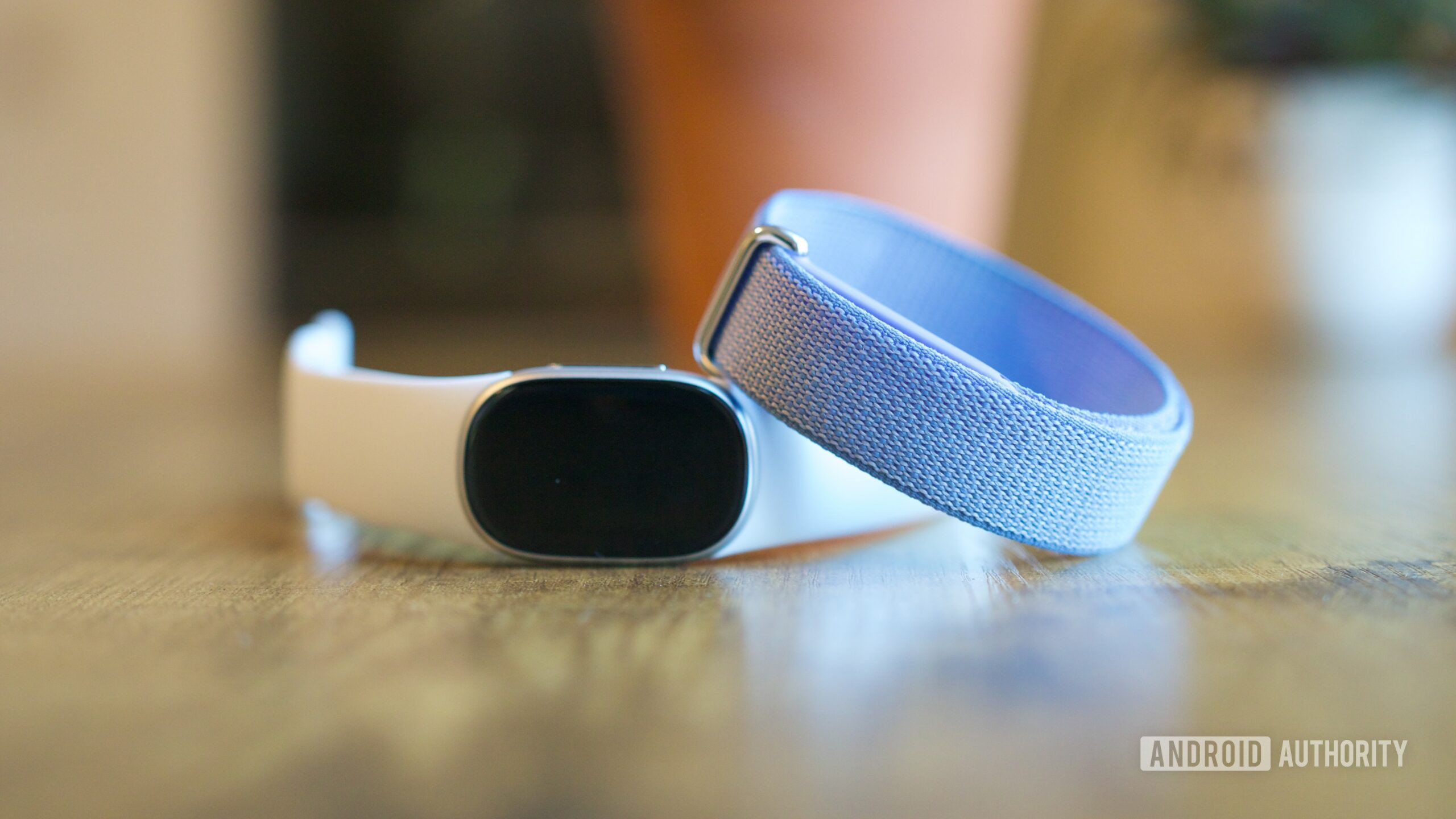
It’s been a few days since Google announced the Fitbit Edge, a fitness band that bridges the gap between the Fitbit Air and the recently launched Pixel Watch 5. Unlike the screenless Air, the Edge adds an interactive AMOLED display while staying compact and lightweight. You can check your workout stats on your wrist without reaching for your phone, making it more practical for everyday use.
But while the display and design are nice additions, I was more interested in what the Edge brings to the table in terms of health tracking. After all, that’s arguably the biggest reason to buy a fitness tracker, and with the Edge costing $80 more than the Air, I wanted to know whether you’re actually getting better health features or just paying extra for a screen.
To find out, I put together a table comparing the health features available on both trackers. That way, you can see exactly what each tracker offers, what you might be missing, and whether the Edge is really worth the extra $80.
Which Fitbit would you rather buy?
0 votes
Fitbit Edge vs Fitbit Air: Does pricier mean better?

Joe Maring / Android Authority
Here’s a breakdown of what you get with the Fitbit Edge versus the Fitbit Air, including their health and fitness features, and a few key differences worth knowing.
| Fitness tracker | Google Fitbit Edge | Google Fitbit Air |
| Price (US) | $179.99 ($219.99 Stephen Curry Edition) | $99.99 ($129.99 Special Edition) |
| Display | 1.34-inch AMOLED touchscreen, side button | No screen; everything is viewed in the Google Health app |
| Sleep Breathing Quality | Not supported yet. Google says it’s looking to bring it, but the support isn’t guaranteed yet. | Not live yet, but Google says it’s coming soon. |
| Blood Pressure Trends | Supported, needs Premium | Supported, needs Premium |
| Insulin Resistance Trends | Supported, needs Premium | Supported, needs Premium |
| Sleep tracking | Sleep stages, duration, fluctuations, and sleep score | Sleep stages and duration. At 12g it’s 5.7g lighter than the Edge, and it’s generally seen as more comfortable overnight |
| ECG / AFib | On-wrist ECG app plus AFib checks | No ECG. Passive irregular rhythm (AFib) notifications only |
| Heart rate, HRV, RHR | Continuous heart rate, HRV, and resting heart rate | Continuous heart rate, HRV, and resting heart rate |
| SpO2 | Yes | Yes |
| Skin temperature | Dedicated far-field skin temperature sensor | Measures variation using the device’s temperature sensor |
| Exercise modes | 50+ | 40+ |
| Auto workout detection | Up to 100 activities | 100+ activities after the October update, including fast sports like tennis. |
| Starting a workout | On the wrist, using the Exercise app | Only from the phone app, or by auto-detection |
| Live workout metrics | Shown on the screen | Shown on your compatible device |
| Real-time coaching | On-screen prompts to push harder or take a break | Not available |
| GPS | Built-in multi-system GPS, about 40% more accurate than previous generations | No built-in GPS. |
| Altimeter / floors | Yes | No |
| Post-workout route map | Yes, using built-in GPS | Workout intensity map when you carry your phone |
| Heart rate broadcast to gym gear | Yes | Yes |
| Swimming | Physical button for wet-hand control; 5ATM | Swim tracking; 5ATM |
| Health Coach (Gemini) | Builds weekly routines and workout plans. Needs Premium | Builds weekly routines and workout plans. Needs Premium |
| Maps / notifications | Google Maps directions and notifications on the wrist | None on the device |
| Battery | Up to 7 days, about 2 days with always-on display. 5 minutes of charging gives a day of use | Up to 7 days. 5 minutes of charging gives a day of use |
| Subscription | Core tracking is free. Health Coach and Health Guardian trends need Google Health Premium ($9.99/month). 3 months free with purchase | Core tracking is free. Health Coach and Health Guardian trends need Google Health Premium ($9.99/month). 3 months free with purchase |
| Compatibility | Android and iOS; quick replies on Android only | Android and iOS |
Looking at the comparison, what surprised me most was how much the Fitbit Air has in common with the more expensive Edge. Sure, the Edge has a screen that lets you check your health stats and workout progress without reaching for your phone, which I can see being particularly useful when I’m out for a run or in the middle of a workout. It also offers useful features, including built-in GPS, an altimeter, ECG, on-wrist workout controls, and live coaching, which could make a real difference depending on how you use your fitness tracker.
But despite costing $80 less, the Air doesn’t miss much in health tracking.
But despite costing $80 less, the Air doesn’t miss much in health tracking — after all, that’s mainly what a fitness tracker is supposed to do. Both trackers offer continuous heart rate monitoring, HRV, resting heart rate, SpO2, blood pressure and insulin resistance trends, and subscription access to Google’s Gemini-powered Health Coach.
The Air also has an advantage in sleep tracking. Its lighter design should make it more comfortable to wear overnight, and its promised Sleep Breathing Quality feature is further along in development than the Edge’s.
So, while the Edge certainly has its advantages, the biggest difference isn’t necessarily what these trackers can tell you about your health, but how you access and interact with that information.
I’d happily skip the Edge

Joe Maring / Android Authority
If I were spending my own money, I’d pick the Fitbit Air without thinking too much. And that’s mostly because I don’t want another screen on my wrist. I already spend enough time looking at my phone, laptop, and other devices throughout the day, so the idea of wearing something that tracks my health without constantly asking for my attention sounds pretty appealing. What makes it even better is that I wouldn’t be giving up much in terms of health tracking, which matters most to me.
I wouldn’t be giving up much in terms of health tracking, which matters most to me.
For context, most of my workouts involve hitting the gym or attending a Pilates class. I don’t really need to keep checking my heart rate or other stats while I’m exercising, and I’m perfectly happy looking at all that information once I’m done. So, starting a workout from my phone doesn’t bother me, and on days when I forget, the Air’s automatic workout detection should come in handy.
Now, the Fitbit Edge does have an edge over the Air (see what I did there?), especially with its built-in GPS. You can head out for a run without your phone and still get a proper route map afterward, which is useful. But I rarely go running, and even when I do, I almost always have my phone with me. Since the Air can use my phone’s location data to create a workout intensity map, I don’t miss the Edge’s built-in GPS much.

Andy Boxall / Android Authority
The same goes for its real-time coaching. I can definitely see the appeal of a tracker telling me when to push harder or slow down, especially during an intense workout. It’s one of those features I’d probably enjoy using, but I don’t think I’d miss it enough to justify spending another $80.
ECG, however, is one feature I’d actually miss.
ECG, however, is one feature I’d actually miss. The Edge lets you take an ECG reading directly from your wrist to check for signs of atrial fibrillation (AFib), while the Air doesn’t. Sure, the Air can still monitor your pulse in the background and alert you if it detects a possible irregular rhythm, but you can’t take an ECG reading when something feels off. That’s a pretty important distinction, and one worth considering before choosing the Air.
Even so, when I look at everything I’d actually use daily, the Air still makes more sense. I’d rather save the $80 upfront and put that money toward Google Health Premium, which costs $9.99 per month. That would give me access to Health Coach and Health Guardian trends, including more detailed health insights and personalized recommendations. Since both trackers offer these features with a subscription, I’m not really losing anything on that front by choosing the cheaper one.

Andy Boxall / Android Authority
Comfort is also a big deal for me. I don’t enjoy wearing a watch all day, and my Galaxy Watch 9 is a good example. As much as I like what it can do, I barely wear it because I don’t enjoy having something on my wrist, especially when I’m sleeping. That’s why the Air’s screenless design and 12g weight appeal to me so much. Of course, I’d need to wear it for a while to know whether it’s actually that comfortable, but it sounds much closer to what I’ve been looking for.
That’s why the Air’s screenless design and 12g weight appeal to me so much.
And that’s really what this decision comes down to. The Edge is clearly the more capable fitness tracker, and I wouldn’t dismiss its additional features as unnecessary. If you run regularly, want to leave your phone at home for real-time workout metrics, or value on-demand ECG, spending another $80 could be absolutely worthwhile.
But my priorities are a little different. I want something lightweight that tracks my health, doesn’t bother me throughout the day, and gives me useful insights when I actually want to look at them. For that, the Fitbit Air seems like the better fit, and I’d happily save the $80.
Screen-free fitness tracker • Affordable price • Excellent sleep tracking
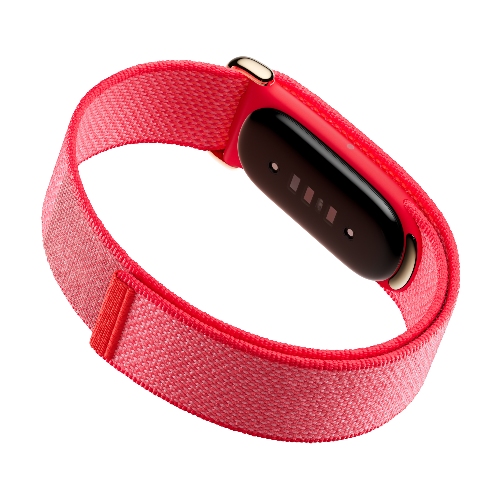
The Google Fitbit Air is the company’s first screenless fitness band.
The Google Fitbit Air combines Fitbit’s trusted health tracking with Google’s smarter insights in one app. It works with both Android and iPhone and brings fitness, sleep, medical records, meals, and hydration tracking into a single, easy-to-use health hub.
Display • Tracking • Longevity • Durability
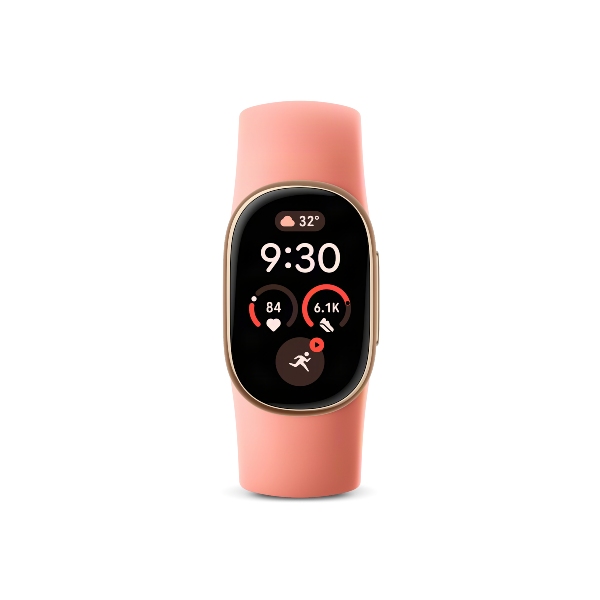
A feature-packed fitness tracker with a bigger screen and week-long battery life
The Fitbit Edge strikes a balance between a basic fitness band and a full-fledged smartwatch. With a larger OLED display, advanced health tracking, built-in GPS, and up to seven days of battery life, it’s a compelling pick for fitness-focused users.
