


I’m probably not the only one who mostly uses my phone’s USB-C port for charging and often forgets about its other functions. The truth is, our phones are mini PCs, and their USB-C port is handy for connecting other hardware that can improve functionality and extend capabilities.
These devices make it easier to play games or back up your critical data. You can even use your phone’s USB-C port to boost your streaming game. Here’s a list of five things I use my phone’s USB-C port for, and so should you.
Mobile controllers
A better way to play Android games

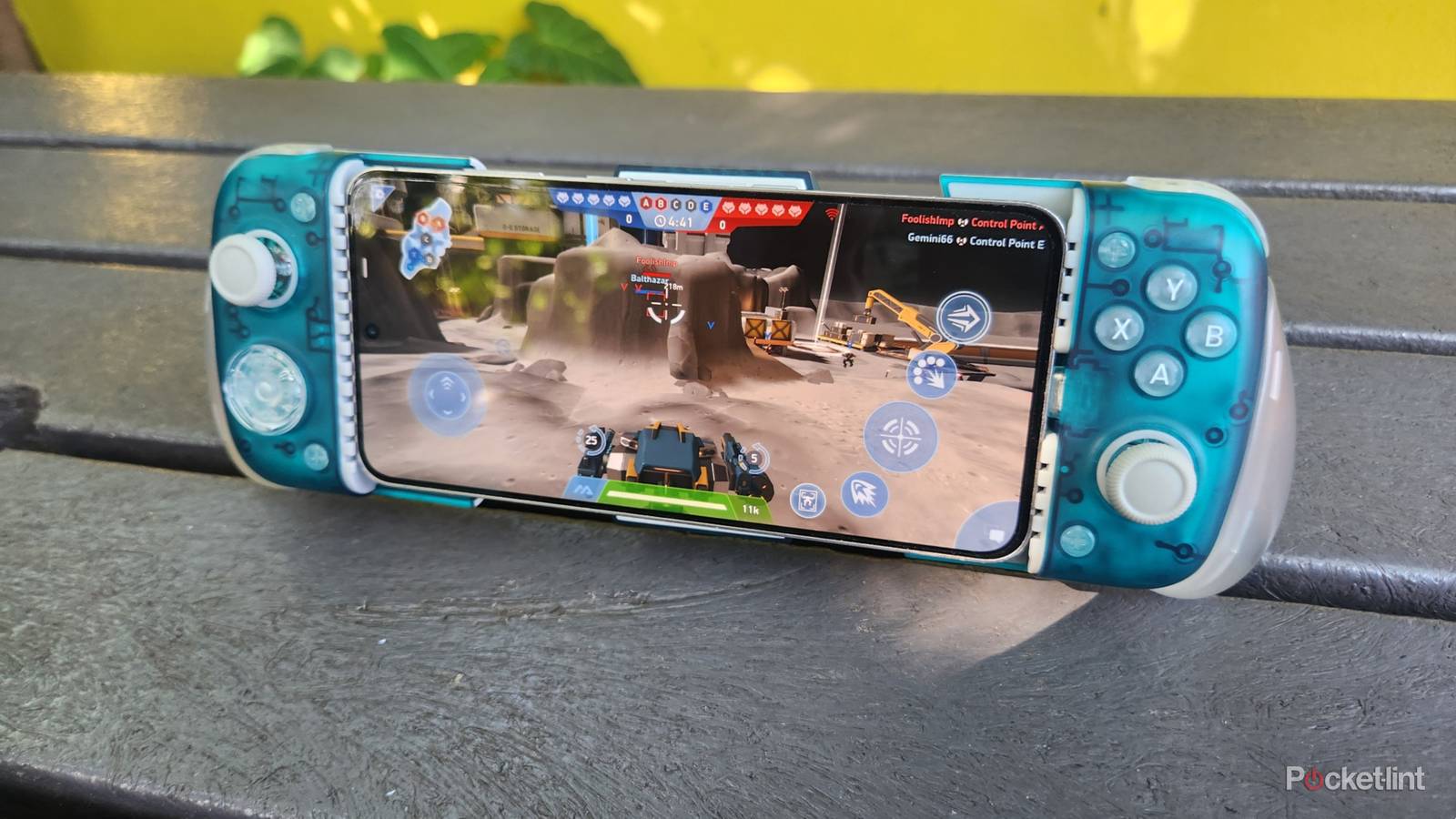
I’m old school and still haven’t gotten the hang of using my phone’s touchscreen for gaming. It’s just too cramped and I don’t feel comfortable. That’s why I use mobile controllers if I feel like gaming on the go.
Some work wirelessly, but I prefer models that connect via USB-C because they’re more precise.
Some work wirelessly, but I prefer models that connect via USB-C because they’re more precise and are powered by my phone without needing a separate charger. I also like that they have an extendable design that simply locks into place and is easy to remove in seconds. Most of the mobile controllers are plug and play and work automatically with most titles without any configuration required.
USB sticks
Copy and paste

Your memory sticks will work on your phone’s USB-C port. They function just like they’d work on your PC, and you can copy and paste data to and from them from your phone. It’s an easy, convenient way to back up your precious photos and other files without an account or cloud storage.
These adapters are usually cheap, and you can use them for other devices too.
You can use older USB-A sticks provided you have a compatible adapter. These adapters are usually cheap, and you can use them for other devices too. Your phone also supports USB card readers to copy data from your drone or camera onto your phone. I’ve had mixed results with external drives, probably because of the formatting. Galaxy phones typically support FAT32 and exFAT formats and don’t work with NTFS drives.
Earbuds
Charge earbuds and other devices

Our phones can also charge other devices. I sometimes use my Samsung Galaxy to charge my earbuds when I’m outdoors and don’t have access to a charger. The process couldn’t be simpler. I just plug my earbuds case into my phone with a standard USB-C cable, and that’s it.
You can also use your phone to charge other devices, like other phones or smartwatches, this way. This feature is called reverse charging and kicks in automatically when you plug in a device. That said, it’s not supported by every phone and the charging speeds are relatively slow. You also need to be careful about how much you charge your devices because it drains your phone’s battery.
Monitors
It’s better on a big screen

Connecting a monitor to your smartphone can open up many possibilities. The monitor mirrors your phone’s display, so you can watch your favorite shows or podcasts on a big screen. This usually requires a standard USB-C cable, and you plug it directly into the monitor.
Your phone also needs to support video output via USB-C. Most newer models should work, but some older or budget phones aren’t compatible. Keep in mind that the phone won’t last long if it’s powering a monitor. It’s best to use it for video input only and use a separate cable to power the monitor if possible.
Things get even better if you add a mouse and keyboard and run an app like Samsung DeX.
Things get even better if you add a mouse and keyboard and run an app like Samsung DeX. It turns your phone into a desktop computer, so you can use the mouse and keyboard to navigate web pages or type emails. However, not all monitors support this, and you’ll need a fairly modern one with compatible ports. Alternatively, you can buy the DeX Multiport adapter, cable, or HDMI adapter to make it work.
Wired headphones
Don’t underestimate analog sound

Most modern phones have phased out the 3.5mm jack, but you can still use your wired headphones via USB-C. But why would you use wired headphones in the earbuds era? Wired headphones are making a comeback because they are cheaper, sound amazing, and don’t need charging.
The easiest method is to buy USB-C headphones that plug directly into your phone’s USB-C port to enjoy lossless audio. They are readily available from online retailers, and you can choose models from popular brands, like Sony, Apple, and JBL.
You can also get a USB-C to 3.5mm adapter if you prefer sticking to your old wired cans. You can find many options online, but it’s best to choose one with a built-in DAC that converts the digital audio signal to analog.
