


As a music streaming platform, Spotify covers all the basics and then some. The service is filled with millions of tunes covering every genre under the sun, with useful collaborative features for sharing playlists, as well as a powerful algorithm that always seems to recommend the best jams at just the right times.
Spotify also features several obscure or lesser-known features — you might be familiar with the streamer’s built-in chatroom, or with its optional ChatGPT integration, but did you know that there’s also a top-secret, hidden mini-game built into the application as well?
Well, it certainly came as a shock to me, at least.
Called Eat This Playlist, this mini-game is a fun Easter egg that’s accessible to anyone with an active Spotify account, paid or otherwise. Eat This Playlist draws inspiration from other Snake-style mini-games, including the iconic Snake game that shipped with older Nokia smartphones back in the day.
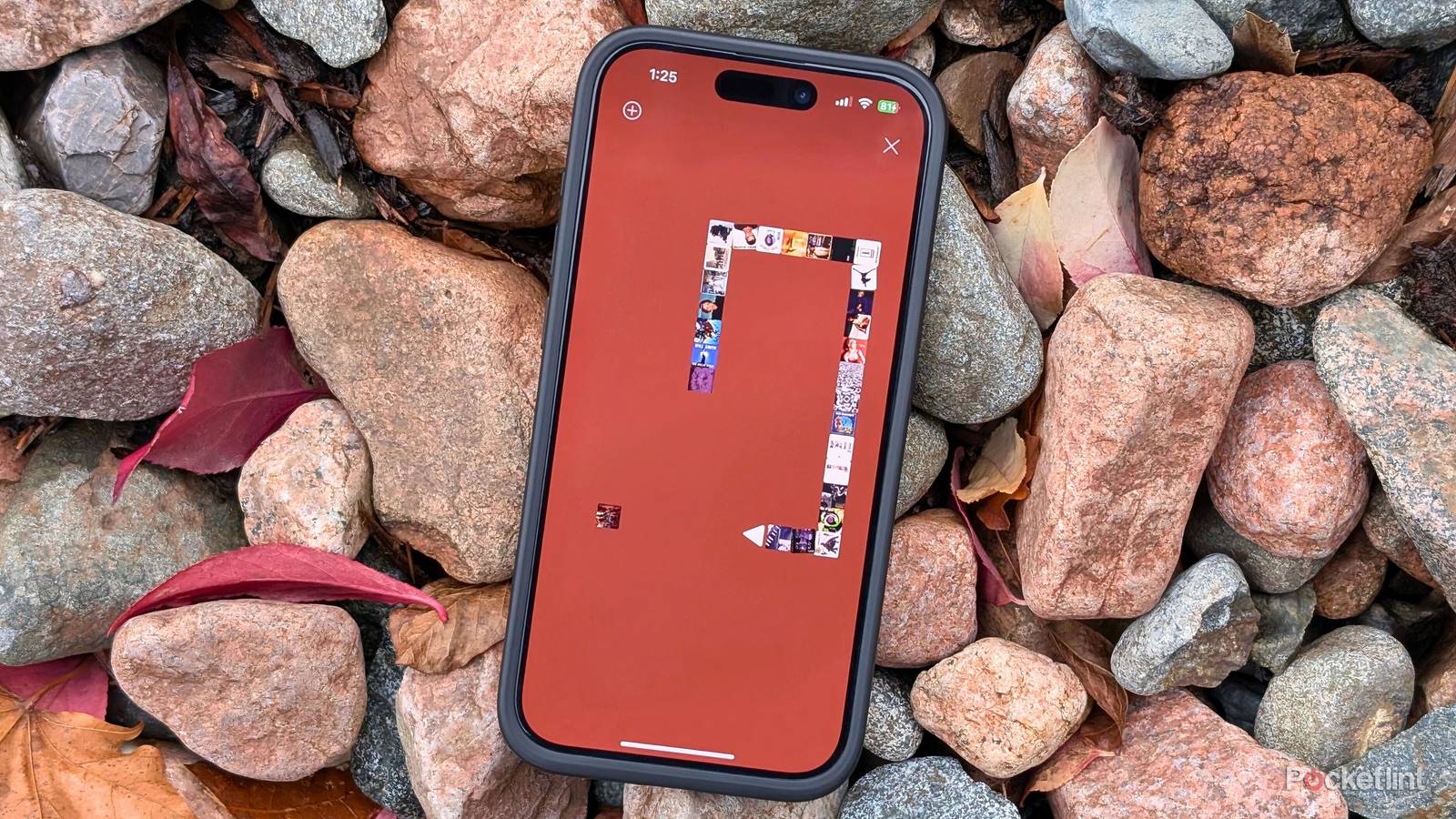
Eat This Playlist works with any and all Spotify playlists…
The objective here is to crash into each song art cover in order to extend the length of your snake, with the snake becoming harder to control the longer it gets and the faster it moves over time. If you hit a wall or accidentally maneuver the snake into part of its body, the game ends and all your song covers come crashing down towards the bottom of the screen. The gameplay works fluidly, despite relying on touch controls rather than any physical buttons.
Eat This Playlist works with any and all Spotify playlists, regardless of whether they’re your own creation or not, and regardless of whether they’re saved in your library or not. Each playlist provides a unique variant of the mini-game, as all song covers, background colors, and corresponding music being played upon each snake extension are entirely context-aware.

- Premium Subscription
-
$12 per month
- Free trial
-
Yes
- Ad plans
-
Free with advertisements
Spotify is a popular audio streaming platform that offers music, audiobooks, and podcasts. It can be used on mobile and on desktop, allowing you to listen to music in a ton of different places. You can even download music to your smartwatch.
How to start eating your Spotify playlists
Follow these steps to unlock a quirky, hidden Snake-style game

To unlock Spotify’s secret hidden Snake-style game called Eat This Playlist, follow these steps:
- Launch the Spotify application on your phone or tablet.
- Ensure that you’re signed in with your Spotify account — a free account is all you need to play the game.
- Tap on any one of the music playlists within your library.
- Tap on the ellipses (three-dot) menu located to the right of the download button.
- From here, a flyout menu will appear on-screen — scroll down to the bottom of the list and tap on Eat this playlist.
- Enjoy as many rounds of Eat This Playlist as you’d like.
Spotify keeps a log of your all-time high score, which appears to be connected directly to your Spotify account. As such, your best match metrics will remain saved in memory even after you close the Spotify application, and even when accessed from an entirely different smart device.
Unfortunately, at the time of writing, there doesn’t appear to be a way to play Eat This Playlist in a browser using the Spotify website or via the dedicated web application on Mac or PC. There’s also no telling whether the game will remain available as an Easter egg on mobile for the long-term, or whether Spotify plans on removing it sometime in foreseeable future.
Personally, I’m a fan of little Easter egg mini-games like this one — I’ve been playing Google’s Chrome Dinosaur game for years, even when connected to the internet, and I hope to see Spotify’s Eat This Playlist game cement itself as a staple in the same vein as Google’s lovable pixel-clad T-Rex.
