

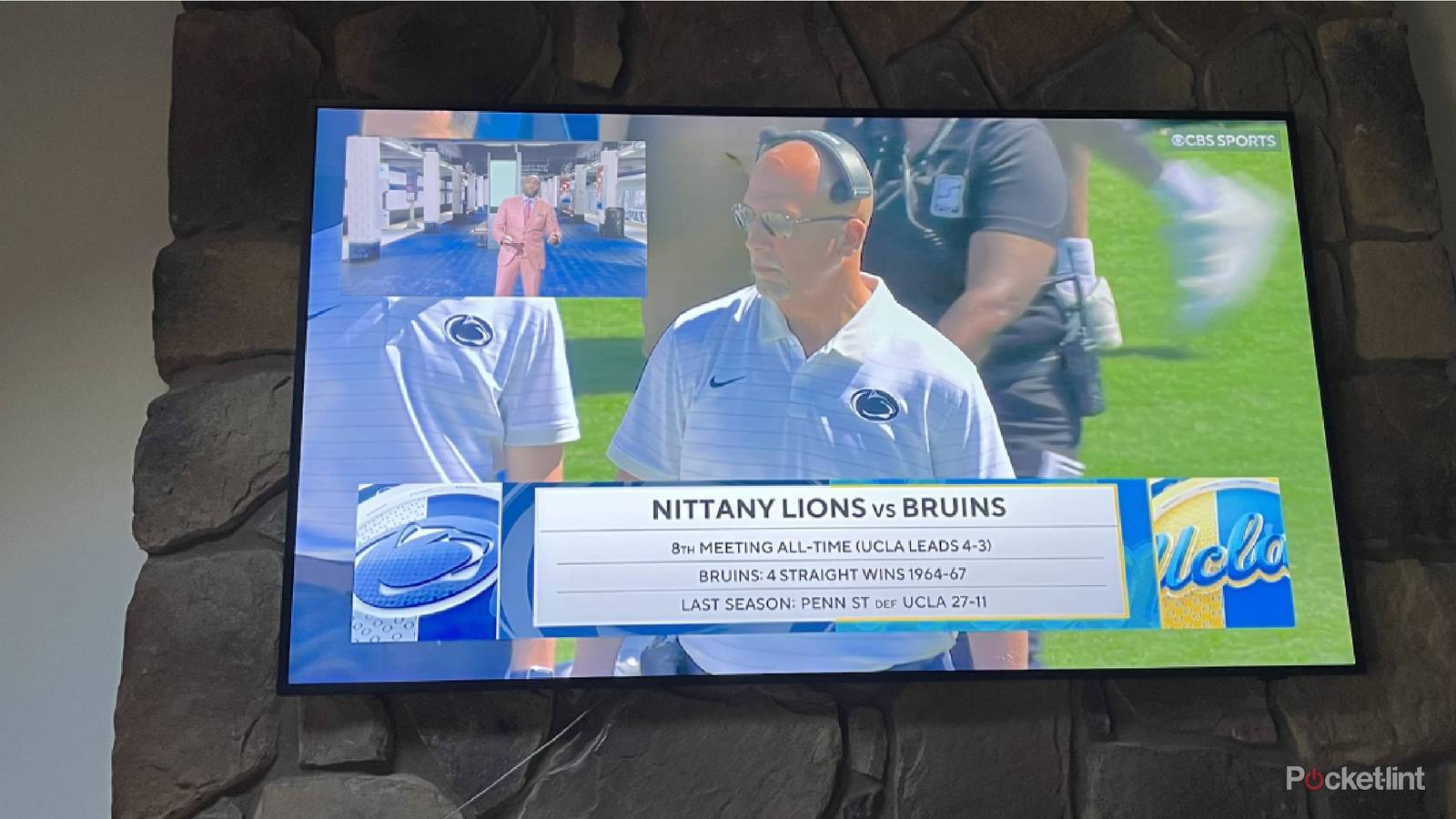

I found myself in a bit of a predicament the other day: two of my favorite teams, the New York Yankees and the Penn State Nittany Lions, were playing at the same time. I knew I wanted to watch both games, but I wasn’t sure how I was going to do that on my TV.
Should I turn on the radio for the Yankee game and have the TV going for Penn State? Should I prop up my laptop on my lap with one game and have the TV on with another? I could just have one of the games on the previous channel setting and quickly swap them when one was showing a commercial. That was the worst possible option, as I wouldn’t be able to watch large chunks of one game at a time.
I decided to see how I could possibly watch them both on my big family room TV at the same time. Remember when picture in picture was a thing on many TVs back in the day? You could watch two cable channels at once by putting one in a smaller corner of the screen.
Turns out, my Samsung The Frame TV has a funky way of doing that, but it required a lot from me to get it done. Here’s how I did it.

- Brand
-
Samsung
- Operating System
-
Tizen
- Display Type
-
Neo QLED
- Display Resolution
-
4K
- Refresh rate
-
144Hz
Samsung’s The Frame Pro is an upgrade on the original The Frame, with the addition of Mini LEDs to improve contrast, dimming, and blacks, while still looking like a piece of art.
Picture-in-picture doesn’t exist
Have to go a different route

The old method of having picture-in-picture on my remote — where the previous channel would show up in a little box on the screen — isn’t really a thing anymore. I’m guessing I’m remembering the PIP button from the cable company remotes back in the day. I do still have cable now, but the remote for the cable box doesn’t have picture-in-picture.
This just seems like an absurd thing to me. I do get it. People have stopped using cable more and more. It’s probably not a feature that many people want to use while streaming movies and TV shows. It seems rarer these days that people are watching live TV that isn’t sports (at least in my personal world). Still, I think it’s a feature that would be genuinely useful to have on TVs in general.
Samsung Multi View came to the rescue
This was how I could manage to do what I needed

I currently have a Samsung The Frame TV and Xfinity as a cable provider.
I started fooling around in the Settings of my Samsung The Frame TV to see what options I had. I noticed Multi View was listed right at the beginning of the menu. Once you click into Multi View, it gives you options on how you can split your TV into two screens. I said to myself, “This is perfect. I’ll just choose two channels from Xfinity and be able to swap them back and forth.”
Of course, it wasn’t that simple. I couldn’t choose Xfinity twice. I could only choose it once. So I had to see what other options I had. I could opt for YouTube, but that wouldn’t do me any good. I could pick Samsung TV, which has a ton of great channels, but not the ones I need. Then I realized I could choose another device. That was going to be my golden ticket — I grabbed my laptop and started to make it happen.
Multi View with a TV and a laptop FTW
It should be easier than this but it isn’t

Because of my cable subscription, I can log into many channel’s websites on the Internet and type in my Xfinity password to watch them. This goes for Fox Sports, which is the network that was carrying the Yankee game. I logged into my account on Fox Sports, which allowed me to stream the game, getting it ready to get it up on the screen. I used my MacBook Pro for this purpose and had to toggle on the screen mirroring option in the Control Center of the laptop.
On the TV, I selected the cable option plus the laptop option. From there, I had to make my TV searchable via Bluetooth. Once I did that, the MacBook Pro popped up on the list of devices that I could connect. I used my TV remote to select that. It populated a code that I typed into my MacBook Pro. Once that happened, I clicked the screen mirroring button again on the MacBook Pro, and it started to show both what was on my computer as well as the cable stream on the TV next to one another. I had solved my problem.
The Samsung remote made it easy to choose exactly how to display the streams. I could do them side-by-side or make one the main picture with the other as the inset. I opted for that in true picture in picture format. The remote allowed me to move the smaller picture into all four quadrants and another simple press of the button would swap the pictures. This made for an easy afternoon of viewing, despite the fact that both of my teams lost that day.
Lessons learned from this
It seems silly, but it works in the end

Not only could I choose my laptop to mirror the screen from, but I could also have done Multi View from my phone. That would have shown a smaller and vertical picture rather than a full screen that comes from a laptop.
While this did take some time and the need for a cable subscription, it did ultimately work out. I know that YouTube TV offers Multiview, and you can choose up to four things at once to watch, which might be in my future after this situation showed me that having cable is progressively something of the past in 2025.
