

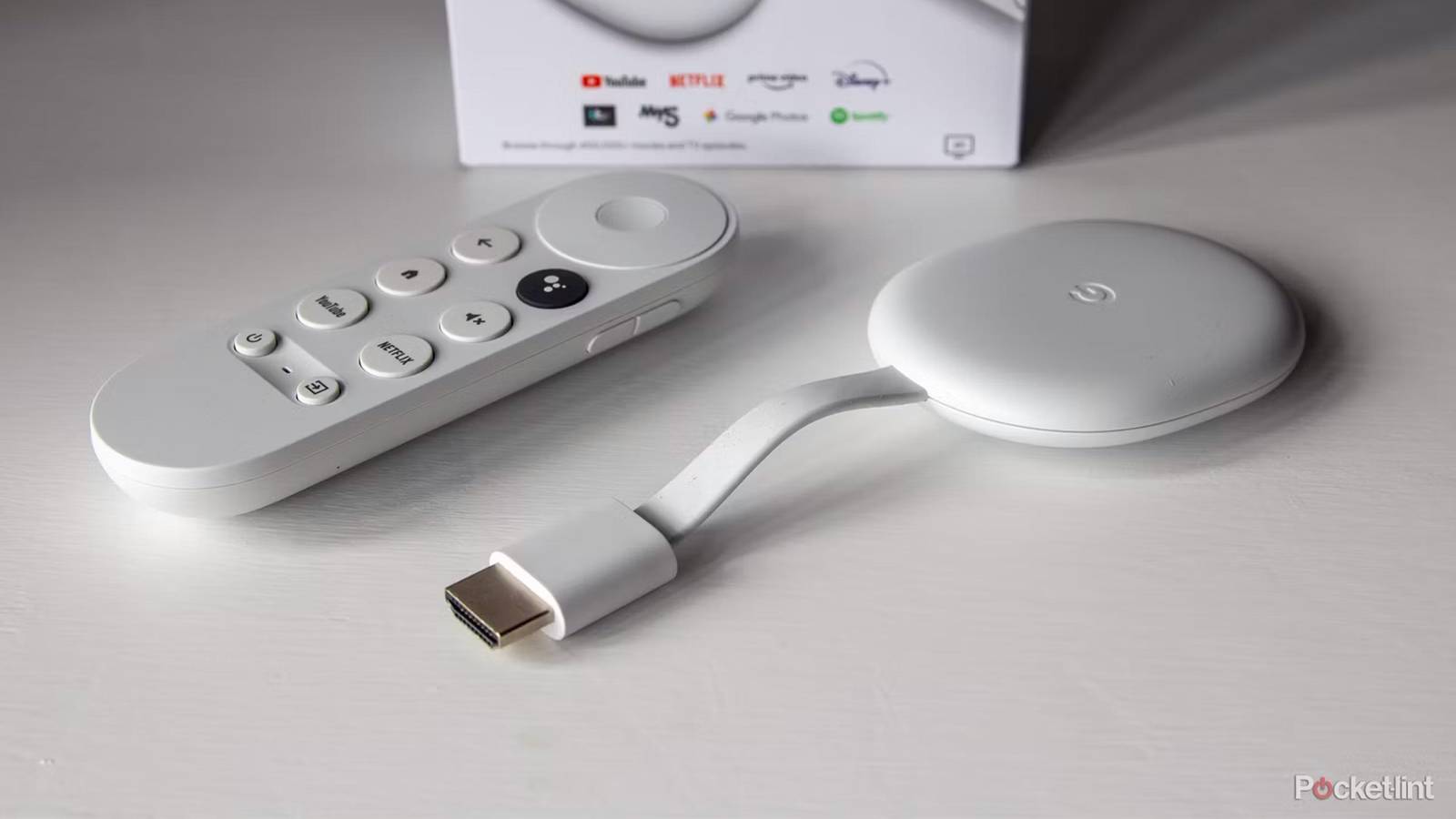

When the last Chromecasts were discontinued in favor of the Google TV Streamer, some people were legitimately dismayed by the news. The Streamer is, technically, a more powerful product, for instance serving as a Matter and Thread hub for smart homes — but it’s not nearly as portable, or as easy to conceal behind a TV. It feels like Google threw a functional product under the bus, even if there isn’t as nearly as much need for it today as when the original version shipped in 2013. That one was a salvation from the nightmare of proprietary smart TV apps.
Your Chromecast still has value, no matter if another media streamer has replaced it in your living room. There are a few ways you can make use of it. I suppose we’ll see how long Google keeps updating the Chromecast edition of Google TV — once those updates stop, that could mark the true beginning of the end.
Setting up a child or guest TV
Either way, be sure to lock things down

Many parents probably object to the idea of putting a TV in their kid’s bedroom, at least a young kid, and I’m sympathetic to that point of view. Constant exposure to screens can affect their attention span, and there are important developmental skills young kids need to focus on first. As long as you keep those things in mind, though, it can be handy to pair a Chromecast with a cheap wall-mounted TV. In the case of my own son, one of the main purposes was having a sleep aid — we’d put on something like Peppa Pig, or an aquarium visual with lullaby music. Even now, that aquarium video makes me a little wistful.
Younger children should only have access to YouTube Kids, not the full version of YouTube.
If you’re going to give them the remote, it’s imperative that you lock things down. The Chromecast should be set up fresh with a child account that you can manage from your own Google account, and restricted to apps where you’ve created additional child profiles. Younger children should only have access to YouTube Kids, not the full version of YouTube — even if they don’t wander into the darker side of the service, there’s so much mindless content that panders in the worst way.
Setting up a guest room TV is both easier and trickier. It’s easier in that age restrictions aren’t your business, but harder in that Google no longer offers an official Guest Mode — guests will have full access to any apps you install. You’ll have to use your best judgment on what to allow. Your best bet may be to install nothing, and simply let guests cast videos from their phones, assuming they’re logged into your Wi-Fi.
Streaming in hotel rooms
There’s a world beyond CNN and HGTV

Staying in hotels does give me an opportunity to catch up on the world of broadcast TV — which I haven’t had at home in ages — but inevitably reminds of why I pay for streaming instead. I’m usually only interested in the news, Comedy Central, and Adult Swim, so the odds of something I want being on are pretty low. Streaming my own videos from a Chromecast is preferable, and potentially very convenient given how easy it is to stuff one and its remote into a bag pocket.
You’ll either need an Ethernet adapter or (more likely) a phone hotspot to get around portal issues.
I say “potentially” because some hotels make it hard or impossible to access the HDMI ports on a TV, and even if they don’t, many rely on web portals to log you into Wi-Fi, which may deny you access to direct password info. You’ll either need an Ethernet adapter or (more likely) a phone hotspot to get around portal issues, and of course the quality of your streaming is going to depend on your phone’s connection. If you’ve got a data cap, trying to binge Twin Peaks or Masters of the Air is a sure-fire way of blowing through it in a day.
The good news here is that you might not even need your Chromecast. Some hotels are now supporting guest access to Google Cast or even Apple AirPlay, acknowledging the fact that we’re headed into 2026, not 2016.
Monitoring security cameras
Until Google gets its smart display act together

I’m not as dependent on security cameras as I used to be. My wife and I don’t get as many deliveries or visitors as we used to, and we’re long past the need for a baby monitor. Nevertheless, we do have a smart doorbell, and cameras for other sensitive areas — and it’s not always that helpful to stare at live feeds on a smartphone screen.
The catch to casting any camera is Google’s automatic timeout system.
Any camera you’ve configured in the Google Home app should support casting to a Chromecast, which you can, in turn, hook up to any display with an HDMI port. On your Chromecast, just use the voice command “show me the [room name] camera.” Alternately, on another device with Gemini or Google Assistant, you should be able to say “show me the [room name] camera on [Chromecast name].” Accessories that aren’t in Home may still support casting via their first-party apps, but don’t count on it.
The catch to casting any camera is Google’s automatic timeout system. Battery-powered Nest Cams, for example, stop streaming in just five minutes, and wired ones stop after 12 hours. It’s impossible to have a 24/7 feed, in other words, even if your hardware and subscription support it. Still, being able to call up video on a TV or monitor at will may be enormously useful for some of you.
Pushing audio to a speaker setup
Plan to use workarounds

The main purpose of a Chromecast is video, but Google Cast works equally well with audio. There’s not much stopping you, then, from pushing music, podcasts, and audiobooks to a system where the display is secondary, or maybe even non-existent.
You may be able to get away without a screen if you’ve already configured your Chromecast and you buy something like an HDMI audio converter/extractor.
You’ll have to rely on apps that support Google Cast — such as Spotify or YouTube Music — and figure out a way of bridging your Chromecast with your speakers. This is going to be easiest if you have a small TV or monitor with both an HDMI input and the required audio jacks, especially since it’ll let you see what’s playing. You may be able to get away without a screen, however, if you’ve already configured your Chromecast and you buy something like an HDMI audio converter/extractor. Expect to combine that with an optical or 3.5mm cable unless you’ve got a speaker or receiver with an HDMI ARC input, in which case you might be able to skip the middleman anyway.
If you’re really lucky, you might have access to a Chromecast Audio, which replaces an HDMI connector with 3.5mm. That device has been out of commission for years, unfortunately, so it can actually fetch quite a price on sites like eBay.
