

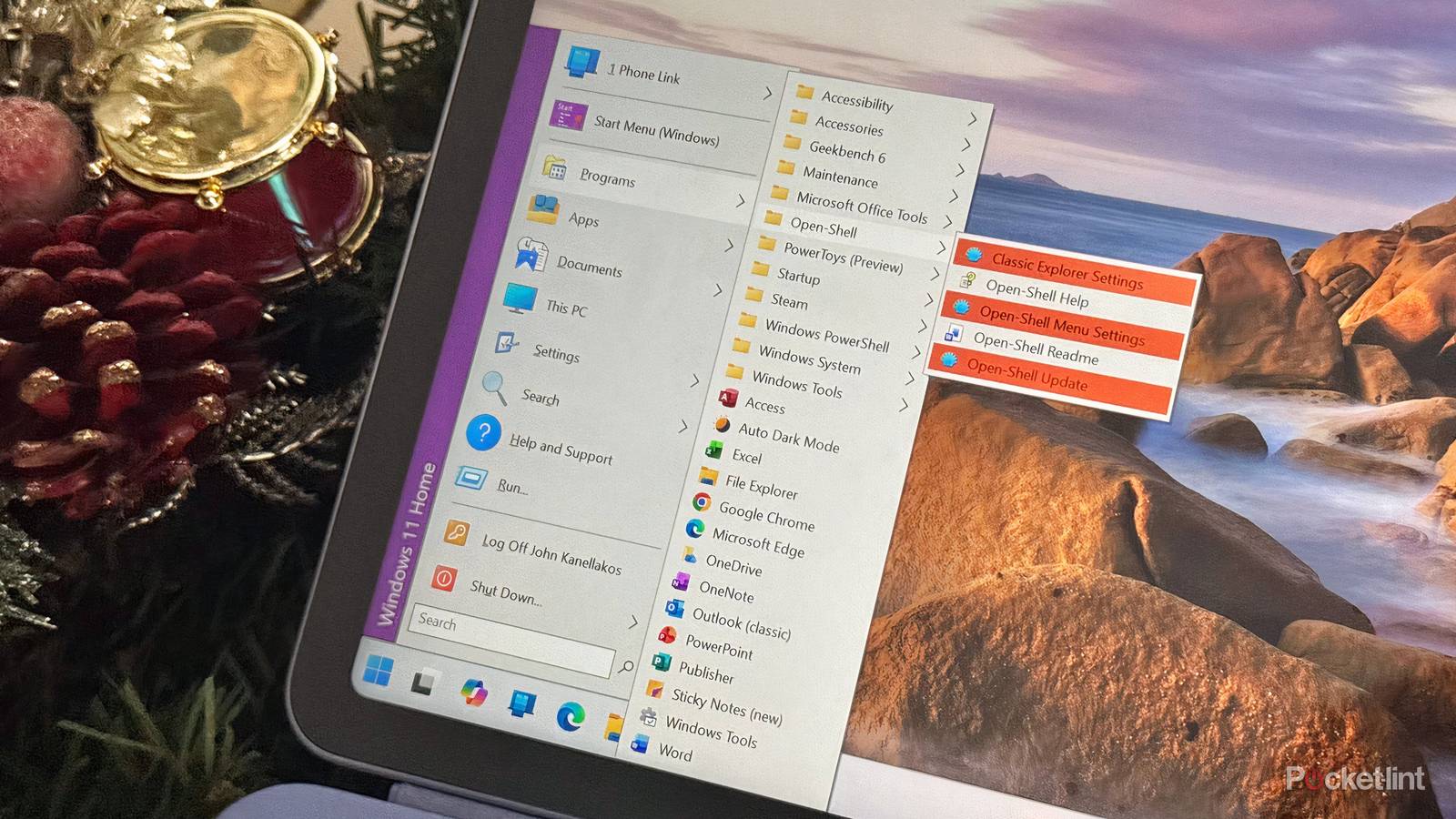

From the release of Windows 95 and onward, the Start Menu has been a flagship element of the PC user experience. To this very day, it serves as a centralized location for program launching, file searching, account management, and more. While not nearly as flashy in 2025 as it was in 1995, the Start Menu remains a downright iconic bit of user interface design that has certainly endured through the ages.
Of course, as with other operating system UI components, the Start Menu’s design has evolved greatly over time. Most recently, Microsoft has refreshed the menu interface with a subtly tweaked design that’s beginning to roll out now to Windows 11 computers across the globe. Personally, I’m a fan of this redesigned Start Menu — I find it strikes a solid enough balance between convenience, customizability, and simplicity.
The jury is still out whether users will take kindly to Windows 11’s updated Start Menu experience once it has been fully rolled out, or whether it’ll be criticized to the same degree as the preceding design was. If you find yourself dissatisfied with the refresh upon updating your PC, then there’s no need to worry: this is Windows we’re talking about, and so there’s nothing at the platform-level stopping you from checking out any number of third-party menu replacement applications.
Open-Shell bends and conforms to your preferences

Off the top of my head, a few popular third-party Start Menu replacement programs spring to mind, including Start11, StartAllBack, ExplorerPatcher, and RetroBar. These apps are all excellent in their own right, though only the latter two fall under the category of being free and open-source (FOSS). For me, there’s one other FOSS Start Menu replacement app for Windows 11 that stands out above the rest, and it’s called Open-Shell.
Open-Shell offers three distinct Start Menu layouts to choose from, ranging from Classic style (which emulates Windows 9x), Windows 7 style (which emulates Windows Vista and 7), and Classic with two columns (which takes a hybrid approach). Each option leans into its respective design inspiration gracefully, and changes take place immediately without the need for a reboot.
Once you have an Open-Shell-powered Start Menu up and running, it’s off to the races with customization. A number of basic and more advanced configuration options are available to dig into, in addition to skins and alternative Start button designs for some added personalization. It’s easy to adjust the visibility of the search box, adjust the sorts of apps that appear on-screen, and even configure ways to trigger Open Shell to launch.
…Open-Shell is an excellent choice for anyone looking to replace the stock Windows 11 Start Menu.
Beyond the Start Menu itself, Open-Shell also offers a couple of additional customization tools not available in vanilla Windows 11, relating to the system taskbar and to the File Explorer. Taskbar options include the ability to adjust size and opacity, while a toolbar and status bar can both be enabled within File Explorer.

On the whole, Open-Shell is an excellent choice for anyone looking to replace the stock Windows 11 Start Menu with something more customizable and traditional. As a FOSS program, it doesn’t cost a penny and its source code is freely available to peruse, though this does come at the cost of some UI polish when compared to other market solutions.
Open-Shell is natively compatible with both the x86 and the ARM computing architectures, and so you shouldn’t run into any problems on that front. However, as with any other third-party PC customization tool, Windows Updates could break compatibility or introduce new bugs and graphical glitches that the developers will need to patch out after the fact.
