

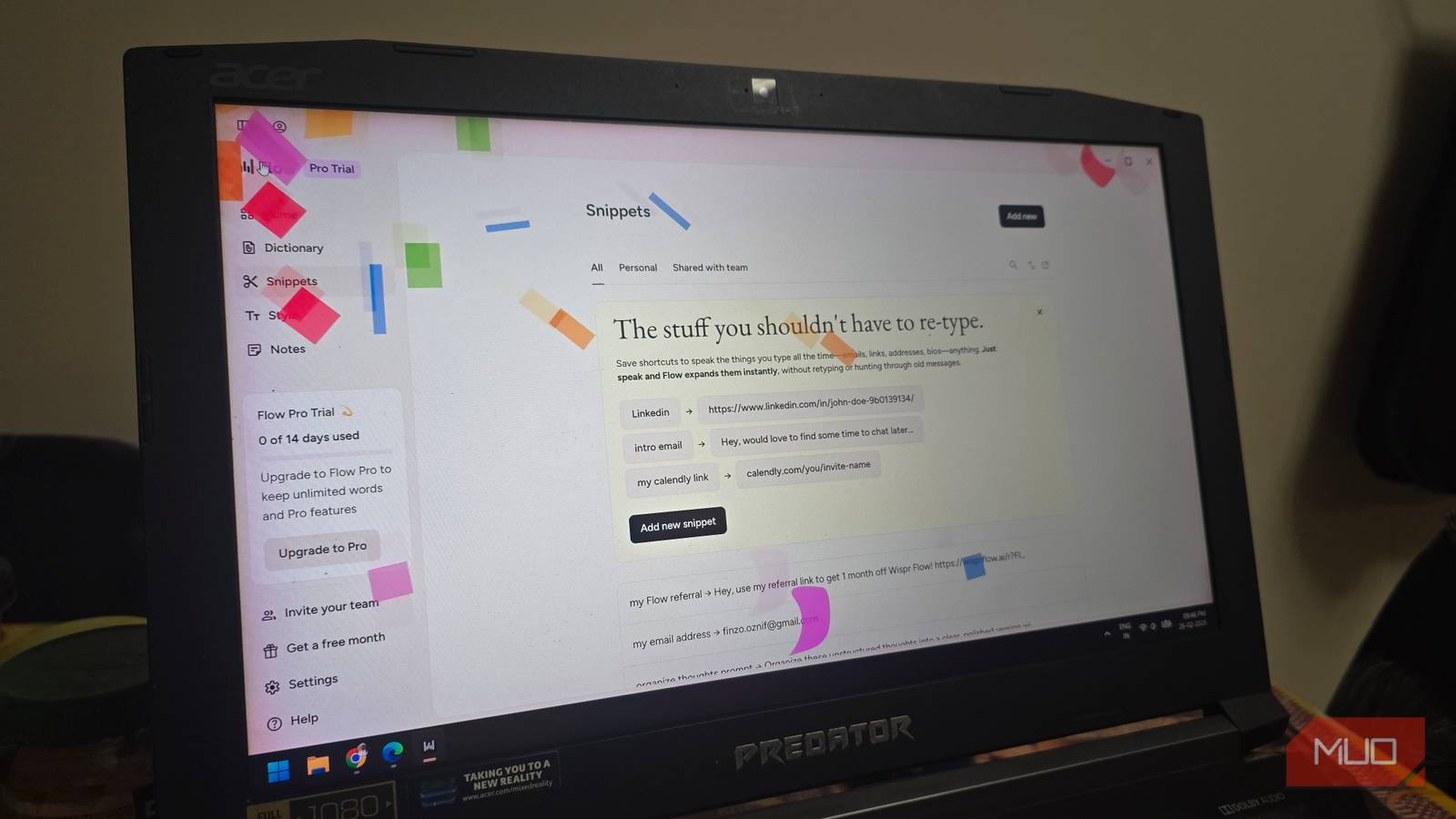

For years, I was a staunch holdout against voice dictation. As a content writer, my keyboard is an extension of my brain. For me, a silent keyboard is the way to go (more so after having a baby) compared to mechanical ones. Whatever I can think of goes directly to the destination through my keyboard. The idea of speaking my thoughts for an article, to me, felt unnatural, slow, and, honestly speaking, a little embarrassing if anyone else was in the room.
I did give the built-in Windows dictation tool, which can be accessed by pressing the Win + H keys on the keyboard, but the result was nothing impressive. I would spend more time correcting my words rather than speaking. And just before I was about to give up using dictation, I stumbled upon a tool called Wispr Flow, and my workflow changed instantly. Here’s how this simple tool turned me from a skeptic to a daily user.

I did not like my 1950s news reporter’s voice

Thankfully, my typing speed is good enough for me (see image above), and I never had to use dictation tools to get my words on digital paper. Though I did give a shot to dictation, my biggest issue (and one that most of you would likely resonate with) with standard dictation was that I couldn’t speak naturally.
For the tool to pick up what I’ve said and get a decent result, I had to speak slowly and adopt a fake voice (like any 1950s news anchor) to get the dictation tool to understand basic sentences. All this in total broke my flow completely.
Punctuation was a different ballgame altogether. Our minds don’t think of commas and full stops. The idea just flows naturally. Having to verbally say punctuation for the dictation tool to understand was a total dealbreaker for me. Which is the reason why I relied on my typing to make things quick.
When typing, you simply have to press a button to add a punctuation mark, and with practice, you don’t even have to look at its position. In fact, I would suggest spending more time typing and improving it, rather than relying on a standard dictation tool.
Wispr Flow changed my mind
Another AI tool that actually converts decent into great
Though I wasn’t keen on getting my hands on a dictation tool, the flurry of AI tools (available for everything) made me search for something. Enter Wispr Flow. It completely changed the way I draft my articles and other notes.
Again, I started using it without any high hopes, and I thought that it would be the same old speech-to-text technology with a new costume. Thankfully, I was wrong. Wispr Flow isn’t just any tool; it makes use of artificial intelligence to actually understand what you are saying. Basically, it has a brain of its own.
I had a draft to prepare for my client, but my wrists were burnt out and aching from a week of typing. I still had to finish the draft anyway, as the deadline was approaching. I decided to give Wispr Flow a try. I leaned back, opened Wispr Flow, and started rambling about my thoughts.
The best part was that I wasn’t careful. I was actually using and testing out the tool. I spoke as I would normally do with all the “ums” and “uhs.” I even corrected myself mid-sentence and said No, wait, let’s rephrase that sentence.
I wasn’t looking much into the screen; I was simply saying stuff and doing something on my phone. I expected a mess, but to my surprise, I saw clean and perfectly punctuated sentences. AI took care of all my pauses and weird fillers, giving me a polished draft.
Wispr Flow could do all of this, thanks to its advanced LLM (Large Language Models) and ASR (Automatic Speech Recognition) models. You can speak fast, mumble, or even make background noise, and it still somehow gets it right. No need to say punctuation out loud, as it understands the context.

- OS
-
Windows, macOS, Android, iOS
- Price model
-
Freemium
Wispr Flow is an AI-powered voice dictation tool that enables users to instantly convert natural speech into clear, formatted text across any desktop application with high accuracy.
The free version may not be sufficient
You might end up purchasing a subscription to Wispr Flow

Wispr Flow comes with all the bells and whistles. First things first, it runs on all devices, be it on Android, iOS, Windows, or macOS. You can use Wispr Flow in every application on your device. If you use certain words or slang frequently, Wispr Flow understands them and adds them to your personal dictionary.
You also have the option to create voice shortcuts and set a different tone for each app. The app supports over 100 languages. Unfortunately, all of this is not available for free.
Wispr Flow is available in a freemium model. Meaning there is a free version that comes with limited features. If you download Flow for the first time, you get 14 days of Flow Pro for free, no credit card required. After that, in the free version, you get 2,000 words per week on macOS or Windows and 1,000 words on iOS, but unlimited words per week on Android.
For casual users, that would be sufficient. However, after trying it a couple of times and realizing you can finish a draft in about 20–30 minutes, you might be tempted to go for the paid tiers, which start at $15/user/month.
Time to go with the Flow or maybe not?
Making the switch to voice dictation, whether you use any tool, is your personal choice. For me, although Wispr Flow is exactly what I would need if I decide to give my hands the rest they deserve, I still prefer typing. But for some small tasks, I love the idea of leaning back in my chair and just saying what I am thinking, and seeing it get registered exactly the way it would if I had typed it. Overall, you can give Wispr Flow a try and see for yourself if it’s worth it.
