

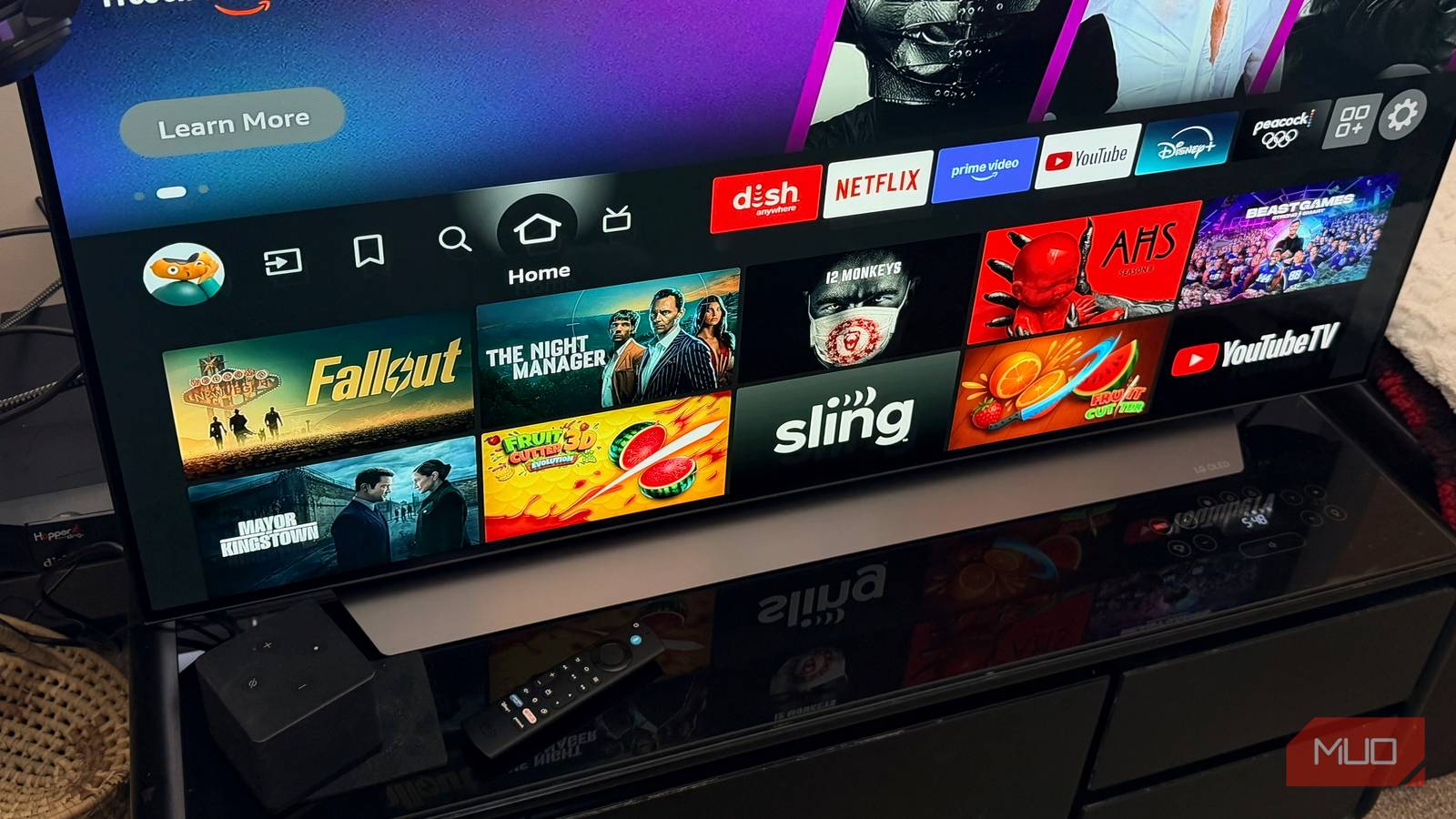

Whether you’ve been using Fire OS for years or are just getting started, you’ll eventually face a choice for your streaming entertainment: stick with the Fire TV Stick or jump to the Fire TV Cube. I recently found myself facing this dilemma. Ultimately, I recognized that the Fire TV Cube was a better fit for my household. It might be for you, too.
The Fire TV Stick, available in several formats and price points, has long been marketed as an affordable streaming dongle ideal for budget-conscious consumers seeking to upgrade their older televisions with 4K HDR support and basic Amazon Alexa voice control via a remote. By contrast, the Fire TV Cube is positioned for tech-savvy households deeply integrated into the Amazon ecosystem. It does everything a Fire TV Stick can, and it also includes extras such as hands-free Alexa for controlling TVs, soundbars, lights, and Internet of Things (IoT) devices. It’s also packed with better internals for faster performance and more.
This product line segmentation allows Amazon to target entry-level streamers with the Fire TV Stick while upselling more power users with the Fire TV Cube. In addition to Fire TV-based televisions, the Fire TV lineup at the beginning of 2026 includes an entry-level Stick HD, mid-priced Stick 4K Select and 4K Plus, and the Stick 4K Max, as well as the TV Cube. There’s also a lineup of Amazon Fire Tablets.

The third-generation Fire TV Cube is Amazon’s high-end 4K streaming box that combines a powerful octa-core processor with built-in Alexa for hands-free control of your TV and smart home devices. It supports 4K HDR video (including Dolby Vision, HDR10, HDR10+, and HLG), Dolby Atmos audio, Wi‑Fi 6E, and offers 16 GB of storage plus HDMI input, USB, Ethernet, and IR blaster to control cable boxes, soundbars, and other connected gear.
My Fire TV journey
Fire TV Stick 4K Max vs. Fire TV

I primarily use an Apple TV in my living room. As an iPhone, iPad, and MacBook user, this still makes sense. And yet, as someone who wants to stay knowledgeable about all types of consumer technology. I also use other streaming platforms, such as Google TV, Roku, and Fire TV.
My introduction to the Fire OS ecosystem started when I purchased an early-generation Fire TV Stick. It continued when I purchased the current Fire TV Stick 4K Max (2nd gen). That switch was primarily driven by the 4K capabilities the latter offered. I increasingly wanted more from my Fire TV solution, which led to my latest switch.
Around the holidays, I realized the price difference between the Fire TV Stick 4K and the Fire Cube was typically less than $50, though it can be as much as $80, depending on whether the products were on sale. For that, you get a huge hardware upgrade.
Priced at around $100 (when on sale), the current third-generation Fire Cube was released in 2022, suggesting a newer model is coming, perhaps later this year. The current model stands out as a premium upgrade for anyone who’s seeking enhanced performance and versatility beyond basic streaming. This starts with its octa-core processor, which delivers twice the speed of the Fire TV Stick 4K Max’s quad-core chip, which was released in 2023.

Why Amazon’s Fire TV Stick 4K Is Better Than a Chromecast in 2025
I loved my Chromecast, but it’s time to make the switch.
The faster chip is noticeable the moment you open an app. You’ll also notice smoother navigation and fewer buffering hiccups, which I often experienced while streaming 4K on the Stick. Additionally, thanks to the Cube’s Super Resolution upscaling, even non-4K content is sharpened, and older shows gain near-4K clarity.
Beyond this, hands-free Alexa integration means the Fire TV Cube is a full Echo smart speaker, unlike any Fire TV Stick. You can use voice commands anywhere in the room to control streaming, smart lighting, thermostats, and other supported smart devices.
Connectivity is also expanded: the Fire TV Cube offers an HDMI input that lets Alexa control your cable box in most cases, a built-in Ethernet port for a stable wired internet connection, and a USB-C port for storage or peripheral use.
Reasons to stay with the Fire TV Stick 4K Max
For many, it’s the right solution

Despite its many advancements, the Fire TV still isn’t for everyone. At a lower price, the Fire TV Stick 4K Max delivers nearly identical core features: 4K UHD at 60fps, full HDR support, and Dolby Atmos, without the overkill features most casual streamers might want to ignore. Additionally, its compact dongle design means it can slip behind TVs unnoticed, unlike the Fire TV’s 3.4-inch footprint, which demands visible shelf space. That smaller space makes the Stick much more portable, which is especially useful for frequent travelers.
The Fire TV Stick 4K Max also supports Wi-Fi 6E, which should be more than sufficient for Prime Video, Netflix, and Disney+ streaming without requiring Ethernet or additional ports. If you decide to keep a Fire TV Stick, consider making a few settings changes.
You should opt for the Cube if you plan to integrate cable or satellite, prefer hands-free smart home control, or experience lag with your current Stick. Stay with the Stick if you consider yourself a Stick loyalist and appreciate its portability, lower cost, and no-fuss streaming.
Both run Fire OS for seamless access to the Amazon ecosystem, so test using Amazon’s return policy before committing.
Is it time to upgrade?
Amazon’s Fire TV lineup caters to two types of streamers: those who want simple, affordable 4K streaming and those who crave faster performance and smart home integration. The Fire TV Stick 4K Max is ideal for budget-conscious users who value portability, a compact design, and solid streaming performance with HDR and Dolby Atmos — it’s great for travelers or those upgrading older TVs. Meanwhile, the Fire TV Cube, which costs a bit more, transforms streaming into a hands-free smart home experience.
With its octa-core processor, upscaling technology, expanded connectivity, and built-in Alexa speaker, it’s a powerhouse for tech-savvy households seeking smoother navigation, faster app load times, and deeper integration with the Amazon ecosystem.
Ultimately, your choice hinges on whether you want simple, portable streaming or a fully connected command center for your entertainment and smart home devices. Regardless of your choice, consider seven game-changing Fire TV apps you may not have known about.
