


Think about the last time you needed to merge a couple of PDFs, remove a password, or OCR a scanned contract. Chances are, you Googled something like “free PDF tool online,” landed on a site you’d never heard of, and uploaded your file without a second thought. It feels harmless enough until you remember that those files sometimes contain pay stubs, medical records, signed agreements, or anything else you’d rather not hand to a stranger. There’s a better way, and it doesn’t require an Adobe subscription or a degree in server administration.
Stirling PDF is a free powerhouse that easily ranks among the only open-source PDF editors you’ll ever need. You can run entirely on your own machine, and once you see what it can do, going back to those sketchy upload-and-pray websites starts to feel absurd.

- OS
-
Web
- Price model
-
Free, Premium
Stirling PDF is a self hosted, open source PDF toolkit that lets you merge, split, compress, convert, redact, and secure documents locally through a clean web interface with privacy control.
Getting Stirling PDF running on your own machine is quick
The experience rewards you right away
Self-hosting can be intimidating if you’ve never done it. But Stirling PDF has clearly been built with approachability in mind. The documentation is thoughtful, the community is active, and the developers have worked hard to ensure self-hosting isn’t as hard as most people think.
While it is a full-fledged PDF editor that can run in your browser, the recommended way to run Stirling PDF is through Docker, and the official documentation walks you through it in just a few commands. The setup involves creating a docker-compose.yml file and running docker-compose up -d from the directory where the file lives. If you run the command from the wrong folder, which is easy to do the first time, PowerShell will simply tell you that no configuration file was found and do nothing. Navigate to the right directory, run it again, and you’ll watch the container pull, the network spin up, and the image confirm as created in a matter of seconds. The whole process, from a standing start, takes under five minutes.
Once it’s running, the interface is live in your browser at localhost:8080. If you prefer a dedicated desktop experience, the Stirling PDF Windows app also offers a “Connect to Server” option where you paste in your self-hosted server URL, and the desktop app becomes a clean, native-feeling front end for your local instance.

8 Essential Docker Commands for Beginners
Docker has become a vital tool for sysadmins and programmers alike. Learn how to work with its most useful commands.
On first login, you’re prompted to set a new admin password immediately, and after that, you go through a brief onboarding splash. The Admin Overview screen confirms that the first 5 users on your self-hosted server receive full access at no charge. For individuals, families, or small teams, that’s the entire value proposition in a single sentence. Should you eventually need to scale beyond 5 users or unlock advanced features such as SSO (OAuth2/OIDC), unlimited users, and text editing in PDFs, a paid Server plan starts at £83.25 per month. But for the vast majority of personal and small-team use cases, the free self-hosted tier covers everything you’re likely to need.
Once connected, the desktop app itself nudges you to set it as your default PDF application. It’s a reasonable suggestion, as it integrates with your operating system’s “Open with” menu, so PDFs can land directly in Stirling PDF from your file explorer.
Covering everything from merging and OCR to signing and redaction
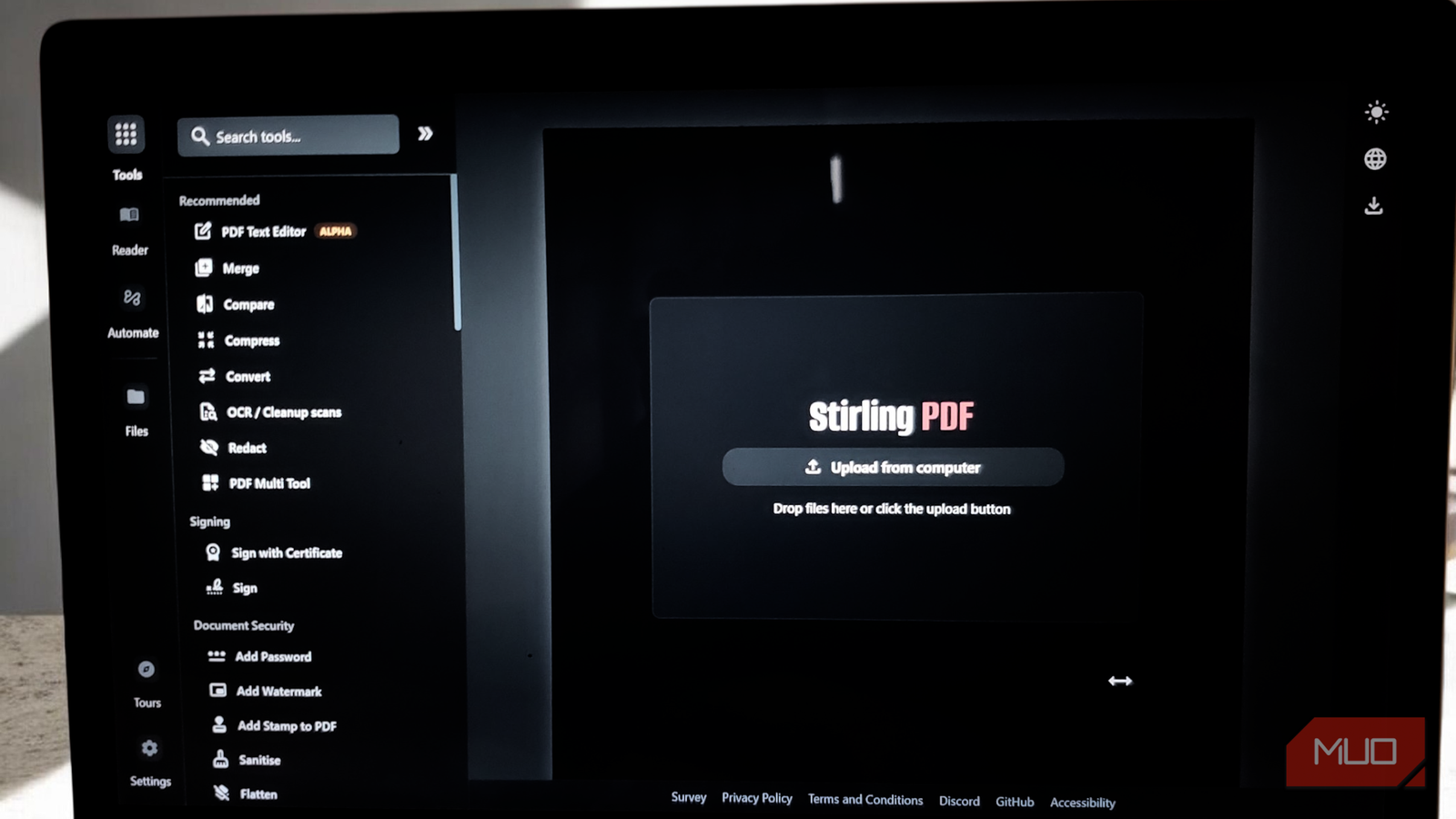
The first thing that strikes you when you open Stirling PDF is how much is actually here. Most online PDF tools give you one trick and a pop-up asking you to upgrade. Stirling PDF hands you a scrollable sidebar packed with categorized tools such as Recommended, Signing, Document Security, Verification, Removal, and more, and lets you get to work without a login, a watermark, or a timer counting down your free uses.
The bread-and-butter operations are all present and polished. Merging is a good first test of any PDF tool, and Stirling PDF handles it gracefully. Load your files into the Merge tool, preview the pages in the right panel, sort them by filename or drag them into your preferred order, and optionally have it generate a table of contents in the output file. Splitting works in reverse: feed in a large document and pull out exactly the pages you need, whether that’s a single page or a defined range.
Compression is useful too, especially if you have previously struggled to compress a PDF and reduce its file size manually; Stirling PDF can reduce file sizes meaningfully without making it look like it was faxed in 1997. Conversion runs in both directions — PDFs to Word, Excel, images, HTML, and back again — powered by LibreOffice, which runs in the background. The key detail in all of this is that none of your files travels anywhere. They’re processed in your server’s memory, then deleted. What you download never sits on someone else’s infrastructure.

5 extremely useful open-source apps I use from a web browser (no install required)
I rely on a handful of open-source web apps that handle everyday tasks without installing anything locally.
If you’ve ever wrestled with a scanned document (the kind that looks like a PDF but behaves like a photograph), you’ll appreciate the ability to run OCR on scanned documents directly within the app. Stirling PDF uses the Tesseract OCR engine to analyze image-based pages and lay a real text layer over them. The result is a document where you can select, copy, search, and edit the text that was previously locked away as pixels. It handles messy source material, including faded printouts and slightly skewed scans, with a reliability that feels almost magical the first time you watch it work. If you’re a researcher, lawyer, or just anyone building a digital archive from physical documents, this alone is worth the setup time.
The security tools in Stirling PDF go beyond a simple “add password” checkbox. When you apply a watermark, you control the font, opacity, rotation, color, and position. Password protection lets you lock documents before sending them, and you can set granular permissions to restrict printing or copying independently. Redaction lets you permanently black out specific regions of a page, not just visually, by removing the underlying text, not hiding it. There’s also a comparison tool that highlights textual differences between two versions of a document, which is enormously useful any time a contract comes back with “minor edits” that turn out to be anything but.
And lastly, tucked behind the Automate section is a feature that turns Stirling PDF from a capable utility into something closer to a lightweight document workflow engine. You can create custom automation sequences (chain together OCR, compression, watermarking, renaming, and more) and save them as reusable pipelines. The suggested pre-loaded automations (Secure PDF Ingestion, Pre-publish Sanitization, Email Preparation, Security Workflow, and Process Images) hint at exactly the kind of repetitive document tasks that drain time from people who handle files professionally.
Privacy shouldn’t be a premium feature
Privacy in the context of software is easy to treat as abstract, until the day you realize you’ve been uploading sensitive documents to servers you know nothing about for years. Stirling PDF makes the alternative feel less like a sacrifice and more like an upgrade. It’s free, it’s feature-rich, it respects your files, and the setup investment is smaller than you’d expect. Sometimes the right tool was just waiting to be found.
