

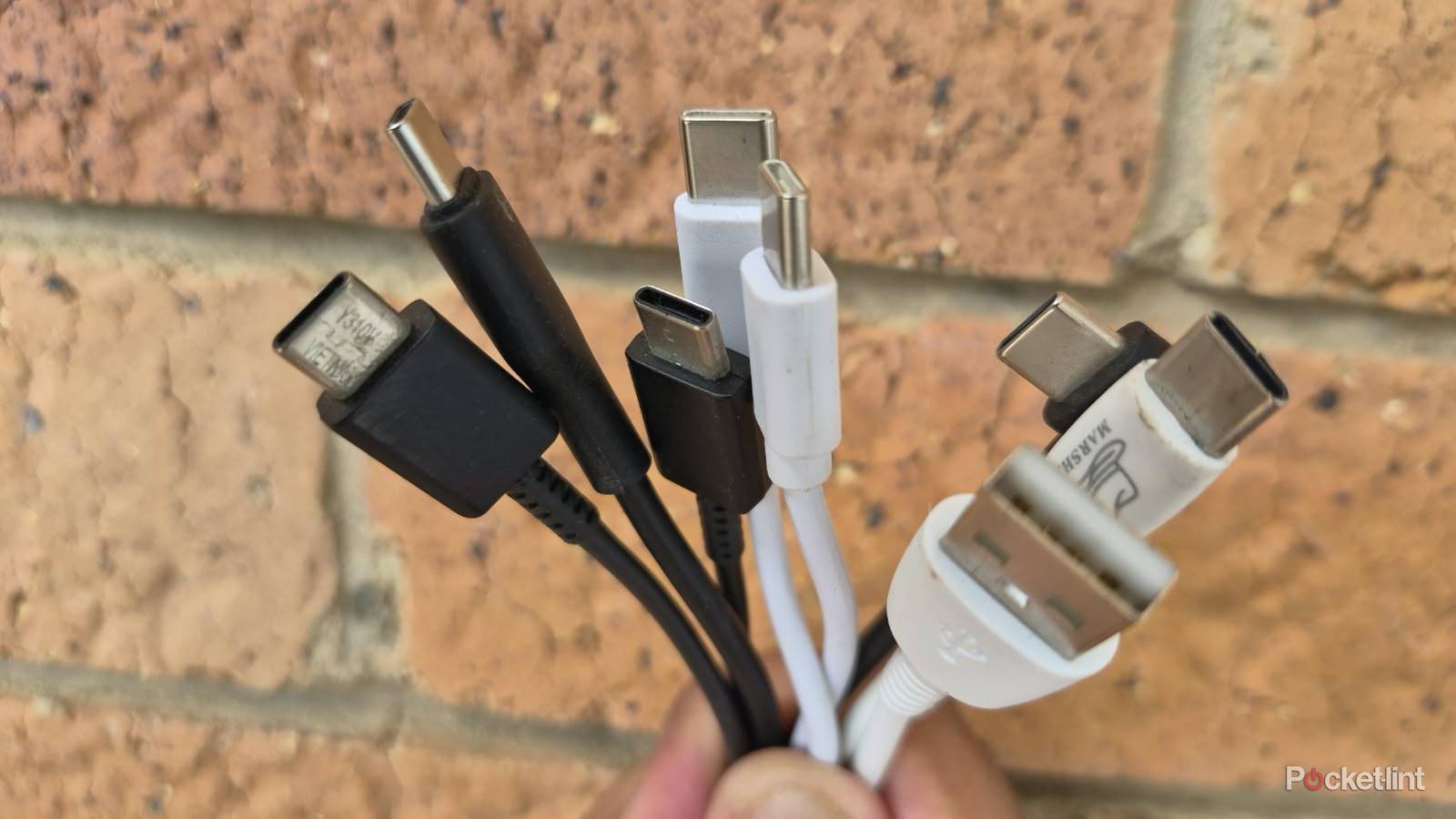

Most of us have different USB-C cables or old Lightning cables lying around with varying levels of functionality. Some might support slower speeds, while others could have the older USB Type-A connector, which won’t work with the latest charging bricks. In between, there’s bound to be a few that may or may not work, depending on which device or charging block you attach them to.
The good news is there are many ways to repurpose them instead of adding to the growing piles of e-waste that harm the environment. That’s why I’ve made a list of practical things you can do with your old charging cables instead of throwing them away or sending them for recycling.
Charge low-power devices
Speed isn’t everything

Old charging cables might not offer the fastest speeds for your smartphone, but they’ll be fine for other devices that don’t require quick top-ups. Modern earbuds, wireless mice, and game controllers all require USB-C charging but need lower speeds than smartphones and work with a wider range of cables.
It makes sense to keep your new high-speed charging cables for your smartphone and use older, slower ones for your other devices. It’s a practical solution since many of those other devices include short cables that are barely usable in the first place.
Pairing your phone cables with an old power bank creates a central hub everyone in your house can use to charge devices simultaneously.
Pairing your phone cables with an old power bank creates a central hub everyone in your house can use to charge devices simultaneously. Use one old charging cable as a dedicated power supply, then connect the rest to the ports to charge different devices. Another benefit is that it works with both modern USB-C and older Type-A cables, putting them all to good use.
Turn them into dedicated data cables
Copy and paste only

Your old phone cables can still work as data transfer cables for other devices. Keep your new cables in their high-speed charging blocks and connect the older ones to your PC so they don’t get mixed up. Then you can use the old cables to transfer data from your phones, cameras, and external SSDs to your PC.
This solution works with USB 2.0 cables and above, but transfer speeds will vary. You can also use your slower cables to attach USB peripherals with low power requirements. These include mice, keyboards, and other devices that will work on standard cables.
Take precautions if you’re using old charging cables for power or data transfer.
Take precautions if you’re using old charging cables for power or data transfer. Ensure the cables have no physical damage, like bent connectors or exposed wires. Windows or Android should detect the devices automatically, and the connection should be stable without intermittent dropouts. Stop using the old cables immediately if you suspect any issues.
Recycle them into working charging cables
Some cables are repairable

Recycling old, dead charging cables into new working ones is good for the environment and your pocket. If cables have breaks in the middle, you can remove that piece and rejoin the cable. To do this, cut out the damaged piece in the middle of the cable. Then remove the outer jackets from the ends you just cut to reveal the internal wires.
Strip the wires with a wire cutter. Then twist the corresponding wires from each end together and solder them in place. Wrap the joined wires with tape, then cover the joint with heat shrink or tape to protect the wires and reinforce the cable.
Keep them as backups
You never know when you’ll need it

Charging cables often fail without warning, and a backup can be the difference between running to the shops for a new one and continuing your project uninterrupted. That’s why it’s worth keeping your old charging cables around as long as they’re functional, even if they support slower charging speeds.
It’s worth keeping your old charging cables around as long as they’re functional.
This is especially true for on-the-go users who are frequently in transit and often don’t have immediate access to a new charging cable. Carrying a spare in your laptop takes up minimal space, and you never know when you’ll need it. Even if you aren’t charging your phone, it can come in handy to top up your earbuds or wireless mice while you’re waiting for your next flight.
Wireless Android Auto is known for its heavy battery use, and running out of juice is the last thing you need when you’re using your phone’s navigation on a family road trip. Carrying a spare cable provides peace of mind that your phone won’t die at the worst time. It can also make your journey easier because your child will be happy and entertained with a fully charged tablet.
Repurpose old cables
A last resort

The truth is that all your USB charging cables will eventually break, no matter how good the quality. They’re bound to bend, fatigue, collect dirt, and eventually wear out from frequent use.
All your USB charging cables will eventually break, no matter how good the quality.
When cables reach this stage in their life, you can repurpose them for other uses that don’t require any functionality. One of the most obvious uses is to use them as cable ties to manage your computer setup or TV cords. This solution will save you from buying regular plastic cable ties and works well because USB cables are usually thick and sturdy.
All you need to do is remove the connectors, shorten the cable to your desired length, then rejoin them with tape or heat shrink to fit around your cable bundles. Some users prefer stripping the outer jacket and using the smaller internal cables instead because they are colorful and have a slimmer profile.
Alternatively, you can use the old phone charging cables for outdoor use, tying them into loops to hang objects from the wall or roof. You can even strip the copper wire from the inside and use it as a weatherproof wrap to support plants.
