


There’s so much you can do with a terminal on any platform. But despite using the command line extensively, I have been avoiding a particular category of productivity tools, and I feel that most people have too. Terminal multiplexers.
A terminal multiplexer, essentially, lets you open multiple terminal panes and sessions inside a single terminal window. It sounds similar to opening new tabs in Powershell, but, supposedly, it’s much more than that, and much better, when you start using one.
The word “terminal multiplexer” is almost synonymous with “Tmux.” But, this writing here isn’t about Tmux. It’s about something better.

5 programs you need to know about as a Linux user
Linux is more than a backup OS, and these programs prove it.
Meet Zellij
A friendly and capable multiplexer
With Zellij installed, you just type zellij into your terminal and suddenly your terminal gets a glow-up. But it still behaves like a normal terminal. You can run all the same commands you normally would. The difference is that now, whenever you need another terminal instance, you just press Alt + N and ta-da, there is another terminal right there. It’s beautiful.
Speaking of install, Zellij’s website gives you a straightforward guide on how to install it on any platform (macOS, Linux, Windows). My preferred method on all of them is through lovely Homebrew.
What I especially like is that you do not need memorize endless shortcuts to make it usable. You can literally resize panes by dragging the divider with your mouse, exactly the way you would resize windows in a desktop operating system.
You can have terminals side by side, stack them vertically, resize them however you want, and generally turn your terminal into a proper workspace.

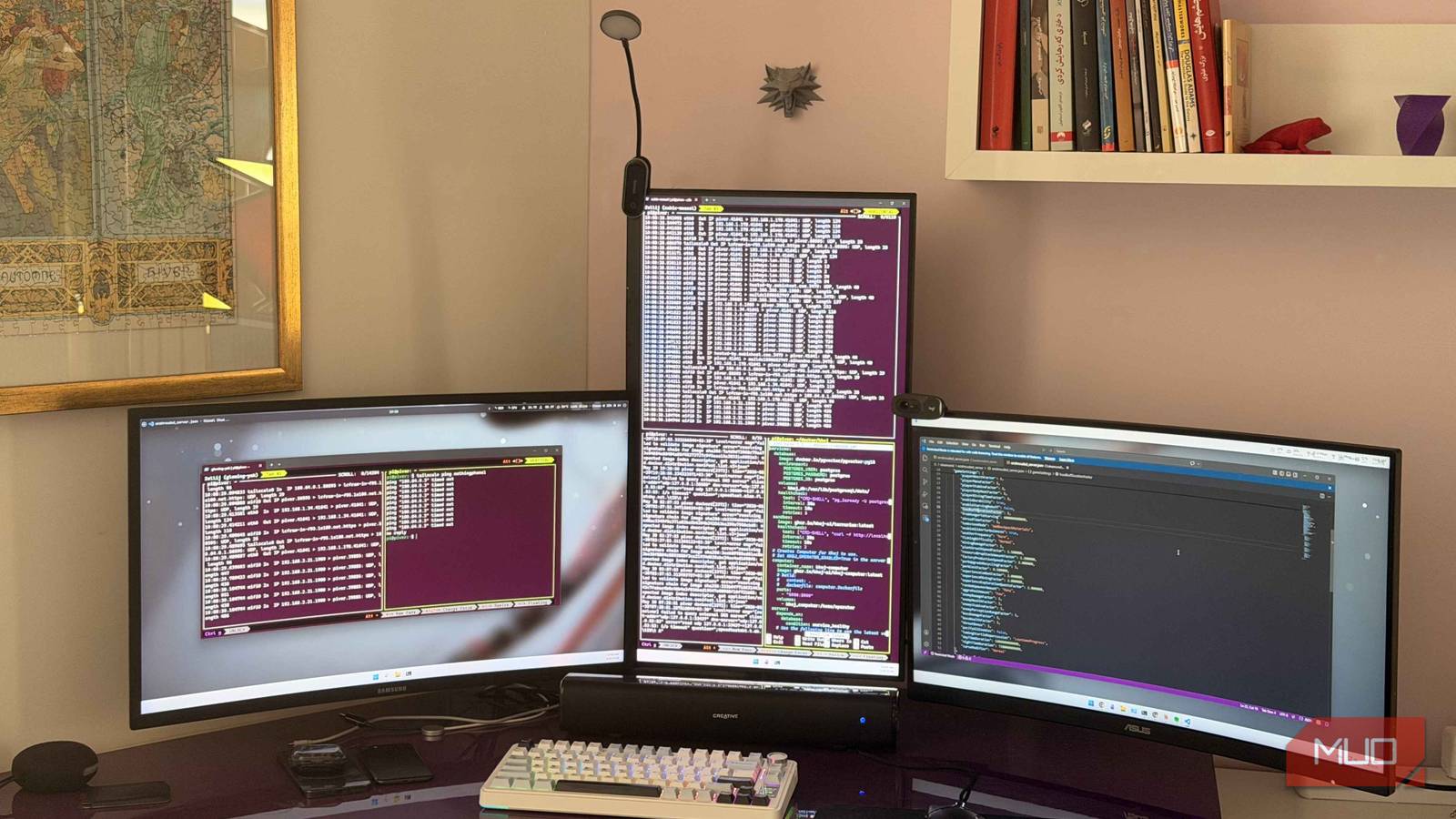
This has been especially useful for me because I have a vertical monitor awkwardly shoved between two horizontal monitors thanks to my monitor arm setup. Finding useful things to do with vertical monitors is surprisingly difficult. But Zellij makes it fantastic for terminal work.
I can maximize Zellij on the vertical display, stack multiple terminal panes vertically, dedicate one pane to SSH, another to monitoring output, another to logs, and it just works absurdly well.
A bit on multiplexers
and my new terminal friend

I’m trying to do two things at once here: convince you that you need a multiplexer, and that the multiplexer should be Zellij. Let me try the first part, with a little scenario. Imagine you’ve SSH’d into a server and you’re running a long-running command, like a tcpdump. At the same time, you will likely need to run another command without stopping the first one. What to do? Normally, you’d have to open a new terminal window, SSH into the server again, navigate back to the same directory if necessary, and then run the second command line.
Then you would have to manage all those windows on your desktop and remember which terminal is doing what. A multiplexer fixes all of this. And this particular multiplexer, fixes what’s wrong with most other multiplexers.
You see, you think about multiplexers when you are already trying to do something else in the terminal and suddenly realize you need one. So if the multiplexer itself becomes complicated, difficult to configure, or something you have to actively spend time learning, it starts defeating the point. That was exactly my (and most people’s) experience with tmux.
I tried it years ago. I managed to set some things up, probably successfully too, but eventually I just stopped using it because I wanted to do actual terminal work. Forcing myself to also learn tmux at the same time felt like friction instead of convenience. Zellij doesn’t feel like that.
Zellij has a big advantage
You don’t need to become a terminal wizard

|
|
You can share your session on a local web server with three clicks. |
Zellij offers a heap of features and function. But, after using it for about three weeks, the shortcut I still use the most is just Alt + N to create a new pane.
There is such a low barrier to entry that you start benefiting from it immediately, even if you barely know what you’re doing. Here I am, finally using a terminal multiplexer after ignoring them for years.
Zellij also supports persistent sessions, and this is another feature I’ve relied on. You can close your terminal app entirely, whether that’s Windows Terminal, PowerShell, or anything else, and later reconnect to the exact same session where you left it off.
For example, Obsidian has a headless sync package for Linux systems. It is useful, but not permanent enough for me to create a proper systemd service and fully automate it. At the same time, it is still something I sometimes want running continuously in the background. Persistent sessions are perfect for this sort of thing. I can just throw the process into another pane and forget about it.
Another thing worth highlighting are the layouts. Once you start using Zellij regularly, the layout system becomes hard to ignore. Layouts are plain configuration files (Zellij uses KDL, which is just a friendly key-value format) that describe exactly what you want your terminal to look like when it opens. You define the panes, their sizes, their starting directories, the commands they should run, even which one should have focus. Then you launch Zellij with that layout and your entire workspace appears instantly, fully built out.
For example, I can have a layout for my homelab work. It opens with one pane already SSH’d into my Ubuntu server, another tailing OpenWRT logs, another sitting in my Docker compose directory, and a smaller pane running btop. Speaking of which, I should really start using a btop alternative.
You should probably just try it
If you have been on the fence about terminal multiplexers, or if you tried tmux at some point and bounced off it like I did, Zellij is worth a real look. It doesn’t punish you for ignoring its shortcuts and it does not demand a config file before it becomes usable.
It just sits there and makes your terminal nicer the moment you start using it, and gets more useful the more you put into it. That is a much rarer combination than it should be.

- OS
-
Linux, macOS, Windows
- Price model
-
Free
