

Close Menu

    Subscribe to Updates

    Get the latest Tech news from SynapseFlow

    What's Hot

    The new Honor Watch 6 packs a massive 980mAh battery in a slender 10.8mm body

    June 18, 2026

    You can watch more live sports for free than you think (legally)

    June 18, 2026

    Gemini overlay bubble gets a fresh gradient design as testing expands

    June 18, 2026
    Facebook X (Twitter) Instagram
    • Homepage
    • About Us
    • Contact Us
    • Privacy Policy
    Facebook X (Twitter) Instagram YouTube
    synapseflow.co.uksynapseflow.co.uk
    • AI News & Updates
    • Cybersecurity
    • Future Tech
    • Reviews
    • Software & Apps
    • Tech Gadgets
    synapseflow.co.uksynapseflow.co.uk
    Home»Tech Gadgets»Gemini overlay bubble gets a fresh gradient design as testing expands
    Gemini overlay bubble gets a fresh gradient design as testing expands
    Tech Gadgets

    Gemini overlay bubble gets a fresh gradient design as testing expands

    The Tech GuyBy The Tech GuyJune 18, 2026No Comments2 Mins Read0 Views
    Share
    Facebook Twitter LinkedIn Pinterest Email
    Advertisement


    Gemini Overlay Mininize button

    AssembleDebug / Android Authority

    Advertisement

    TL;DR

    • Google appears to be expanding testing of a Gemini overlay bubble that lets conversations persist after you dismiss the overlay.
    • Instead of disappearing when you tap outside of it, the Gemini overlay can now shrink into a floating bubble that restores your chat with a tap.
    • The latest version adds a Gemini-themed bubble design and updated animations, but it isn’t available on stable Android builds yet.

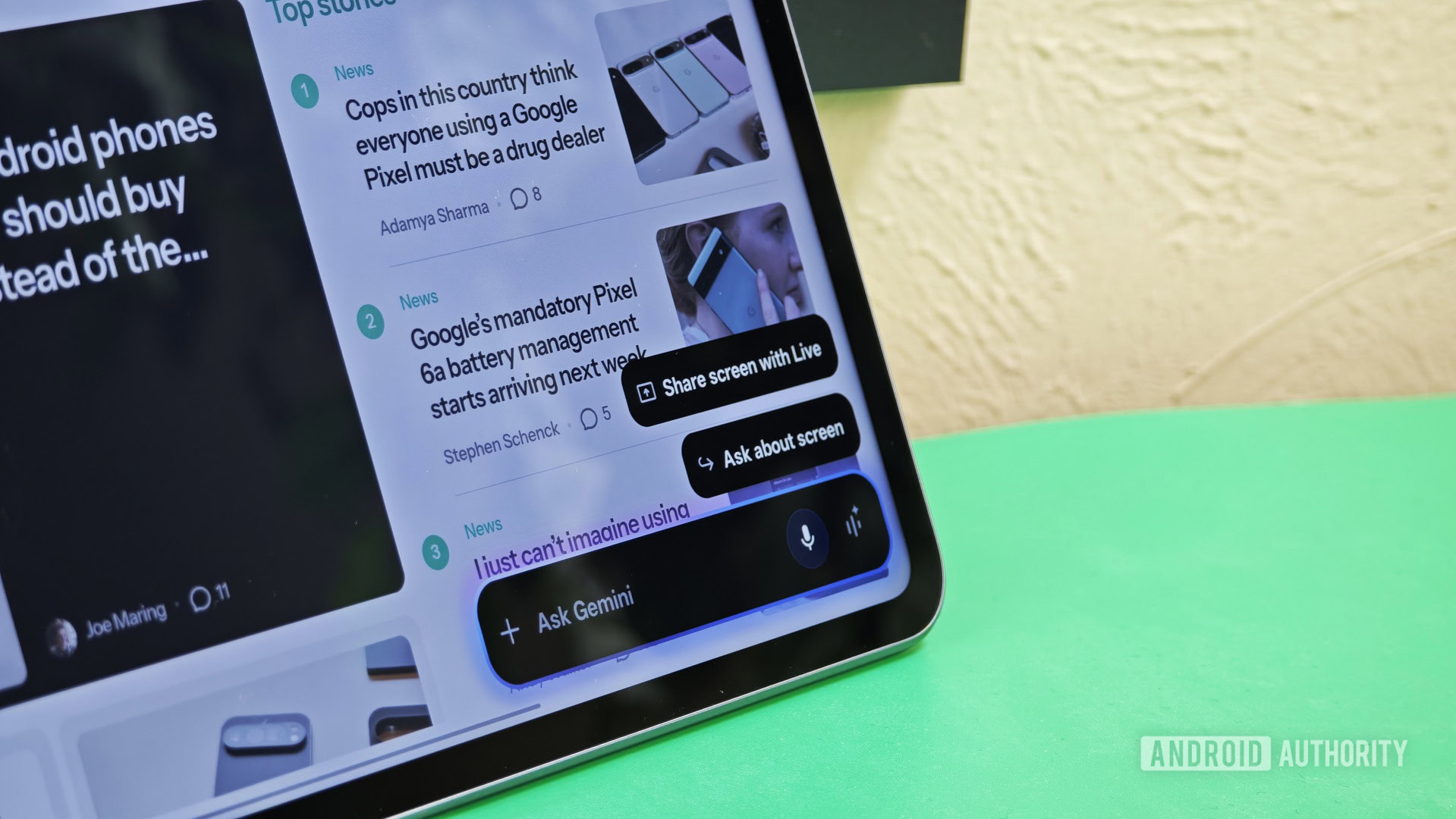
    App bubbles in Android 17 are perhaps one of the most useful multitasking updates Google has rolled out in years. These bubbles let you keep multiple apps floating on your screen no matter what you’re doing, making it easier to hop in and out of apps without disrupting your flow. Now, more users seem to be getting access to Google’s bubble treatment for Gemini’s overlay.

    Currently, if you open the Gemini overlay and then tap anywhere outside of it, the conversation is effectively dismissed. The next time you bring up the overlay, you’re greeted with a fresh chat instead of being able to pick up where you left off. With this new behavior, tapping out of the Gemini overlay shrinks it into a floating bubble marked with a spark icon. Tapping that bubble restores your ongoing conversation, making it easy to jump back in without reopening Gemini or hunting through your chat history.

    The latest implementation of the feature we recorded today (see video above) shows that Google is also giving this Gemini bubble a gradient treatment that matches the Gemini overlay. The “Minimize Gemini” button is still there, while tapping out of the overlay also turns it into a bubble. The animations in the overlay also seem to have been tweaked, making it appear darker.

    Folks running the stable Android 17 build won’t see this implementation yet. Technically, you can already create a standard app bubble for the Gemini app itself, but that isn’t quite the same thing. The Gemini overlay remains a temporary interface that disappears when dismissed. This new implementation essentially gives the overlay its own persistent bubble, allowing conversations to survive beyond a single interaction.

    It’s a small change, but a meaningful one. Instead of losing access to your current conversation whenever you leave the overlay, you can keep it within easy reach while using other apps.

    Thank you for being part of our community. Read our Comment Policy before posting.

    Advertisement
    Share. Facebook Twitter Pinterest LinkedIn Tumblr Email
    The Tech Guy
    • Website

    Related Posts

    8k TVs aren’t worth the investment

    June 18, 2026

    ‘AI traffic is fundamentally changing how the Internet operates’: New report claims bot traffic is growing 6.5 times faster than human users — is this the end of the useful internet as we know it?

    June 17, 2026

    Tata factory making iPhone backplates in India won’t be shut down due to pollution

    June 17, 2026

    Samsung phones will soon let you check your pet’s health with a photo

    June 17, 2026

    How I fix the 3 most common problems with an Apple TV 4K

    June 17, 2026

    How to watch Iraq vs Norway: World Cup 2026 Free Streams & TV Channels

    June 16, 2026
    Leave A Reply Cancel Reply

    Advertisement
    Top Posts

    You don’t need a NAS to self-host — I proved it with hardware from my closet

    June 7, 202672 Views

    Spotify is giving one of its best playlists a big visual upgrade to give subscribers ‘a closer connection’ to its New Music Friday curators — and I think it could be the update it’s always needed

    June 12, 202618 Views

    The iPad Air brand makes no sense – it needs a rethink

    October 12, 202516 Views
    Stay In Touch
    • Facebook
    • YouTube
    • TikTok
    • WhatsApp
    • Twitter
    • Instagram
    Advertisement
    About Us
    About Us

    SynapseFlow brings you the latest updates in Technology, AI, and Gadgets from innovations and reviews to future trends. Stay smart, stay updated with the tech world every day!

    Our Picks

    The new Honor Watch 6 packs a massive 980mAh battery in a slender 10.8mm body

    June 18, 2026

    You can watch more live sports for free than you think (legally)

    June 18, 2026

    Gemini overlay bubble gets a fresh gradient design as testing expands

    June 18, 2026
    categories
    • AI News & Updates
    • Cybersecurity
    • Future Tech
    • Reviews
    • Software & Apps
    • Tech Gadgets
    Facebook X (Twitter) Instagram Pinterest YouTube Dribbble
    • Homepage
    • About Us
    • Contact Us
    • Privacy Policy
    © 2026 SynapseFlow All Rights Reserved.

    Type above and press Enter to search. Press Esc to cancel.

    Ad Blocker Enabled!
    Ad Blocker Enabled!
    Our website is made possible by displaying online advertisements to our visitors. Please support us by disabling your Ad Blocker.