

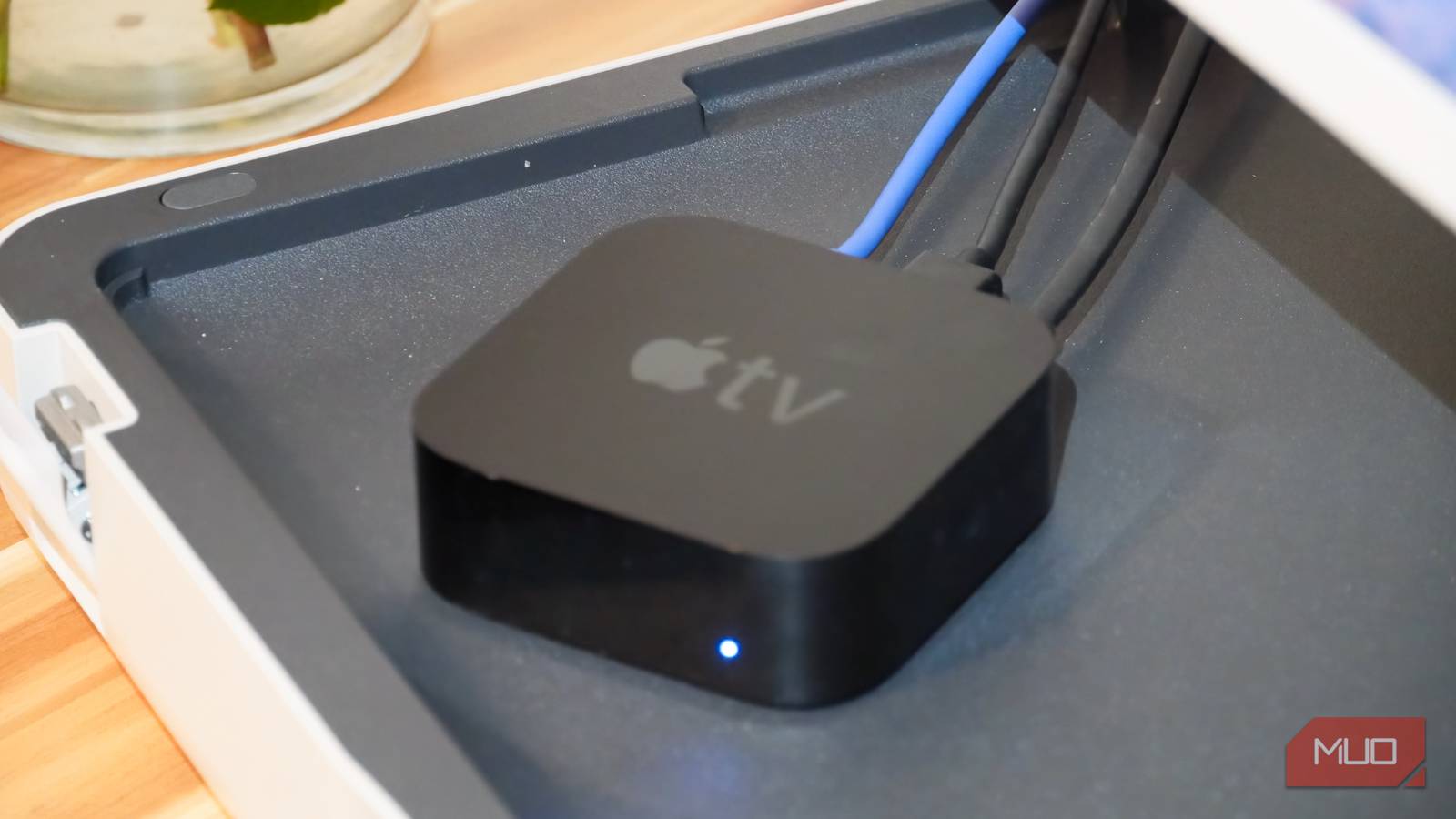

Smart TVs are the standard in 2026, but they’re completely unnecessary in my home. I use streaming boxes, dongles, and other accessories to watch my favorite shoes and movies without depending on my TV’s operating system. Using the smart features built into your TV might save you a few bucks early on, but they come at a cost. Connect your smart TV to a network, and it’ll start collecting data and feeding you ads.
I’ve never connected my TV to a Wi-Fi or Ethernet connection, and three accessories are the reason why: an Apple TV 4K, a Chromecast with Google TV HD, and a JBL MA710 receiver. You only need one to transform your setup and ditch your TV’s smart features once and for all. I use them daily, and I never feel like I’m missing out.
7 devices in your home that really shouldn’t be on Wi-Fi
If you care about a reliable home network, move these devices off of wireless immediately and start using Ethernet instead.
Why I won’t hook up my TV to Wi-Fi or Ethernet
Your smart TV is tracking everything, and its Ethernet jack is slow

When I built a Dolby Atmos setup in my living room, I didn’t consider connecting my smart TV directly to my home network. There are some smart TVs with decent operating systems, like Fire TV or Google TV. You might even find smart TVs with AirPlay and Google Cast support built-in. However, software is only part of the problem. The networking gear inside your TV is probably underwhelming.
Ethernet jacks are common on smart TVs, but they’re often limited to 100Mbps speeds. Wi-Fi is faster, at least on paper. That said, your TV probably lacks smart home networking support for Matter and Thread. These limitations are easily addressed by streaming boxes like the Apple TV 4K or Google TV Streamer, as both include a Gigabit Ethernet jack and Thread Border Router support. I want the biggest screen in my home to be the centerpiece of my smart home, and a TV alone won’t cut it.

- What’s Included
-
Google TV Streamer device, Voice Remote (with 2 included AAA batteries), Power adapter, Power cable (1.8m), Quick start guide, Safety & warranty document
- Audio outputs
-
Dolby Digital, Dolby Digital Plus, Dolby Atmos
- Integrations
-
Dolby Vision, HDR 10, HDR 10+, Hybrid Log-Gamma (HLG)
- Ethernet
-
Gigabit
The Google TV Streamer is a 4K streaming box with a fast processor, 32GB of storage, and Gigabit Ethernet. It runs Android TV OS, and you get access to a large app library. This device is an affordable way to add the latest Google Cast technology to virtually any TV.
Let’s say you’re willing to accept the networking restrictions of common smart TV models. There’s another issue — privacy. When you connect a smart TV to a network, it starts phoning home. A “feature” called Automated Content Recognition (ACR) captures frames of your screen to see what you’re watching. The data is used to inform the ads your smart TV shows. You can disable ACR on your smart TV, but there’s a much better solution.
By never connecting my smart TV to Wi-Fi or Ethernet, I avoid unwanted ads and tracking completely. I use my TV in “dumb” mode, connecting streaming accessories I trust that won’t track my every move.
A streaming box and receiver are all I need
I get more flexibility, extra privacy, and the same streaming apps
Replacing your TV’s smart features with a streaming stick or dongle doesn’t have to be expensive. I use accessories at all price points in my streaming setup. The cheapest one is the Chromecast with Google TV HD, and I paid around $30 for it. Now, this isn’t the most powerful or most private streaming accessory, but it’s affordable. The Chromecast with Google TV HD supports 1080p resolution, runs on Android TV, serves as a Google Cast receiver, and works as a Google Home controller.
I use it whenever it’s a better fit for streaming and smart home control than my main streaming powerhouse. That would be the Apple TV 4K. This device certainly isn’t completely ad-free, but it is more private than using Google TV or a smart TV. Best of all, it has all the features I need, starting with Gigabit Ethernet and Thread Border Router support. It bridges my smart home together, connecting things like HomePod speakers or HomeKit Secure Video cameras.
The Apple TV 4K is incredibly capable, supporting 4K resolution and Dolby Atmos sound. I don’t use Apple products exclusively, though, so I needed a way to integrate my Android and Google Nest devices with my TV. If you’re building a streaming setup today and use Android, I’d recommend buying the Google TV Streamer. It supports the same Gigabit Ethernet, 4K resolution, and Dolby Atmos as the Apple TV 4K. Plus, it adds Gemini support, which may be helpful as a digital assistant for smart home control.

Since I already owned the Chromecast with Google TV HD and didn’t need another streaming box, I took a different route. The third, and priciest, component in my streaming setup is the JBL MA710 receiver. It’s an 8K, Dolby Atmos receiver with enough HDMI ports to handle all my streaming devices and consoles with some left over. Better yet, it has native Google Home and Google Cast support.
I can plug an Ethernet cable into the JBL MA710 and beam audio from my Android or Nest devices to the receiver via Google Cast. Or, I can use either the Chromecast with Google TV HD or Apple TV 4K hhrough the Dolby Atmos sound system. Every possibility is covered by this setup, and my TV never touches my home network — no ads, no tracking.
I use the Chromecast with Google TV HD ($30), Apple TV 4K ($150), and JBL MA710 ($880) for all my streaming needs, but I only need one. No matter how much you’re willing to spend, there’s an accessory to improve your streaming that takes your TV off your home network.
I dumb down my smart TV without losing features
In fact, the accessories I’ve added are more powerful than my TV

Most people think they need to connect their smart TV to Wi-Fi or Ethernet, but that’s a misconception. Many of us use streaming sticks, set-top boxes, or consoles to handle most of our movie-watching or series-binging anyway. If you turn on your TV and immediately switch to an Apple TV or Google TV accessory, your TV doesn’t need a network connection.
Leave your smart TV connected to the internet, and it could be tracking you or feeding you ads. Worst of all, it’s an extra device on your home network slowing things down. I try to use the right tool for the job in all my setups, and my smart TV is great for displaying content — not streaming it.

- Type
-
7.2 Dolby Atmos, DTS:X
- Bluetooth
-
Bluetooth 5.3, Low Energy
- Wi-Fi
-
Wi-Fi 5
- Amplifier
-
110W x 2ch @ 8ohms, 90W x 7ch @ 8ohms
- Connectivity
-
3 x HDMI 2.1, 3 x HDMI 2.0, 1x LAN
JBL’s MA710 is an AV receiver designed for home theater use with support for Dolby Atmos, DTS:X, and a maximum 8K video resolution. It includes six HDMI inputs and one HDMI output, plus five audio-only inputs. Whether you’re looking to build a Dolby Atmos audiophile listening station or a 7.2 surround sound home theater setup, this receiver can handle it all.
