



Six gigabytes. That’s how much storage a single system app you’ve probably never heard about is taking up on your Android phone right now. It’s called AICore, and it’s from Google itself. Now, I don’t blame you for not knowing about it because it’s not something your phone asks before downloading or even shows in the app drawer.
AICore is what powers some of the AI features you either use every day or don’t care about at all. I certainly fall into the latter camp, so I ended up disabling AICore and freeing up 6GB of storage. And the best part is, I haven’t noticed any downsides.
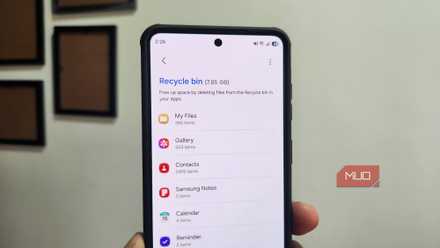
AICore is a storage hog most Android users don’t know about
It powers features you’ve probably never used

AICore is a system app that’s available on many phones running Android 14 or later. It acts as an on-device AI model that lets your phone access and run specific AI features locally. It powers things like proofreading and grammar checking in Gboard, automatic speech recognition, smart replies in apps like WhatsApp, and summarization in the Recorder app.
AICore even supports certain Pixel-exclusive features, like Magic Compose, Call Notes, Pixel Screenshots, and image recognition in Pixel Studio. Google’s pitch for AICore is simple: it lets your phone process everything locally, so your data remains private. And because your phone doesn’t need to send anything to the cloud, AI features run faster and work even without the internet.
All of that sounds great, and it’s hard to argue with the logic. But there’s just one problem. AICore takes up nearly 6GB of storage space on your phone — and that’s the floor, not the ceiling. When a Gemini Nano update rolls out, AICore keeps both the old and new versions of the on-device model for up to three days while Google verifies the newer version is stable. So yes, don’t be surprised if AICore is taking more than 6GB on your phone.
To be fair, though, once Google has verified that the newer model is stable, it automatically removes the older one to free up storage space. Still, 6GB is a lot of space for anyone using a 128GB or 256GB phone. It can hurt even more if you don’t rely on these AI features at all.
Disabling AICore is the easiest way to free up 6GB of storage at once
A few taps and it’s gone
You can’t uninstall AICore because it’s a system app. Android doesn’t let you remove it without root access. But the good news is that you can disable it and uninstall its updates. Doing so stops the app from working and also removes the downloaded AI model that’s eating up space on your phone.
To get rid of AICore, head to Settings > Apps, tap the three-dot icon in the top right corner and choose Filter and sort. Turn on the Show system apps toggle and hit OK. Now, scroll down and tap AICore on the list. Tap Force stop > OK, then Disable > Disable app. Finally, tap the three-dot icon at the top and choose Uninstall updates.
That’s all you need to do to reclaim that 6GB of storage on your Android phone. And if you ever change your mind, you can simply re-enable the AICore app from the settings menu. Your phone will re-download the Gemini Nano model in the background.
I haven’t missed AICore at all
Zero regrets

The most obvious benefit of ditching AICore is the storage. Beyond that, though, it won’t make your phone run any faster — at least not on its own. But if your phone is running low on storage and experiencing slowdowns because of it, disabling AICore could make a difference. A few users on Reddit have also reported better screen-on time after disabling AICore, so yes, extra storage isn’t the only benefit here.
The most important thing, though, is that all the features that rely on AICore will stop working once you disable the app. Personally, I didn’t mind this because I wasn’t using those features anyway. If anything, I’m glad my phone no longer bothers me with those AI suggestions everywhere.
Of course, my favorite AI apps aren’t affected by any of this. For instance, I can still use Gemini to interact with my favorite apps and ChatGPT for things like generating images and answering questions.
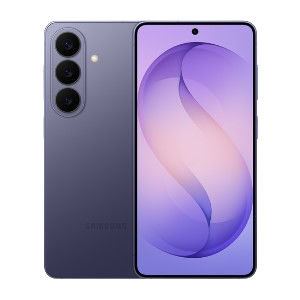
- SoC
-
Snapdragon 8 Elite Gen 5
- Display
-
6.3-inch Dynamic AMOLED 2x
- RAM
-
12 GB
- Storage
-
256 or 512 GB
Google has been pushing AI features into Android harder than ever, and AICore is a big part of how that works behind the scenes. But then again, not everyone needs it. I’m sure there are plenty more people like me who would rather have that 6GB of extra storage than have AICore hold it permanently.
