



Roydon Cerejo / Android Authority
Android continues to be the dominant smartphone OS in global smartphone sales, and over the years, Google has doubled down on health and safety features across all Android devices. From apps like Personal Safety to features such as unknown tracker alerts, there’s a wealth of safety features quietly working in the background. The problem is that not all of these features are enabled by default, as some require additional setup in order to work.
If you’ve recently switched to a new Android phone or have been using one for years, it’s possible that you’ve overlooked some of these critical and highly useful features. It’s a good idea to take a moment to set these up right away for your own well-being.
Here are five safety settings you really need to set up on your Android smartphone today.
What safety feature do you value most in Android phones?
7 votes
Safety Check

Roydon Cerejo / Android Authority
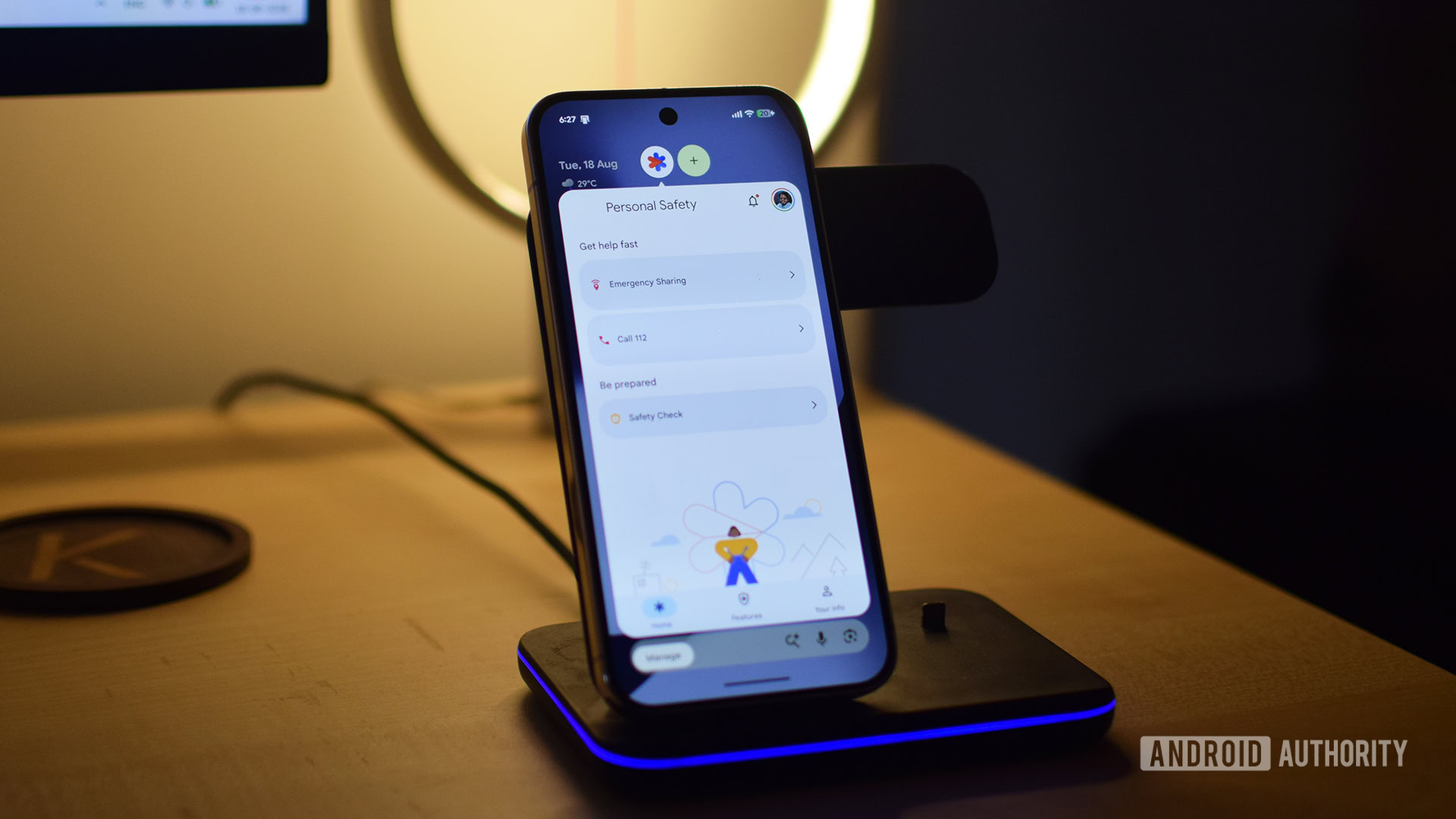
Safety Check is a useful feature that helps keep your loved ones alerted to your personal safety and can also take action on your behalf in an emergency. It works by forcing you to check in on the app after a set time has elapsed. If you fail to check in, your emergency contacts will be notified of your last known location.
Some scenarios where this can be genuinely useful include when you or a family member has to commute alone late at night or is traveling to an unfamiliar area. Safety Check can help mitigate some of the stress and anxiety of waiting if everyone knows the activity time in advance.
To set this up, download the Personal Safety app from the Play Store if you don’t already have it. Once it’s installed, open the app, go to the Features tab at the bottom, and tap the Set up button in the Safety Check bubble. Once you’ve finished the setup, you can start a Safety Check by choosing the activity you’re doing, how long it will take, and who you wish to keep notified. You can always add more time to Safety Check once it’s started if your activity needs more time.
Safety Check can help mitigate some of the stress and anxiety of waiting, if everyone knows the activity time in advance.
When there’s a minute remaining on the timer, the app will prompt you to confirm that you’re okay. The emergency sharing options can also be customized to send alerts to your emergency contacts when your battery is below 15%. I just wish there were a widget for the Safety app on the home screen to quickly jump to this feature.
Emergency SOS

Roydon Cerejo / Android Authority
If you’re in a bind and need to send out an emergency alert discreetly, Emergency SOS can be a lifesaver. It’s a feature that’s been around on Android phones for over a decade, in various forms, but it’s now part of Google’s Personal Safety app on Android 13 and later. To enable it, open the Safety app and tap Set up under the Emergency SOS bubble. Simply follow the guide and customize the things you wish to share accordingly.
In addition to alerting your emergency contacts and local services when you rapidly press the power button five times or more, you can also set it to automatically start recording a video clip. This clip gets backed up to the cloud and shared with your emergency contacts.
Heads Up

Roydon Cerejo / Android Authority
Heads Up is a feature I’d long forgotten existed on Android, but after enabling it, I can’t imagine using any phone without it. If, like me, you have a bad habit of scrolling through your social feed or getting engrossed in random things on your phone while walking outside, Heads Up will remind you to stop and pay attention to your surroundings. It’s by no means a solution to actively paying attention when walking outside — something that you must do at all times — but it’s a great reminder to get into that habit.
To use Heads Up, head to the Settings app, Digital Wellbeing, and scroll down until you find Heads Up. During setup, Physical activity and Notifications will be enabled by default, but you should also enable Location for outdoor activity detection. If you need stronger alerts, you can enable sound and vibration feedback for Heads Up. Simply long-press the Digital Wellbeing app > App info > Notifications > Heads Up. From here, you can enable additional alerts and even override Do Not Disturb mode.
Heads Up has great potential, but its implementation is quite inconsistent.
My only gripe with Heads Up is that it’s wildly inconsistent. There are times when it works, but most of the time it simply does not notify me. I’ve had a similar experience on multiple phones, including the Pixel 10 Pro XL and the CMF Phone 2 Pro. I believe this feature has great potential, and Google needs to fix it. Still, even in this buggy state, I think it’s worth using.
Car Crash Detection

Rita El Khoury / Android Authority
Car Crash Detection is a Pixel-exclusive feature, now available on the Pixel 4a and above. This doesn’t require any setup other than enabling a toggle switch. You’ll find this feature in the Safety app too. Thankfully, I’ve never had to use it, nor do I hope to ever need it, but it’s nice to have this extra layer of safety in the worst-case scenario.
The app lets you try a demo of what to expect in the event the feature activates. Similar to Safety Check, you basically confirm that you’re okay when the alarm goes off, but here, you can do so with a voice command as well.
Screen time reminders

While physical safety is important, Android also offers effective tools to ensure your mental safety and well-being. From the suite of options available in the Digital Wellbeing app, I’ve found screen time reminders to be the best non-invasive way to remind me to put the phone down and take a break.
To enable it, simply open the Digital Wellbeing app and select the last option under the Ways to disconnect menu. On the following page, enable the Use reminders toggle. By default, this applies to all current and future apps on your phone, but you can uncheck the ones that you want to exclude.
I’ve found screen time reminders to be the best, non-invasive method of reminding me to put the phone down and take a break.
Now, you’ll receive disappearing pop-up bubbles near the top of the app if you’re using it for roughly 15 to 20 minutes at a stretch. I like it because these gentle reminders work well for me, as I tend to either close the app out of guilt or suddenly remember what I’d picked up the phone for in the first place. There are stricter methods you can try if you wish to create more friction for your unintended app use.
Have a safety feature you simply can’t live without on your Android phone? Let me know what it is in the comments.
Thank you for being part of our community. Read our Comment Policy before posting.
