


Close Menu

    Subscribe to Updates

    Get the latest Tech news from SynapseFlow

    What's Hot

    MacBook Pro with PROLED XDR Display vs MacBook Pro M6: Is the new screen worth it?

    October 29, 2026

    Samsung Odyssey G7 drops to $499.99, saving you $400

    October 29, 2026

    Adobe, Veeam, Juniper Networks Patch Critical Vulnerabilities

    October 29, 2026
    Facebook X (Twitter) Instagram
    • Homepage
    • About Us
    • Contact Us
    • Privacy Policy
    Facebook X (Twitter) Instagram YouTube
    synapseflow.co.uksynapseflow.co.uk
    • AI News & Updates
    • Cybersecurity
    • Future Tech
    • Reviews
    • Software & Apps
    • Tech Gadgets
    synapseflow.co.uksynapseflow.co.uk
    Home»Reviews»Windows 11 is finally rolling out the option to kick Bing out of Search
    Windows 11 is finally rolling out the option to kick Bing out of Search
    Reviews

    Windows 11 is finally rolling out the option to kick Bing out of Search

    The Tech GuyBy The Tech GuyAugust 31, 2026No Comments2 Mins Read0 Views
    Share
    Facebook Twitter LinkedIn Pinterest Email
    Advertisement


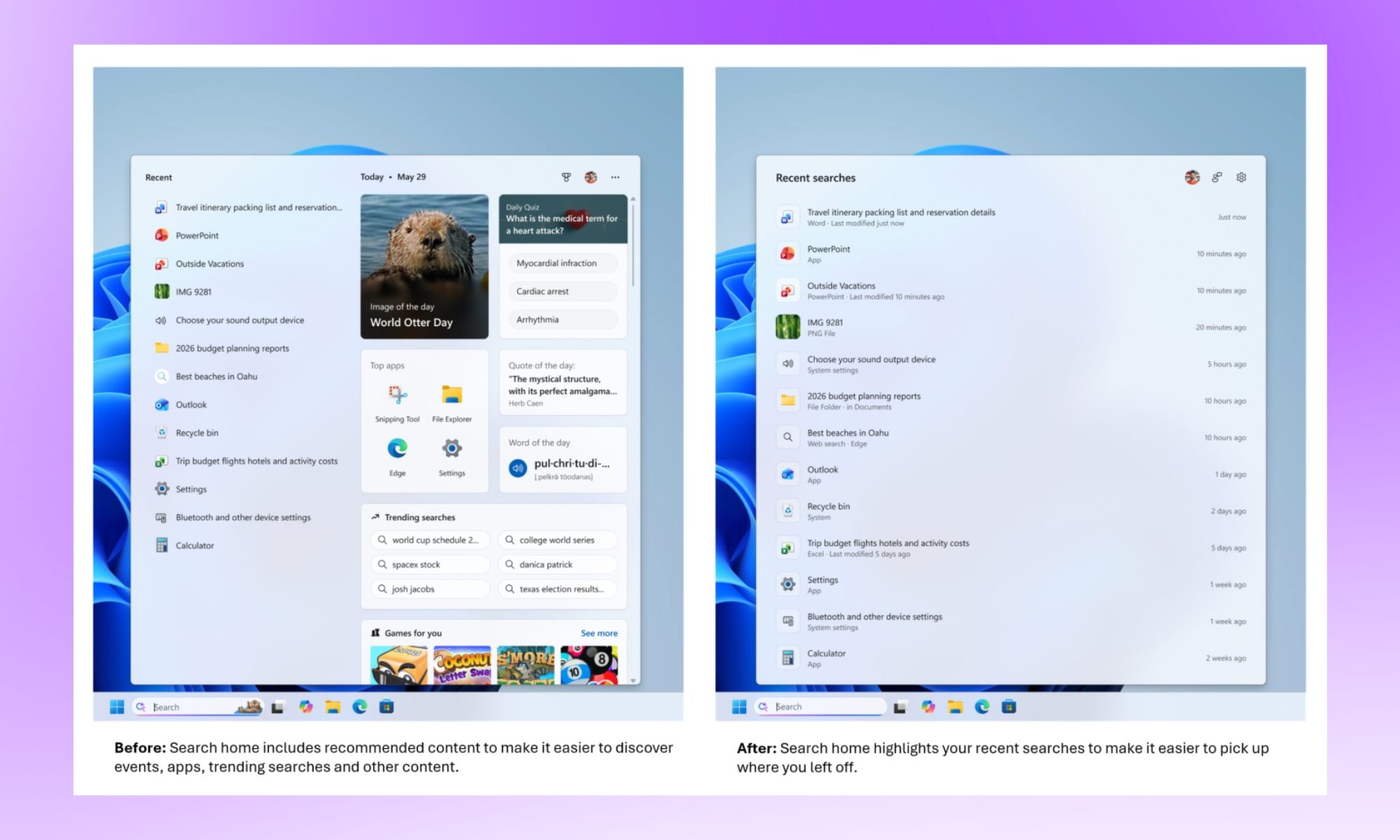
    Microsoft has spent the past few months testing a much cleaner version of Windows Search, and it is finally starting to reach regular Windows 11 PCs.

    Advertisement

    According to Windows Latest, the redesigned Search experience is included in the August 2026 optional update, KB5120998, for Windows 11 24H2 and 25H2. Microsoft confirms that the update moves PCs to builds 26100.9278 and 26200.9278, respectively, although some of its new features are being enabled gradually.

    We first covered these Search changes in July, when they were limited to Windows Insiders in the Experimental channel.
    Page, Text, File
    Windows

    You can finally keep Bing out of Windows Search

    The biggest improvement is a pair of controls under Settings > Privacy & security > Search. One toggle controls web results, while another handles Microsoft Store suggestions.

    Turning off web results removes Bing suggestions from Search, while disabling both leaves Windows focused almost entirely on results from the PC. Windows Latest also found that Search feels faster this way because it no longer waits for an online Bing request before returning results.

    The Search home screen is cleaner as well. Microsoft has removed much of the old Bing-powered clutter, including trending searches and promotional content, while results now clearly identify whether they come from an app, file, setting, the web, or Microsoft Store. Typo handling and local result prioritization have also been improved.
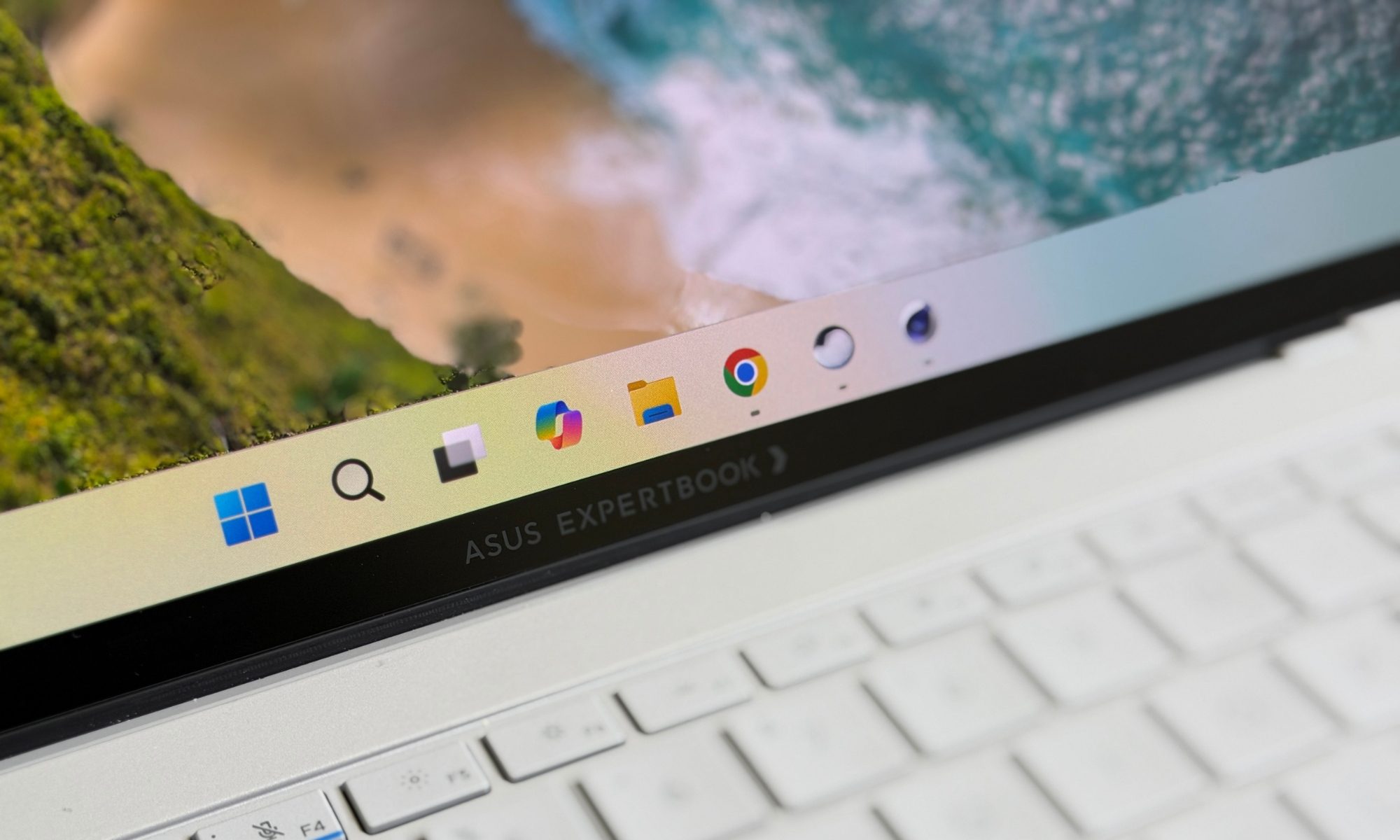
    Asus ExpertBook Ultra laptop
    Nadeem Sarwar / Digital Trends

    The rollout is still gradual

    Installing KB5120998 does not necessarily mean the new Search will appear immediately. Microsoft is using its Controlled Feature Rollout system, meaning the necessary components can already be installed while the feature itself remains disabled on some PCs.

    Windows Latest says users who do not want to wait can force-enable it through ViVeTool, although everyone else can simply wait for Microsoft to activate the feature automatically.

    Windows Search should never have needed a web request to help someone find Calculator, Settings, or a file sitting on their own PC. Microsoft has taken its time getting here, but the option to remove Bing finally makes Search behave much closer to what a desktop search tool should be.

    Advertisement
    Share. Facebook Twitter Pinterest LinkedIn Tumblr Email
    The Tech Guy
    • Website

    Related Posts

    MacBook Pro with PROLED XDR Display vs MacBook Pro M6: Is the new screen worth it?

    October 29, 2026

    Google Chrome can now find what you need in Gmail before you even ask

    October 29, 2026

    Huawei’s Starlight brand to debut with a wide-screen phone, leak claims

    October 29, 2026

    Sony Bravia Theater Trio review: enormous immersive sound for any screen size or room shape

    October 29, 2026

    Skip the pricey XM6 –Sony’s WH-1000XM5 are much better value

    October 28, 2026

    ShiftCam ProRig+ wants to turn the iPhone into a filmmaking beast

    October 28, 2026
    Leave A Reply Cancel Reply

    Advertisement
    Top Posts

    You don’t need a NAS to self-host — I proved it with hardware from my closet

    June 7, 2026394 Views

    Spotify is giving one of its best playlists a big visual upgrade to give subscribers ‘a closer connection’ to its New Music Friday curators — and I think it could be the update it’s always needed

    June 12, 2026211 Views

    The iPad Air brand makes no sense – it needs a rethink

    October 12, 202517 Views
    Stay In Touch
    • Facebook
    • YouTube
    • TikTok
    • WhatsApp
    • Twitter
    • Instagram
    Advertisement
    About Us
    About Us

    SynapseFlow brings you the latest updates in Technology, AI, and Gadgets from innovations and reviews to future trends. Stay smart, stay updated with the tech world every day!

    Our Picks

    MacBook Pro with PROLED XDR Display vs MacBook Pro M6: Is the new screen worth it?

    October 29, 2026

    Samsung Odyssey G7 drops to $499.99, saving you $400

    October 29, 2026

    Adobe, Veeam, Juniper Networks Patch Critical Vulnerabilities

    October 29, 2026
    categories
    • AI News & Updates
    • Cybersecurity
    • Future Tech
    • Reviews
    • Software & Apps
    • Tech Gadgets
    Facebook X (Twitter) Instagram Pinterest YouTube Dribbble
    • Homepage
    • About Us
    • Contact Us
    • Privacy Policy
    © 2026 SynapseFlow All Rights Reserved.

    Type above and press Enter to search. Press Esc to cancel.

    Ad Blocker Enabled!
    Ad Blocker Enabled!
    Our website is made possible by displaying online advertisements to our visitors. Please support us by disabling your Ad Blocker.