

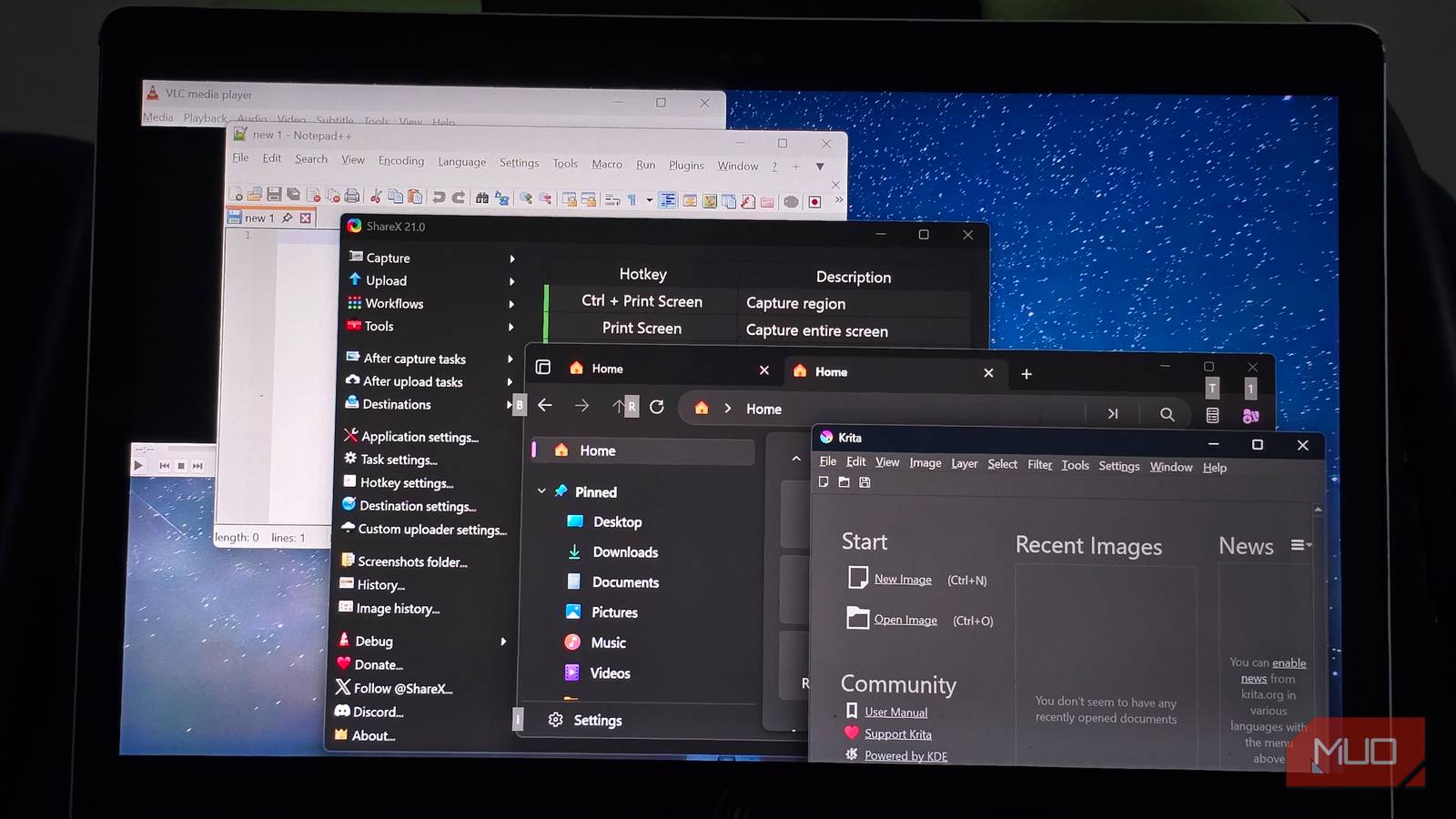

Windows 11 has reached a weird point where several of its built-in apps are actually pretty good. Notepad remembers what I was doing, Snipping Tool can pull text from screenshots, Paint has layers and background removal, and File Explorer finally has tabs. Microsoft has spent years fixing many of the reasons I used to replace this stuff on day one.
So naturally, I replaced five of them anyway.
For a month, each open-source alternative had to be the app I reached for first. I changed file associations and shortcuts wherever Windows let me, then tried to use my PC normally and forget I was running an experiment at all. That ended up being the best test because the apps that survived weren’t necessarily the ones stuffed with the most features. After a while, I just started using them without thinking about the fact that they were replacements.
VLC
Media Player never gave me a reason to leave, VLC did anyway
Media Player is perfectly competent with local music and video, which made VLC feel like the most predictable swap on this list. I already knew it could swallow an absurd range of file formats, handle discs and network streams, and wander far outside the usual job description of a media player. We’ve covered several of those less obvious things VLC can do beyond playing videos.
The month gave me a better reason to keep it, though, and I’ve stopped wondering which app I should open first.
Videos with subtitles went straight to VLC, as did any weird file I suspected Media Player might have opinions about. Network streams stayed there too, and VLC gave me enough playback controls to fiddle with whenever a video wasn’t behaving the way I wanted. I’ve even used it for tasks like removing audio from a video file, which is a ridiculous amount of utility from the app that opens when I double-click an MP4.
By the end of the month, sending media to VLC had become muscle memory. Media Player never gave me some spectacular reason to ditch it, and frankly, it didn’t need to. I had simply stopped thinking about which player to use.
So VLC stayed.
ShareX
It turned PrtSc into a workflow
Snipping Tool put up a stronger fight than I expected. Microsoft’s screenshot app can record the screen, pull text with OCR, redact sensitive information, annotate captures, and cover most of the quick screenshot jobs people actually throw at it.
My screenshots rarely end when I hit PrtSc, though. I usually want the image saved somewhere specific, copied to the clipboard, trimmed or marked up, and ready for whatever comes next. ShareX can chain those steps together, which is a big reason it has become such a formidable screenshot tool for Windows power users.
The first few days were mostly me opening one settings page and somehow finding two more behind it. ShareX hands you an intimidating amount of control up front and leaves you to figure out which parts you actually care about.
Once I set up my hotkeys and after-capture tasks, a screenshot could save itself to the right folder and land on my clipboard at the same time, without another lap through menus and dialogs. ShareX can also replace several smaller Windows utilities on its own, although I stopped short of letting one screenshot app stage a hostile takeover of my desktop.
A week or two in, going back to Snipping Tool meant reintroducing steps I had already stopped thinking about. ShareX stayed.
Notepad++
Notepad got good enough to make this awkward
I expected this comparison to be over in about four minutes. Modern Notepad had other plans.
Microsoft has given it tabs, session restoration, spellcheck, autocorrect, and lightweight formatting, so the old joke about Notepad being fossilized Windows furniture doesn’t really land anymore. For jotting down a phone number, stripping formatting from copied text, or keeping a temporary note around, I still prefer how clean and on-the-spot it is.
Forcing Notepad++ into those same jobs for a month made its excesses fairly obvious. Then I moved on to logs, JSON files, configuration files, and untidy blocks of text where the same pattern needed changing across dozens of lines, and the contest became much less interesting.
Syntax highlighting, regex search and replace, multiple views, and macros gave Notepad++ somewhere to go after Notepad had already run out of road. I apparently spend enough time in that territory for the extra machinery to be worth keeping around.
Notepad still wins when I need five seconds and a blank window. Notepad++ won enough of everything else that it kept the default association.
Krita
It was wildly overqualified for Paint’s job
On paper, Krita should have demolished Paint. It’s built for digital painting, illustration, comics, and animation, so I was bringing an enormous amount of software to jobs that usually involve cropping an image and getting on with my day. If serious image creation is the goal, the differences are much easier to appreciate in a Krita and GIMP comparison than in any comparison with Microsoft Paint.
I open Paint when an image is 400 pixels too wide, when a browser tab needs cropping out, when two images need to share one canvas, or when a background has to disappear before I move on. Modern Paint handles those jobs with layers, transparency, and background removal inside an interface that asks for very little ceremony or concentration.
Krita completed every task I gave it, but several of them had me reaching past an alarming amount of capability just to do something pretty basic. ShareX had already absorbed most of my screenshot annotation work, leaving Krita with a small handful of jobs that were simply quicker to finish in Paint.
Krita is staying installed because it’s excellent at what it was actually built to do. Paint got its old job back.
Files
Explorer won because Windows owns the plumbing
Files came closest to replacing File Explorer for good. Dual-pane browsing becomes difficult to surrender once you have spent a while moving folders between drives, and features such as tags, customizable layouts, column view, and a command palette make File Explorer look almost austere by comparison.
People can spend years testing alternatives and still end up coming back to File Explorer. A file manager sits uncomfortably close to Windows’ plumbing.
Files can register itself as the default file manager through an experimental workaround that intercepts File Explorer calls and modifies Registry entries. Its own documentation recommends backing up the Registry first, and even then, the workaround cannot replace every Windows file picker or guarantee that another application will not call Explorer directly.
Over the course of the month, that inconsistency bothered me more than File Explorer’s missing power-user features. Replacing a media player is simple enough because another app opens the video. Replacing Explorer means persuading Windows to cooperate every time some other part of the operating system wants to open a folder, and Windows is not always a willing accomplice.
Files is staying installed for the occasions when dual panes and heavier file management justify the extra muscle. File Explorer got the default job back.
Three replacements survived, and features weren’t the deciding factor
I finished the month with a little more respect for boring software. An app that’s already woven into Windows, opens where the operating system expects it, and handles ordinary jobs without making me think about it has a pretty big head start.
I’m still happy to replace built-in Windows apps when another tool gives me a compelling reason. Three of these did. The other two reminded me that doubling the number of settings doesn’t automatically count as an upgrade.
