


New TVs are packed with more features than ever, but not all of them are useful. Some might sound good in theory or in advertising, but aren’t practical in real life. Others aren’t for your benefit. They spy on you, then sell the data to third parties to boost the brand’s profits.
So how do you separate the real features from the ones that cause more headaches than anything else? I’ll make it easier with a list of worthless TV features I wish my LG TV didn’t have.
AI Stuff
There’s no escape

AI is permeating every device, including TVs, and most of us are sick of it. These AI features have little benefit and seem like something brands add to their TVs to make the spec sheets look impressive. Furthermore, we all managed for decades without AI-enhanced imagery and don’t need it now.
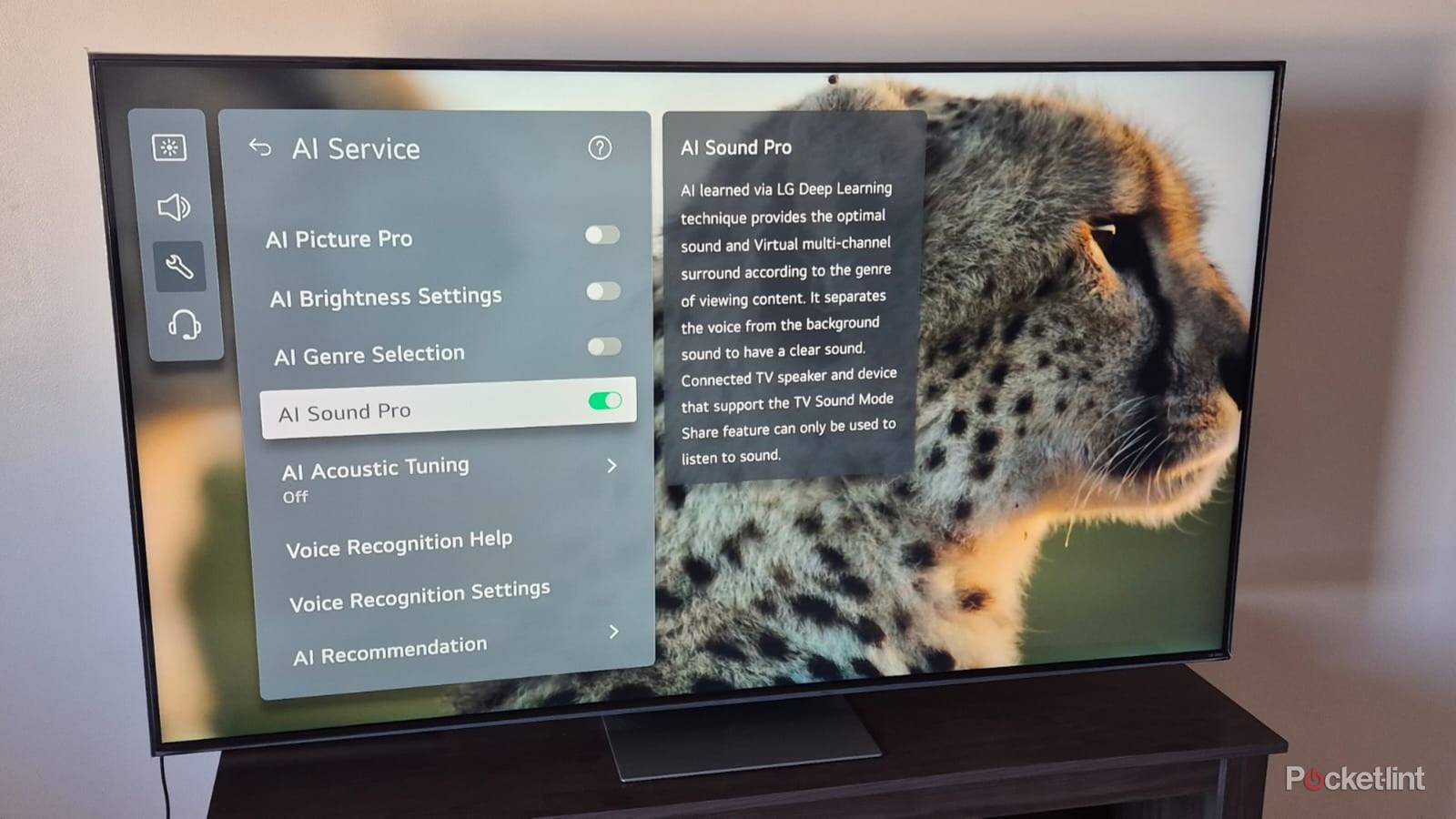
This entire menu only clutters my TV, and I don’t use any of its feaures.
My LG is packed with these AI features and has a dedicated menu for them. They include so-called tools like AI Picture Pro and AI Genre Selection that are supposed to enhance my picture quality based on what I’m watching. There’s also the AI Recommendations feature, which suggests things for me to watch based on my viewing habits. This entire menu only clutters my TV, and I don’t use any of its features.
To turn off your LG’s AI features, go to Settings > All Settings > General > AI Service. Then use the sliders to disable the features.
Energy-saving mode
It might get you a coffee at the end of the year

Energy-saving mode sounds good in theory, and we all wish we could save money and help the environment by changing a few settings. In reality, you might save a few bucks a year, which equates to a cup of coffee if you’re lucky.
The downside of energy-saving mode far outweighs the benefits. The setting reduces your energy consumption by lowering the overall brightness and processing power. This means you’ll have a dimmer picture and might experience lag when switching between apps. It defeats the purpose of having a quality TV, and it’s a feature I’ll never use.
You can easily turn off the energy-saving features on your LG TV by going to Settings > All Settings > General > Energy Saving > Energy Saving Step. Then tick the box to turn it off.
LG Live Plus
Another name for ACR

Live Plus is LG’s version of automatic content recognition (ACR). For those who don’t know, ACR is a new TV feature adopted by most brands that claims to improve your viewing experience by personalizing your content recommendations.
It works by taking screenshots of whatever you’re watching and uploading it to the brand’s servers.
It works by taking screenshots of whatever you’re watching and uploading it to the brand’s servers. These screenshots are taken every few seconds, regardless of what’s on your screen, and are also shared with third parties. We seem to be giving up more of our privacy just to survive, and I don’t appreciate my TV spying on me, especially under the pretext that it’s making my experience better. I keep ACR off on any TV I’m watching and never look back.
To turn off Live Plus on an LG TV, go to Settings > All Settings> General > System > Additional Settings, then use the toggle to turn it off.
Privacy and Terms
Mandatory bureaucracy

Once upon a time, you could buy a new TV, turn it on, and watch whatever you like. Now you can’t access its features without signing user agreements that you can barely understand. There’s no getting past the obligatory Terms of Use and Privacy policy, but I refuse to agree to the Viewing and Voice information agreements.
LG also throws in software and legal notices for good measure. The advertisement agreement lets them send me ads “that may be of interest to me,” as if they exist. How I long for a simpler time when TVs didn’t force us to sign garbage documents to use them.
You can’t get out of the mandatory user agreements. However, it’s still worth reviewing your privacy settings: go to Settings > All Settings > Support > Privacy & Terms, and untick all the optional agreements.
Chatbot
Nobody asked for it

I find it hard to believe that anyone would buy a TV based on its chatbot feature. My TV’s chatbot feature has the usual robotic voice that offers to help me with my inquiries and to find certain TV settings. It also has shortcut icons for things I might be looking for, like screen or remote control issues.
This feature is totally unnecessary and is irritating when it displays lists of things I might want to fix.
This feature is totally unnecessary and is irritating when it displays lists of things I might want to fix. Luckily, the LG TV chatbot is tucked away in the Settings menu and isn’t something I need to interact with.
Some newer LG TVs went a step further, forcing Microsoft Copilot on users as a built-in feature that’s even more invasive and harder to remove. Customers were outraged, and LG had to pull the plug.
