


For anyone who’s traveled abroad, it’s a familiar experience to land in a new country only to realize your service didn’t make the trip with you. And now you’re at the airport in Rome. You can’t find your bags, and for some reason your phone won’t connect to the airport Wi-Fi.
Then you remember, certo. Of course. I have Google Translate.
When I landed in Rome, I hadn’t downloaded Italian. I was already trying to figure out how to get into the city and find my hotel. That would’ve been a good time to have a translation app I could actually use.
Google Translate in airplane mode still packs a punch. You just have to set it up while you have a connection, which you can do before you’ve even packed your bags.
Download your languages before you arrive
Check for both English and Italian

Downloading a language in Google Translate is relatively straightforward. Do this on whatever device you’re taking with you, whether it’s an iPhone or an Android tablet. I’d look for Italian and English in the app. If English is already downloaded, congratulations. You’ve got one less thing to do before you leave.
- Get on Wi-Fi and open the Google Translate app.
- Open the language picker and tap the download icon next to the language you’ll need. For Rome, that’s Italian.
- Wait for the download to finish, and afterward check that Italian is correctly downloaded. While you’re there, go ahead and double-check that English is downloaded too.
- Here’s where I’d recreate my airport problem at home. Put your phone in airplane mode and make sure Wi-Fi is off.
- In Google Translate, type a short question in English that you might actually need, like “Where’s baggage claim?” Translate it into Italian. If the translation comes up while you’re offline, then that’s a victory. You’ve done it. Switch the languages and type the Italian back in, because asking for directions won’t help much if you can’t understand the answer.
If I were back at the airport in Rome, I’d start with one question. How do I get into the city? I could type it in English and show someone the Italian on my screen. If they wanted to type an answer, I could switch the languages around and hand them my phone. I’d still have to find the bus stop outside, of course, but at least I’d know which bus I was looking for.
Use the camera to translate road signs and menus
Point your phone at the words you want to read

Text translation is helpful if you can stop and type out what you need translated. But sometimes you’re carrying a bunch of bags and all you have time for is a quick picture. That’s when I reach for one of my favorite Google Translate features, the camera.
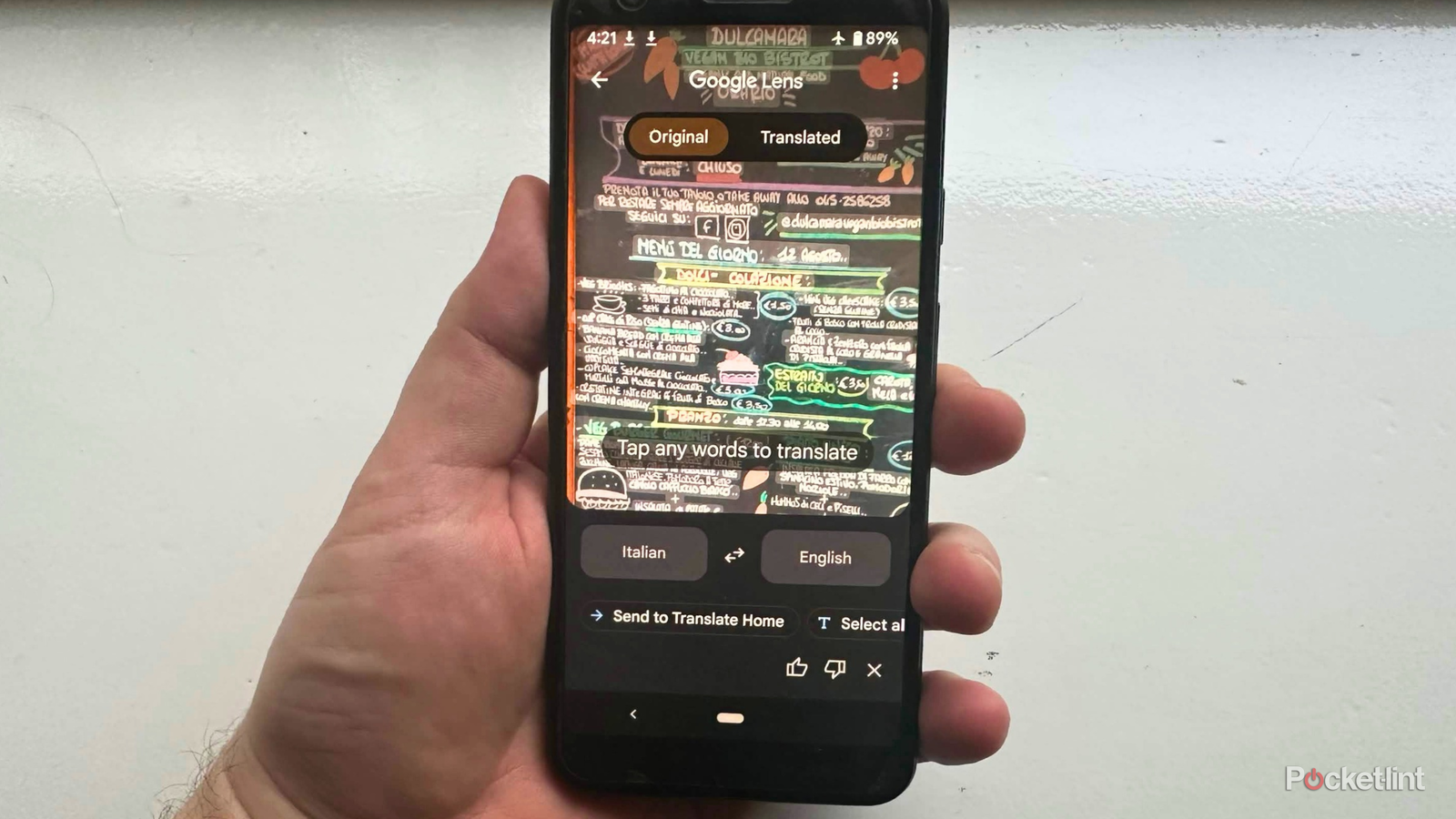
Even though I’ve studied basic Italian, I don’t have every road sign memorized. And if I’m looking at a restaurant menu while drinking a glass of Italian bubbly water, I’d rather hold up my phone than type out every single dish. Same goes for every line of a hotel check-in policy.
You know the deal. When you’re traveling, you want things to be smooth and easy. We don’t want to waste time looking down at our phones, typing everything out. We’re here to see things. Once you’ve downloaded the languages you need, the camera can translate even in airplane mode.
- Open up Google Translate on your phone. Since I’m trying to read something in Italian, I’d set it to translate from Italian into English.
- Once you’ve got the languages the way you want them, tap Camera.
- Hold your phone up to whatever you’re trying to read. It could be a pasta menu or a sign telling you where to catch the bus.
- See the round button you’d usually use to take a picture? That’s the shutter. Tap it so you can read the translation without keeping your phone pointed at the text.
On an iPhone, it’s pretty nifty to watch the words change on your screen as you point the camera. The shutter holds the image still so you can take your time deciding what to order. I recommend something with mushrooms.
Some Google Translate features have limits offline
Check live conversation in airplane mode

It’s amazing how you can have a little interpreter in your pocket when you’re visiting a new country. You can speak into your phone and hear a translation. You can type a question or point the camera at a sign.
The part I’d check on the phone I’m actually bringing is live conversation. English and Italian are on Google’s list for offline conversations, but you need a compatible Pixel. Look for Live & Text in the language picker to see which languages you can download for live translation.
Whatever you plan on using, give it a try in airplane mode. You don’t have to have your backpack packed. You don’t even need to have bought your plane ticket. You can try it today and save yourself that moment at the airport when you realize the one thing you needed to download was Italian.
