


I use my smartphone for countless tasks and hate that default Android apps are privacy risks and spy on me throughout the day. Keyboards, mobile browsers, and other apps gather our search history, location, and other settings and share them with third parties without our knowledge or consent.
The reality is that the Android OS and many of its apps are invasive by default, and you’ll need to remove some of them or change their settings if you care about privacy. Here are the settings you should change in three popular Google apps to improve your privacy on an Android phone.
Chrome
It’s also a data harvesting tool

Chrome is one of the biggest data gathering culprits and changing a few settings can reduce its invasiveness. The Web & App activity setting tracks your searches and other information from across your Google Services to improve the service. This includes app usage, voice interactions with Google Assistant, and your Chrome searches.
You can disable it by navigating to Chrome => Settings => Manage Your Google Account => Data and Privacy => My Activity => Web & App activity => Turn off. You can also use the Turn off and delete activity option to clear all your stored information. A list will appear showing services, like Google Store, Google TV, etc, and you can choose which activity you’d like to delete.
You can also navigate to Chrome => Settings => Manage Your Google Account => Data and Privacy => Personalized ads and use the toggle to turn off Personalized ads on Google.
Then navigate to Chrome => Settings => Manage Your Google Account => Data and Privacy => Data Sharing => Third-party apps and services. It will display a list of all the apps linked to your Google Account. There are bound to be some you no longer use. Tap the app you no longer want to share information with. Then click on Delete All to stop sharing your Google Account data with it.
These track your web activity across multiple sites and create a profile of your likes and dislikes for advertising purposes.
You should also delete third-party cookies. These track your web activity across multiple sites and create a profile of your likes and dislikes for advertising purposes. They also help companies gauge their ad performance and responses. To deactivate third-party cookies, navigate to Chrome => Privacy and Security => Third-party cookies. Select the Block third-party cookies checkbox.
While you’re in the Chrome => Privacy and Security page, tap on ‘Send a Do Not Track” request. Then turn the toggle to the Off setting. This option tells websites you’ve opted out of tracking, but whether they comply depends on their jurisdiction and internal policies.
Gboard settings
You’ll be surprised at what it collects

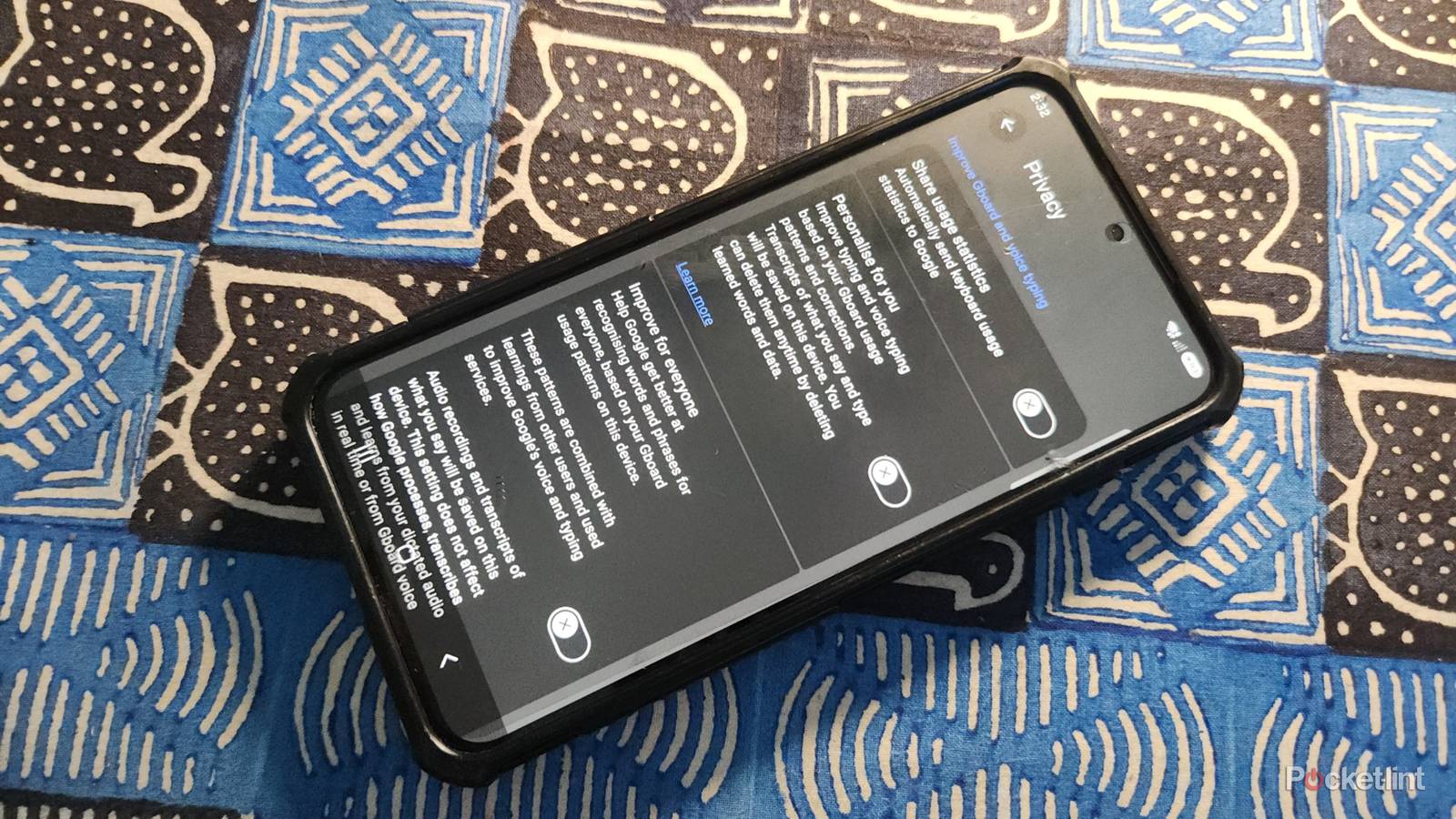
Gboard is the default keyboard app on Android phones and also collects your personal data. To disable them, navigate to Settings => Keyboard => General Management => Gboard settings, then tap on Privacy.
This will prevent Gboard from sharing your usage statistics with Google.
Then use the toggle to disable Share usage Statistics. This will prevent Gboard from sharing your usage statistics with Google. While you’re in the Settings => Keyboard => General Management => Gboard settings => Privacy menu, you should also disable the Personalize for you toggle and the Improve for Everyone option. It creates transcripts of your words and phrases to help improve Google services. You should also disable the Audio donations option, which creates and uploads snippets of your voice to improve Google’s speech recognition.
Gemini
Helpful and invasive

Gemini is now replacing Google Assistant as the default voice assistant on Android phones. It’s helpful for many tasks, but also collects your personal data. To change these settings, navigate to Gemini => Settings. Then open Gemini Apps Activity. This setting saves your chats, so you can view them later.
Google also uses these chats to improve its services. Use the toggle to turn off Keep Activity. It will still store your chats for 72 hours to adequately respond to your queries. You can also use the auto-delete option to remove Gemini activity that’s older than 3, 18, or 36 months old.
You can also use the auto-delete option to remove Gemini activity that’s older than 3, 18, or 36 months old.
If you prefer to keep your chat history, you should ensure the Improve Google services with your audio and Gemini Live videos and screenshares is unticked. This option uses screenshots of your information to train Google’s AI models.
You should also limit Gemini’s access to your other apps. In Gemini, navigate to Settings => Personal Intelligence => Connected apps. You’ll see a list of apps that Gemini can connect to, including Google Workspace apps and third-party options, like YouTube and Samsung Gallery. Uncheck any apps you don’t want Gemini to access.
