

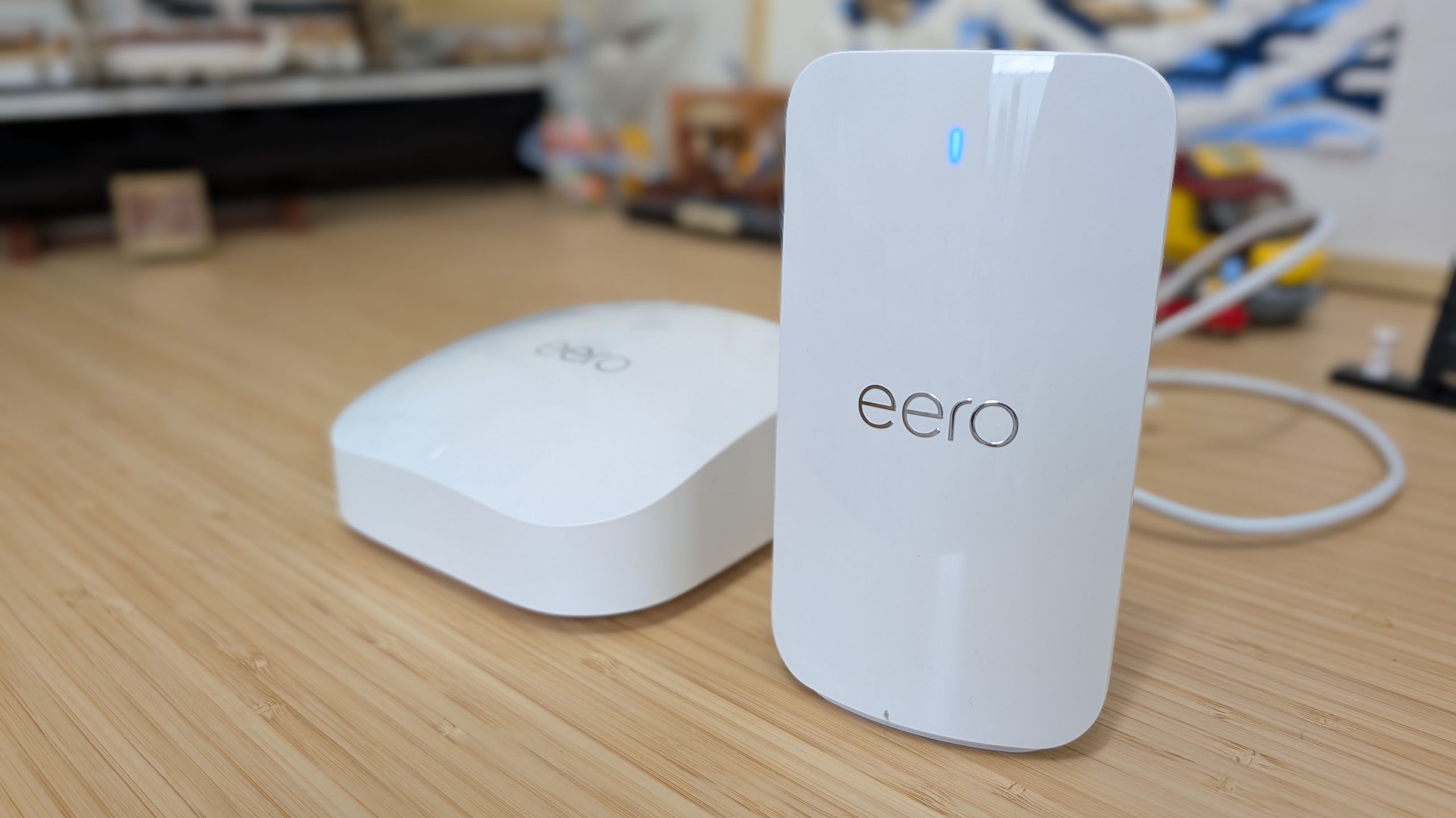

As someone who has worked from home for the last 15 years, there aren’t many things more frustrating than my internet connection going down in the middle of a workday. Sure, my kids act like it’s the end of the world when it happens after school, when they’re trying to unlock some forbidden fruit on Roblox or whatever, but that’s nothing compared to the internal rage I feel when I see my camera feed stuttering on a video call.
My current Internet Service Provider (ISP) has gotten more reliable, but there was a period of time when I’d complained about them so much on Twitter that I had four technicians and their boss randomly show up at my house, asking if they could run a brand new service line in a bid to fix my issues.
Article continues below
Then I found Eero Signal
I currently use one of Eero’s mesh Wi-Fi systems, so when Eero announced its latest product, the $99 Eero Signal, my interest was piqued.
The small device that looks like a wireless charging stand for your phone connects to a compatible Eero router. When your main internet connection drops, your Eero system automatically switches to the LTE connection that Signal provides. (There’s a 5G model coming later this year that I’d instantly upgrade to.)
I’ve had Signal set up and running in my house for several weeks now, and I have to admit — I’m smitten. It’s perfectly picked up where my service provider has let me down.
Setup was easy, and it has deep controls

After unboxing the Signal and a 45W power adapter, I immediately connected it to my Eero system and the included power supply. The rest of the process required a few taps on my phone, adding the device to my home system, ensuring I was on an Eero Plus plan for the cellar portion, and I was up and running.
Eero offers two plans. You can pay $99.99 a year for 10 GB of data per month, while $199.99 gets you 100 GB of data per month through Signal’s connection.
To test Signal, all I had to do was temporarily disconnect the wired internet connection going to my Eero system, and it switched over to Signal almost immediately.
Seamless backup internet achieved.
The last step to complete setup was to go through the list of devices in the Eero app, approving or forbidding access to data when Signal is active. It’s a quick and easy way to ensure that your work laptop or home alarm system and cameras stay connected to the internet during an outage, but stopping your streaming devices from eating into your data allotment.
Recent maintenance put Eero Signal to the test

My home network setup is complex, and beyond the previously mentioned video calls for work being a priority, so too is all of the self-hosted websites and services I have running, including personal and business websites from my basement. When my sites go down, I get sad. I don’t like being sad.
But since installing Eero Signal, my sites have had virtually zero downtime due to a lack of internet.
The reliability and speed of Signal was put to the test a couple of weeks ago when my internet service provider announced routine maintenance in my area that’d take my connection offline all day.
Bring it on, I said to myself as I read the email.
The morning of the scheduled downtime, while I was out of town and away from the house, I received an alert that my connection had dropped and my network switched over to Signal and then… nothing. I didn’t get an alert that any of my sites were down, and I could pull up a live stream of my Ring security cameras.
Several hours later, I received another alert that the work was done for the day, but they were unable to finish everything, and expected a prolonged outage the next day.
The second day came and went much like the first — Signal kicked in and took over, providing data to my home’s network and self-hosted services, all the while I was able to call into a Teams meeting. The Signal’s LTE connection is averaging 50 Mbps down and 10 Mbps up for me, which isn’t super fast compared to my standard connection, but it’s enough for short periods..

Internet outages are a thing of the past

I’d become so accustomed to dealing with sporadic internet outages that I didn’t realize how much time I spent worrying about it. Then again, being connected to the internet during the day is how I do my job, and without it, I’m not very productive, so it makes sense.
It also makes sense that after setting up Signal and realizing it delivers on its promise, I’ve felt relieved. A couple of months ago, those messages alerting me of upcoming maintenance would have stressed me out for days.
Instead, all I did was get excited because it was going to be a stress test for Signal — and it passed, easily.
That relief alone is worth the cost. Now I can spend that energy on something productive.

Follow TechRadar on Google News and add us as a preferred source to get our expert news, reviews, and opinion in your feeds. Make sure to click the Follow button!
And of course you can also follow TechRadar on TikTok for news, reviews, unboxings in video form, and get regular updates from us on WhatsApp too.
