

Close Menu

    Subscribe to Updates

    Get the latest Tech news from SynapseFlow

    What's Hot

    I tried these 6 new Excel functions and they saved me a ton of time

    June 12, 2026

    Spotify is giving one of its best playlists a big visual upgrade to give subscribers ‘a closer connection’ to its New Music Friday curators — and I think it could be the update it’s always needed

    June 12, 2026

    In Other News: Google Security Layoffs, AudiA6 Takedown, $400 Million Coupang Fine

    June 12, 2026
    Facebook X (Twitter) Instagram
    • Homepage
    • About Us
    • Contact Us
    • Privacy Policy
    Facebook X (Twitter) Instagram YouTube
    synapseflow.co.uksynapseflow.co.uk
    • AI News & Updates
    • Cybersecurity
    • Future Tech
    • Reviews
    • Software & Apps
    • Tech Gadgets
    synapseflow.co.uksynapseflow.co.uk
    Home»Reviews»Google app with AI Mode is now available for Windows worldwide
    Google app with AI Mode is now available for Windows worldwide
    Reviews

    Google app with AI Mode is now available for Windows worldwide

    The Tech GuyBy The Tech GuyApril 15, 2026No Comments1 Min Read0 Views
    Share
    Facebook Twitter LinkedIn Pinterest Email
    Advertisement


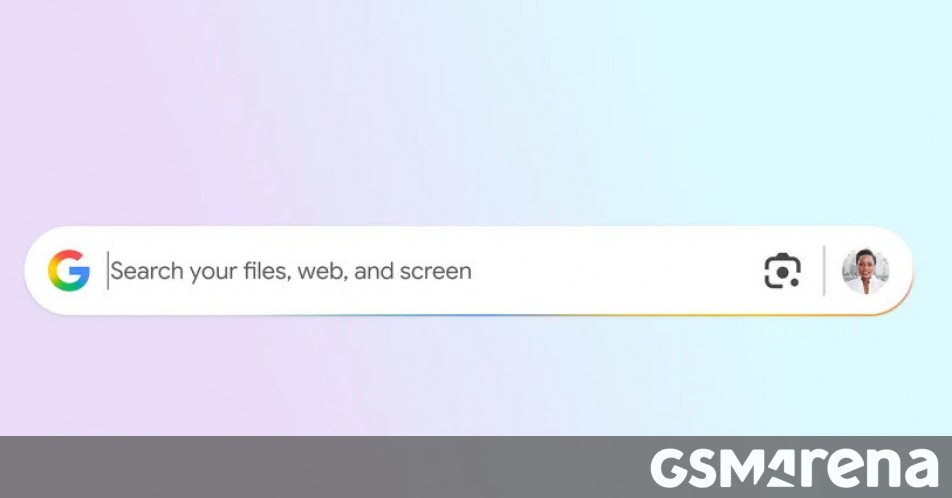
    Back in September of last year, Google launched an experimental Windows app with AI Mode built-in. Now, this has been made available to everyone across the globe, but only in English for now. Undoubtedly more languages are going to be supported soon.

    Advertisement

    The Google app for Windows lets you use Alt+Space as a shortcut to bring it up in a small window and ask it anything. That shortcut will be very familiar to you if you’re a Mac user, of course, since it’s what brings up Spotlight search.

    Google’s app obviously provides a Google search box, but it’s so much more – you can select a specific window to ask Google something about it, or you can select your entire screen and share it with Google so its AI can give you better answers.

    With Google Lens, you can even select and search anything on your screen – it doesn’t have to be a window. This lets you translate images or text, and get help with whatever you might be doing.

    Source

    Advertisement
    Share. Facebook Twitter Pinterest LinkedIn Tumblr Email
    The Tech Guy
    • Website

    Related Posts

    Amazon’s Echo Hub just became the control freak your smart home needed

    June 12, 2026

    vivo X Fold6 confirmed to feature a special edition Dimensity 9500 SoC

    June 12, 2026

    Corsair Galleon 100 SD review: Stream Deck meets K70, complete with all the bells and whistles

    June 12, 2026

    The Galaxy Watch Ultra 2 could be a battery champion

    June 11, 2026

    OpenAI teams up with Visa to enable secure payments through AI agents

    June 11, 2026

    The new Tecno Pova 8 boasts an 8,000mAh battery, Alive Matrix Display on its back

    June 11, 2026
    Leave A Reply Cancel Reply

    Advertisement
    Top Posts

    You don’t need a NAS to self-host — I proved it with hardware from my closet

    June 7, 202625 Views

    The iPad Air brand makes no sense – it needs a rethink

    October 12, 202516 Views

    ChatGPT Group Chats are here … but not for everyone (yet)

    November 14, 20259 Views
    Stay In Touch
    • Facebook
    • YouTube
    • TikTok
    • WhatsApp
    • Twitter
    • Instagram
    Advertisement
    About Us
    About Us

    SynapseFlow brings you the latest updates in Technology, AI, and Gadgets from innovations and reviews to future trends. Stay smart, stay updated with the tech world every day!

    Our Picks

    I tried these 6 new Excel functions and they saved me a ton of time

    June 12, 2026

    Spotify is giving one of its best playlists a big visual upgrade to give subscribers ‘a closer connection’ to its New Music Friday curators — and I think it could be the update it’s always needed

    June 12, 2026

    In Other News: Google Security Layoffs, AudiA6 Takedown, $400 Million Coupang Fine

    June 12, 2026
    categories
    • AI News & Updates
    • Cybersecurity
    • Future Tech
    • Reviews
    • Software & Apps
    • Tech Gadgets
    Facebook X (Twitter) Instagram Pinterest YouTube Dribbble
    • Homepage
    • About Us
    • Contact Us
    • Privacy Policy
    © 2026 SynapseFlow All Rights Reserved.

    Type above and press Enter to search. Press Esc to cancel.

    Ad Blocker Enabled!
    Ad Blocker Enabled!
    Our website is made possible by displaying online advertisements to our visitors. Please support us by disabling your Ad Blocker.