

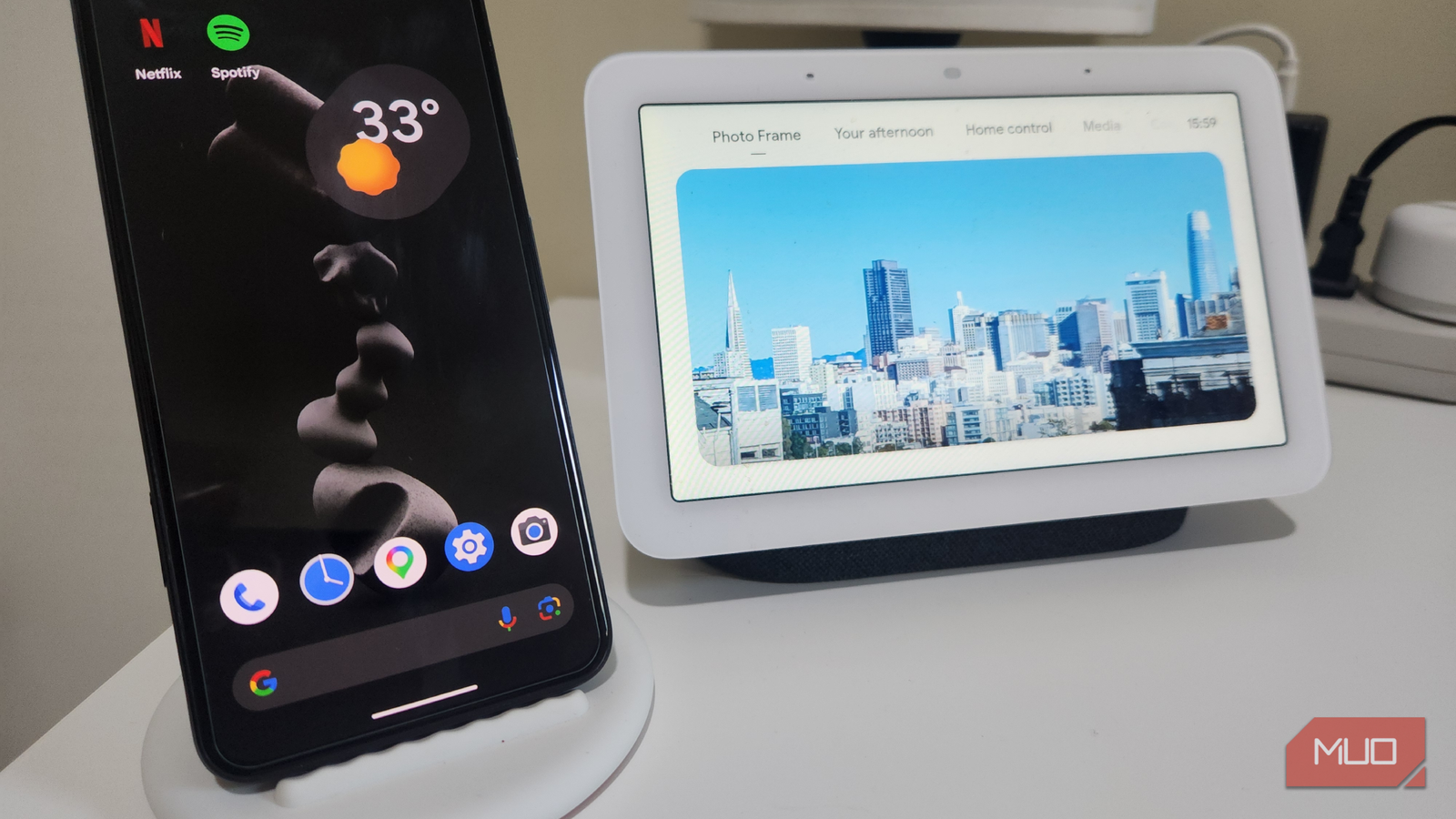

I received a Google Nest Hub as part of a promotion with a Google One subscription, and for years, it was the organizational center of my smart home setup. It handled timers and alarms, answered quick questions, streamed news, music, and podcasts, and reminded me of calendar appointments and events when I woke. What it lacked, however, was flexibility — it did what it was designed to do, but that was about it.
This limitation became more obvious as my requirements evolved. As I started to travel more for work and leisure, I needed better customization, more app support, and, perhaps most importantly, better portability. This is when my thoughts turned to the old Pixel 5, sitting unused in my drawer.
It struck me that my “outdated” phone could be far more useful than a dedicated smart speaker in almost every way, so I set about configuring the old device to suit a new purpose.

I turned my old tablet into a smart home dashboard, and it’s perfect
I use my 1st-gen iPad Pro as a smart home dashboard
Setting up my old Pixel 5 as a smart display
The simple setup, accessories I used, and getting Google Assistant up and running

The setup process was surprisingly quick and easy. I started by performing a factory reset on the Pixel 5, which brought my phone up to date and gave me a clean slate to work with. Next, I signed in with my Google account and enabled Google Assistant, just as I had with my Nest Hub. I only added the apps that would be useful as a smart speaker initially, and I would install more later, as necessary.
I dug out my Pixel wireless charging stand to complete the setup, and the experience was transformed immediately. Now, my Pixel 5 looked and felt like a portable, compact smart display. It remains permanently powered on, and to replicate the “ambient” feel of a smart display, I enabled features like the always-on display and photo screensavers.
It does everything my smart speaker does and more
Better options, improved responses, full app access, and multitasking

As far as the basics are concerned, the Pixel 5 can handle everything my Nest Hub can, including setting timers, playing music, telling me the weather, and controlling smart home devices. However, I have noticed that responses are often more detailed, possibly due to the phone’s full browser access.
When you look beyond the basics, the Pixel 5 really stands out. Unlike a smart display, it gives me access to the entire app ecosystem, which means I can open YouTube, browse the web, check my calendar in full detail, or even run productivity apps. I’m no longer limited to simplified “smart display” versions of services.
Multitasking is another major advantage. I can run a timer while watching a video, or control smart home devices while checking messages. The screen is sharper, the interface more responsive, and I’m not locked into specific services or integrations, as I have the entire Play Store at my disposal.
As a bonus, its handheld functionality means I can also use my phone as a bedroom remote to cast music and video to my TV and smart speaker, which makes for a massive upgrade over the Nest Hub’s small screen and built-in speaker.
Customizing my new display to fit my life
Widgets, automations, routines, and dashboards that make the Pixel truly useful
While the Nest Hub is an excellent device within its specific purpose, customization is somewhat limited. On the Pixel 5, I can shape the experience exactly the way I want. I can add widgets for weather, calendar events, and smart home controls directly to the home screen, turning it into a personalized dashboard.
I also set up routines through Google Assistant to automate common tasks. For example, a simple voice command can now trigger a morning routine that turns on my bedside light, reads out my schedule, and reads me the BBC news, all with more flexibility than before. Even small tweaks like choosing my preferred clock style or rearranging icons made the device feel more personal and useful.
Where the Pixel 5 falls short
Features I miss with my Nest Hub — and why the Pixel still wins

With the Pixel 5 as my smart home hub, I now have a device that feels flexible and adaptable rather than static. Updates bring new features, apps evolve, and my setup can change as my needs do. There are, however, some things that I miss.
The Nest Hub is aesthetically pleasing as a standalone screen and speaker that’s built for purpose and perfectly sized for my bedside table. I also like its built-in speaker, which requires no Bluetooth connection, is considerably more powerful, and has a broader frequency spectrum than a phone’s tiny speakers. The 7-inch screen also makes for a better photo display, adding a nice ambiance to the room.
However, these don’t outweigh the practical benefits of using my phone as a smart speaker. I love its improved functionality, imminent portability, and the fact that I’ve extended the life of a device that would otherwise sit unused. Instead of buying new hardware, I repurposed something I already owned — and ended up with a better result.
A smarter, more flexible alternative that was hiding in plain sight
Replacing my smart speaker with an old Android phone was a decision born out of necessity. As I traveled from place to place, I needed all the practical benefits of my Google Nest Hub in a scaled-down, portable unit, but it quickly became a permanent upgrade.
What I gained wasn’t just a replacement; it was a more capable, customizable, and future-proof hub for my daily routines. If you also have an unused Android phone lying around, it might be worth trying the same approach. You may find, as I did, that the smartest upgrade isn’t buying something new but repurposing what you already have.

- Brand
-
Google
- SoC
-
Qualcomm Snapdragon 765G
- Display
-
6.0-inch, 1080×2340
- RAM
-
8GB
- Storage
-
128GB
- Battery
-
4,080mAh
