

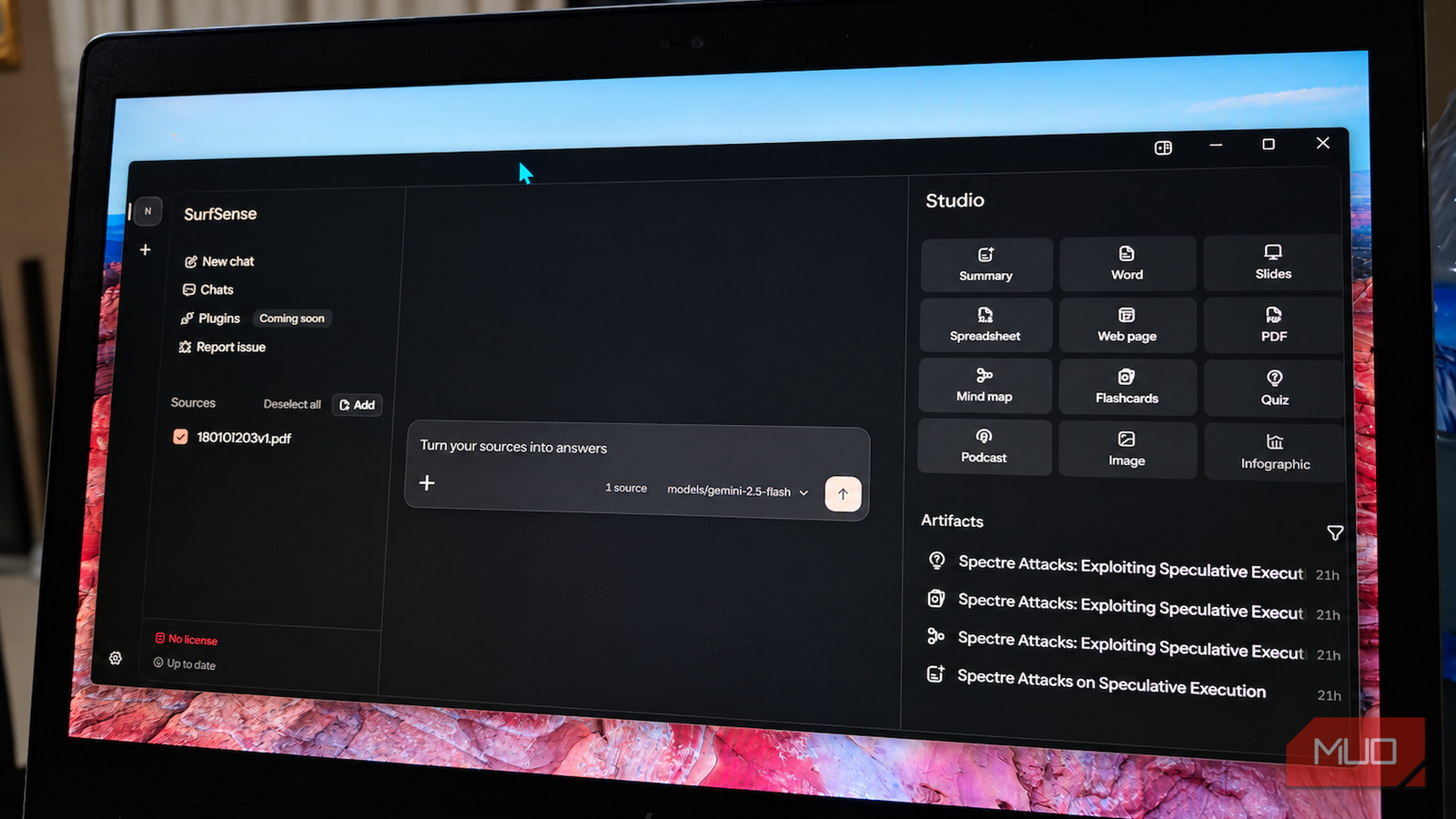

NotebookLM has become one of my favorite ways to work through research papers I’d otherwise need to read several times. I started looking for an alternative that gave me more control over the model and where my documents went, so I found SurfSense.
It’s an open-source research notebook that can run locally, connect to external models, and turn the same source into chats, summaries, mind maps, flashcards, quizzes, and other study material. That was ambitious enough to get my attention, so I fed it the original Spectre paper [PDF] and started testing the parts that usually make dense technical reading difficult.
SurfSense gives you much more control before you start reading
You get the keys before you get the car
SurfSense makes you pick an AI model before you can really start working with your documents. You can run the model locally if you want the whole workflow to stay on your machine, or point SurfSense at an OpenAI-compatible endpoint if you’d rather use a cloud model. Before recommending anything local, SurfSense can scan your hardware and narrow the list to models your PC can realistically run well.
That scan helps a lot if names like Qwen, Gemma, and Llama don’t immediately tell you how much they’ll ask from your hardware. On my older laptop with around 16GB of memory and Intel HD 620 graphics, SurfSense marked Qwen3 0.6B as a sensible fit, while Qwen3 1.7B was already pushing beyond what it considered comfortable. That gave me a decent idea of where the ceiling was before I spent time downloading a model that might run at a crawl.
You’re not locked into those local models either. SurfSense can connect to cloud providers through OpenAI-compatible APIs, as well as local endpoints like Ollama and LM Studio. That meant I could use a stronger model for the paper without giving up the rest of SurfSense’s workflow, which follows the same broader idea behind using NotebookLM and Claude together for research.
All of that makes the first few minutes busier than NotebookLM. You may be thinking about hardware, model size, API providers, and keys before you’ve asked your first question, so SurfSense probably isn’t my first pick for someone who wants the shortest route from PDF to answers. If you care about local processing or already pay for a specific model, though, SurfSense gives you far more choice over what handles your documents.
The chat is where SurfSense earns the setup time
Keep asking why until the paper stops fighting back
Many document chat tools do a decent job with “what is this about?” and start to wobble once the questions get more specific. SurfSense held up better when I moved past summaries and started asking how individual ideas connected. It could follow a dense explanation across several steps and fill in background a paper assumes you already know.
That helped most with paragraphs that were technically clear but still left me unsure how the pieces connected. I could ask why a particular step was necessary, what would happen if one part changed, how two ideas depended on each other, or why the authors structured an experiment in a certain way. SurfSense usually gave me enough context to understand the relationship instead of simply paraphrasing the same section.
The follow-up experience is strong too. You can keep narrowing the question, push on what still isn’t clear, and move from the broad idea to the detail that’s tripping you up without restarting the conversation every time.
That’s the workflow I’d use with difficult papers, manuals, technical reports, or anything else that gets denser as you go. Start broad enough to understand the overall structure, then use follow-up questions to unpack whichever section still needs more explanation.
SurfSense also attaches numbered citations to technical claims in its chat responses. Clicking one opens the corresponding source chunk beside the conversation, so I could compare the explanation with the paper without switching windows or digging through the PDF manually.
The same citation system also works well for navigating a document. I asked SurfSense to identify three useful places in the Spectre paper for understanding the high-level attack, the conditional-branch example, and the proof-of-concept implementation. It pointed me to the relevant sections and attached source chunks to each recommendation, which gave me a useful route through a fairly hostile document.
It isn’t as exact as clicking a citation in a traditional PDF reader. SurfSense works with extracted chunks, so a reference can take you to the right section while still leaving a bit of scrolling or interpretation.
Studio gives the same source several useful second lives
Summary gets you oriented before you dig in

SurfSense’s Studio can generate several artifacts from whichever sources you’ve selected, including summaries, mind maps, flashcards, quizzes, documents, slides, webpages, PDFs, and podcasts. I focused on the learning tools because they gave me the clearest way to see how useful SurfSense remained after the initial chat.
The default Summary works well as a first pass. It pulled the main ideas into a structure that was much easier to follow while keeping enough technical detail for me to spot which parts of the source deserved a closer look. It naturally lost some of the reasoning I could get by asking more targeted questions in chat, though.
So, use the Summary to get oriented when opening a long document, then move back to chat whenever you reach a section that needs deeper explanation. I also noticed that the generated Summary didn’t include the same clickable citations I got in regular chat. If I wanted to verify a claim directly against the source, I still preferred using the conversation.
The mind map is useful, but SurfSense barely gives it enough room
Great map, tiny parking spot

The Mind map was more detailed than I expected. SurfSense broke the source into concepts, relationships, methods, examples, and supporting ideas, which made the overall structure much easier to scan than a simple collection of broad topic bubbles. It’s the same reason I’ve found it useful to turn long documents into mind maps in the first place.

The interface doesn’t give it enough room, though. Studio artifacts sit in a fixed column on the right side of the app, and I couldn’t resize that panel even when plenty of unused space remained in the center of the window.
That isn’t much of a problem for summaries or flashcards, but a dense mind map benefits enormously from extra canvas. The full view quickly becomes too small to read comfortably, leaving you zooming and panning around a diagram that would be far easier to inspect if SurfSense let you drag the divider farther across the screen.
Flashcards and quizzes keep the session going after you finish reading
Now prove you were actually paying attention
Flashcards fit the narrow Studio panel much better. SurfSense generated a deck that mixed broad concepts with more specific questions, then let me reveal each answer and mark it as either Got it or Needs review.
That small feedback loop works well when you’re studying material you actually need to retain. I could move through the deck, shuffle the cards, and quickly spot which parts of the source needed another pass without building a separate deck somewhere else.
Quiz adds a little more structure. SurfSense generated multiple-choice questions, graded each answer immediately, and collected my misses on a results screen where I could review them or retake only the questions I got wrong. That makes it easy to use AI flashcards and quizzes for active recall instead of treating the generated material as another summary to skim.
These tools work best when you treat them as different stages of the same research session. I can start with a summary to get my bearings, use chat to work through confusing sections, open the mind map to see how the ideas connect, then finish with flashcards or a quiz to see how much actually stuck.
SurfSense asks more from you than NotebookLM, especially during setup, and the desktop app still has a few rough edges. Once a source is loaded, though, the freedom to choose your model, interrogate the document with traceable citations, and keep turning the same material into useful study tools gives it a reason to stick around.
